Volume Configuration
You can configure the volume of the microphone, speaker, etc. Moreover, you can also set up the tamper alarm volume when unwanted removal of the device occurs.
On the Web
Set up volumes on the web Device > Audio interface.
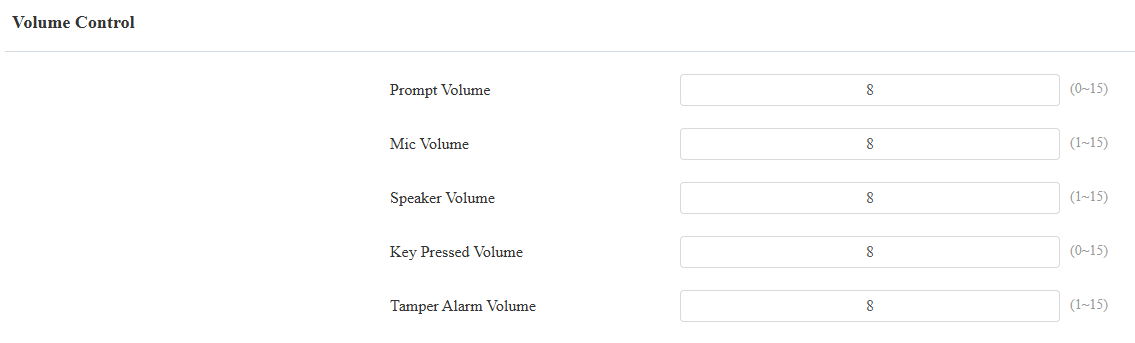
Prompt Volume: Include door-opening prompts, instruction tones, and ringback. The default is 8.
Mic Volume: The default is 8.
Speaker Volume: The default is 8.
Key Pressed Volume: The icon tapping sound. The default is 8.
Tamper Alarm Volume: Set the volume when the tamper alarm is triggered. The default is 8.
On the Device
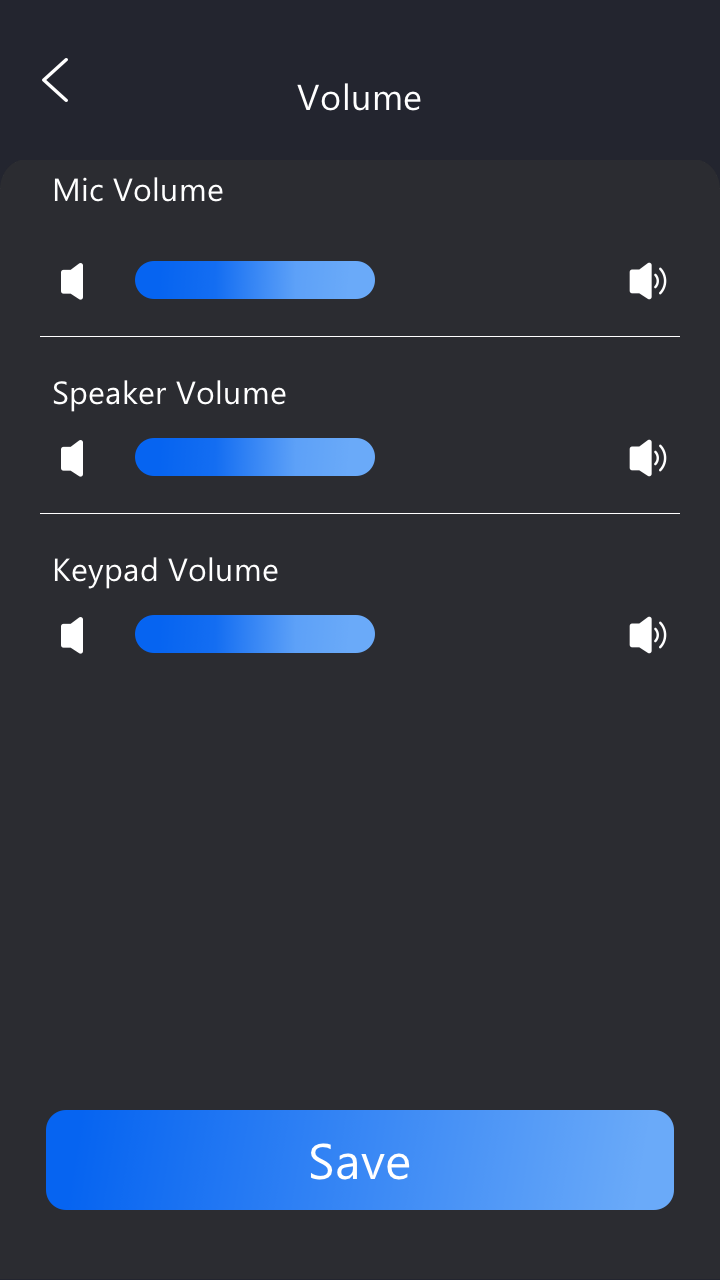
You can set up volumes on the Setting > Basic Setting > Volume screen.
Upload Tones
You can upload the tone for different scenarios on the Device > Audio > Tone Upload interface.
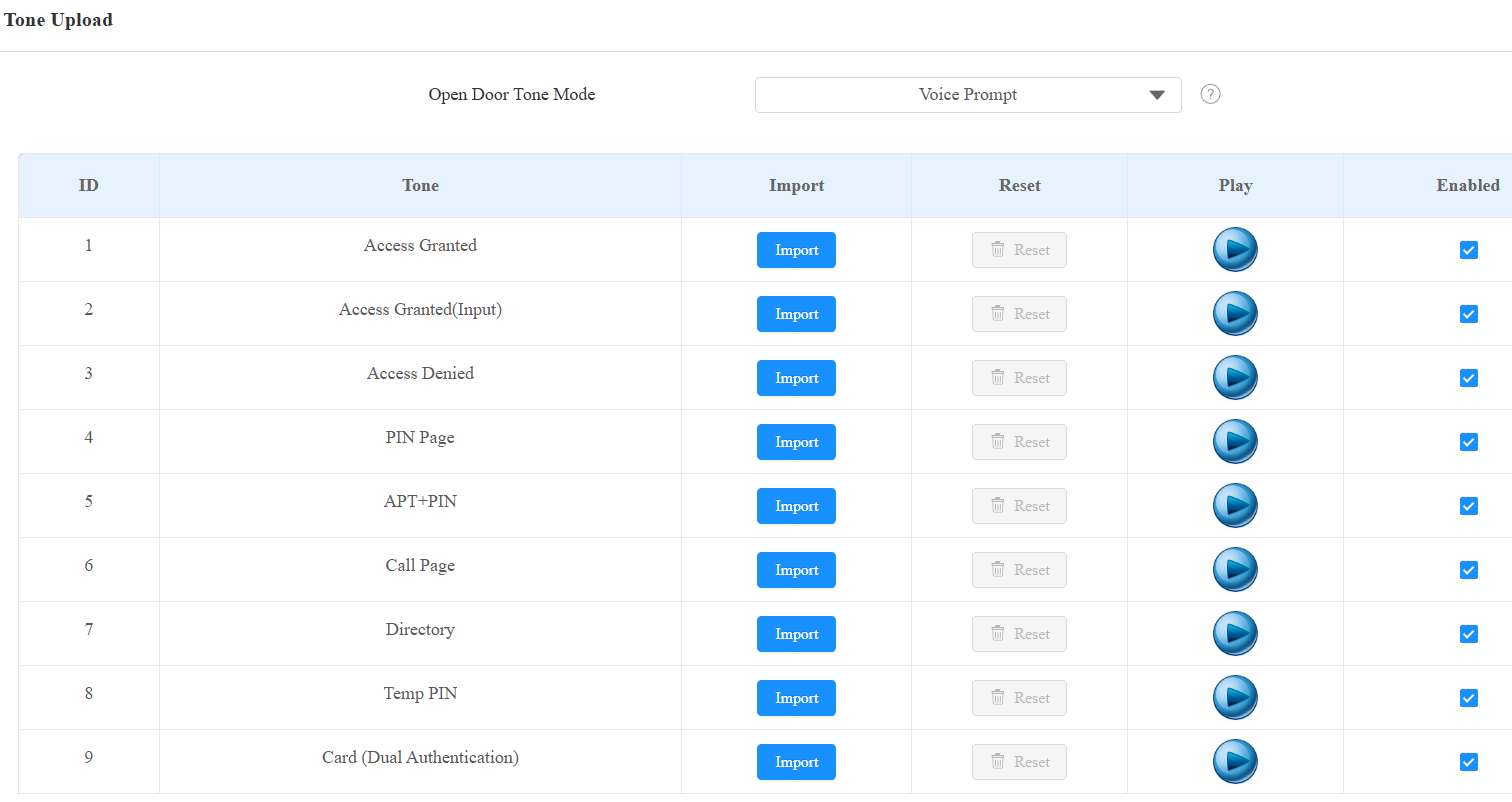
Access Granted(Input): The tone is played when the door is opened by pressing an exit button connected to the device’s input.
PIN Page: The tone is played when entering the PIN screen.
APT+PIN: The tone is played when entering the Apartment number and PIN code for door access.
Call Page: The tone is played when entering the Call screen.
Directory: The tone is played when entering the Directory screen.
Temp PIN: The tone is played when entering the temporary PIN for door access.
Card(Dual Authentication): The tone is played, prompting the user to swipe the card for door access in two-factor authentication mode.
Note
File Format: wav; Size: < 200KB; Sample Rate: 16000; Bit Depth: 16 Bits.
Ringback Tone
The ringback tone setting prioritizes the playing of local ringtones and determines what kinds of previews the callee can receive.
Set it up on the Device > Audio interface.

Ringback Source:
Remote, Local As Backup: The local ringtone will be played.
When the door phone calls another device, for example, an Akuvox indoor monitor, and the SIP server returns non-183, the indoor monitor will not have any intercom preview.
If the SIP server returns 183, the indoor monitor will receive the video preview without voice.
Local: The local ringtone will be played. Whether the SIP server returns 183 or not, the callee will not have any intercom preview.
Remote:
If the SIP server returns non-183, the local ringtone will be played, and the callee will not have any intercom preview.
If the SIP server returns 183, the SIP server’s ringtone will be played, and the callee will receive the video preview without voice.
Open Door Tone Mode
You can decide the door-opening tone mode on the Device > Audio interface.

Voice Prompt: Play the default prompt “Welcome, please come in” when the door is opened.
Sound Effect: Play the Beep sound when the door is opened.