Volume and ringtone configurations include microphone volume, speaker volume, alarm volume, and more. In addition, you can upload door-opening tones to enrich the user's personalized experience.
Volume Control
Set up volumes on the Device Setting > Audio interface. Click Test to play the audio at the current volume.
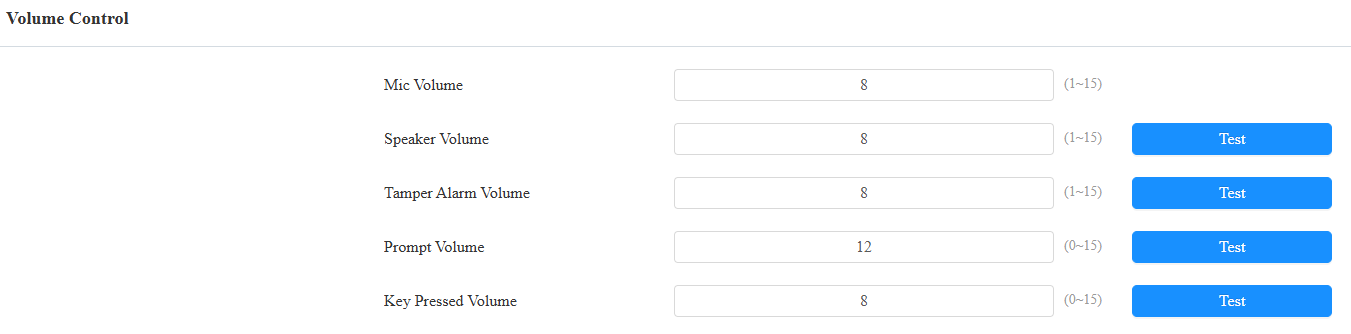
Mic Volume: The microphone volume. The default is 8.
Speaker Volume: The speaker volume. The default is 8.
Tamper Alarm Volume: Set the volume when the tamper alarm is triggered. The default is 8.
Prompt Volume: Various prompts, including door-opening success and failure prompts. The default is 12.
Key Pressed Volume: The icon tapping sound. The default is 8.
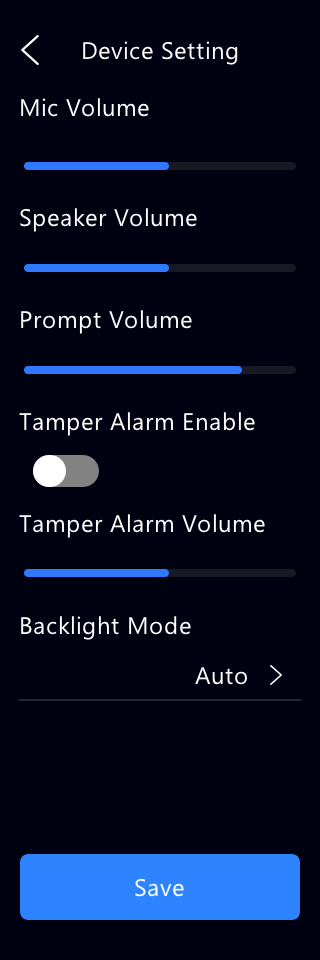
You can also adjust volumes on the Setting > Device Setting screen.
Voice Prompts Upload
You can customize and upload various voice prompts to the device.
To set it up, go to Device Setting > Audio > Tone Upload interface.
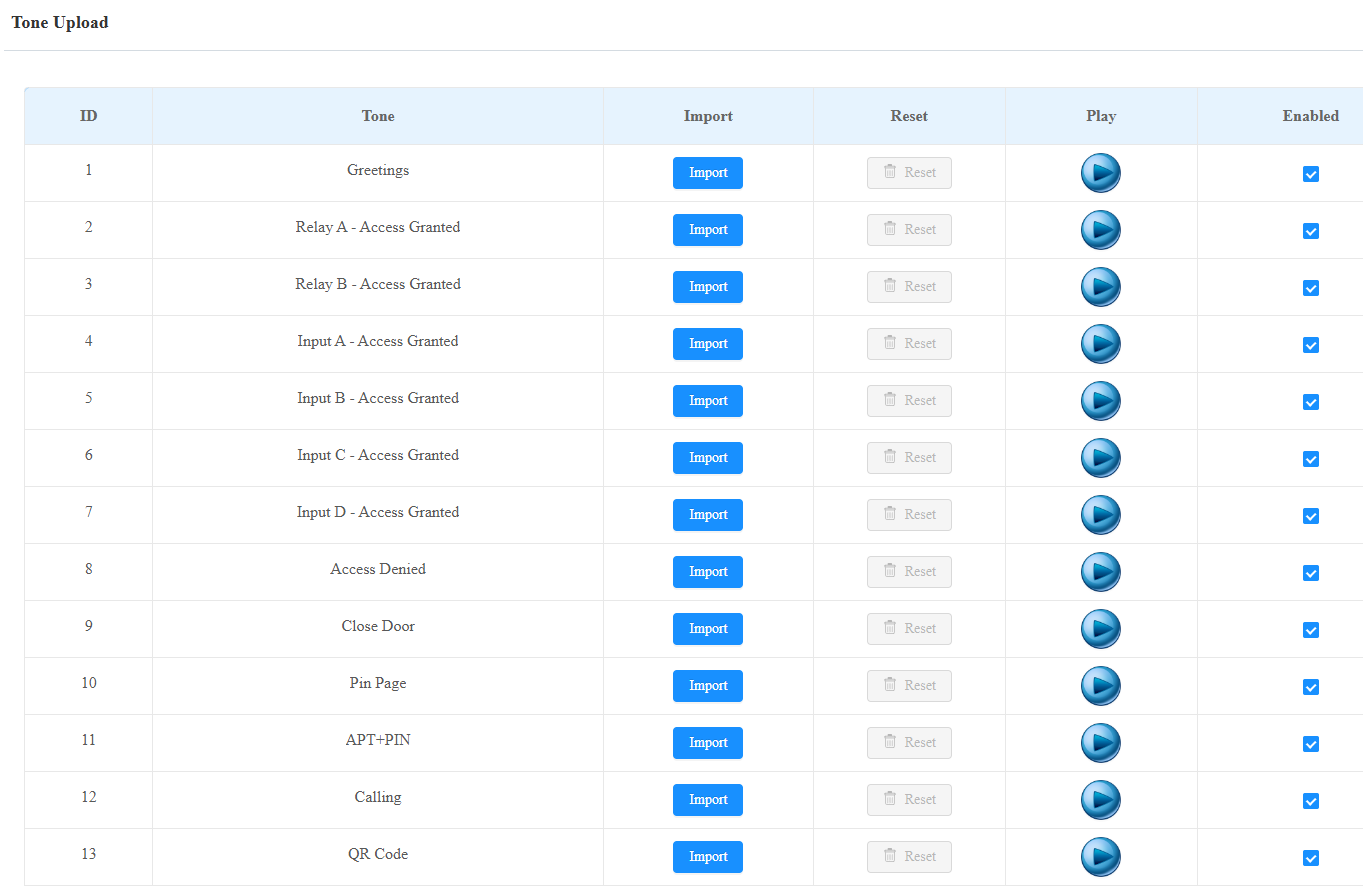
Access Granted(Input): The tone is played when the door is opened by pressing an exit button connected to the device’s input.
Close Door: The door-closing tone works for relay(s) set to Bistable mode.
PIN Page: The tone is played when entering the PIN screen.
APT+PIN: The tone is played when entering the Apartment number and PIN code for door access.
Calling: The tone is played when entering the Call screen.
QR Code: The tone is played when entering the temporary QR code scanning screen.
Note
File Format: wav; Size: < 200KB; Sample Rate: 16000; Bit Depth: 16 Bits.
Ringback Tone Setting
The ringback tone setting prioritizes the playing of local ringtones and determines what kinds of previews the callee can receive.
To set it up, go to the Intercom > Call Feature interface.

Ringback Source:
Remote, Local As Backup: The local ringtone will be played.
When the device calls another device, for example, an Akuvox indoor monitor, and the SIP server returns non-183, the indoor monitor will not have any intercom preview.
If the SIP server returns 183, the indoor monitor will receive the video preview without voice.
Local: The local ringtone will be played. Whether the SIP server returns 183 or not, the callee will not have any intercom preview.
Remote:
If the SIP server returns non-183, the local ringtone will be played, and the callee will not have any intercom preview.
If the SIP server returns 183, the SIP server’s ringtone will be played, and the callee will receive the video preview without voice.