Volume and tone configurations include microphone volume, keypad volume, speaker volume, tamper alarm volume, and open-door tone configuration. Moreover, you can upload the tone to enrich the user experience.
Volume Configuration
You can configure the volume of the microphone, speaker, etc. Moreover, you can also set up the tamper alarm volume when unwanted removal of the device occurs.
Set up volumes on the web Device > Audio interface. The default value of all volumes is 8.
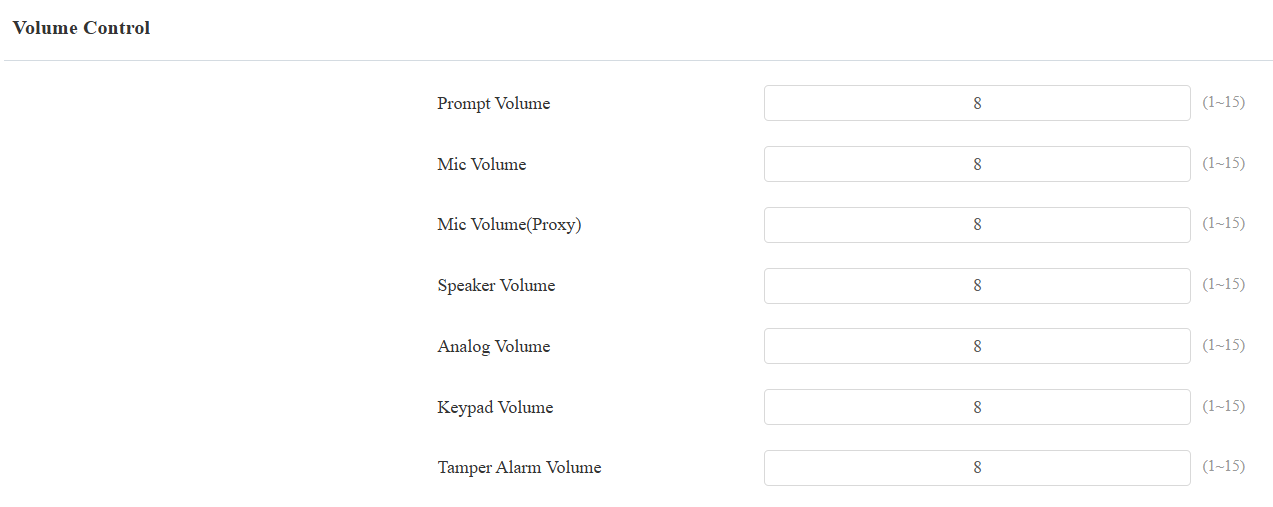
Prompt Volume: Include door-opening prompts, instruction tones, and ringback.
Mic Volume(Proxy): The mic volume of the analog switch.
Analog Volume: The volume of the analog switch during a call.
Tamper Alarm Volume: Set the volume when the tamper alarm is triggered.
Upload Tone Files
You can upload the tone for open door failure and success on the device web interface.
Upload tones on the web Device > Audio interface.
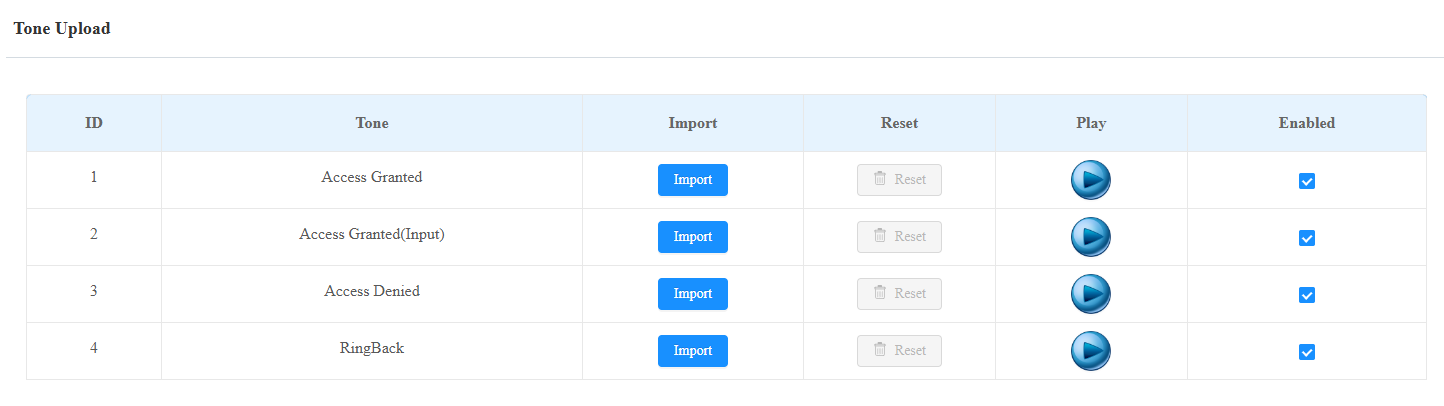
Access Granted(Input): The door is opened by pressing an exit button connected to the device’s input.
Note
File Format: wav; Size: < 200KB; Sample Rate: 16000; Bit Depth: 16 Bits.