Add Local Contacts
You can add, edit, and search local contacts on the device's web interface. To add contacts, go to Contacts > Local Contacts > Local Contacts List interface. Enter the contact information and click +Add.
The maximum number of contacts is 500.
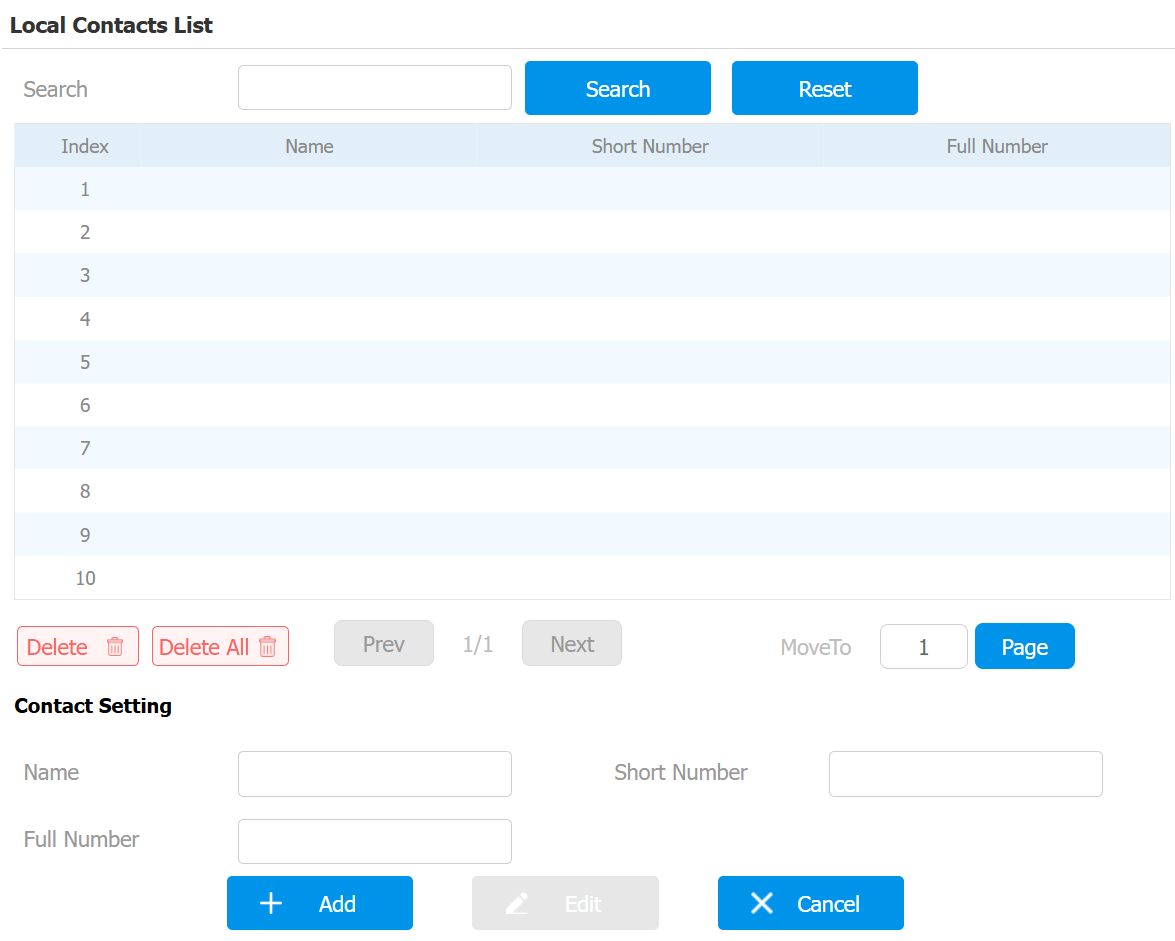
Name: The contact's name to distinguish it from others.
Short Number: The short number replaces the SIP or IP number. It should be within 5 digits.
Full Number: The SIP or IP number of the contact.
Import/Export Contacts
You can easily import and export contacts for quick management.
Set it up on the Contacts > Local Contacts interface. The export/import file is in XML or CSV format.
