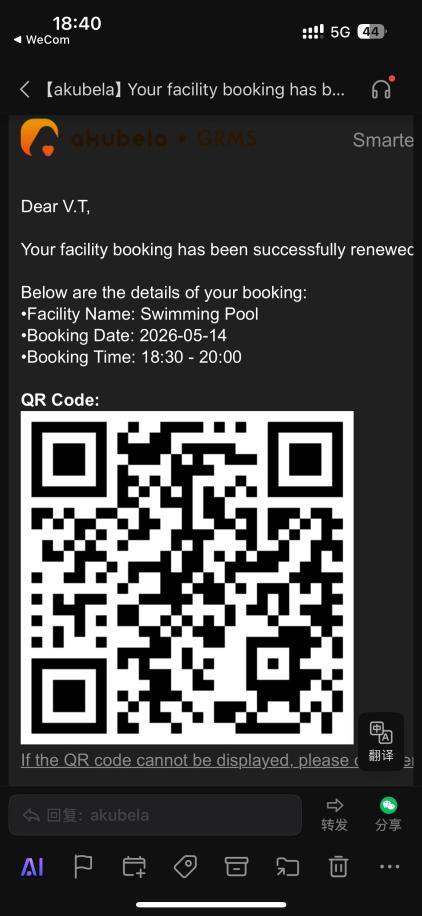
The GRMS platform allows hotels to manage shared amenities by setting booking rules, handling approvals, and managing booking renewals.
Create Facility Types
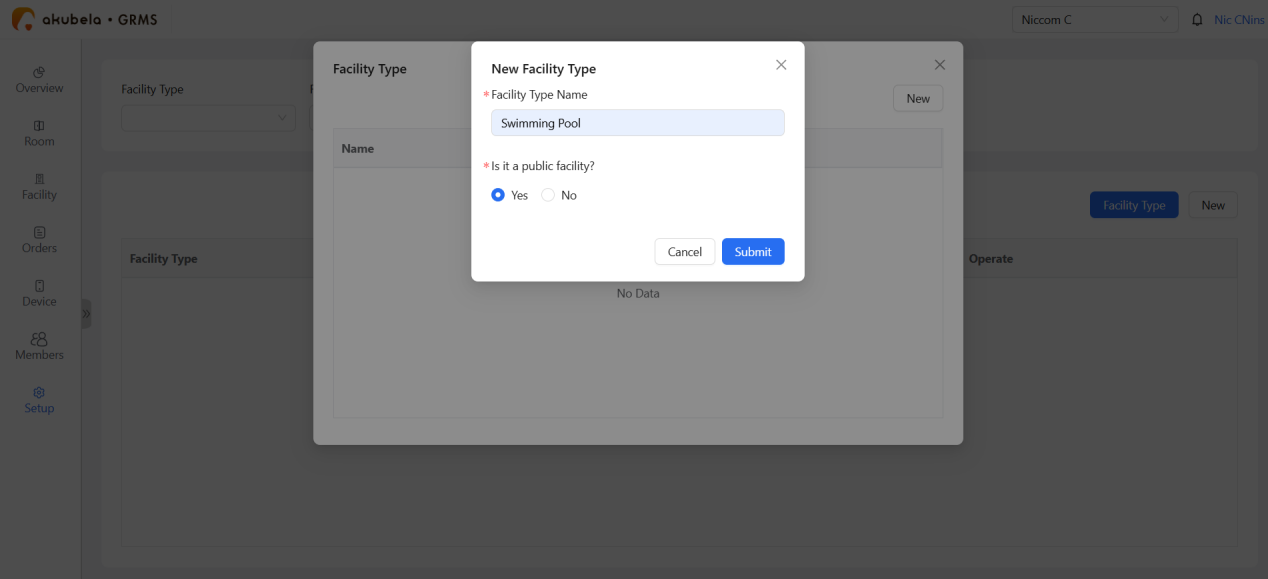
Before guests can book amenities, you must define the facility types.
Go to Setup > Facility Management > Facility Type > New.
Enter the facility name, and choose if it is a public device.
Click Submit.
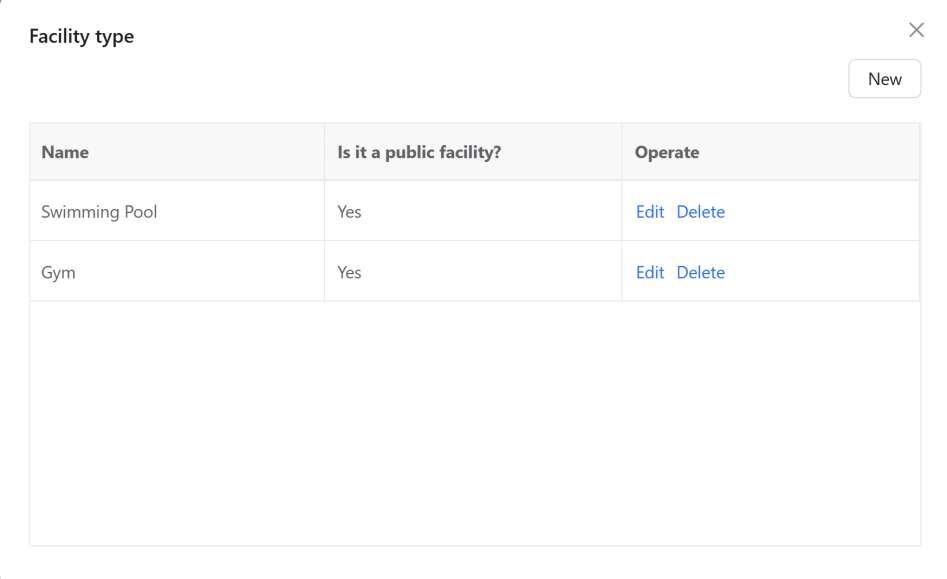
The newly created facility types will appear on the Facility Type page.
Add New Facilities
Go to Setup > Facility Management > New.
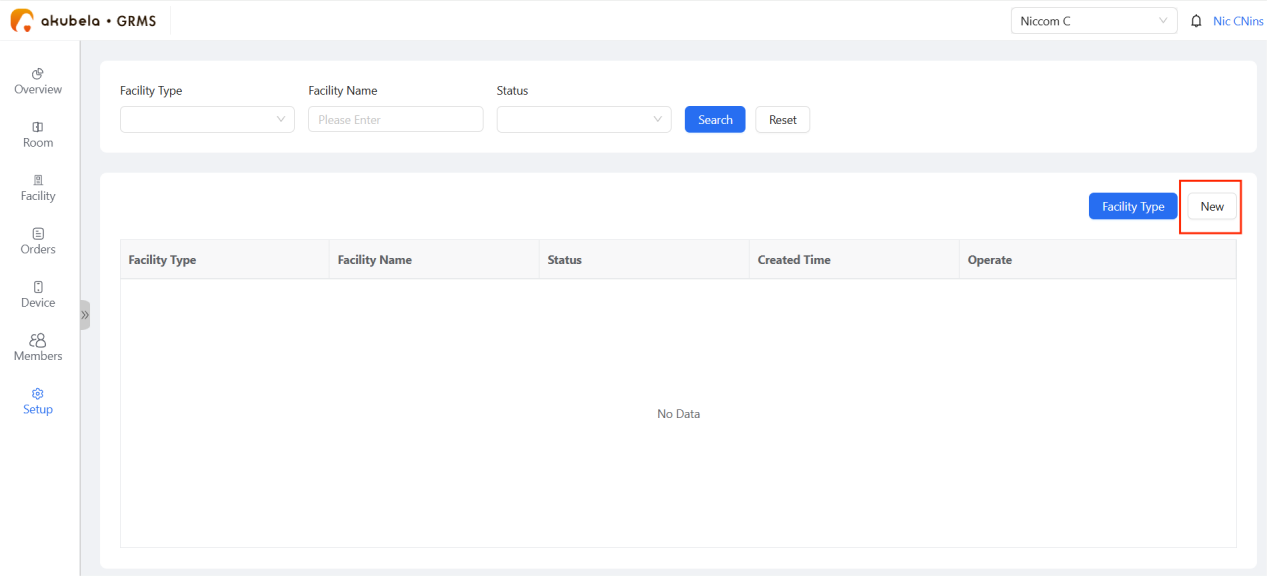
Enter the facility details, set reservation rules, and configure the billing plan.
NOTE:
If Required Approval is toggled OFF, the system will auto-confirm bookings without staff intervention.
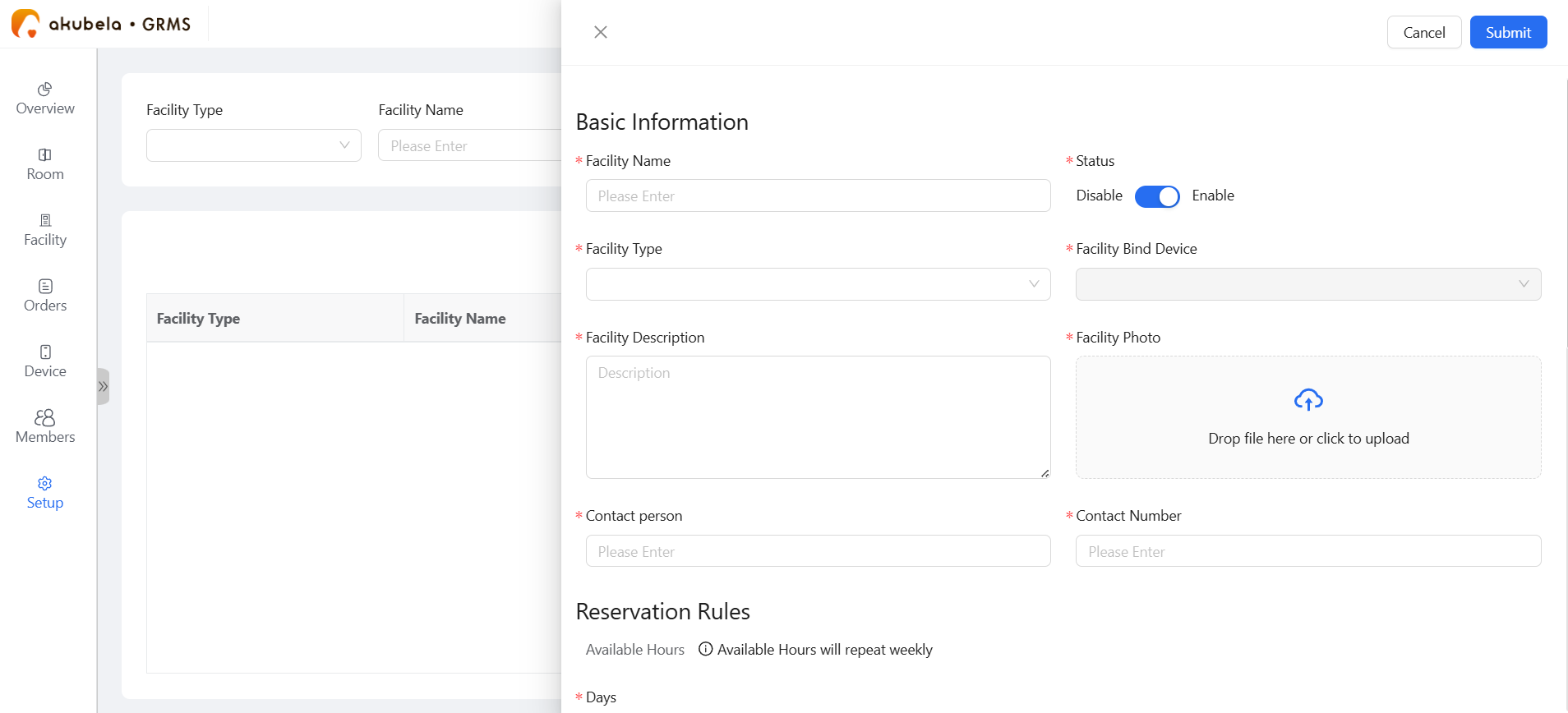
Click Submit.
Availability Management
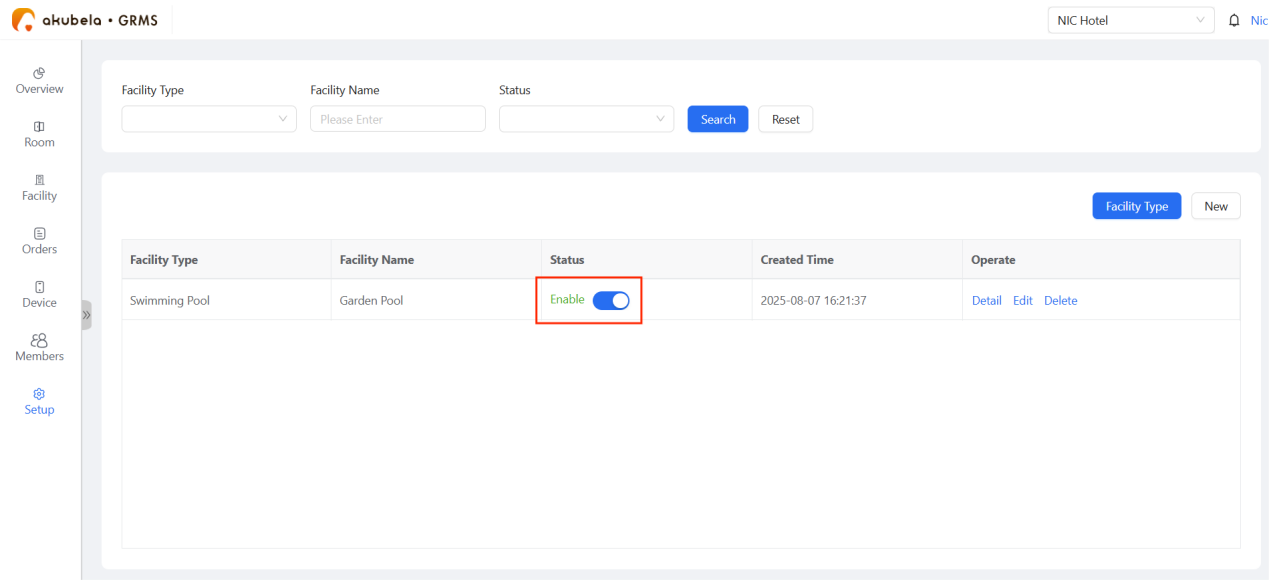
To quickly enable or disable booking availability for a facility, go to Setup > Facility Management and toggle the Status switch.
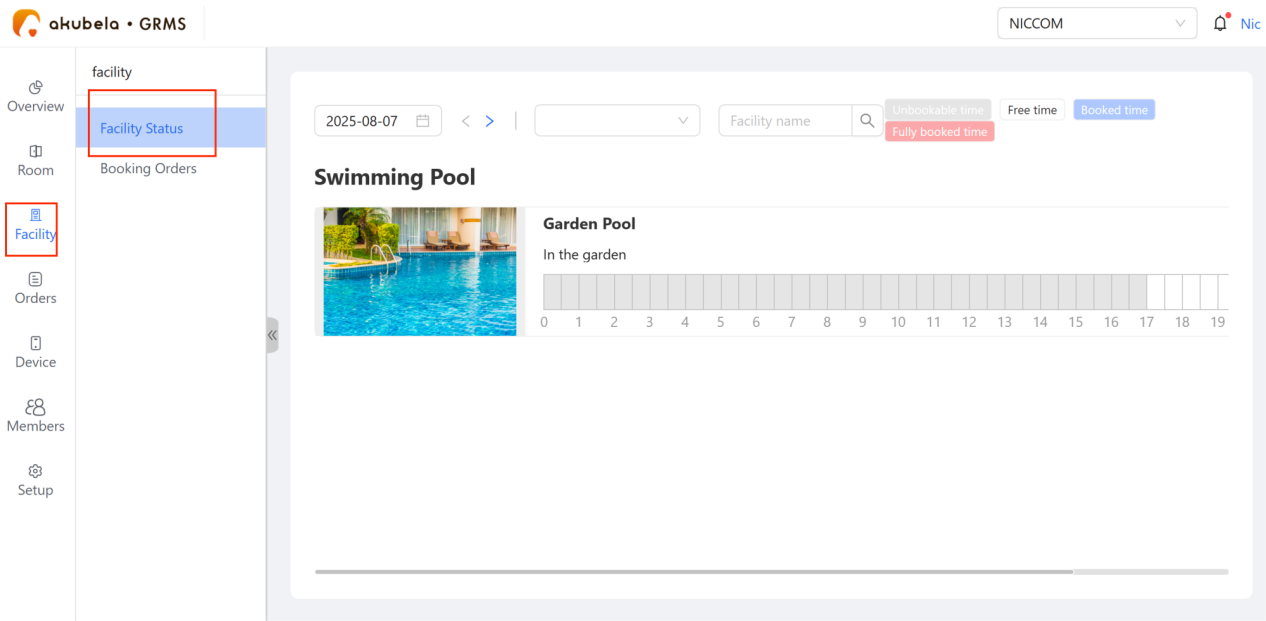
To view available facilities, go to Facility > Facility Status.
Process Guest Bookings
Guests reserve facilities via the H5 interface on their phones.
Review: New requests appear under Facility > Booking Orders as Pending status.
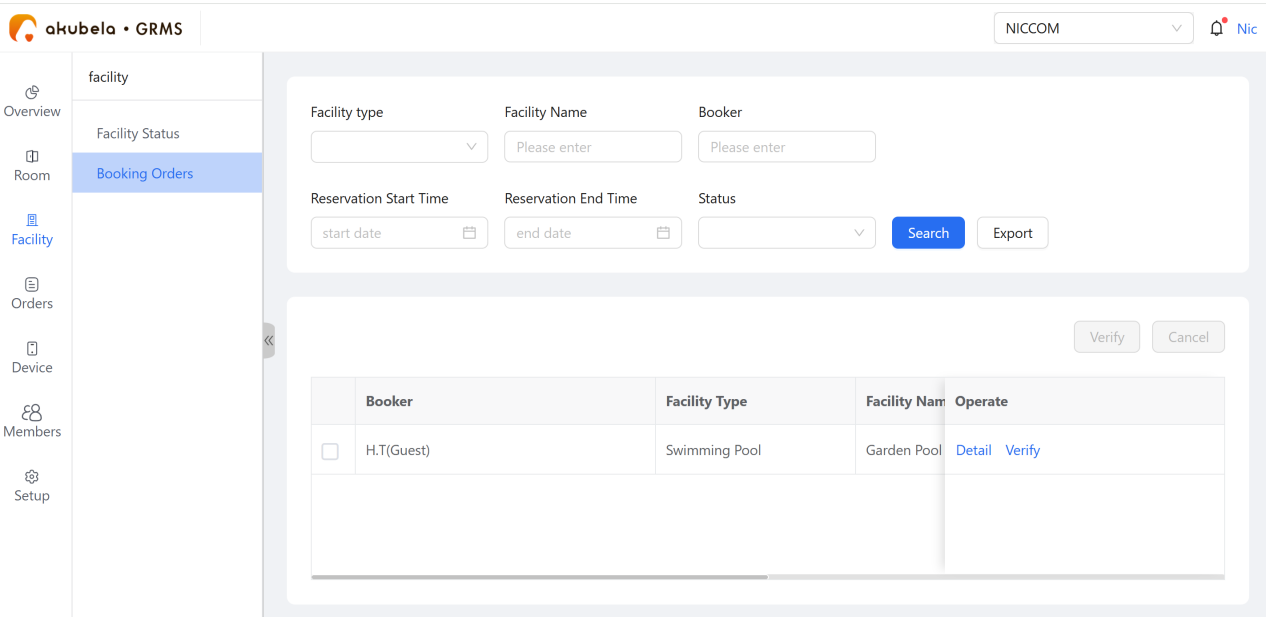
Verification: Select the request and click Verify to accept or reject.
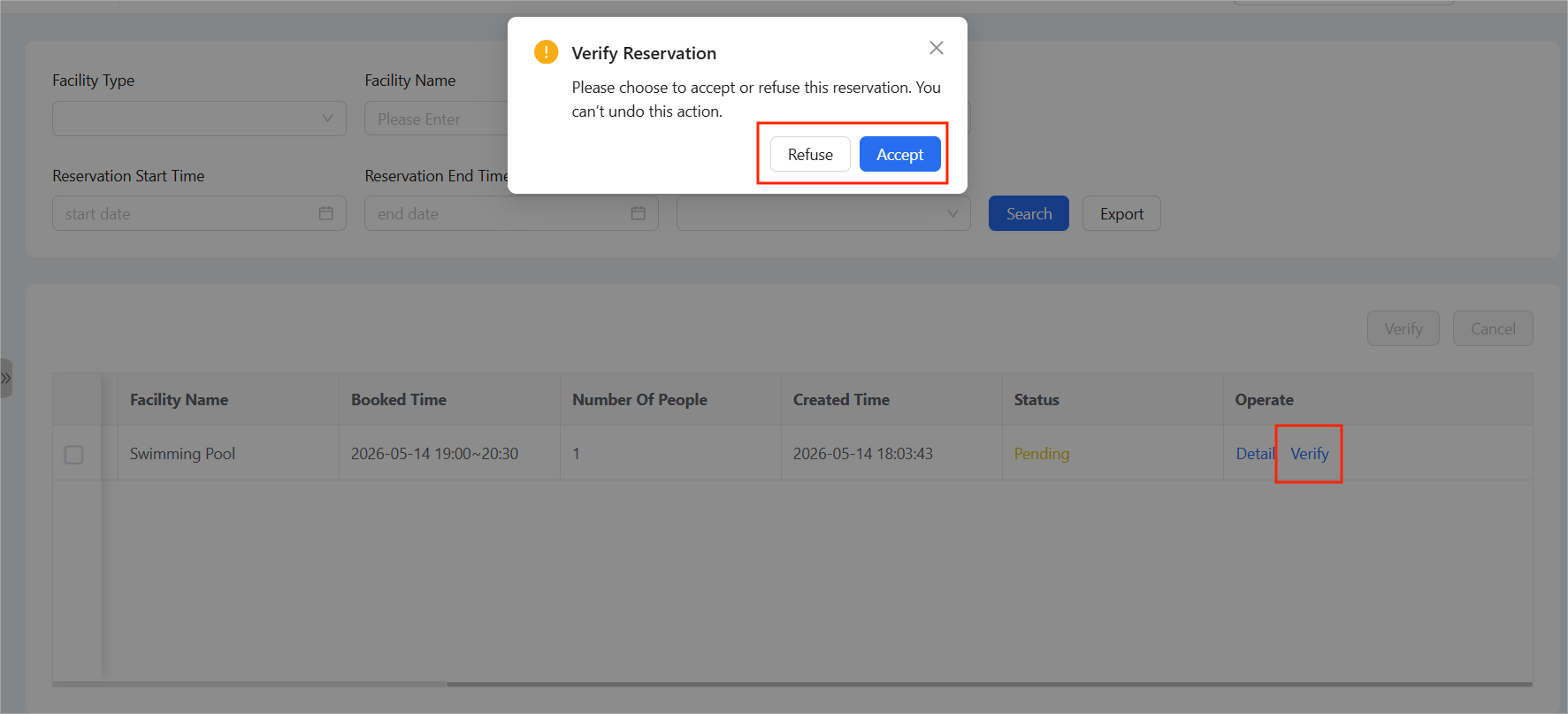
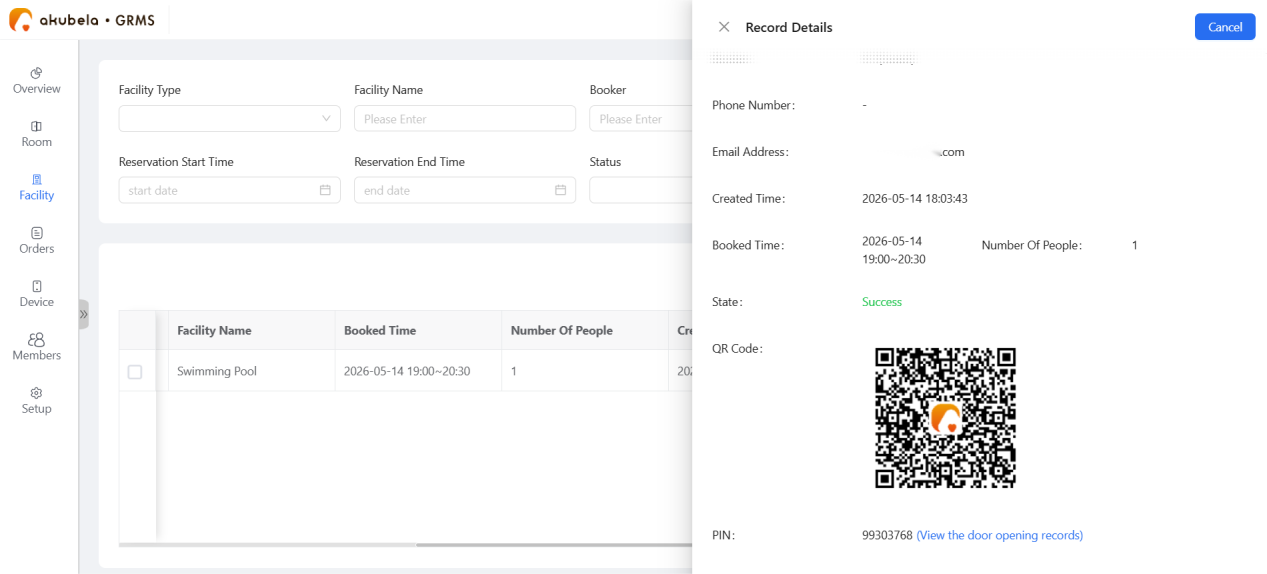
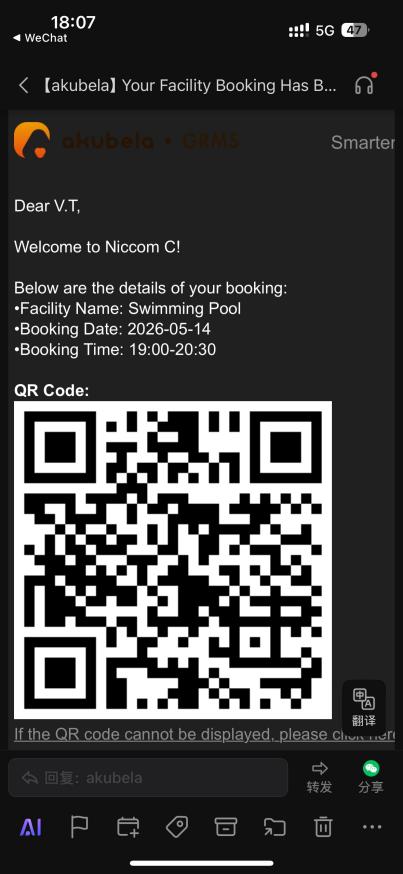
Access Issuance: Upon approval, the status changes to Success. The system generates an access QR code, which is sent to the guest’s email and stored in their H5 mobile dashboard.
TIP:
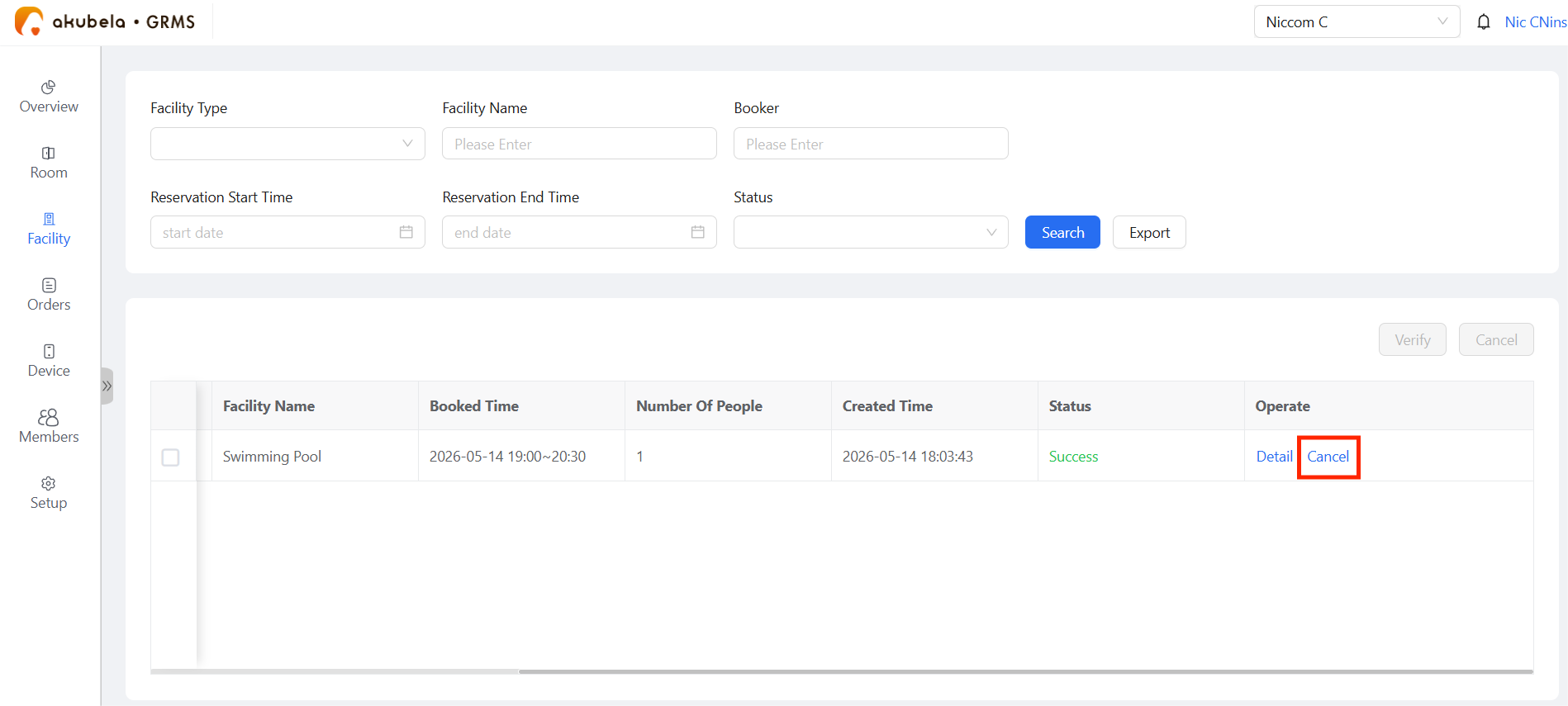
Approved reservations can be canceled anytime by clicking the Cancel button.
Facility Booking Renewals
Guests (via H5) and hotel staff (via GRMS) can extend an active booking without creating a new order.
Renewal Availability & Rules
Renewal Availability
The Renew button appears only when all the following conditions are met:
The booking is currently active.
If the facility does not require approval, the renewal can proceed directly.
If the facility requires approval, the original booking must already be approved. Renewal requests are automatically approved and do not require another manual review.
A facility is available for at least 30 minutes following the current booking's end time.
Renewal Rules
Start Time: Automatically set to the end time of the current booking (non-adjustable).
Duration: The extension must be at least 30 minutes and cannot exceed the facility's "Maximum Booking Duration" setting.
Conflicts: Renewals can only be processed for time slots that are not already fully booked by other guests.
Renewal Methods
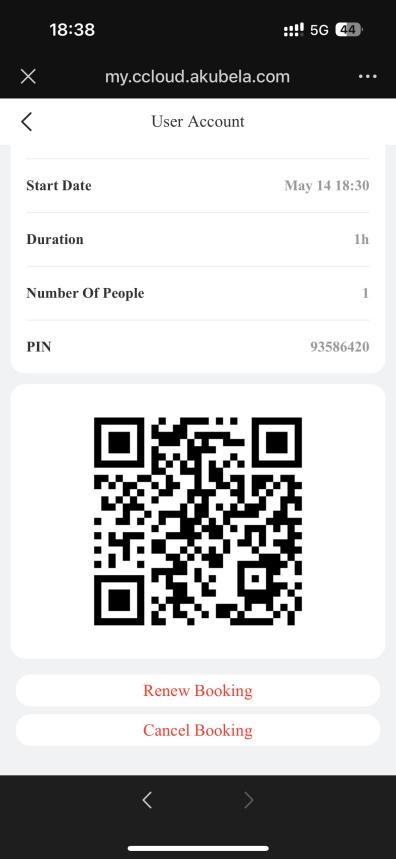
By guest: Scan the Mobile Phone Control QR Code on the in-room panels, and go to Facility > Booking Record > [specific record] > Renew Booking.
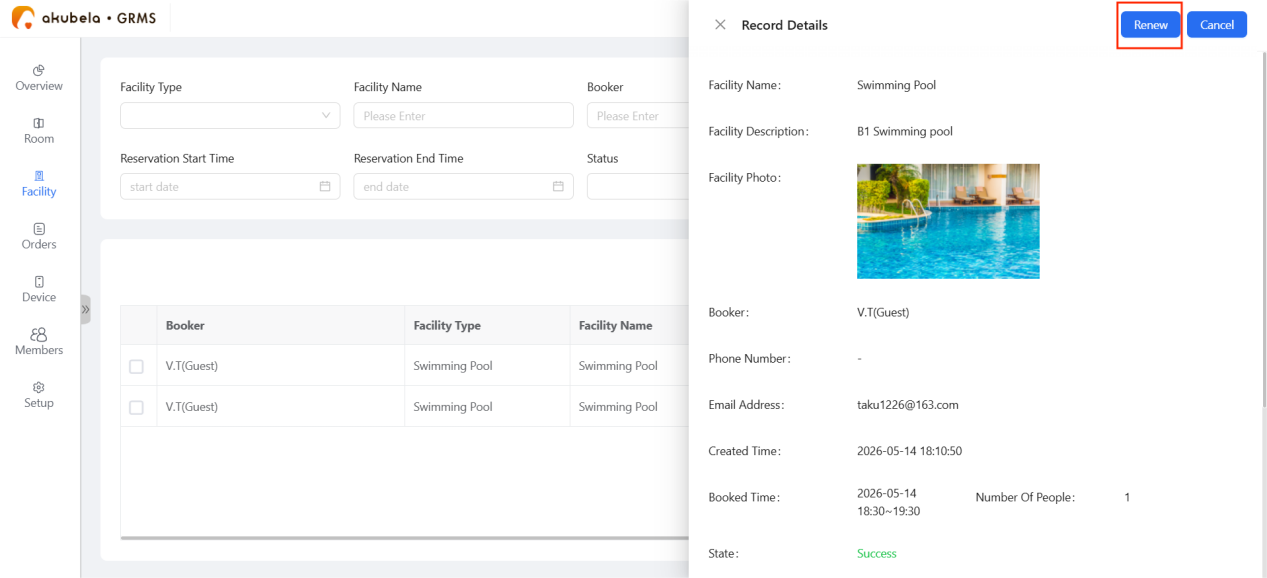
By staff: Go to Facility > Booking Orders > Detail > Renew.
Once a renewal is confirmed, the GRMS automatically updates the end time of the original order, extends the validity of the guest's access PIN/QR code, and sends a confirmation email.