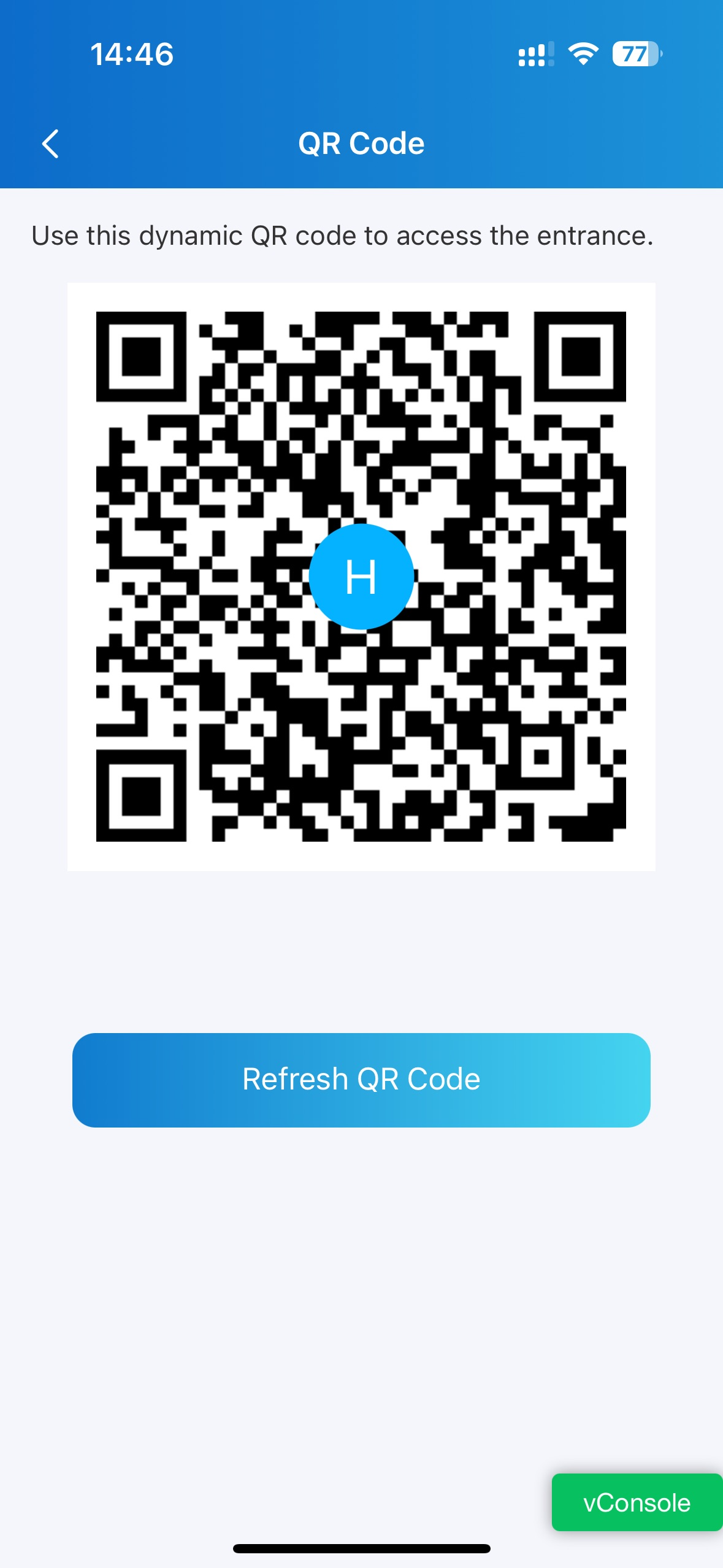
Dynamic QR Code allows visitors to open doors using time-limited and usage-controlled QR codes. Compared with static QR codes, dynamic QR codes provide enhanced security by automatically refreshing the access code.
Property managers can create the QR codes for visitors in community projects.
Residents can create the codes on their SmartPlus apps by themselves.
Before You Start
The Dynamic QR Code feature must be activated for the community before use. The feature can be enabled by either an installer during project setup or a property manager in community settings.
Service Requirement
This feature requires an active subscription. When the service expires or is not activated, only static QR codes are available.
Supported Model
S539, S538, S535, X916, X915, X912, R29, E18, E16, A05, and A08.
For Property Managers
Step 1: Enable Dynamic QR Code Feature
Log in to the cloud portal with your PM account.
Go to Settings > Advanced Setting.
Enable the Dynamic QR Code feature.
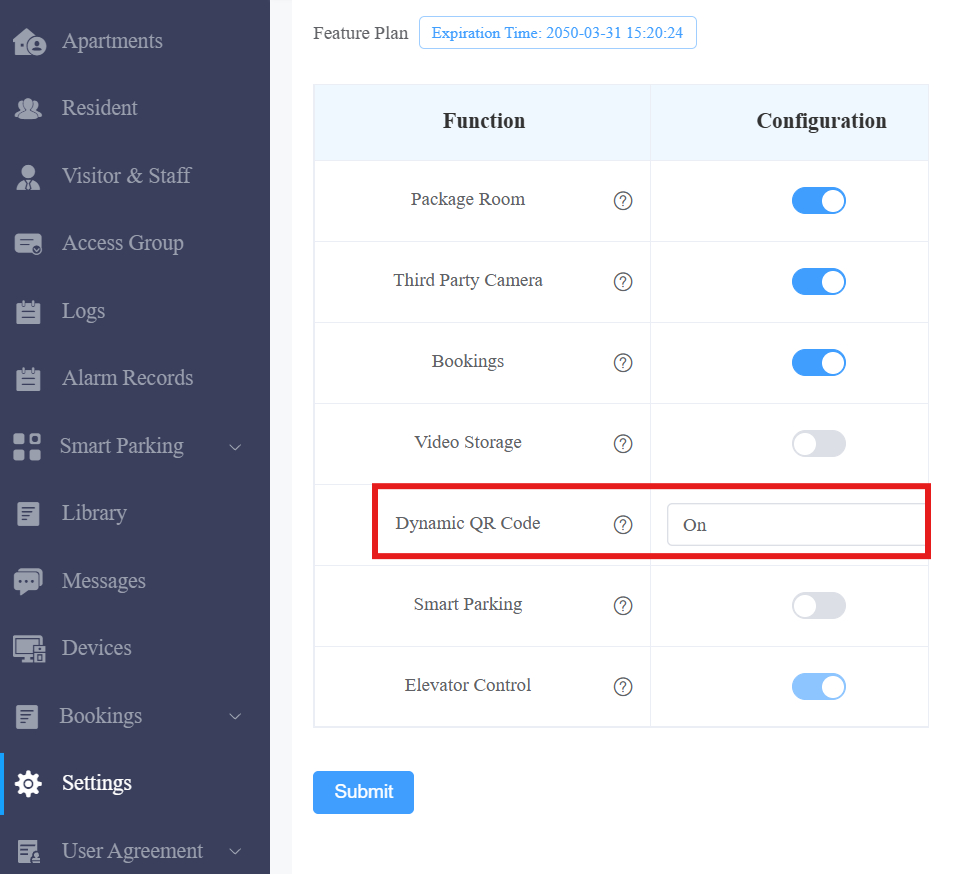
Click Submit.
Step 2: Create Dynamic QR Codes
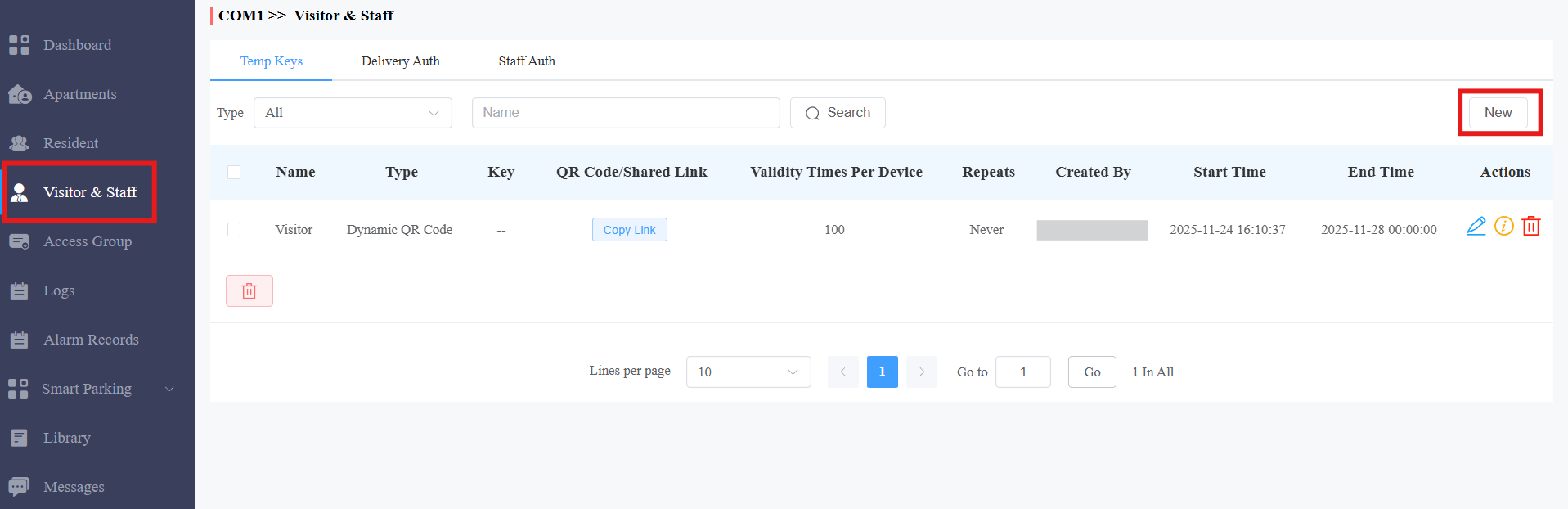
Click Visitor & Staff > New.
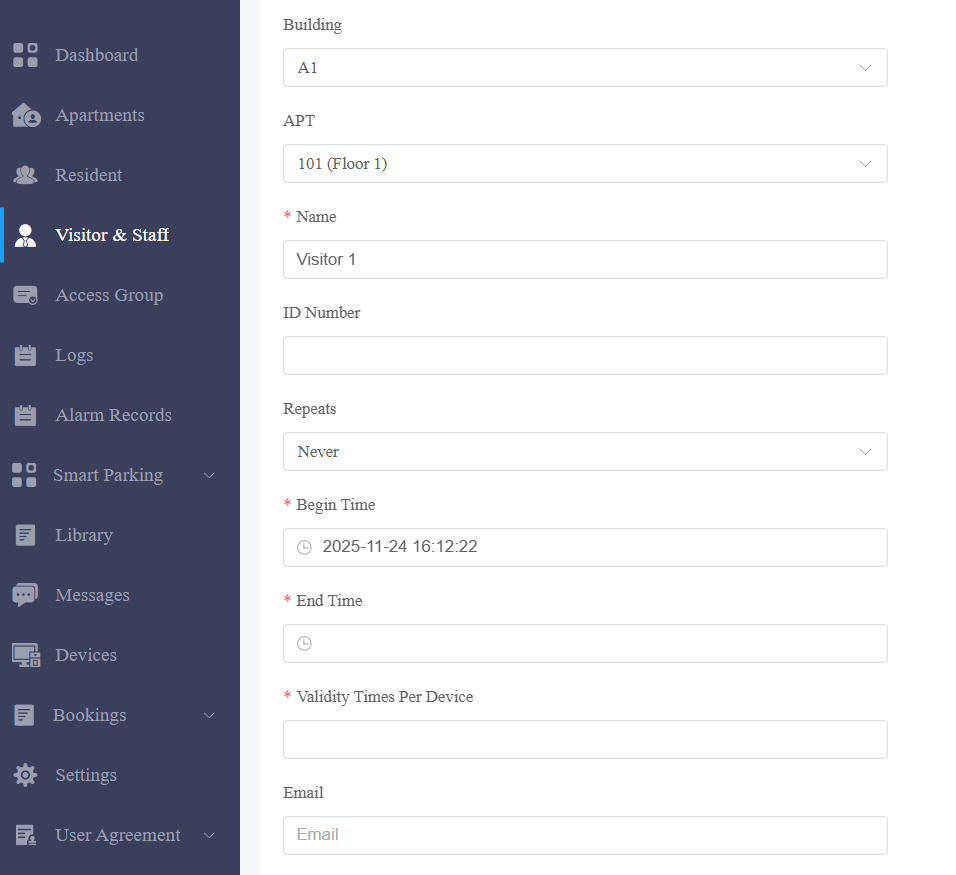
Select the building and apartment.
Enter the username.
Select the Repeats mode from Never, Daily, or Weekly.
Specify the time when the user can use the code.
Set how many times the code can be used on a device.
Optionally, enter the email of the user to whom the code link will be sent.
Check the door(s) to be opened.

After creating the code, you can click Copy Link and share it with the user.
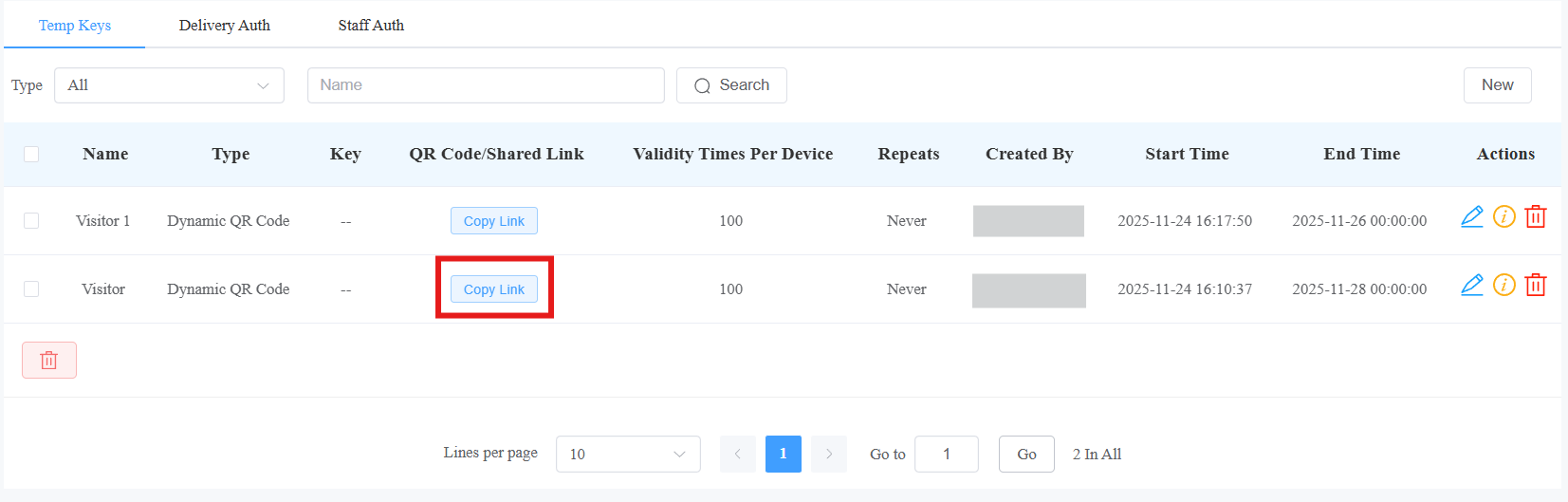
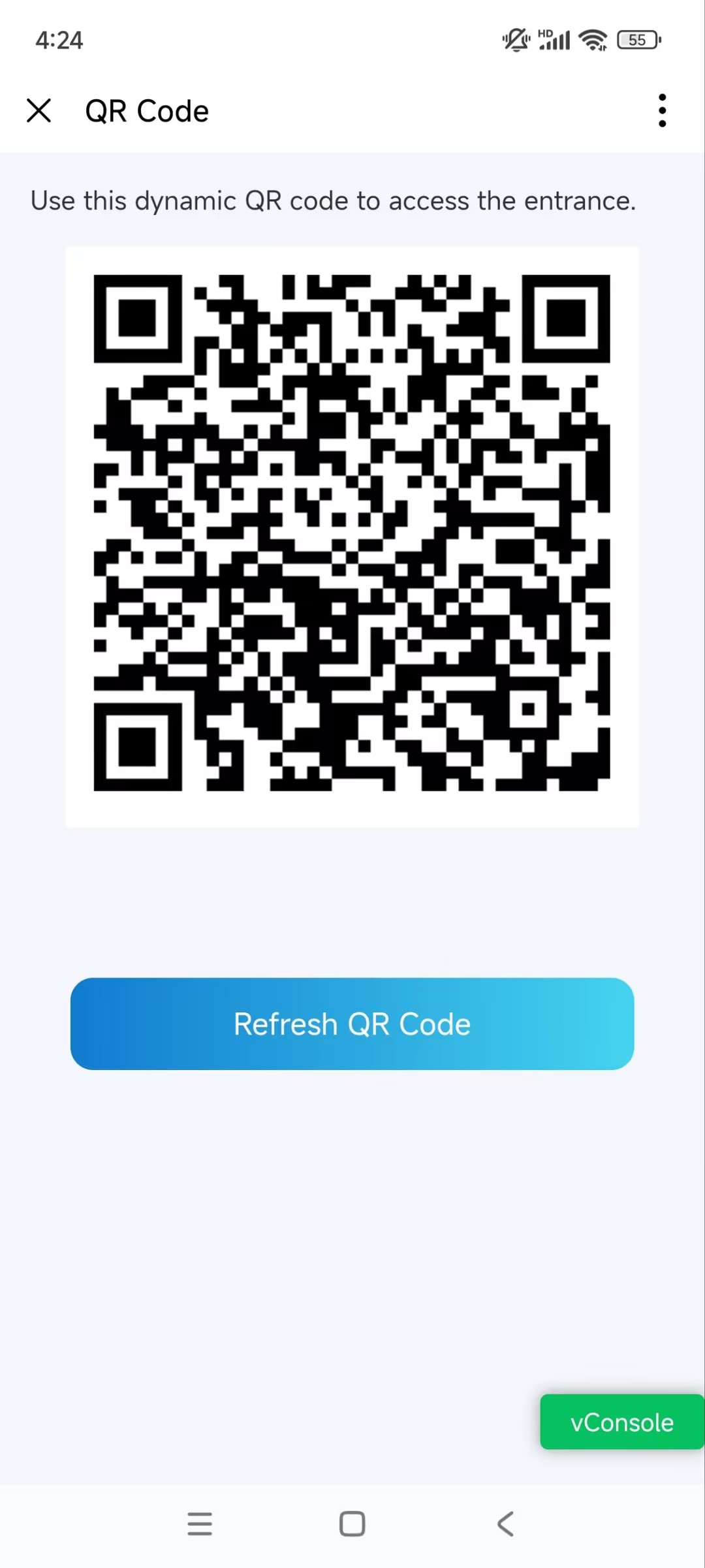
The user can open the link to open the code.

The code refreshes automatically every 3 minutes.
For End Users: Create Dynamic QR Codes
Note
The SmartPlus App’s version should be 7.31.0002(Android)/7.31.2(iOS) or higher.
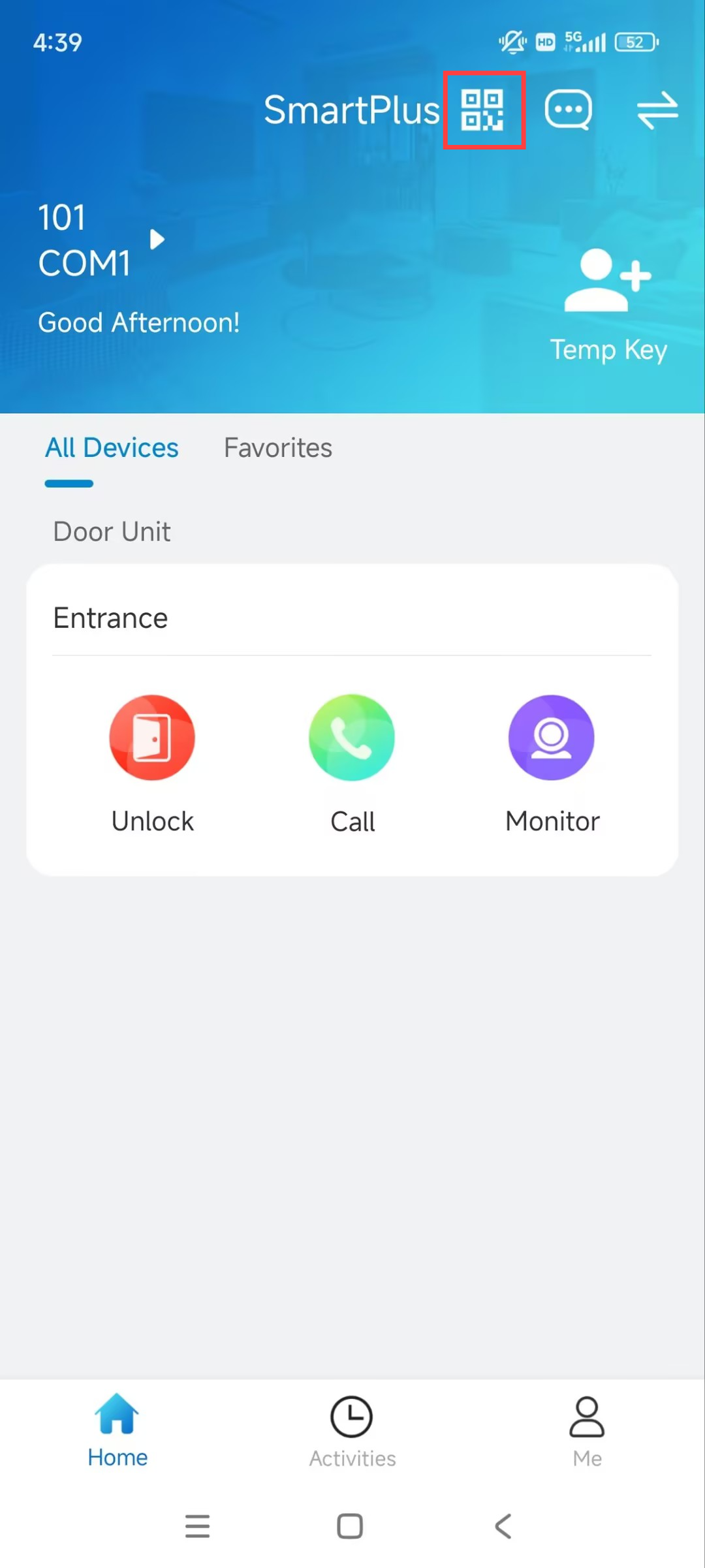
Tap  to create the QR code.
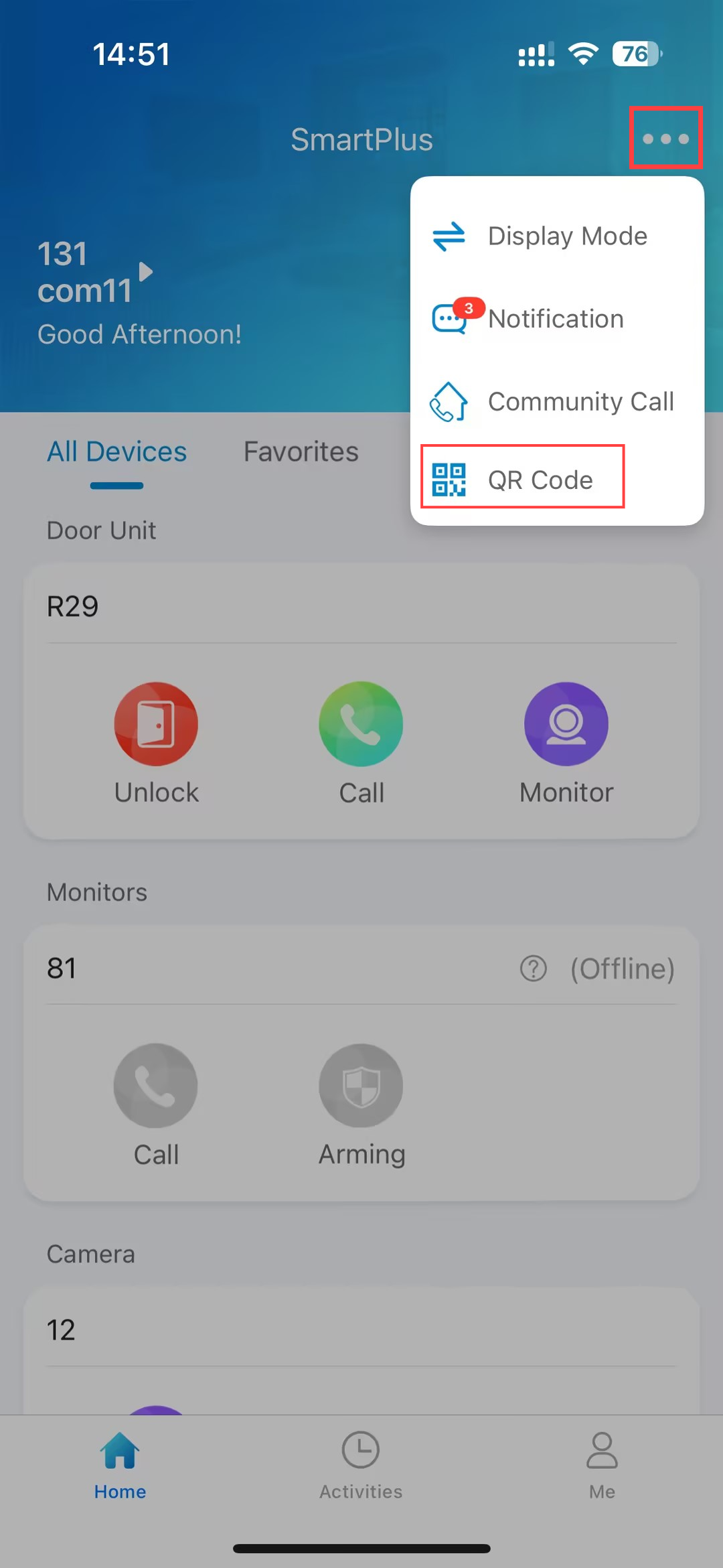
If the number of icons exceeds 3, tap  > QR Code.
The code refreshes automatically every 3 minutes.