Volume Control
You can control the device volume on the Phone > Audio interface.
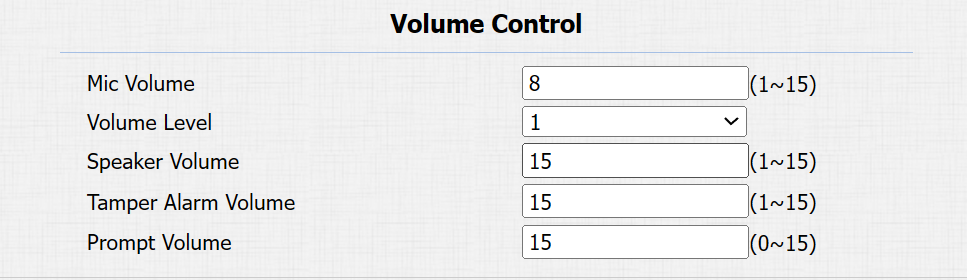
Volume Level: Set the overall volume. Level 1 volume range is roughly 80-95, and 2 is 95-109.
Tamper Alarm Volume: Set the volume when the tamper alarm is triggered.
Prompt Volume: Various prompts, including door-opening success and failure prompts.
IP Announcement
You can set when the device announces its IP after each reboot and the loop times.
Set it up on the Phone > Audio interface.

Active Time After Reboot: Set the time within which holding the push button to announce the IP address is valid. For example, if you set it to 30 seconds, you need to hold the button within 30 seconds after the device reboots. Otherwise, the device will not announce the IP. While 0 means you can hold the button for IP announcement any time after the device reboots.
Door-opening Tones
You can enable or disable the door-opening tones on the Phone > Audio interface.
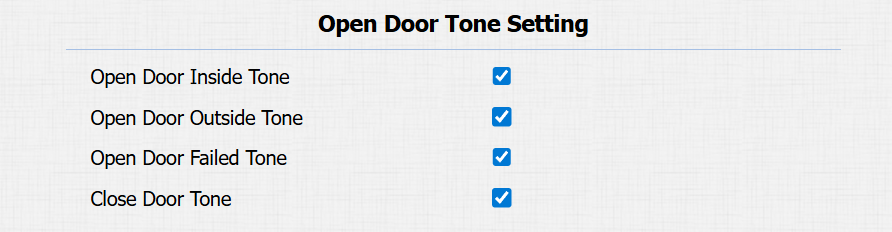
Open Door Inside Tone: The input-triggered tone. The door-opening tone can be heard when users open doors by pressing an exit button.
Open Door Outside Tone: The relay-triggered tone. The door-opening tone can be heard when users open doors by the device-supported access methods, except for the exit button.
Open Door Failed Tone: The tone is heard when opening the door fails.
Close Door Tone: The door-closing tone works for relay(s) set to the Bistable mode.
Upload Tones
You can upload various tones to enrich users’ experience on the Phone > Audio interface. Click Choose File and then Upload to import the file.
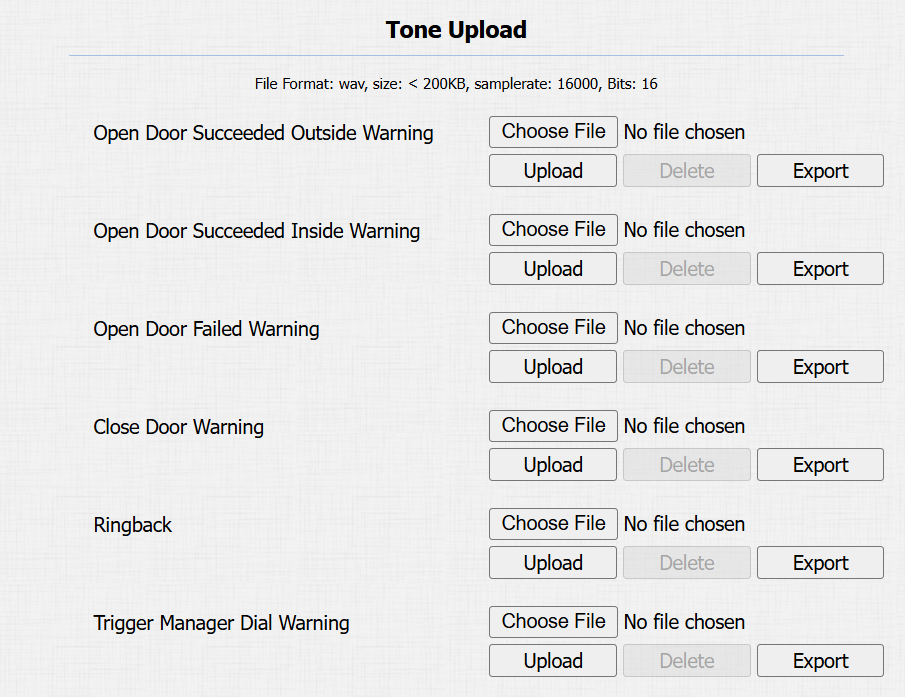
Open Door Succeeded Outside Warning: The relay-triggered tone. The door-opening tone can be heard when users open doors by the device-supported access methods, except for the exit button.
Open Door Succeeded Inside Warning: The input-triggered tone. The door-opening tone can be heard when users open doors by pressing an exit button.
Open Door Failed Warning: The tone is heard when opening doors fails.
Close Door Warning: The door-closing tone works for relay(s) set to the Bistable mode.
Ringback: The ringback will play when someone calls the device.
Trigger Manager Dial Warning: The tone can be heard when the push button is pressed.
Note
File Format: wav; Size: < 200KB; Sample Rate: 16000; Bit Depth:16 Bits.
Open Door Tone Mode
You can decide the door-opening tone mode on the Phone > Audio interface.

Voice Prompt: Play the default prompt “Welcome, please come in” when the door is opened.
Sound Effect: Play the Beep sound when the door is opened.
Ringback Tone
The ringback tone setting prioritizes the playing of local ringtones and determines what kinds of previews the callee can receive.
To set it up, go to the Phone > Audio > Ringback Tone Setting interface.

Ringback Source:
Remote, Local As Backup: The local ringtone will be played.
When the door phone calls another device, for example, an Akuvox indoor monitor, and the SIP server returns non-183, the indoor monitor will not have any intercom preview.
If the SIP server returns 183, the indoor monitor will receive the video preview without voice.
Local: The local ringtone will be played. Whether the SIP server returns 183 or not, the callee will not have any intercom preview.
Remote:
If the SIP server returns non-183, the local ringtone will be played, and the callee will not have any intercom preview.
If the SIP server returns 183, the SIP server’s ringtone will be played, and the callee will receive the video preview without voice.