The Advanced Setting interface, as shown in Figure 5.3.1, is used to enable or disable I/O types for the flush mounted module, Home page settings, and button association function.
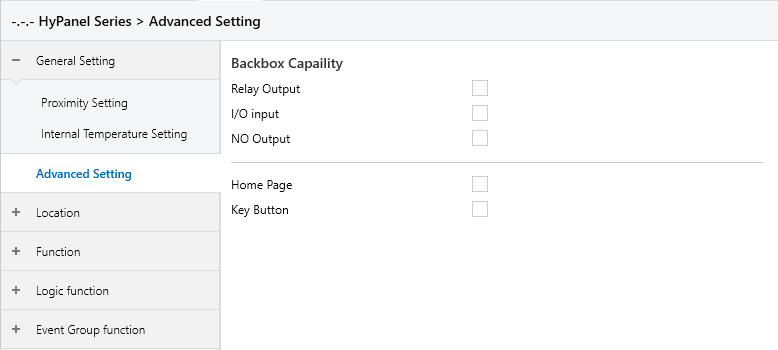
Figure 5.3.1 “Advanced Setting” Interface
Relay Output
Enables or disables relay output on the HyPanel’s flush mounted module. When enabled, relay status changes are sent to the bus and relays can also be controlled via the bus.
Enabling this setting generates 4 relay group objects, which can be linked based on the number of relays available on the flush mounted module.
I/O Input
Enables or disables I/O inputs on the HyPanel’s flush mounted module. When enabled, the state of connected external sensors is sent to the I/O ports.
This setting generates 8 sensor group objects, which can be linked according to the actual number of I/O inputs.
NO Output
Enables or disables the NO Output of the HyPanel’s flush mounted module. When enabled, the status changes of the NO ports are sent to the bus and the NO outputs can also be controlled via the bus.
This setting generates 2 group objects for the NO outputs, which can be linked based on the number of NO ports available.
Home Page
Enables or disables the HyPanel’s Home page. When enabled, a a Home page menu appears on the left side of the navigation bar, and can be configured as described in Section 5.6.
Key Button
Enables or disables the HyPanel’s Key Button feature. When enabled, a Key Button menu appears on the left side of the navigation bar, and can be configured as described in Section 5.7.