Akuvox door phone supports to store up to 500 contacts that can give access permission to the indoor monitor or other devices. Access White list includes group setting and contact setting and management. To set it up on web Contacts > Access Allowlist.
Managing Contacts
You can search, create, display, edit and delete the contacts in your phone book. Path: Contacts > Access Allowlist.
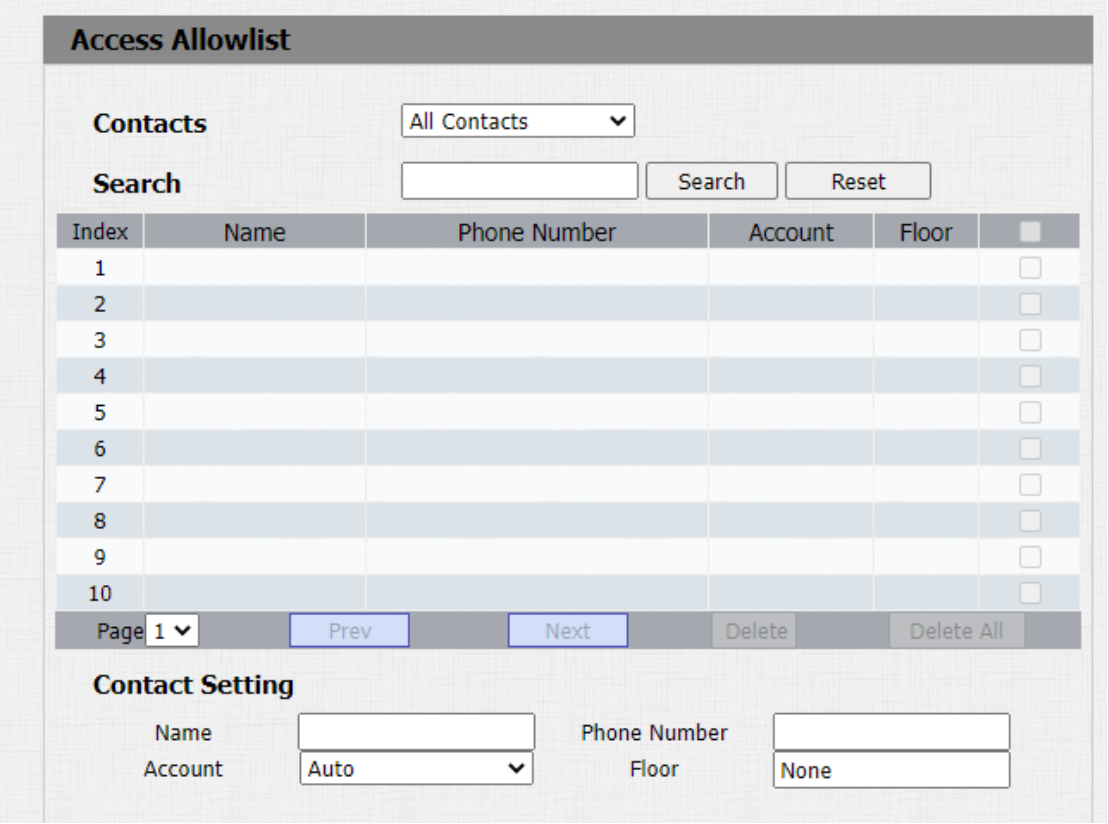
Parameters Set-up:
-
Name: enter the contact name, which is required.
-
Phone Number: enter the phone number of the contact, which is required.
-
Account: select which SIP account will be used to call out. If using IP direct call, it is not available.
-
Floor: enter the floor number if needed.