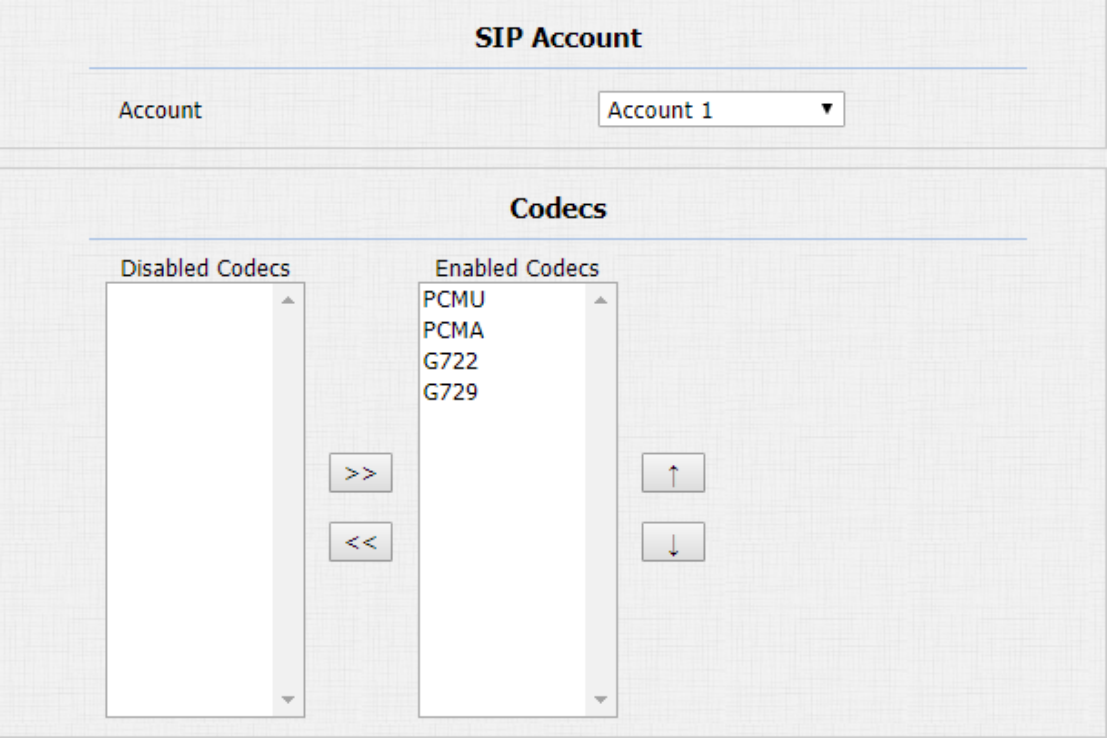
Audio Codec Configuration
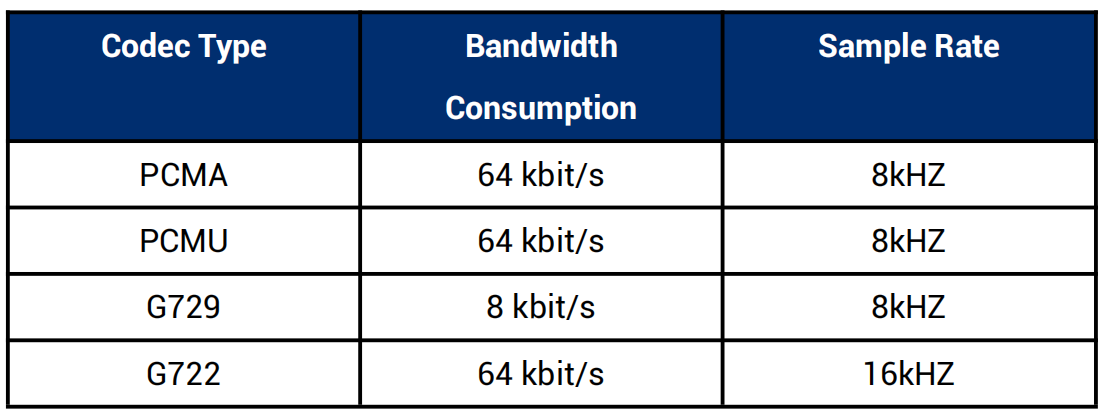
The device supports four types of codec (PCMU, PCMA, G729, and G722) for encoding and decoding the audio data during the call session. Each codec varies in terms of sound quality. You can select the specific codec with different bandwidths and sample rates flexibly according to the actual network environment.
To do the configuration on device web Account > Advanced interface.
Please refers to the bandwidth consumption and sample rate for the four codecs types below:
Video Codec Configuration
The device supports the H264 codec that provides better video quality at a much lower bit rate with different video quality and payload.
To set up video codec on web Account > Advanced interface.
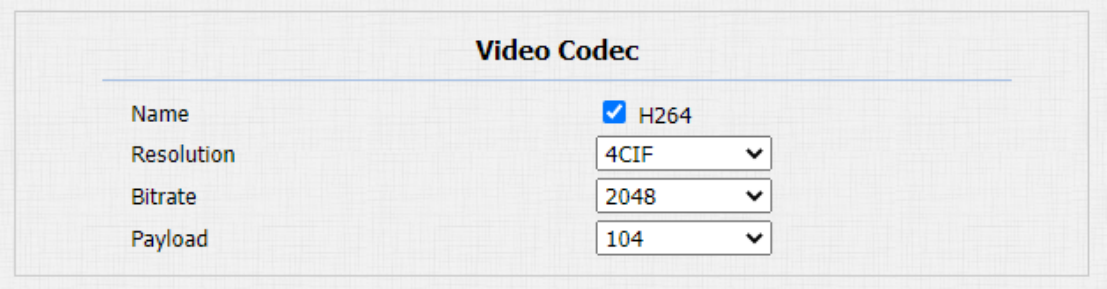
Parameter Set-up:
-
Name: check to select the H264 video codec format for the door phone video stream. H264 is the video codec by default.
-
Resolution: select the code resolution for the video quality among four options: "QCIF", "CIF", "VGA", "4CIF" and "720P" according to your actual network environment. The default code resolution is 4CIF.
-
Bitrate: select the video stream bit rate (Ranging from 320-2048). The greater the bitrate, the data transmitted in every second is greater in amount therefore the video will be clearer. While the default code bitrate is 2048.
-
Payload: select the payload type (ranging from 90-118) to configure audio/video configuration file. The default payload is 104.
Video Codec Configuration for IP Direct Calls
You can select the IP call video quality by selecting the proper codec resolution according to the network condition.
To do so , you can go to Phone > Call Feature > IP Video Parameters.
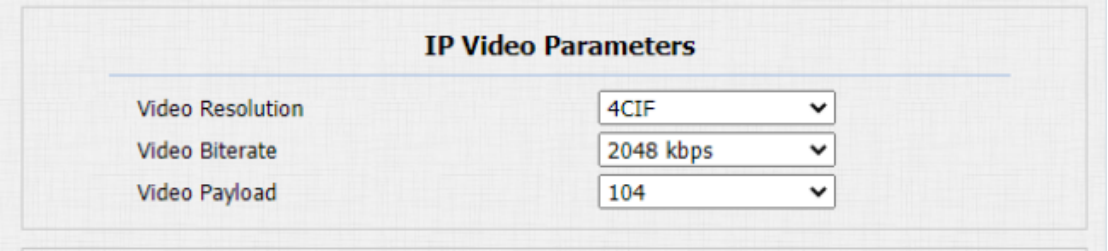
Parameter Set-up:
-
Video Resolution: select the code resolution for the video quality among four options: "CIF", "VGA", "4CIF" and "720P". The default code resolution is 4CIF.
-
Video Bitrate: Video Bitrate: select video bit-rate among six options: "64 kbps", "256kbps", "512 kbps", "1024 kbps", "2048 kbps" according to your network environment. The default video bit-rate is "2048 kpbs".
-
Video Payload: select the payload type (ranging from 90-118) to configure audio/video configuration file. The default payload is 104.
Configure DTMF Data Transmission
In order to achieve the door access via DTMF code or some other applications, you are required to properly configure DTMF on web Account > Advanced > DTMF in order to establish a DTMF-based data transmission between the door phone and other intercom devices for the third party integration.
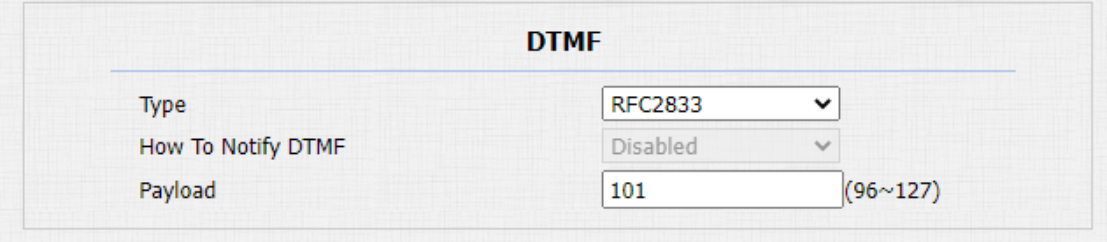
Parameter Set-up:
-
Type: select DTMF mode among five options: "Inband", "RFC2833", "Info+Inband" and "Info+RFC2833" based on the specific DTMF transmission type of the third party device to be matched with as the party for receiving signal data.
-
How to Notify DTMF: select among four types: "Disable" "DTMF" "DTMF-Relay" "Telephone-Event" according to the specific type adopted by the third party device. You are required to set it up only when the third party device to be matched with adopts "Info" mode
-
Payload: set the payload according to the specific data transmission payload agreed on between the sender and receiver during the data transmission.