This feature allows designated emergency contacts to receive a temporary access key when an emergency alarm is triggered by an MR01 or MR03 sensor.
It is available only after the sensor has been added to your project by your installer.
Log in to the cloud platform with your PM account.
Navigate to Apartments.
Click
 of the target apartment.
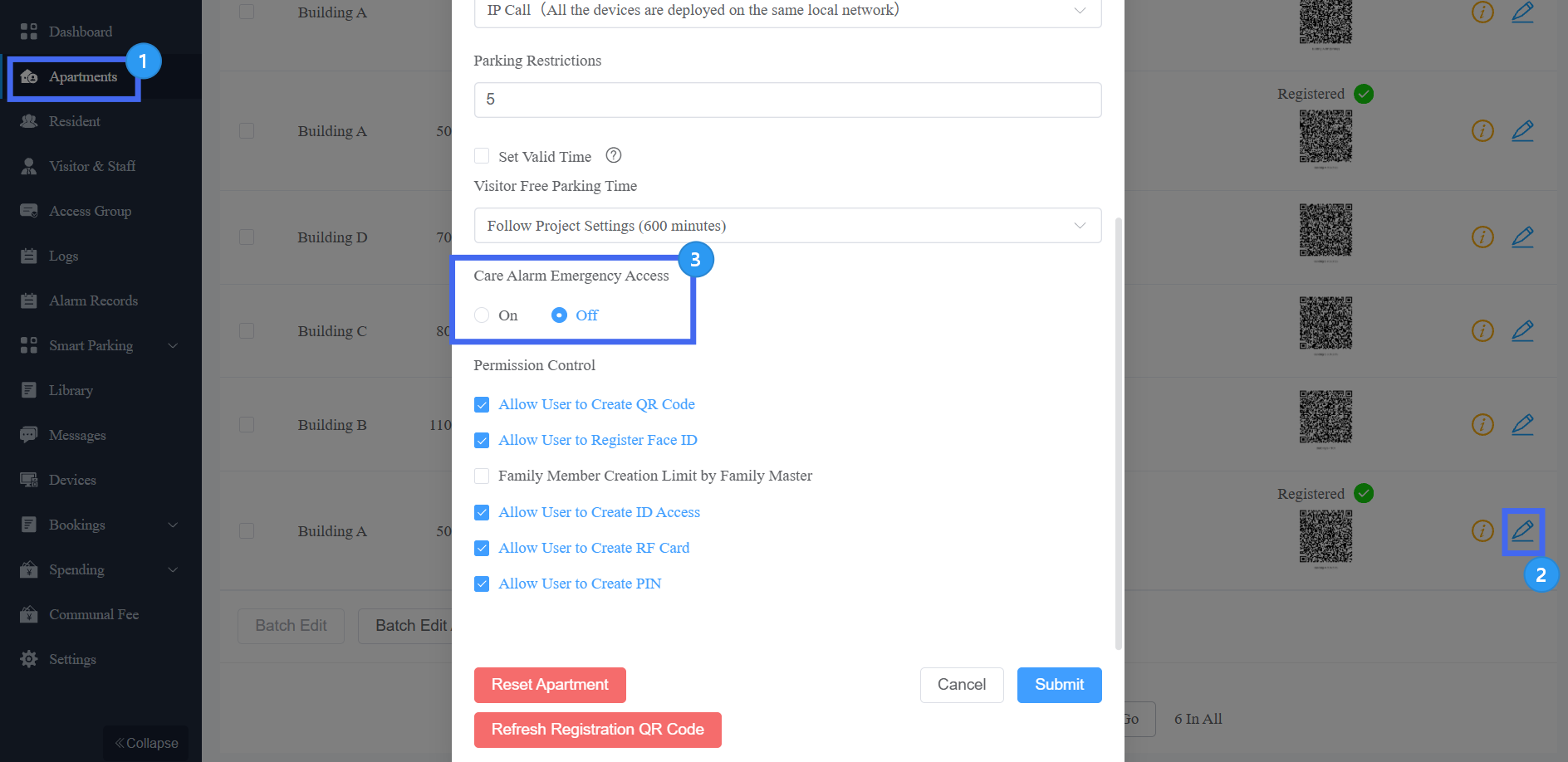
Enable the feature.
Set the Emergency Contact’s name.
Click Add to add up to 5 contacts.
Select the contact type: Email or Phone. This determines how the contact receives the emergency access temp key.
Enter the email address or phone number.
Select the Alarm Type that triggers the emergency access. The available alarm types depend on the sensor model:
Model | Available Alarm Types |
|---|---|
MR01 | Fall Alarm, Bed-exit Alarm. |
MR03 | Fall Alarm/Floor Sitting Alarm, Bed-exit Alarm, Weak Vital Signs Alarm, Loitering Alarm. |
Set the Temporary Key Validity Duration to specify how long the emergency access key remains valid.
Set the Valid Times(1~65,535) to specify how many times the emergency access key can be used during the validity duration.
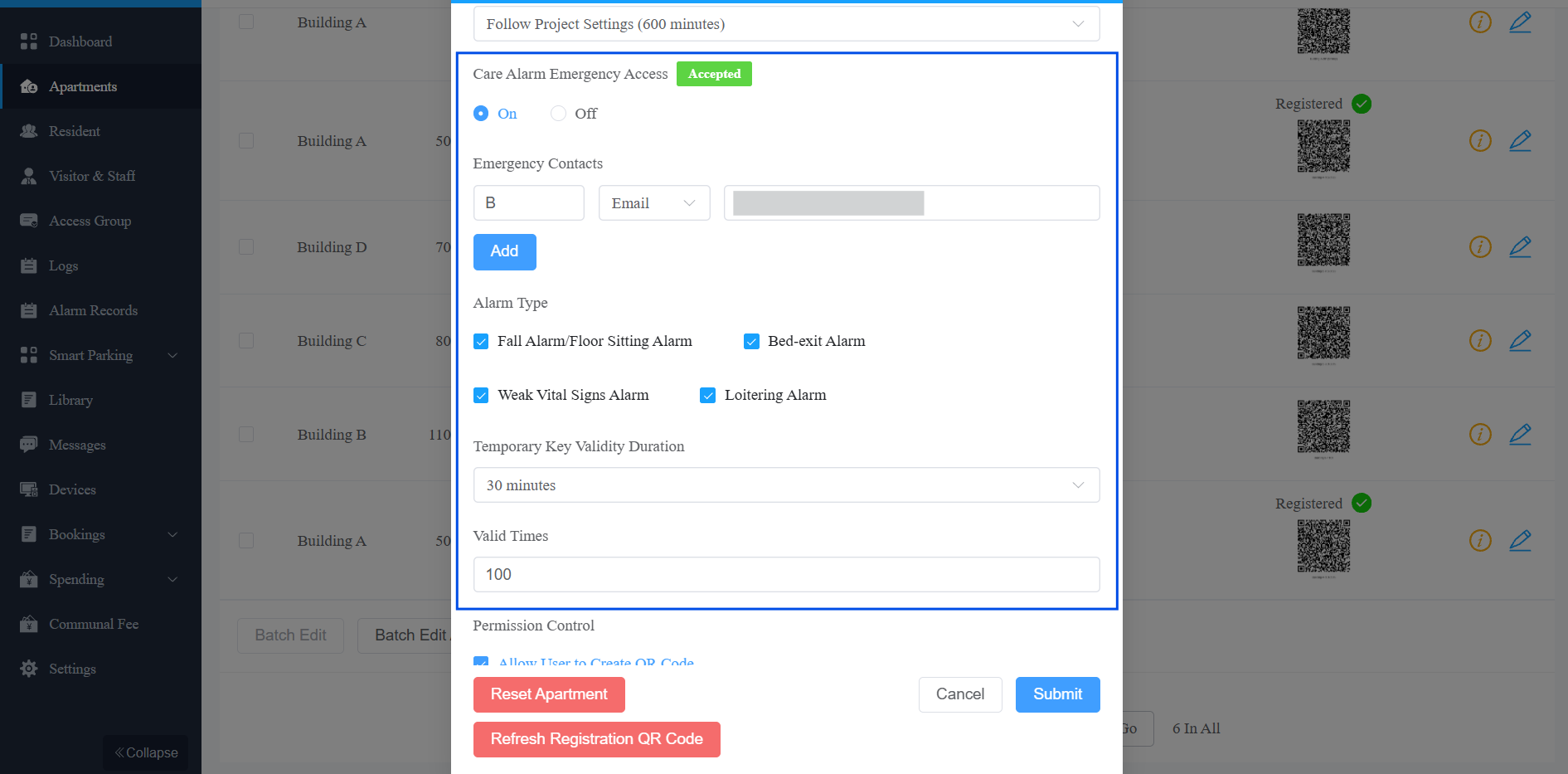
Submit the settings.
Resident Confirmation
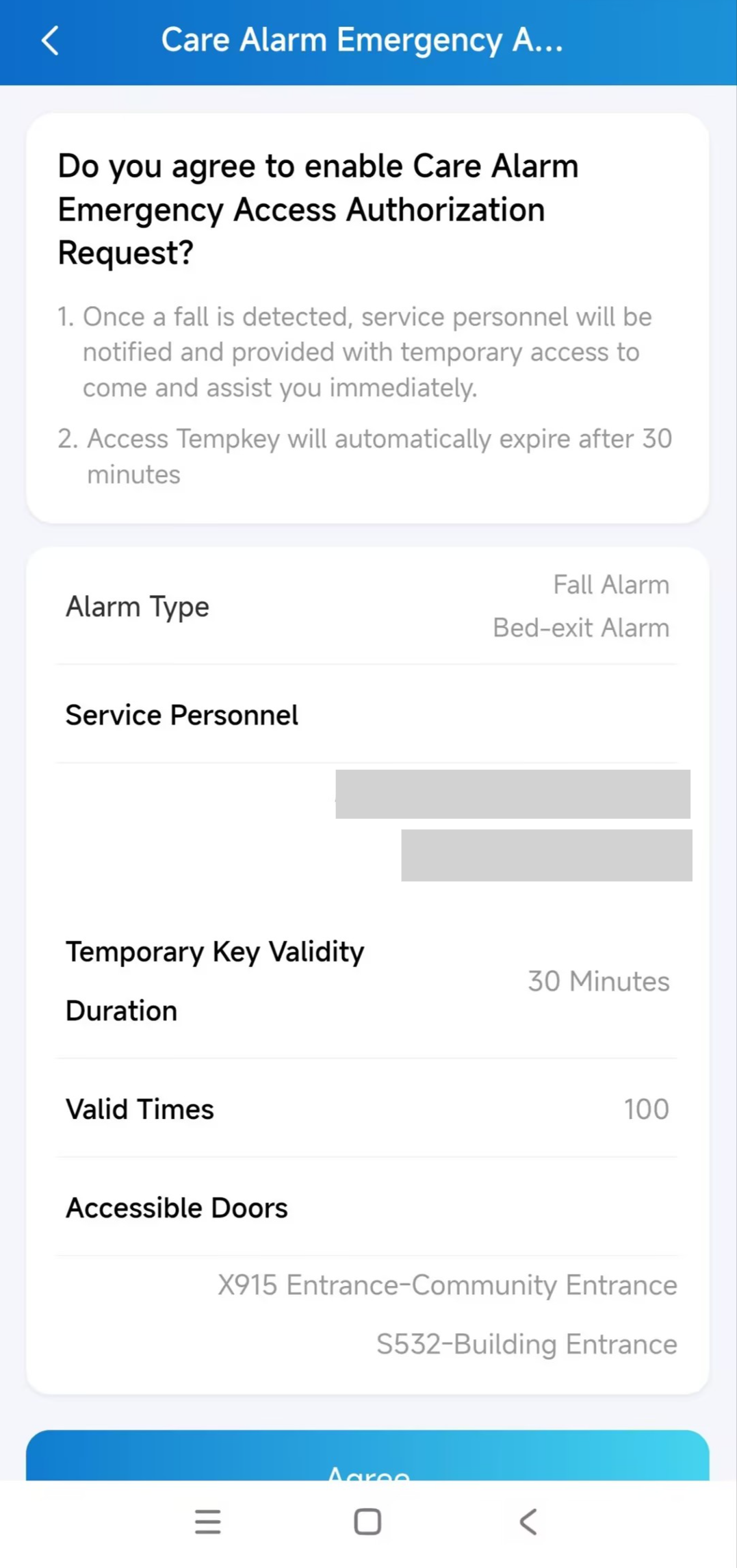
After you submit the configuration, the feature does not take effect immediately. The resident must confirm the request in the SmartPlus App. The confirmation status is displayed next to the feature switch:
Pending: The resident has not responded yet. The configuration is not active.
Accepted: The resident has approved the request. The configuration takes effect.
Rejected: The resident has declined the request.
The confirmation request is sent to the resident’s SmartPlus App.