Akuvox indoor monitors support uploading wallpapers remotely via auto-provisioning(AutoP) commands. You can use this feature to replace default device wallpapers remotely.
This article uses an S562 indoor monitor deployed on the cloud as an example. The commands are issued from the cloud.
Compatible model and version(or higher):
S562: 562.30.16.6
S562 KIT: 562.87.10.301
S562W-2 KIT: 5622.87.15.204
S565: 565.30.15.402
It supports uploading a maximum of 2 wallpapers.
Device requirements
The device must be online on the cloud.
The device must be able to access the wallpaper file server.
A device reboot is required after AutoP delivery.
Related AutoP Commands:
Command | Purpose | Value Example |
|---|---|---|
Config.Wallpaper.Url01 | The URL path of the wallpaper image stored on a server. The device downloads the image from this location and replaces wallpaper slot 1. | https://server.example.com/wallpaper1.jpg |
Config.Wallpaper.Url02 | The URL path of the wallpaper image stored on a server. The device downloads the image from this location and replaces wallpaper slot 2. | https://server.example.com/wallpaper2.jpg |
Config.Settings.PICTURE.Wallpaper | Select which wallpaper slot is applied as the active wallpaper. | 1: Wallpaper 1 2: Wallpaper 2 |
Wallpaper URL requirements:
Item | Requirement |
|---|---|
Supported protocols | FTP / TFTP / HTTP / HTTPS |
Supported file formats | PNG / JPG / JPEG |
Configuration
Take an installer account as an example.
Log in to the cloud with your installer account.
Navigate to the project where the device is added. Take a community project as an example.
Click AutoP and select the device.
Enter the AutoP command.
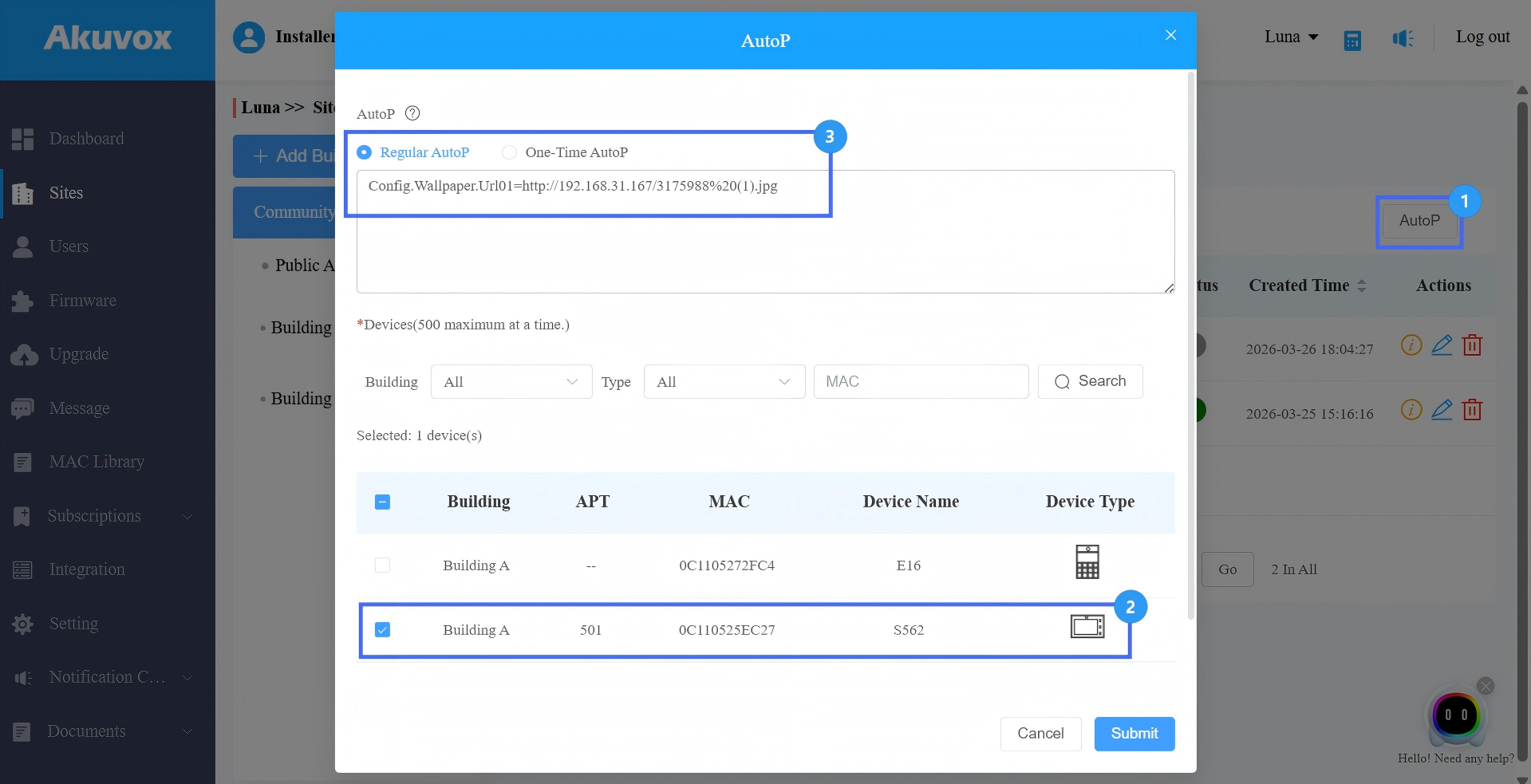
Submit the setting.
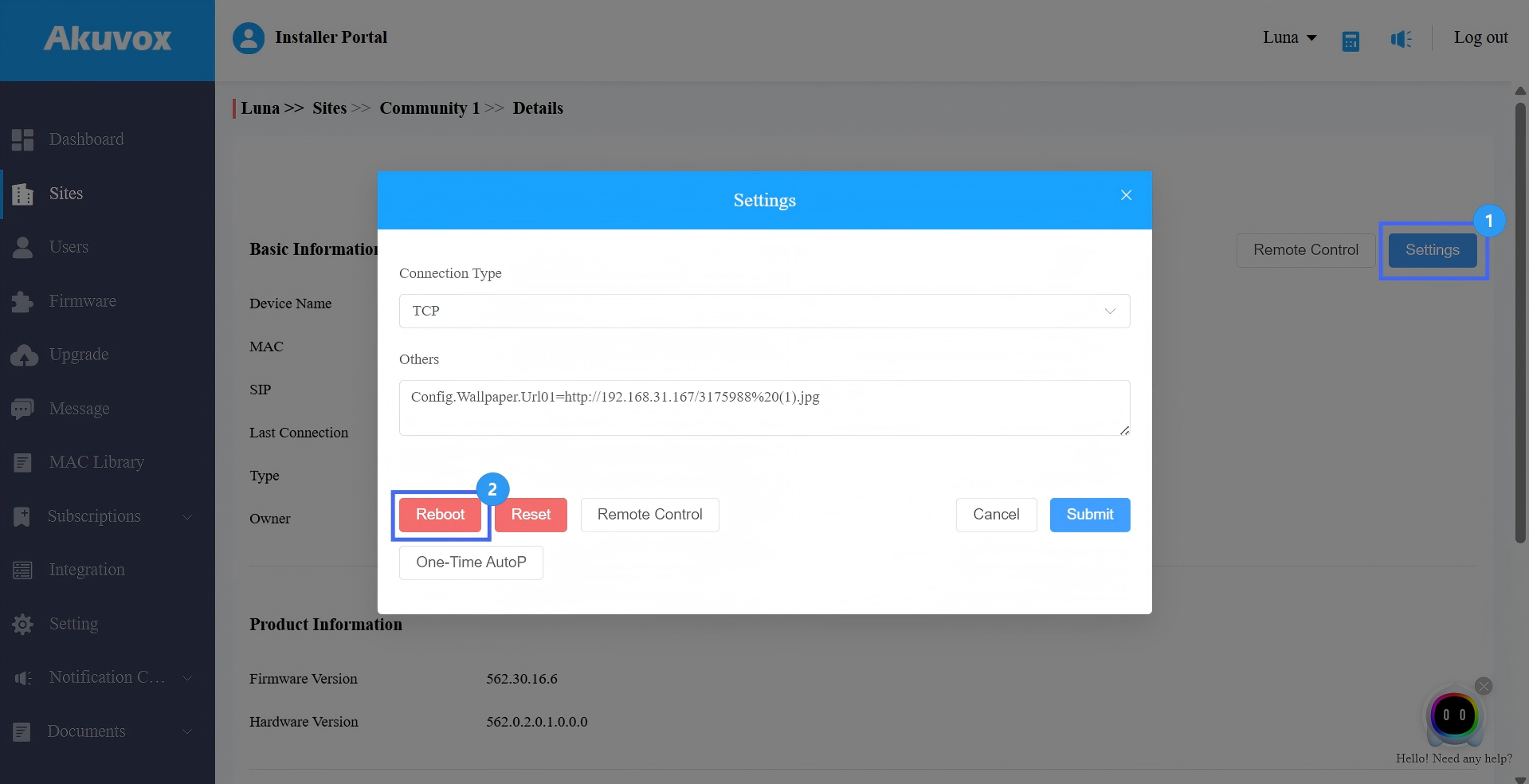
You need to reboot the device to make the configuration effective.
Click
 of the device.
Click Settings > Reboot.
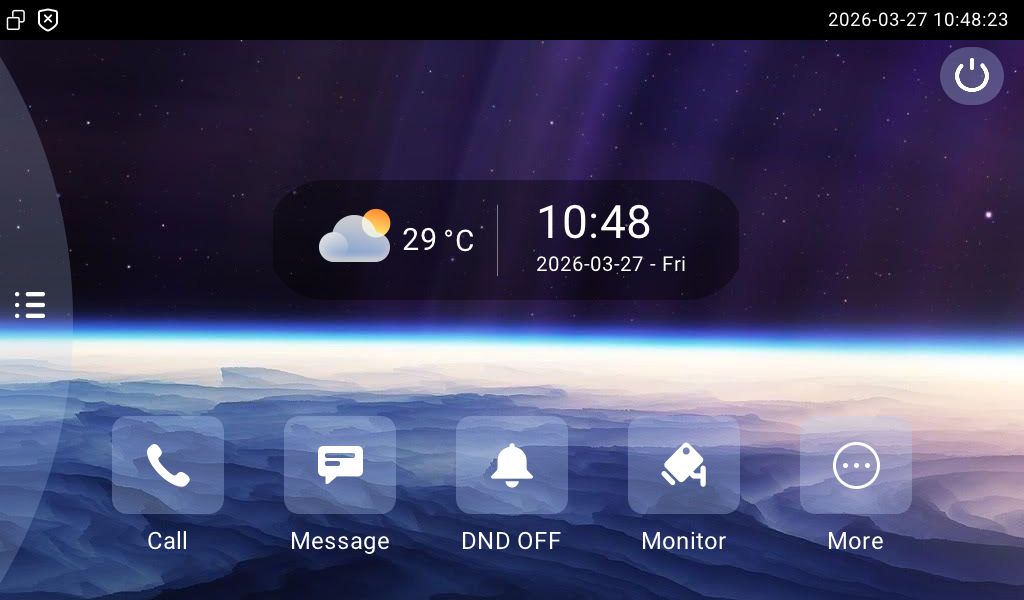
After the reboot, the wallpaper takes effect.
Wallpaper replacement logic
If Config.Wallpaper.Url01/02 is delivered:
The device downloads the image from the URL.
The new wallpaper is automatically applied.
If both Url01 and Url02 are delivered:
Both wallpapers are replaced.
Wallpaper from Url01 is applied by default.
If wallpaper upload commands and wallpaper selection command are delivered together:
The system ignores the value of Config.Settings.PICTURE.Wallpaper.
The device always prioritizes the newly uploaded wallpaper.