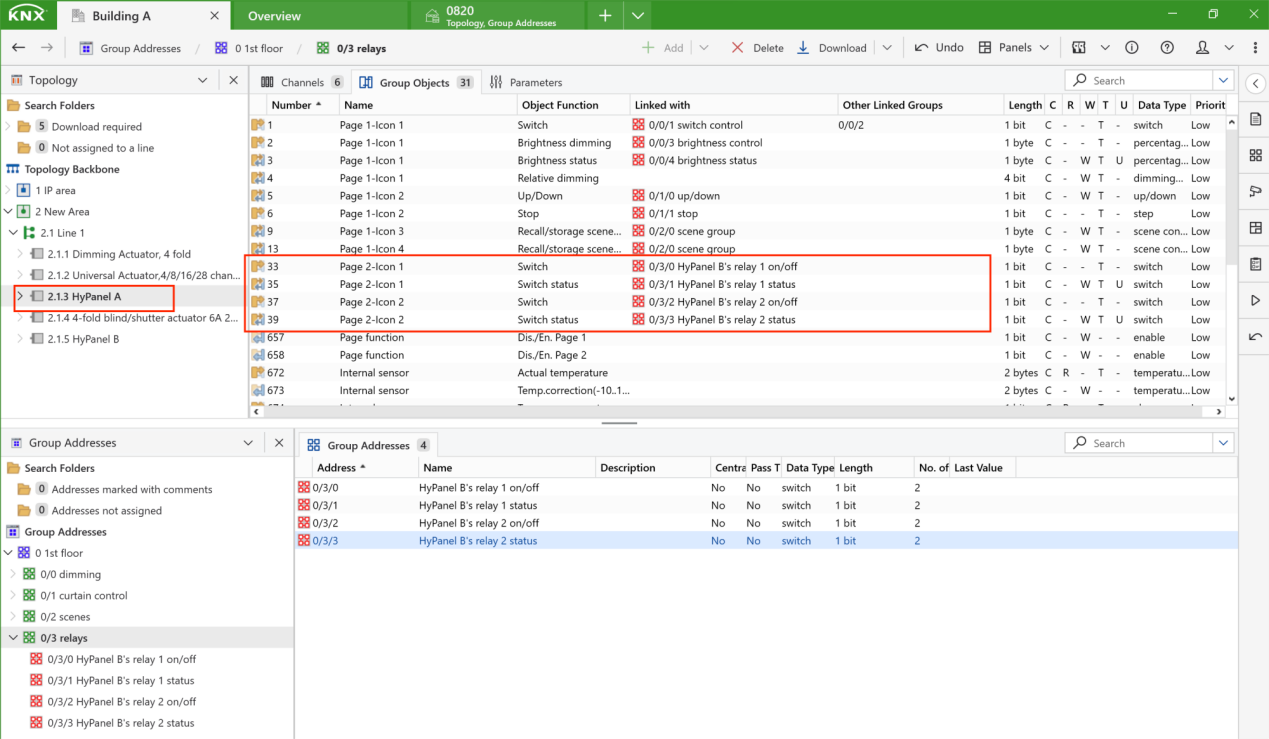
You can control the relays connected to a HyPanel using other KNX devices, with each relay operated by a separate button. The configuration process includes:
Configuring buttons to control the relays
Creating group addresses
Linking group objects of relays with their group addresses
In this example, we’ll use HyPanel A control the two relays of HyPanel B.
Note
We’re using HyPanel A to represent other KNX panels as control devices for demonstration purposes. In reality, HyPanels within the same family can directly control each other’s relays without any extra steps.
Configure buttons to control relays
In this example, we’ll set up the button parameters on HyPanel A’s Home page and Function page.
Note
The steps for configuring control buttons on KNX devices vary by manufacturer, so check the specific instructions for your devices.
Tip
For detailed instructions on configuring HyPanel pages, see the “Configure Parameters of HyPanel” section in this guide.
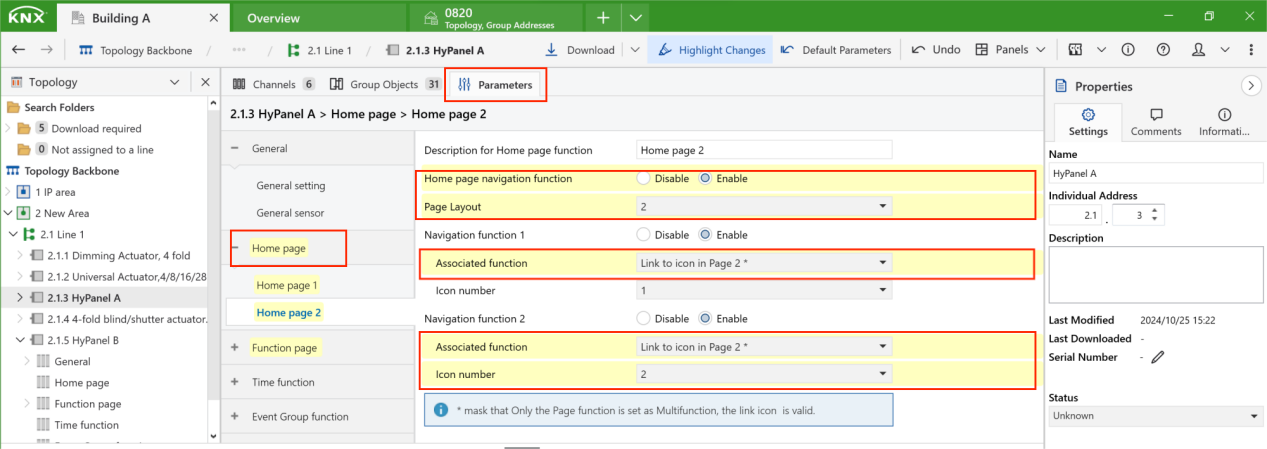
In ETS, select the Parameter tab for HyPanel A. Click on the Home page, enable the desired home page, and set up the layout (button numbers), associated function (linked function page) and icon number.
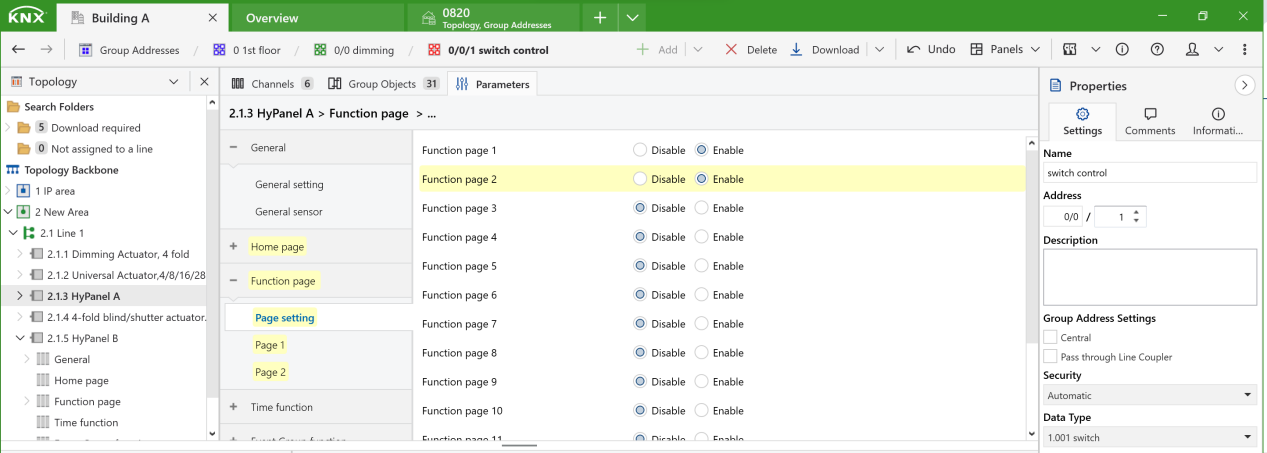
Go to Function page > Page setting, and enable the desired page. Note that the first five are multi-function pages.
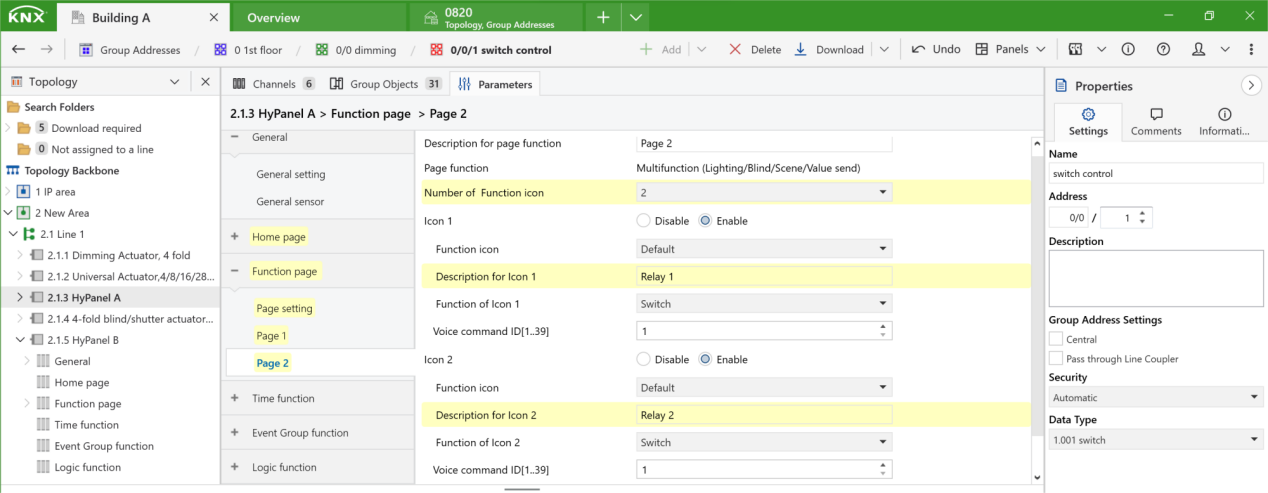
On the enabled page, set the number of function icons, and configure the displayed names, icons, and functionalities for the two relay buttons.
Create group addresses for relays
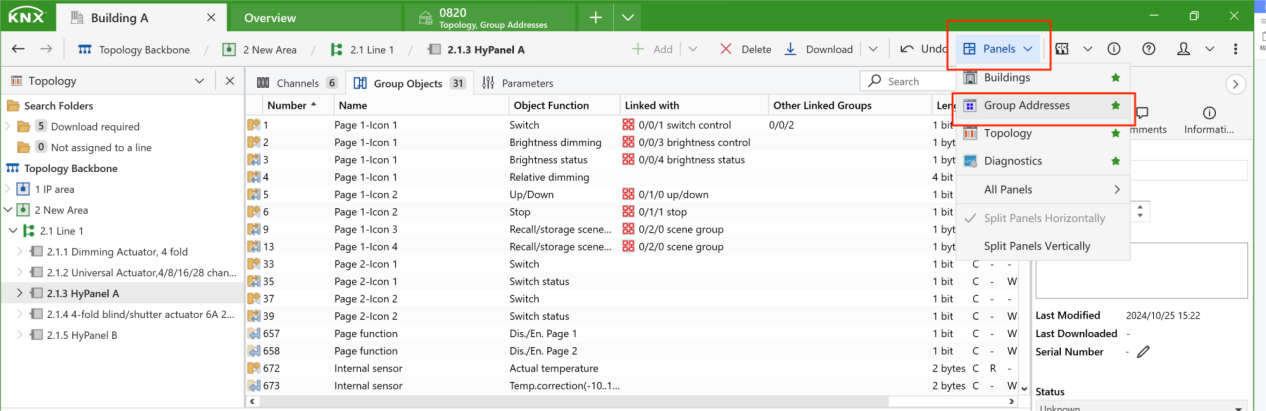
Open the Group Addresses panel by clicking Panels > Group Addresses.
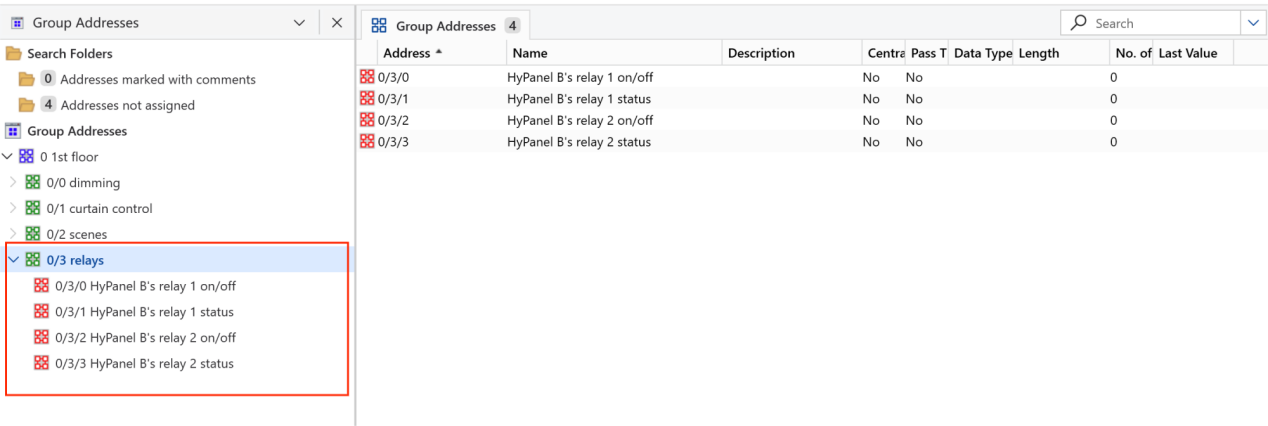
Right-click the Group Addresses, add corresponding level groups, and name them. Here, we create “on/off” and “status” group addresses for each relay.
Tip
You can customize the structure to suit different types of KNX projects. In this guide, we’ll use the following structure:
Main group: Building part (1st floor, living room...)
Middle group: Function (Curtain control, dimming...)
Subgroup: Specific function of a device (Open/close, on/off...). Refer to a device’s Object Functions to define its group addresses.
Link group objects to group addresses
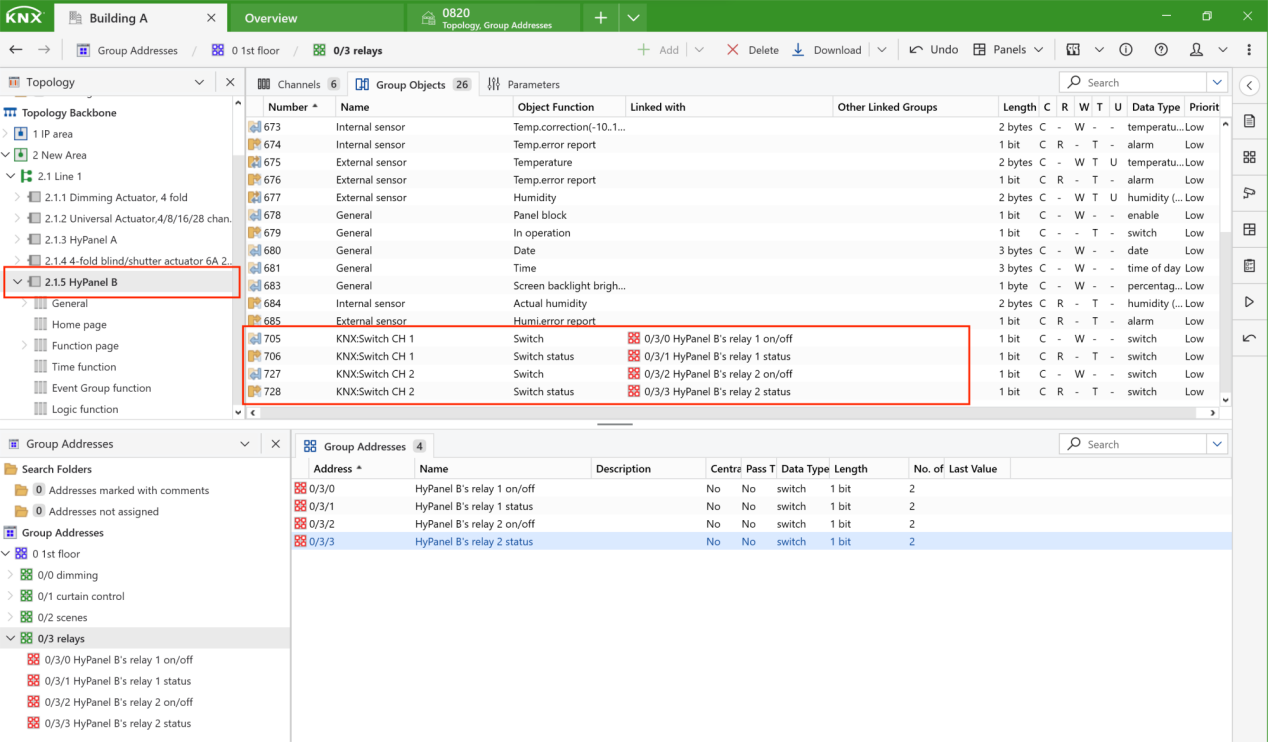
Drag and drop the group addresses for the two relays into the corresponding group objects on HyPanel A and HyPanel B.
For HyPanel B’ s relays
For HyPanel A’s control buttons