Relay Schedule
The relay schedule allows you to set a specific relay to always open at a certain time. This is helpful for situations like keeping the gate open after school or keeping the door open during work hours.
To do the configuration, navigate to Intercom Relay > Relay Schedule interface.
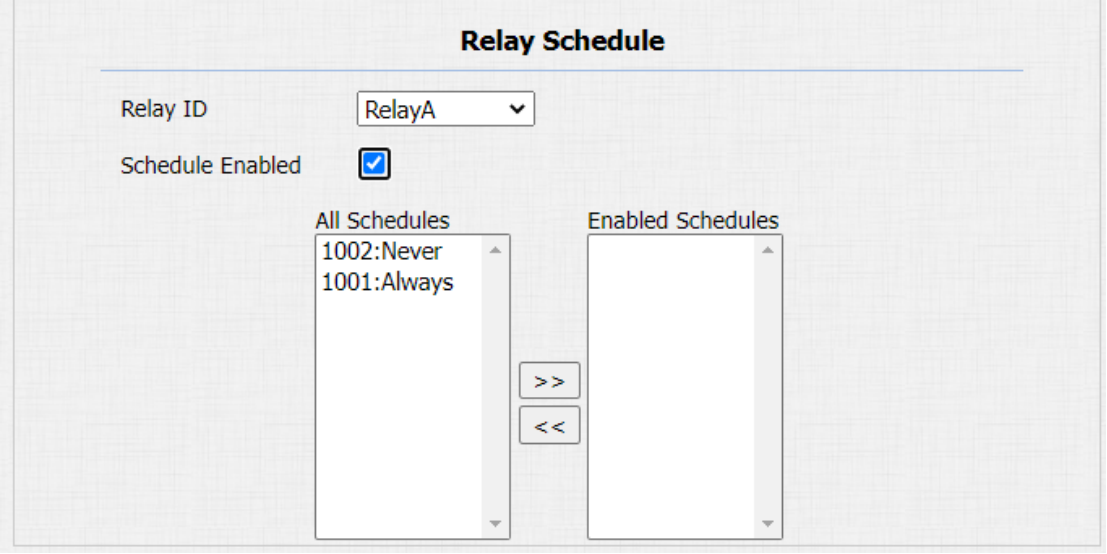
Parameter Set-up:
-
Relay ID: choose on the relay you need to set up.
-
Schedule Enabled: it is disabled by default. Only choose to enable it, that you can select the schedule. For creating the schedule, please refer to door access schedule configuration.
Configure Door Access Schedule
A door access schedule lets you decide who can open the door and when. It applies to both individuals and groups, ensuring that users within the schedule can only open the door using the authorized method during designated time periods.
To do this configuration on web Intercom > Schedules interface.
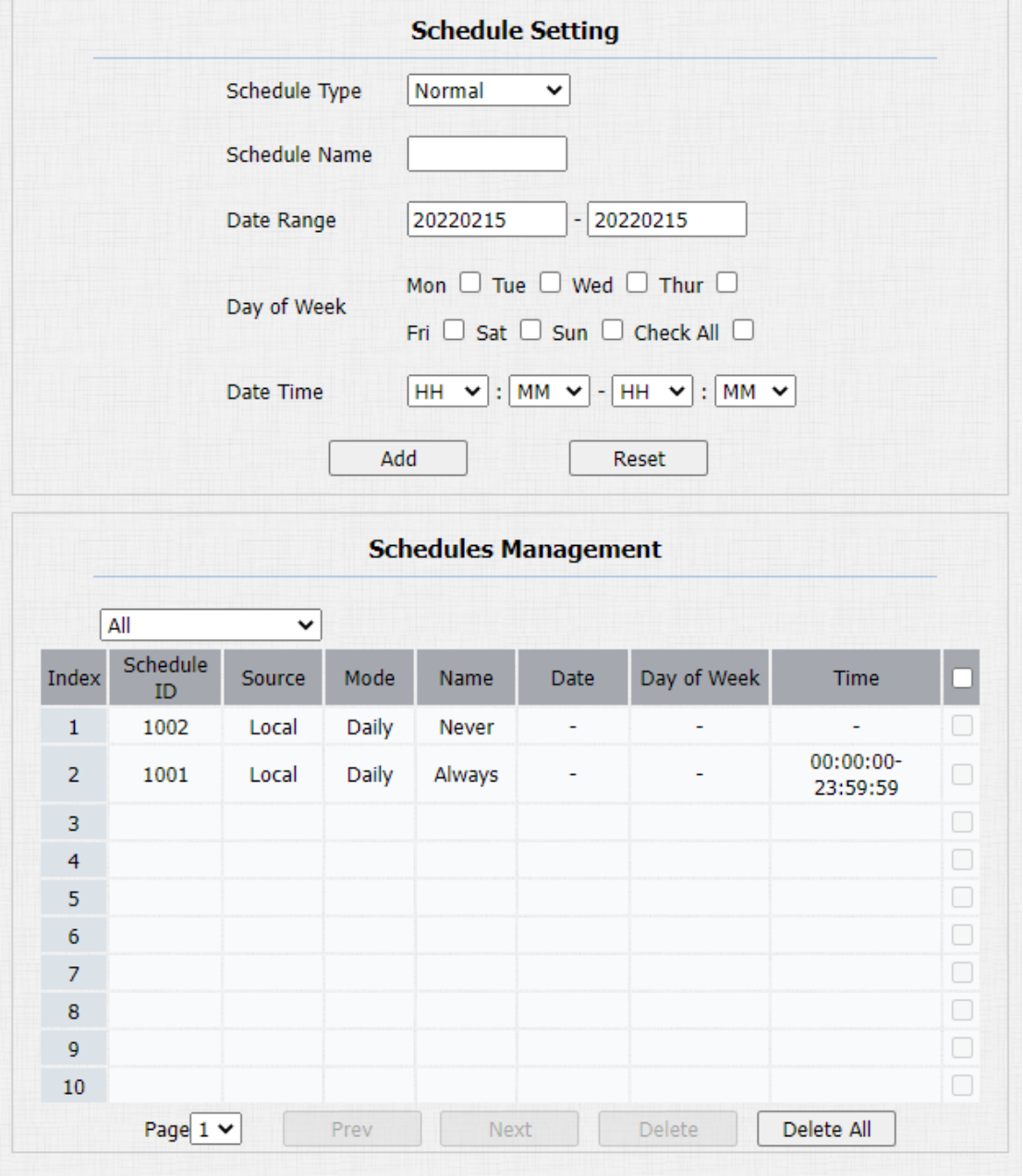
Parameters Set-up:
-
Schedule Type: set the type of time period. There are three types to choose from: Daily, Weekly, and Normal. The default is Daily.
-
Schedule Name: set the name of the time period.
-
Date Time: set the corresponding time period.
-
Day of Week: select the corresponding day of the week. This field will only be displayed when the Week and Normal types are selected.
-
Date Range: set the corresponding date. This field will only be displayed when the Normal type is selected.
Import and Export Door Access Schedule
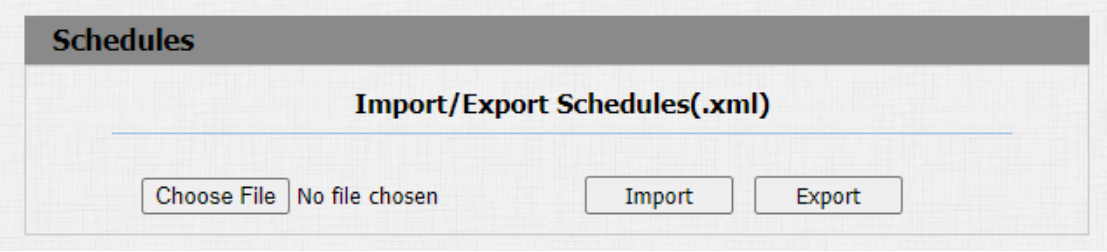
You can create door access schedules one by one or in bulk. You can export the current schedule file, edit it or add more schedules following the format, and import the new file to the desired devices. This helps you manage your door access schedules easily.
Path: Intercom > Schedule > Import/Export Schedule(.xml).
Import and Export User
You can import and export the user in batch. You can navigate to Intercom > User.

Parameter Set-up:
- AES Key For Import: enter the AES code before importing the AES-encrypted .tgz file to the door phone.