Unlock by DTMF Code
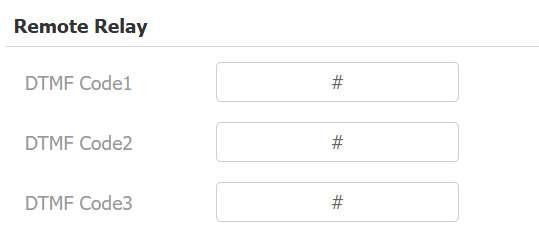
Dual-tone multi-frequency signaling(DTMF) is a way of sending signals over phone lines by using different voice-frequency bands. Users can use the DTMF function to unlock the door for visitors during a call by either typing the DTMF code on the soft keypad, or tapping the unlock tab with the DTMF code on the screen.
Set up DTMF codes for remote relays on the Phone > Relay interface.
To configure the DTMF code transport format, navigate to the web Account > Advanced interface.

Type: Select from the provided options.
DTMF Code Transport Format: There are four options: Disabled, DTMF, DTMF-Relay, and Telephone-Event. Configure it only when the third-party device that receives the DTMF code adopts the Info transport format. Info transfers the DTMF code via signaling, while other transport format does it via RTP audio packet transmission. Select the DTMF transferring format according to the third-party device.
DTMF Payload: It is for data transmission identification ranging from 96-127.
Note
To open the door with DTMF, the intercom devices that send and receive the unlock command must use the same mode and code. Otherwise, the DTMF unlock may fail. See here for the detailed DTMF configuration steps.
Unlock via HTTP Command
The device supports remote door unlocking via an HTTP command. Simply enable this feature and input the HTTP command (URL) for the device. This will trigger the relay and open the door, even if the users are away from the device.
Set it up on the Phone > Relay interface.
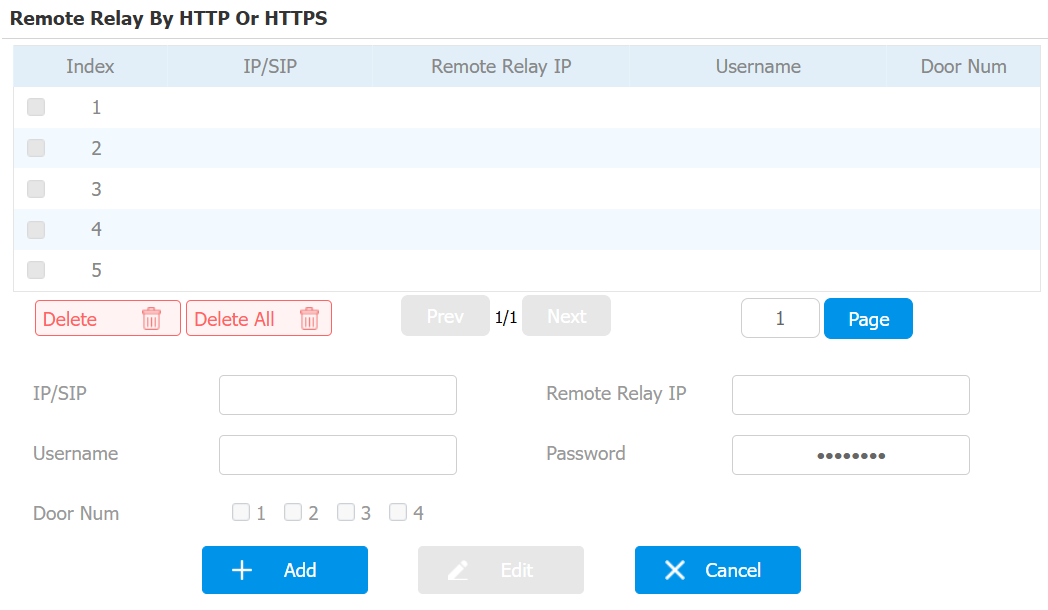
IP/SIP: Specify the IP or SIP number of the door phone.
Remote Relay IP: Enter the door phone’s IP.
Username: Enter the username the same as that configured on the door phone’s web interface.
Password: Enter the password the same as that configured on the door phone’s web interface.
Door Num: Specify the door to be opened.
Note
The HTTP format for relay triggering varies depending on whether the device's high secure mode is enabled. Please refer to this how-to guide Opening the Door via HTTP Command for more information.
HTTP or HTTPS Command Import/Export
You can import and export HTTP or HTTPS commands on the device Phone > Relay interface.

Unlock Key Setup
You can set up the unlock key on the device's main unit on the Phone > Relay interface.
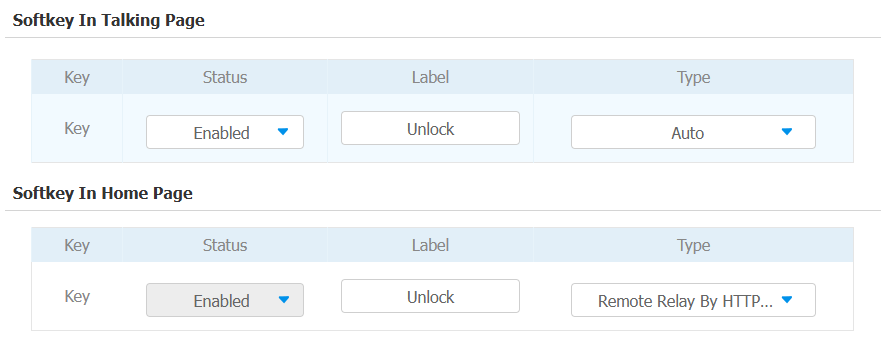
Softkey in Talking Page: Press the key to open the door during a call.
Softkey in Home Page: Press the key to open the door when the device is in standby mode.
Status: The key is enabled by default.
Type: Select the unlock type based on the actual setup.