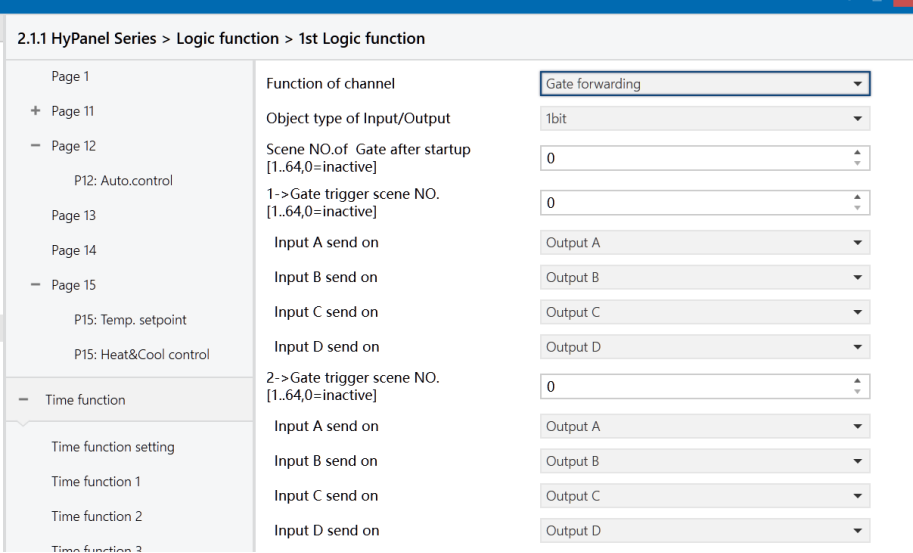
Figure: Logic function - Gate forwarding interface
Object type of Input/Output
Set the data type of the input/output.
Options:
1bit
4bit
1byte
Scene NO. of Gate after startup [1.. 64, 0=inactive]
Specify the initial scene forwarded by the logic gate after device startup, which must be configured in the parameters.
Options: 1.. 64, 0 = inactive.
Note
It's recommended to select the gate scene before operation; otherwise, the initial scene will be activated by default.
z->Gate trigger scene NO.[1.. 64, 0=inactive] (z:1~8)
Specify the scene number for logic gate forwarding. Each logic can have up to 8 trigger scene settings configured.
Options: 1.. 64, 0 = inactive.
Input A/B/C/D send on
Set the output of input x (x=A/B/C/D) after gate forwarding. Depending on the option selected, one input can be forwarded to one or more outputs. The input value remains consistent with the the output value.
Options:
Output A
Output B
...
Output B, C, D