In some scenarios, such as when panels are installed in different spaces, users may want each panel to control only the devices, scenes, and functions within its designated area. Some spaces may also require access restrictions to prevent children or unauthorized users from operating sensitive features or controlling devices in other areas.
To achieve this, you can hide specific device, scene, or function cards on a selected panel. This allows you to customize and limit what can be accessed and controlled from each panel.
Before Getting Started
Update the HyPanel to a supported firmware version. See here for detailed instructions.
HyPanel: 51.1.35.20 and later
HyPanel Plus: 52.1.36.215 and later
HyPanel KeyPlus: 53.1.36.226 and later
HyPanel Lite: 41.1.35.4 and later
HyPanel Pro: 71.1.35.30 and later
HyPanel Ultra: 281.1.35.8 and later
HyPanel Supreme: 1001.1.35.8 and later
SmartPanel: 933.1.35.16 and later
SmartPanel Elite 10: 119.1.35.15 and later
Connect your computer to the same LAN as the HyPanel.
Steps
Open a web browser and enter the IP address of the home center. Log in using your username and password (default: admin/admin).
TIP:
This configuration can also be done via the user web portal using the same steps.
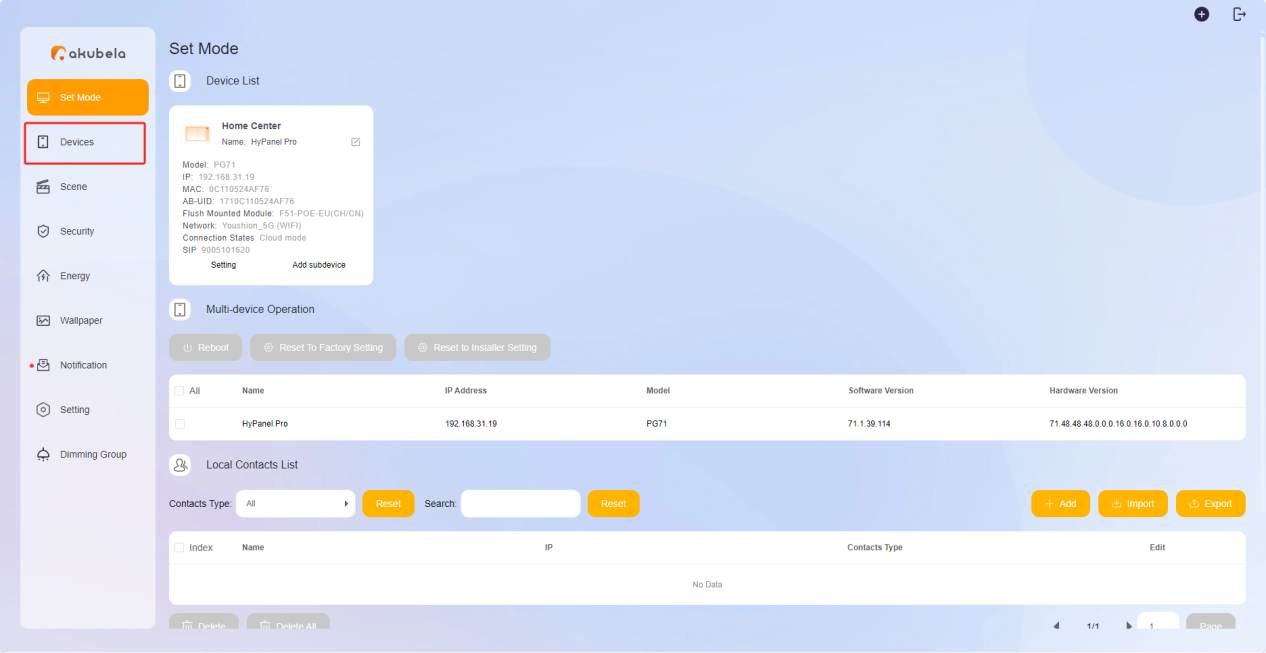
Click Device in the left-hand menu.
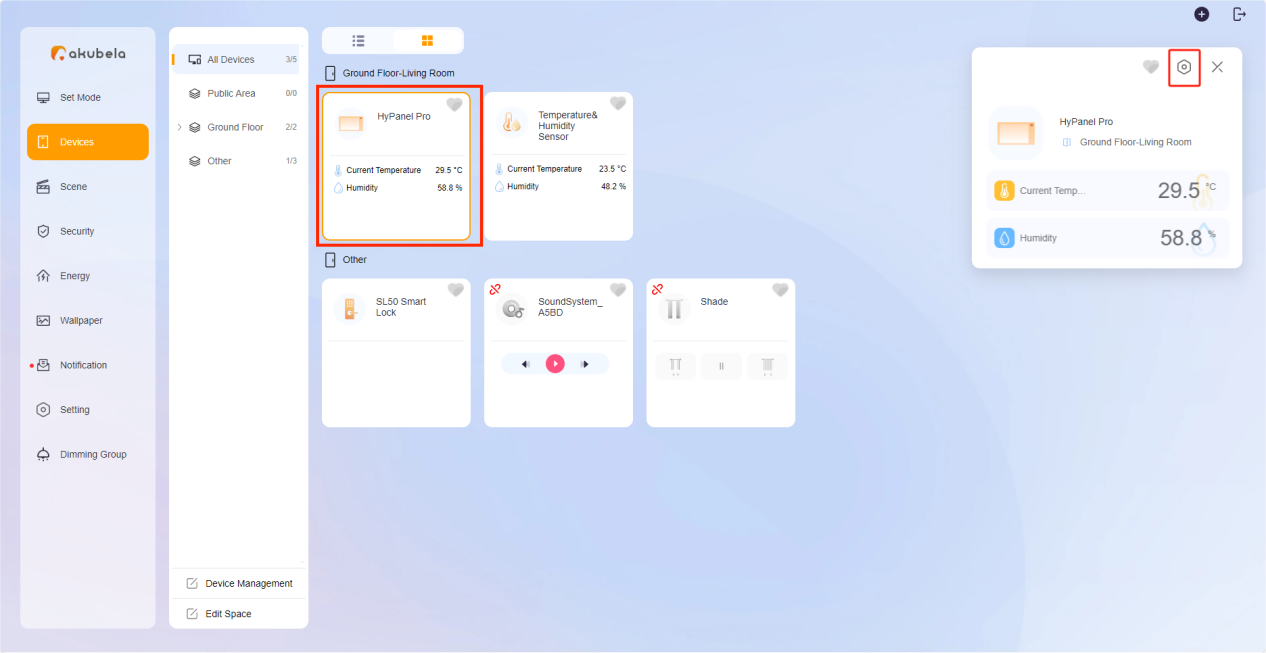
Select the desired HyPanel, then click its
 icon.
icon.
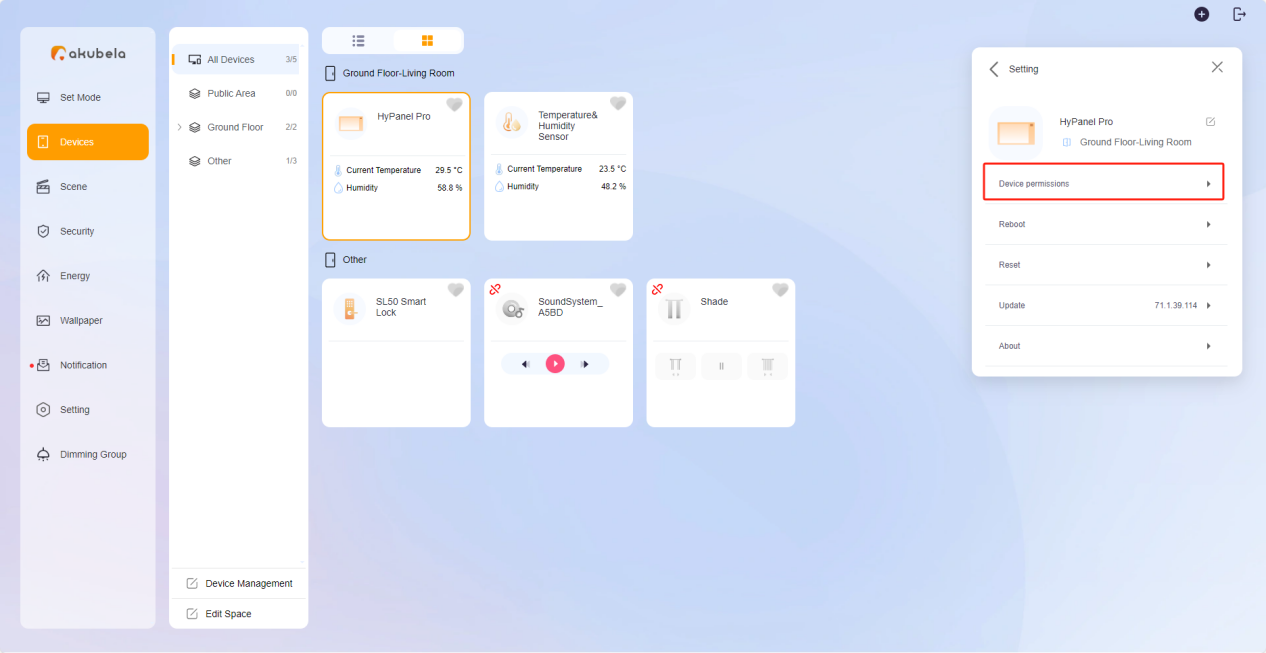
Click Device permissions.
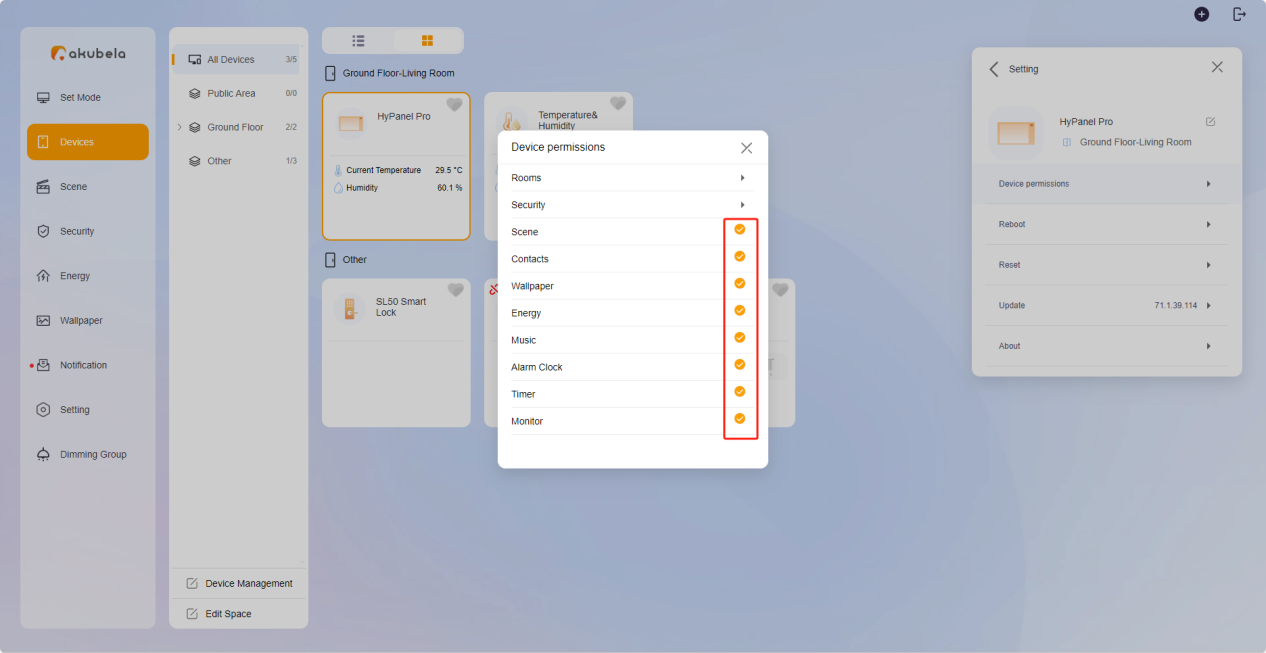
Browse by category to find the device, scene, or function you want to show or hide on the selected panel. Check or uncheck the corresponding options.
Rooms: Show/hide rooms and devices. Hidden devices will not be available for use in scenes or security settings.
Security: Show/hide the Arm/Disarm function, specific security modes, or the mode configuration entry(for large-screen panels).
Scene: Show/hide the Scene function card. Hidden scenes can still be triggered.
Contacts: Show/hide the Contacts function card. Incoming calls can still be answered by the current app account.
Other Features: Show/hide function cards like Energy, Alarm Clock, Timer, Monitor, and more.