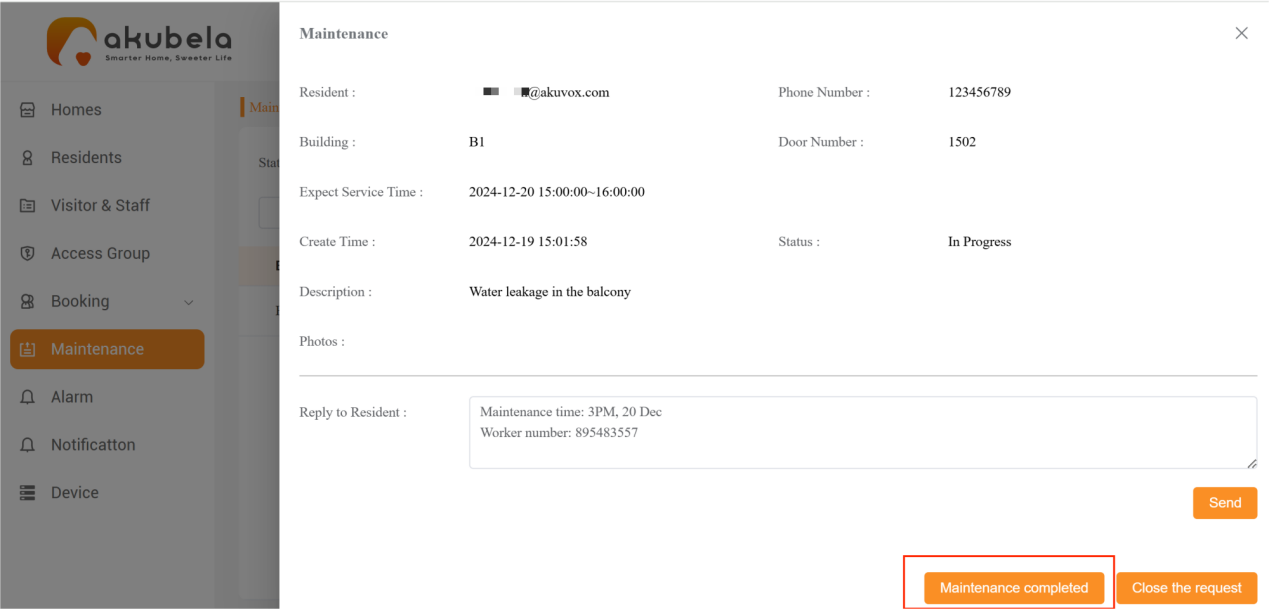
When a resident submits a maintenance request, the property manager can contact workers and track the maintenance process until completion.
View Maintenance Requests
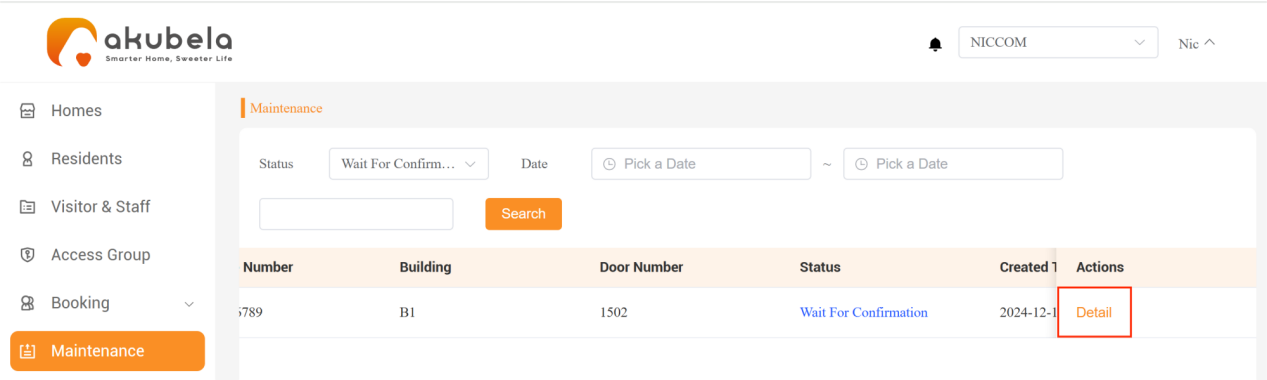
When a resident submits a maintenance request via the BelaHome app, it appears in the Maintenance interface with a "Waiting for Confirmation" status. To view the request details, click Detail in the Actions field.
NOTE:
If the resident withdraws a request, it will no longer be displayed in the PM platform.
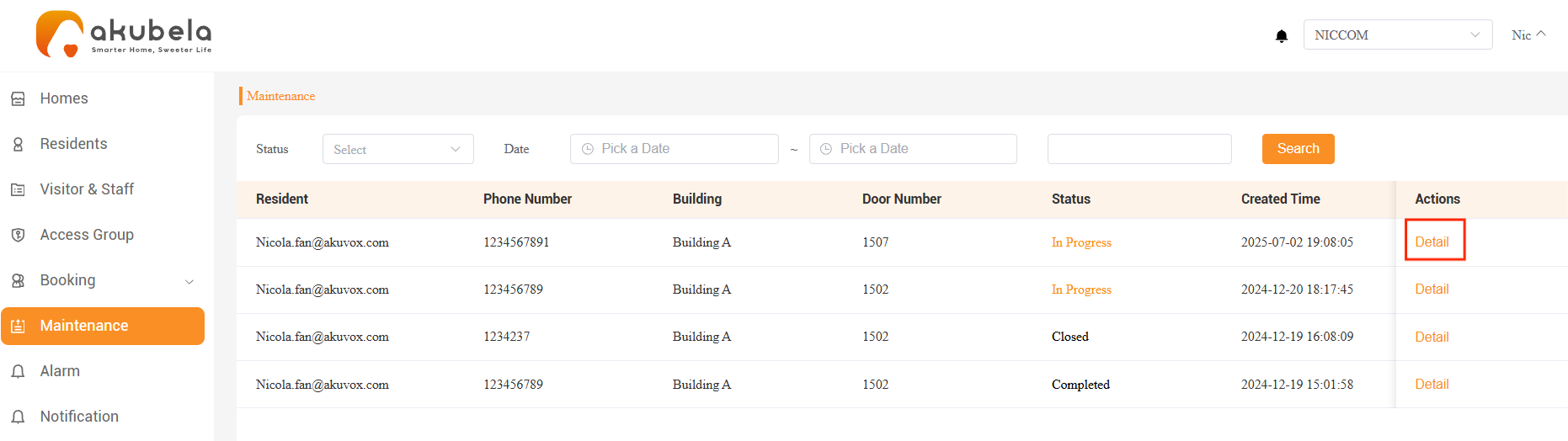
Check Maintenance Status
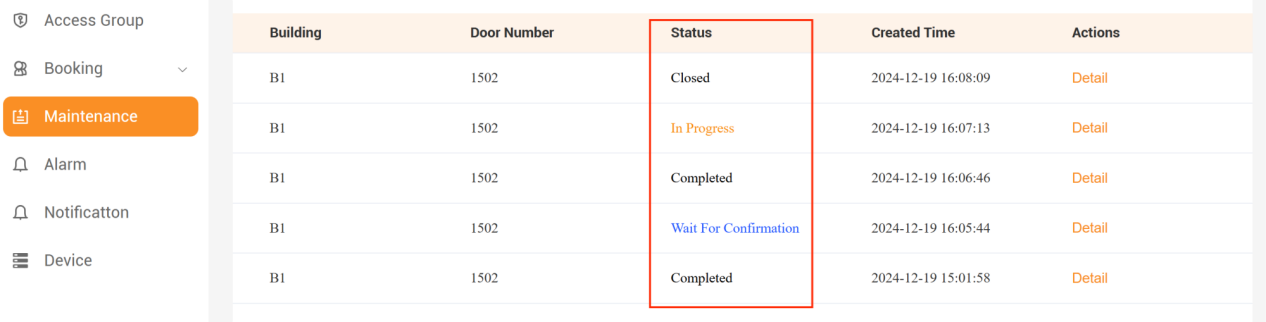
The maintenance requests have four statuses:
Wait for Confirmation: Awaiting confirmation by the property manager.
In Progress: Maintenance is arranged, and the worker is waiting to perform the task; the property manager clicks "Arrange for Maintenance" in the detail interface.
Completed: The worker has completed the maintenance and notified the property manager; the manager clicks "Maintenance Completed" in the detail interface.
Closed: Maintenance is not needed; the property manager clicks "Close the Request."
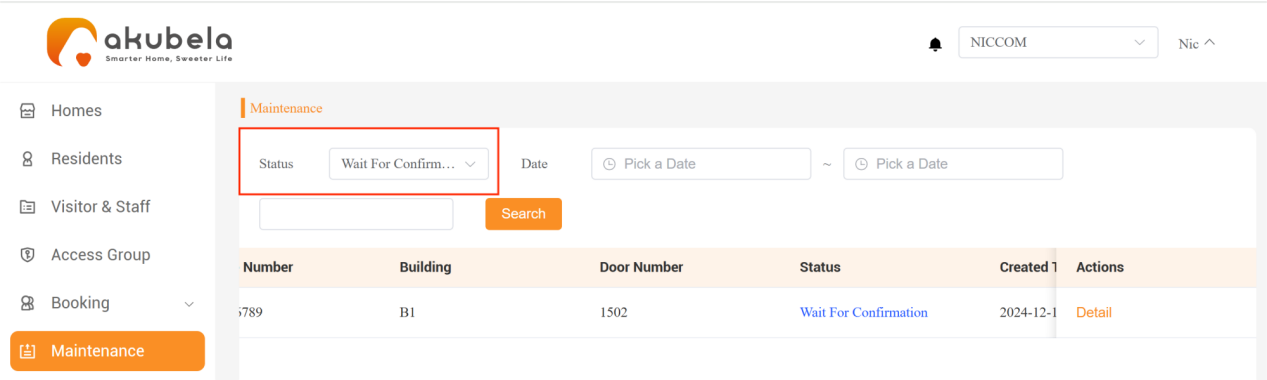
Process Requests
Use the status filter at the top-left to locate all “Waiting for Confirmation” requests.
Click Detail in the Actions field to view the request details.
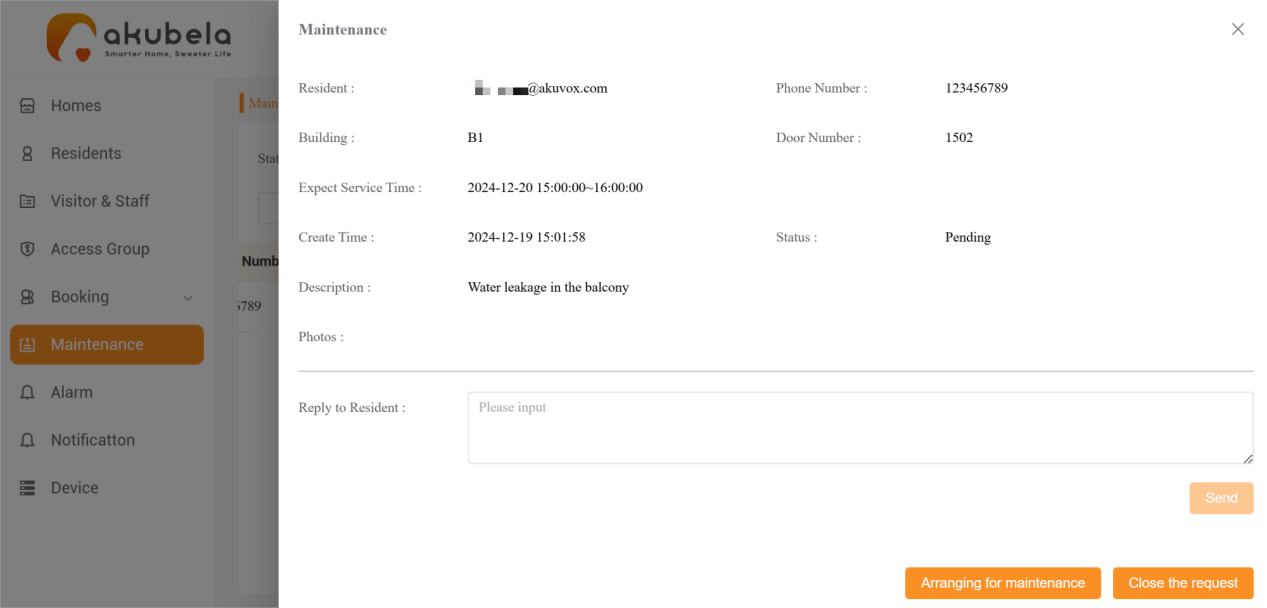
Contact the resident to confirm the details:
If the maintenance is not needed, click Close the request at the bottom right to change its status to “Closed”.
If maintenance is required, enter the worker’s contact number and availability, then click Send and Arrange for maintenance. The request status will change to “In Progress” and the resident will receive this information in their BelaHome app.
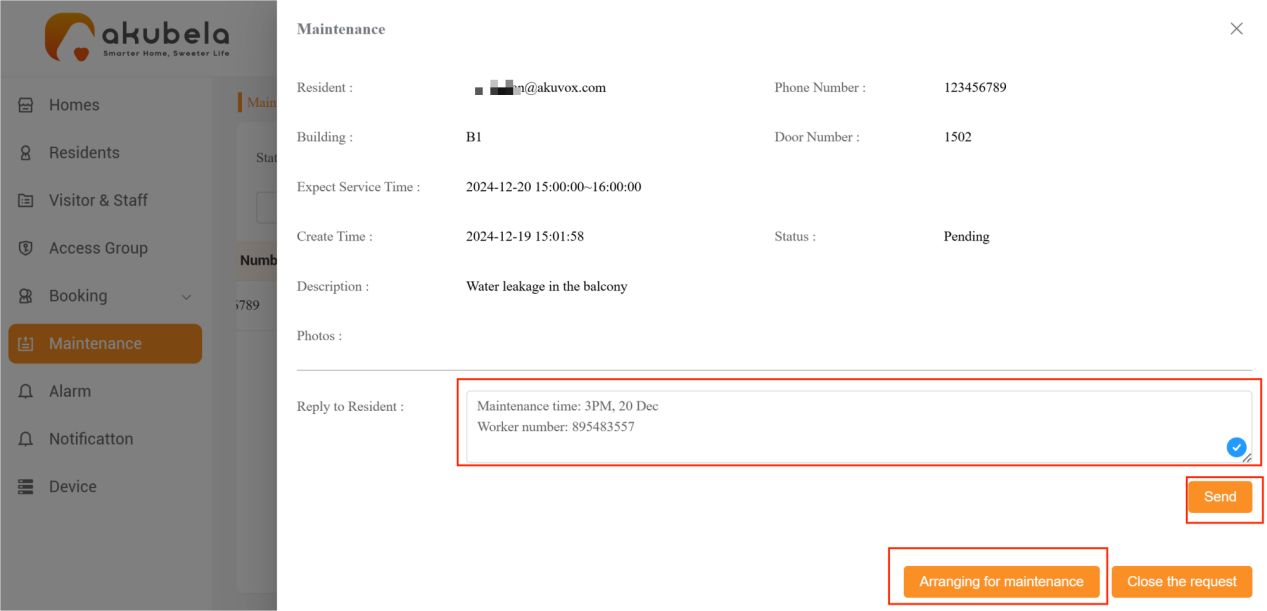
After the worker completes the maintenance and notifies the property manager, the property manager can click Maintenance Completed to finish the request.