Akuvox EC33 can be used in mailbox opening, with its relay connected to the mailbox lock. Its relay number corresponds to the mailbox number.
Meanwhile, set up user credentials on the access control terminal A08. When users enter PINs or swipe cards on it, their mailboxes will open.
Compatible versions(or higher)
EC33: 33.30.1.8
A08: 108.30.11.39
Before You Start
Ensure that the EC33’s expanding boards are connected properly via the RS485 interface.
One EC33 group can have 4 boards(1 host board and 3 slaves) connected in series. Thus, it has 128 relays(1~128 mailbox numbers). For detailed wiring instructions, refer to the device’s quick guide.

Ensure devices are powered on and deployed on the same local network.
Set up EC33
You need to set up RS485 to decide which board is the host and which is the slave.
Log in to each board’s web interface and set their roles.
Use IP Scanner to scan IP addresses and enter them in a browser. The initial username and password are admin.
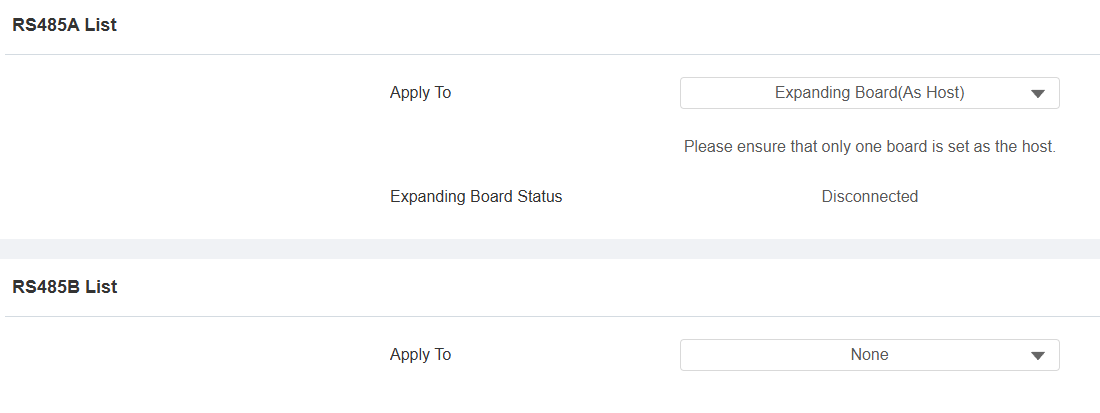
Go to Device > RS485 interface. Specify which RS485 interface is used for the connection.
Set Apply To to Expanding Board(As Host) for the host board and Expanding Board(As Slave) for the slave boards.
Click Submit.
The Expanding Board Status will change from Disconnected to Connected.
Set up A08
Use the device’s IP to log in to its web interface. The initial username and password are admin.
Enable Mailbox Mode
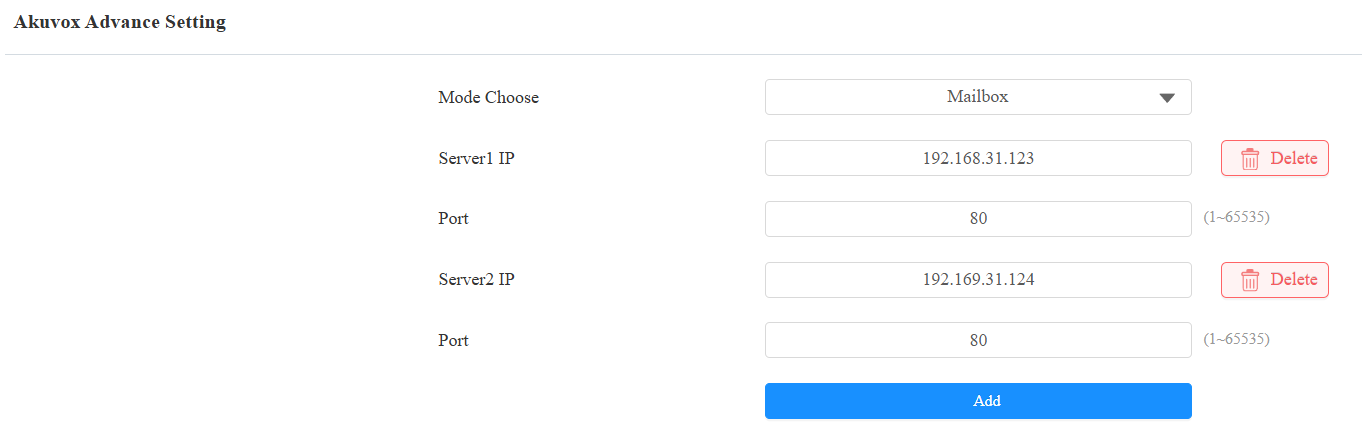
Go to Device > Lift Control. Select Akuvox in the Lift Control List.
Select Mailbox in the Mode Choose dropdown.
Enter the EC33’s host board’s IP address in the Server IP fields.
Click Add to add up to 5 server IPs if multiple EC33 groups are deployed.
Note
Since each EC33 group can support 128 relays, the mailbox number increases by 128 for each additional group used. For example, when using 2 EC33 groups, the mailbox number range is from 1 to 256.
At most, 5 EC33 groups are supported, with the mailbox number ranging from 1 to 640.
Click Submit.
Set up User Credential
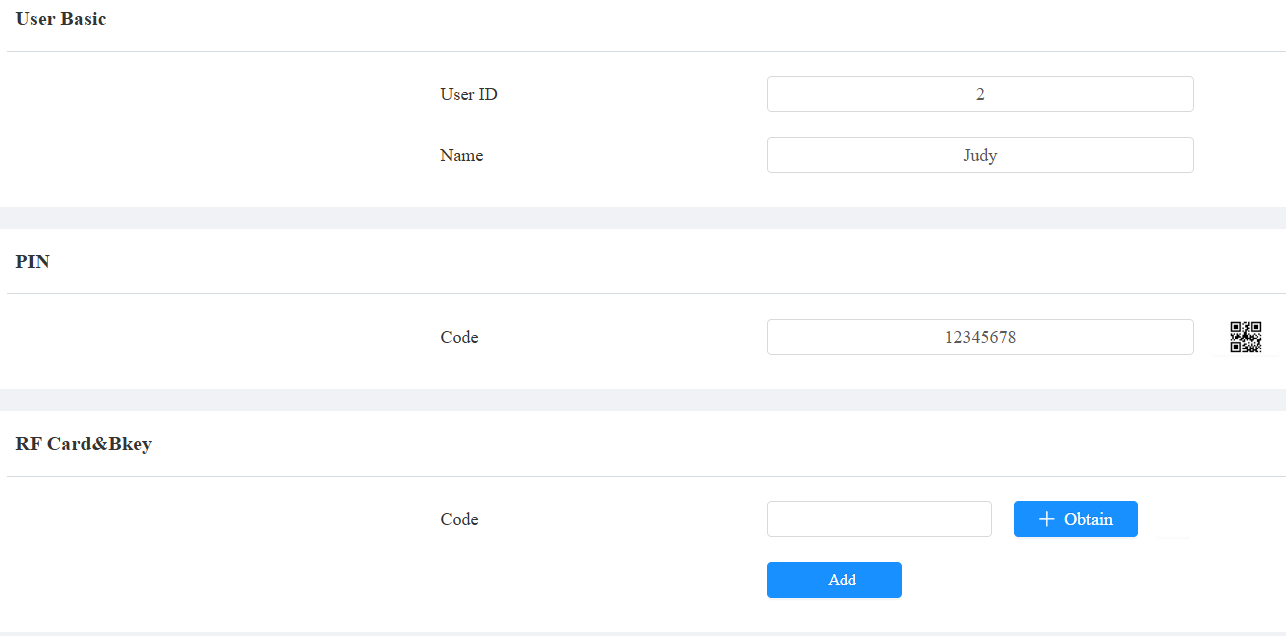
Go to Directory > User interface.
Click Add to add a new user; click
 to modify an existing one.
Set up the desired credential, PIN, RF Card, or Bkey.
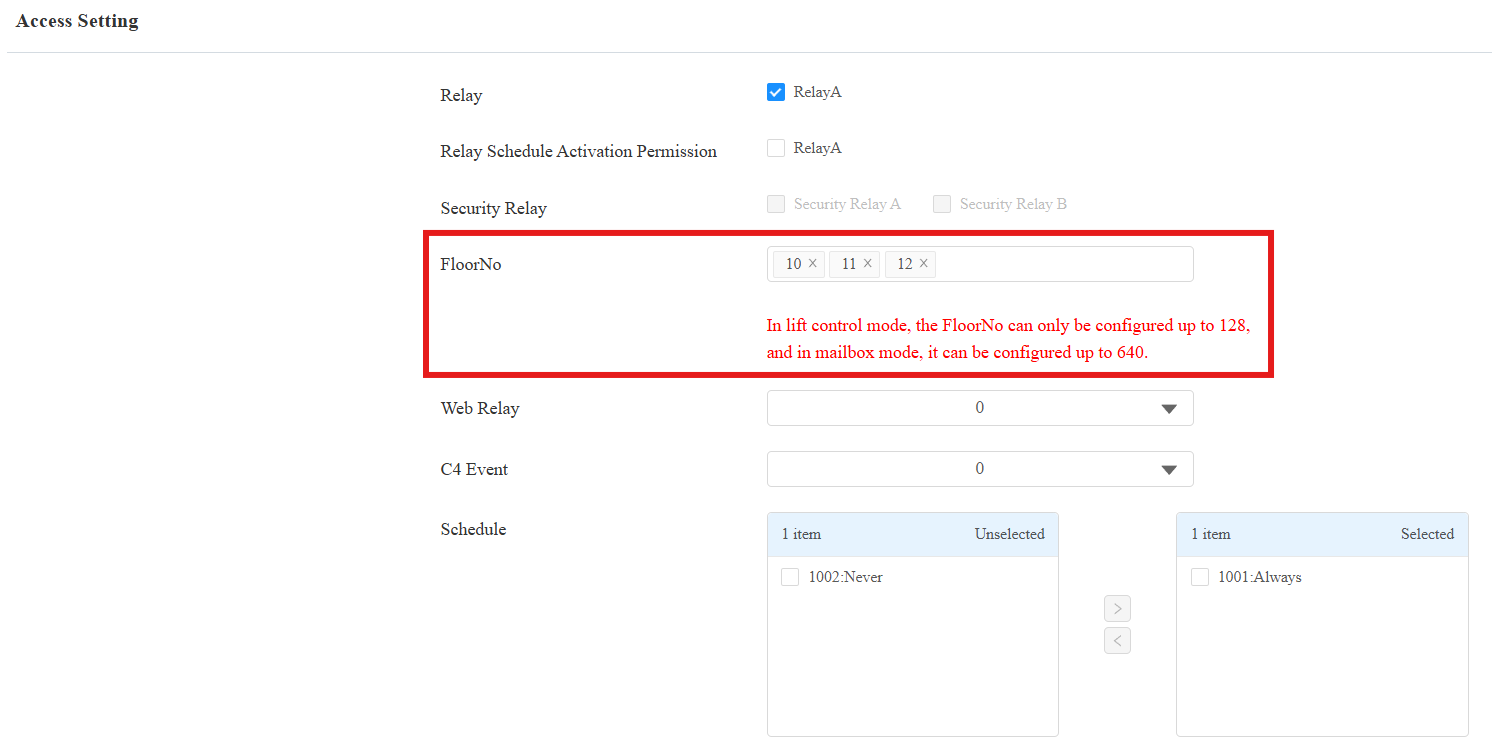
Scroll to the Access Setting section.
Select the Floor No(Mailbox number).
Click Submit.
Based on the above configuration, when the user enters “12345678” on A08 to unlock, the mailboxes with numbers 10, 11, and 12 will open.