Bkey is a Bluetooth-based Akuvox door-opening button. It enables users to open doors with a simple press without touching the device.
Note
The following models with specific firmware versions or higher support the Bkey feature:
Model
Firmware
The tested longest distance of using the Bkey(meters)
S539
539.30.10.203
3m
S538
538.30.10.705
10m
S535
535.30.10.233
5m
S532
532.30.10.16
15m
X916
916.30.10.202
15m
X915 V2
2915.30.10.811
15m
X912
912.30.11.7
3m
X910
2910.30.10.240
3m
R29C
29.30.10.203
15m
A03
103.30.10.105
5m
A05 V2
205.30.10.124
5m
A08
108.30.10.103
10m
WR01
1401.30.11.221
12m
To use the Bkey, you need to enable the Bluetooth function and assign the Bkey to specific users for door opening. This article takes S539 as an example.
Set up the Bkey Feature
Use the device IP to log into its web interface with the username and password, admin by default.
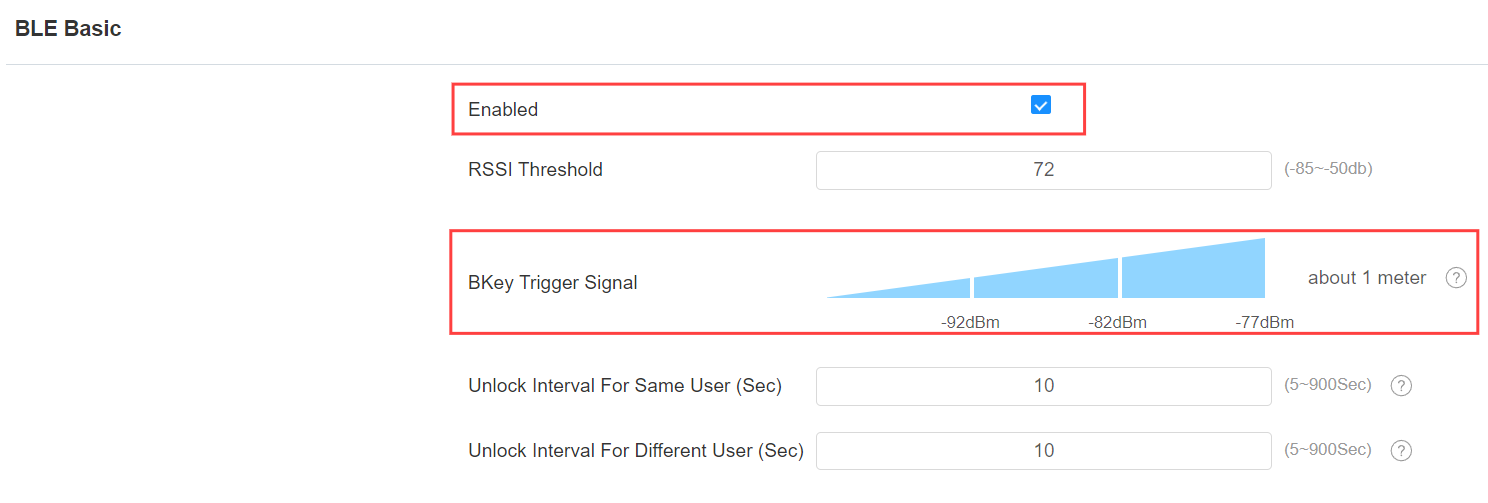
Go to Access Control > BLE interface. Enable the Bluetooth service.
You can set up the Bkey Trigger Signal. There are three ranges, 120dBm~-92dBm, -92dBm~-82dBm, and -82dBm~-77dBm.
For example, if you select 120dBm~-92dBm, users can press the Bkey to open doors within 3 meters away from the device.
Assign a Bkey to a User
Go to Directory > User interface.
Click Add to create a user account.

Set the User ID and user name.

Find the RF Card & Bkey part. Click Obtain and press the Bkey button. The code will be automatically acquired.
The code reading distance should be within 10 cm between the Bkey and the Bluetooth module in the door phone.
Tip
The installation position of the Bluetooth module varies by model. Please refer to the article Devices’ Bluetooth Module Introduction.

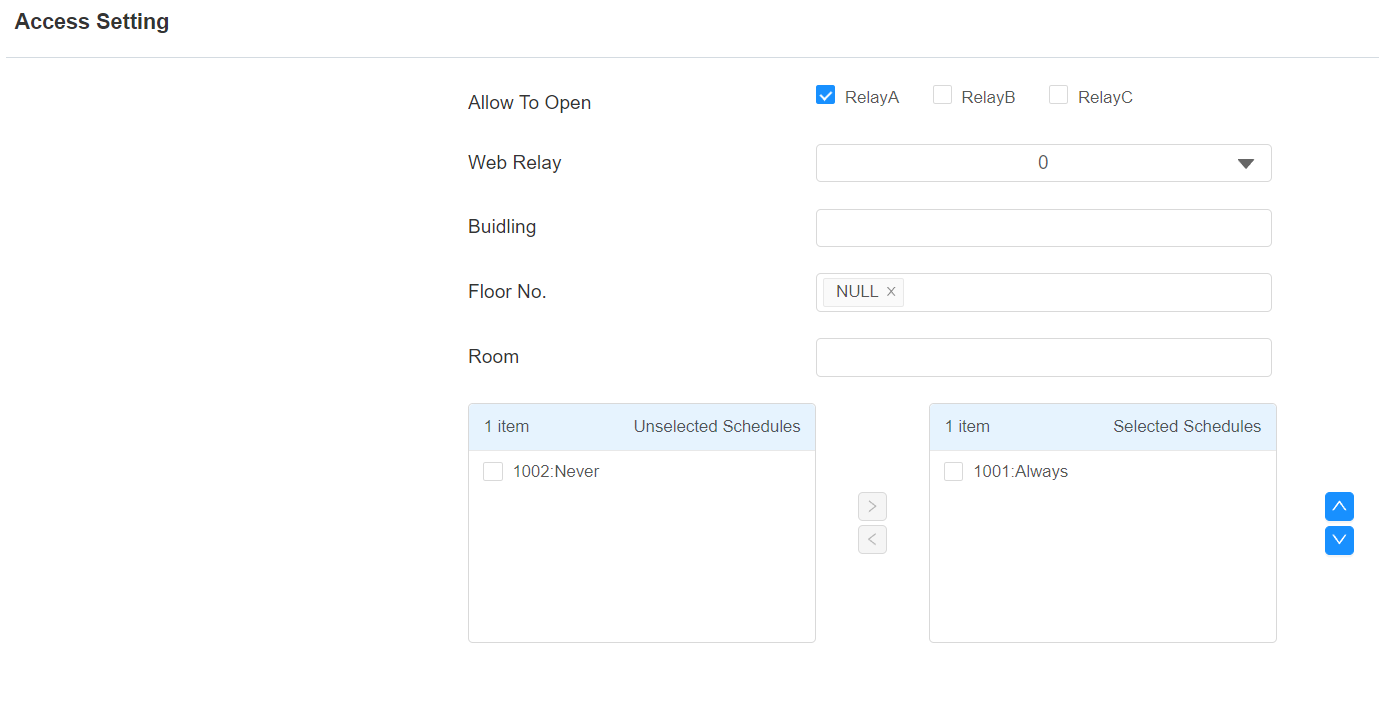
Scroll to the bottom to configure the Access Setting.
Click Submit to save the settings.
When users press the Bkey, the door will be opened.