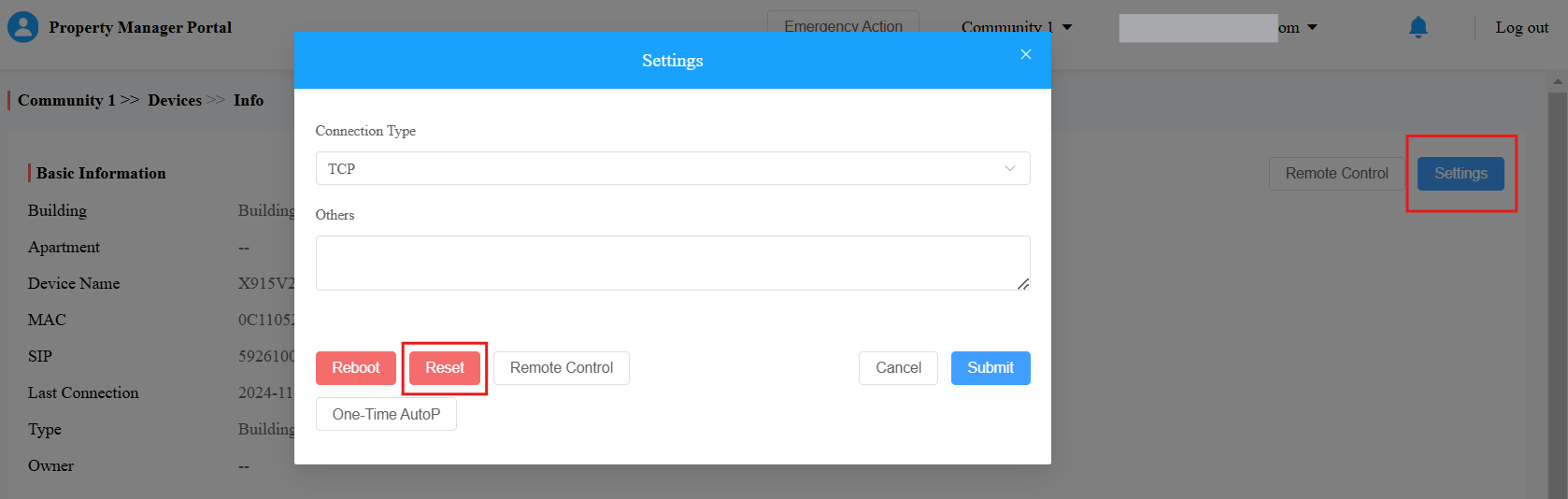
When the device is connected to the SmartPlus Cloud, you can reset it directly on the management portal.
Compatible models and versions(or higher):
Model
Version
Model
Version
S539
539.30.10.109
S535
535.30.10.233
S532
532.30.10.117
X916
916.30.10.116
X915 V1
915.30.10.110
X915 V2
2915.30.10.106
X912
912.30.11.29
X910
2910.30.10.240
E12 V2.0
312.30.10.237
E16 V2.0
216.30.11.3
E18
18.30.10.236
R29
29.30.10.103
R28 V2
228.30.10.135
R20 V5.0
320.30.10.223
R25 Series
25.30.10.117
A01/A02
101.30.10.108
A03
103.30.10.111
A05 V2.0
205.30.10.104
A08
108.30.1.16
A094
92.30.10.112
A095
95.30.10.110
S538
538.30.10.705
E16 V3.0
416.30.11.206
WR01
1401.30.11.221
For Installers
Take a community project as an example.
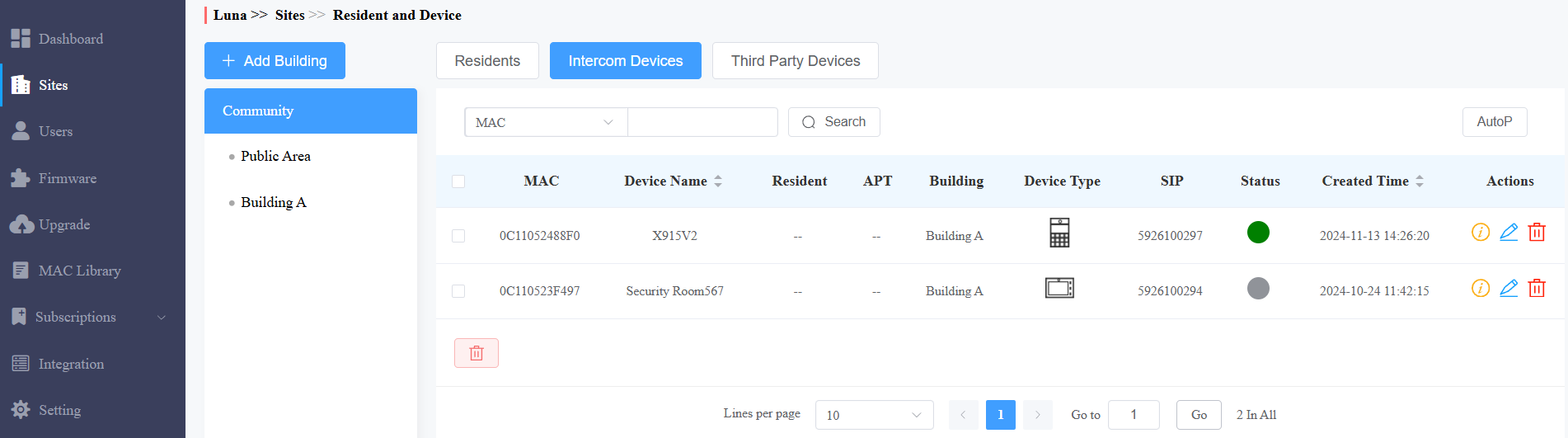
Log in to the Akuvox Cloud platform with an installer account.
Click
 of the target community on the Sites module.
Click Intercom Devices and search for the device by its MAC, device name, SIP number, or owner’s name.
Click
 of the target device.
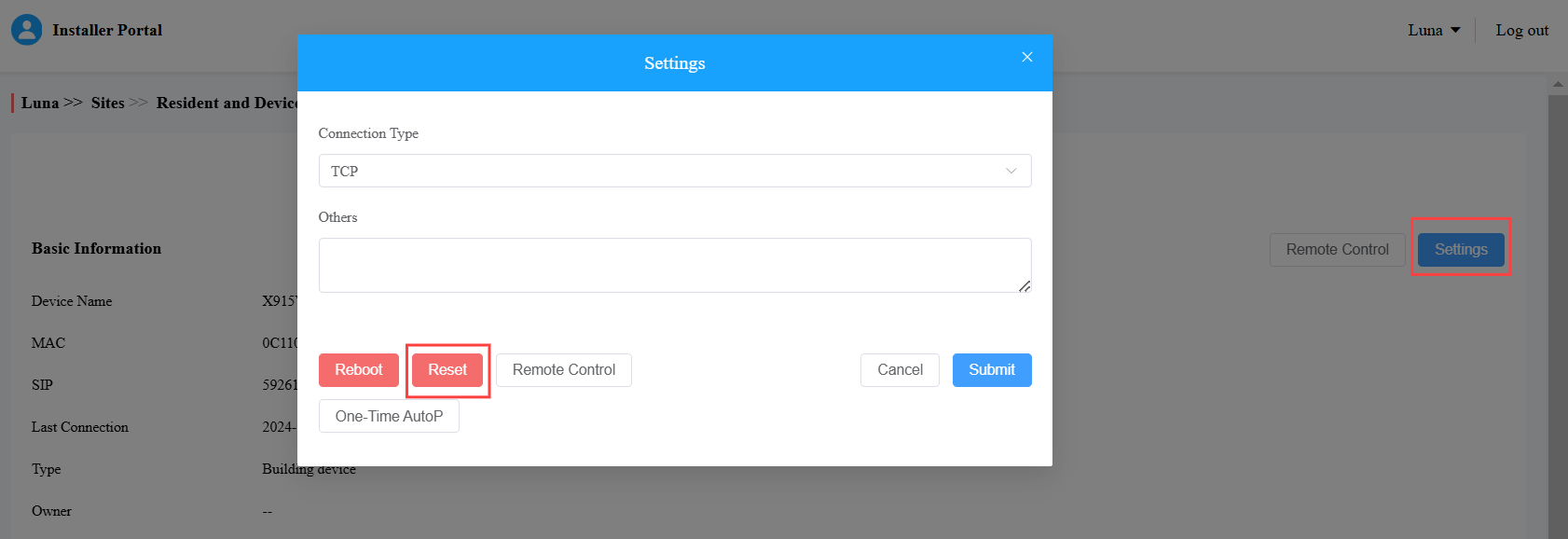
Click Settings and click Reset.
For Property Managers
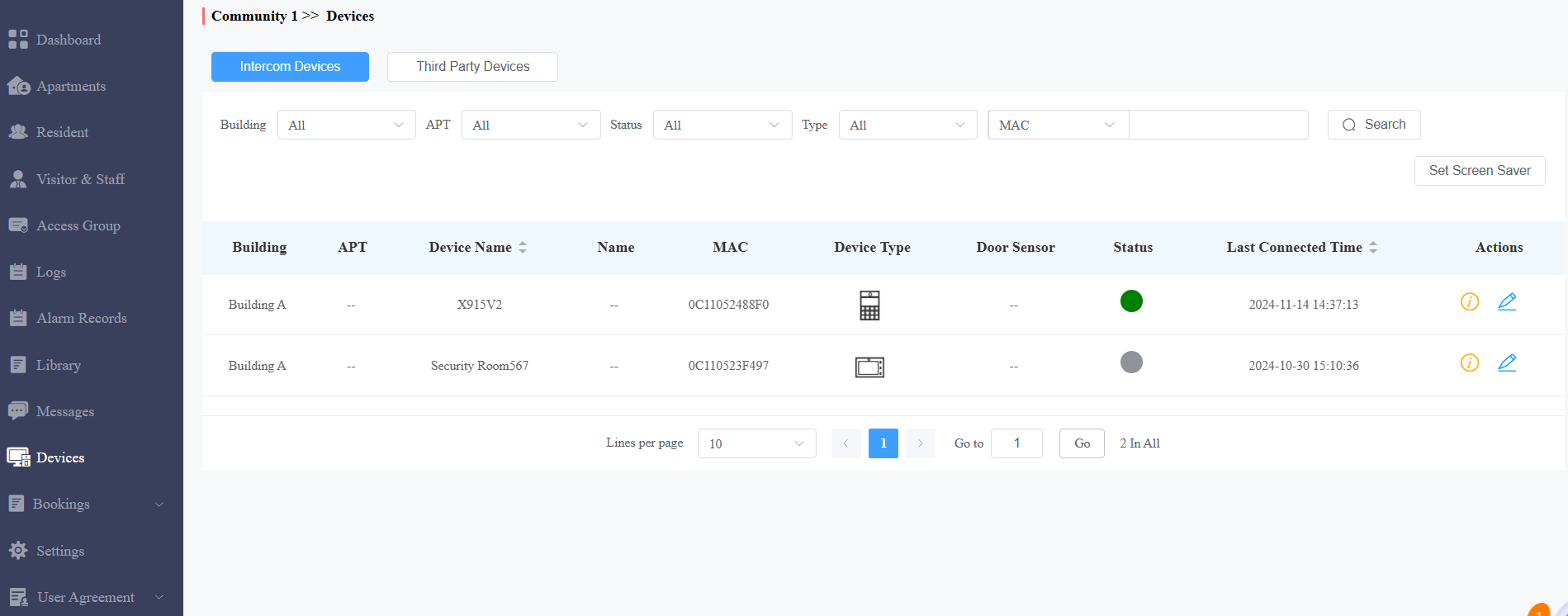
Log in to the Akuvox Cloud platform with a property manager account.
Click Devices and search for the target device.
Click
of the target device.
Click Settings and click Reset.