SOS numbers must be set before you can enable 'Make SOS Calls' when configuring security mode tasks.
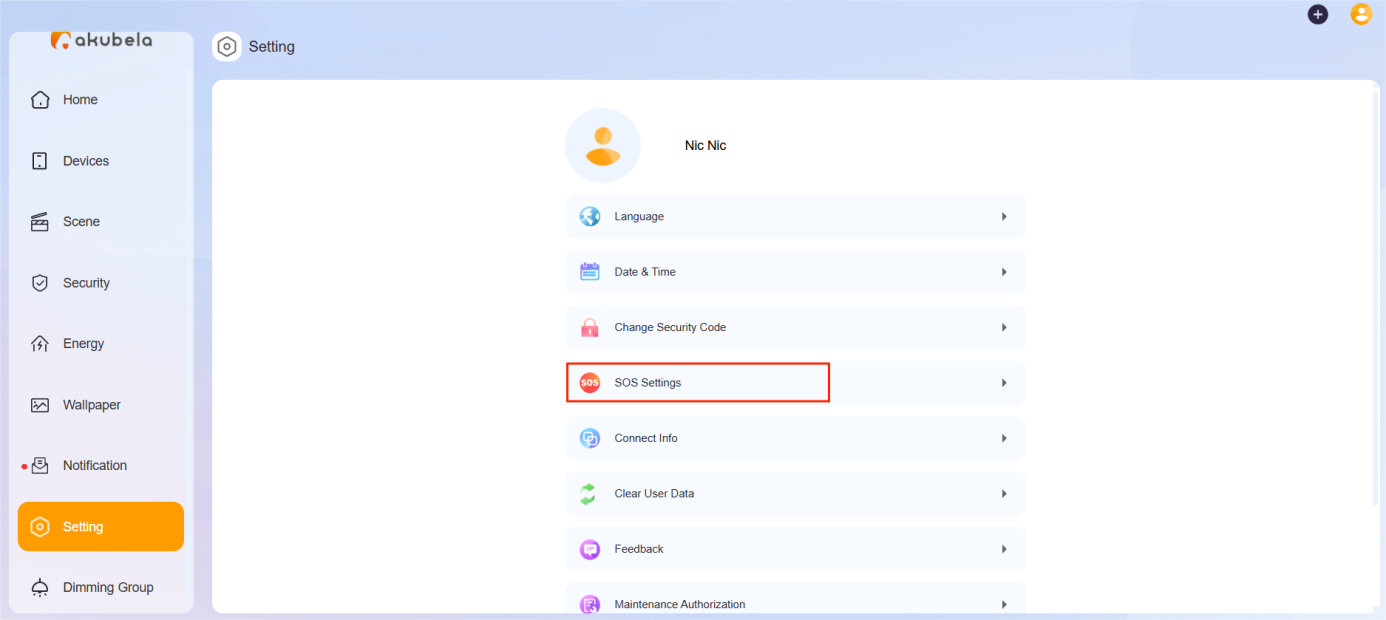
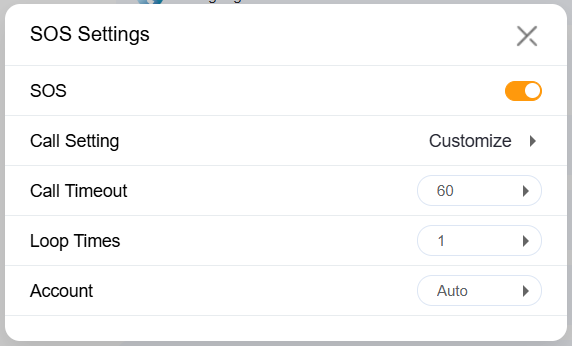
Click Setting > SOS Settings.
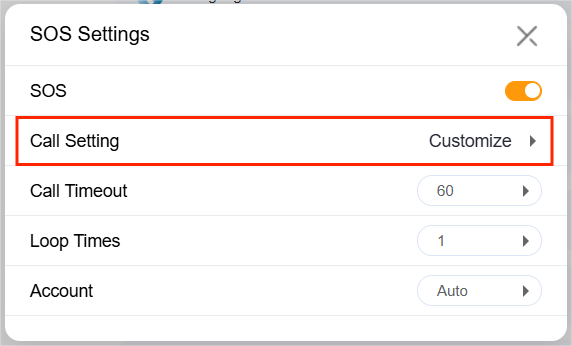
Select Call Setting.
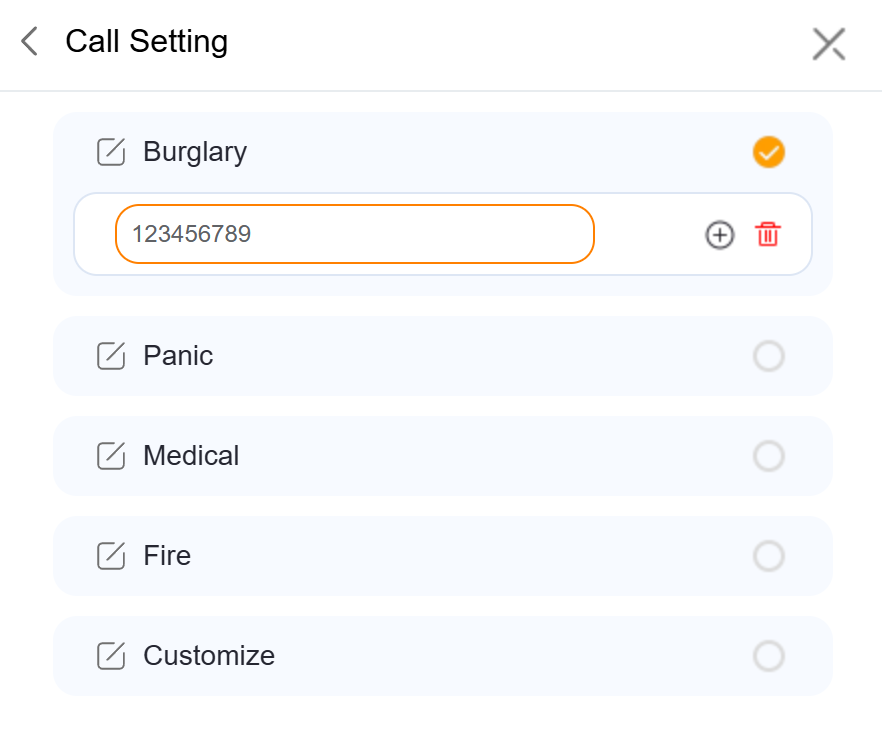
Select the emergency number type and then enter the SIP number.
Click
 to go back to other settings, including:
Enable SOS function.
Call Timeout: Set how long the call rings before being terminated or forwarded.
Loop Times: Specify how many times the selected SOS numbers will be called.
Call Account: Choose which account to use for making calls:
Account 1: Default cloud SIP account, available when the system is cloud-connected. The SIP number is shown in the panel under System Settings > About > Cloud SIP Account or System Settings > Connect Status.
Account 2: Third-party SIP account, available after configuration via the device web portal. The configured SIP number also appears in the panel’s About screen.
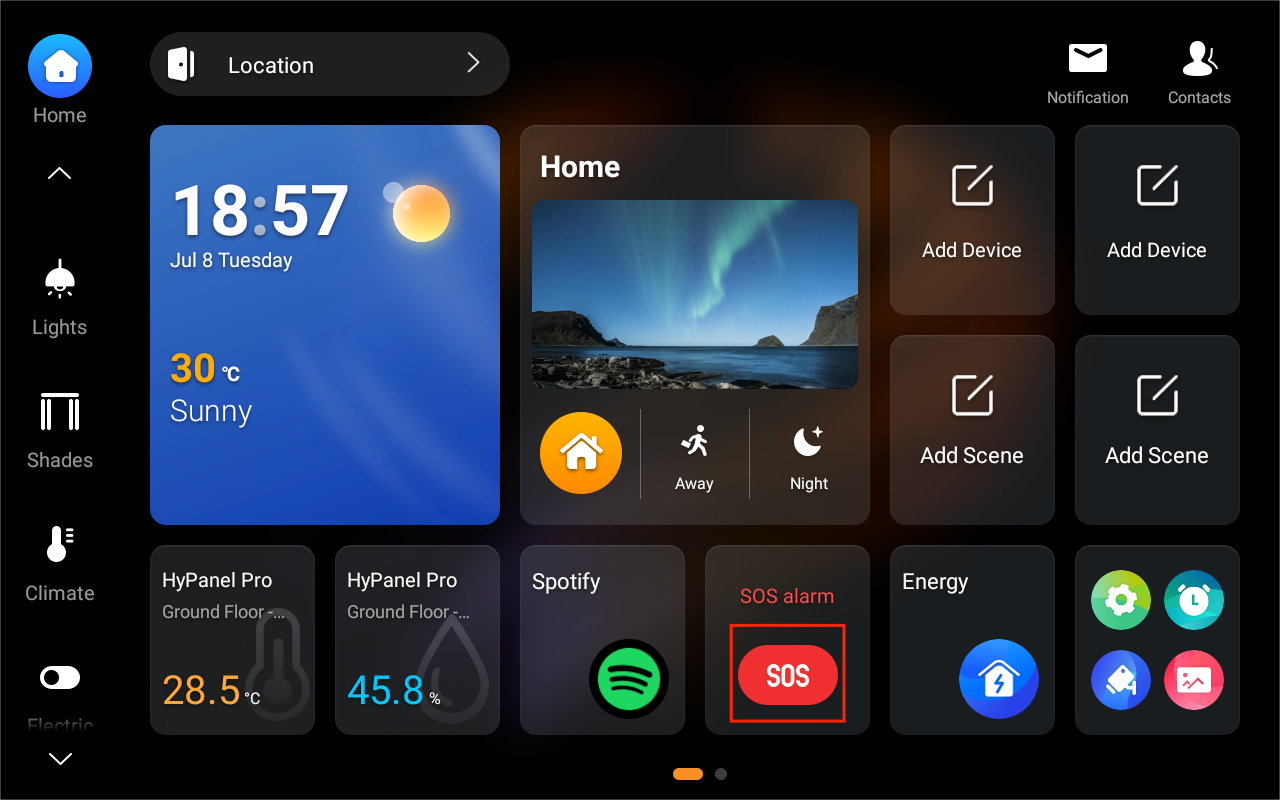
Once configured, a SOS card will appear on the panel. You can press the SOS button to make an emergency call.