The ID Access feature is designed for users with South American ID cards. Property managers can enroll the RUN and Serial numbers on their ID cards into the Akuvox SmartPlus Cloud system. Then, users can open doors conveniently by using the QR code on their ID cards.
Note
ONLY the SmartPlus Cloud with the version 6.8.1 or higher support the ID Access feature.
Please make sure you have obtained the right ID numbers from residents and visitors before configuring the feature.
This feature is limited to certain projects, if you want to use this feature, please contact your installer or distributor.
The following models with specific firmware versions or higher support this feature:
R29: 29.30.10.205
X912: 912.30.11.13
Add ID Access for Residents
Log in to the SmartPlus Cloud platform with a property manager account.
Go to the Resident module. Add the ID Access for a new resident or an existing resident.
For a new resident:
Click New on the right.

b. Enter the resident’s information and click Next.
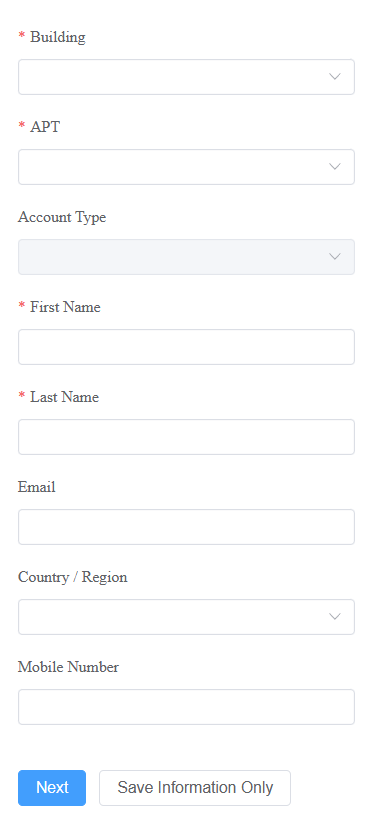
c. Select the accessible floors.
d. Select the Access ID type, RUN Only or RUN+Serial. Enter the number.
e. Select the access group and click Submit.
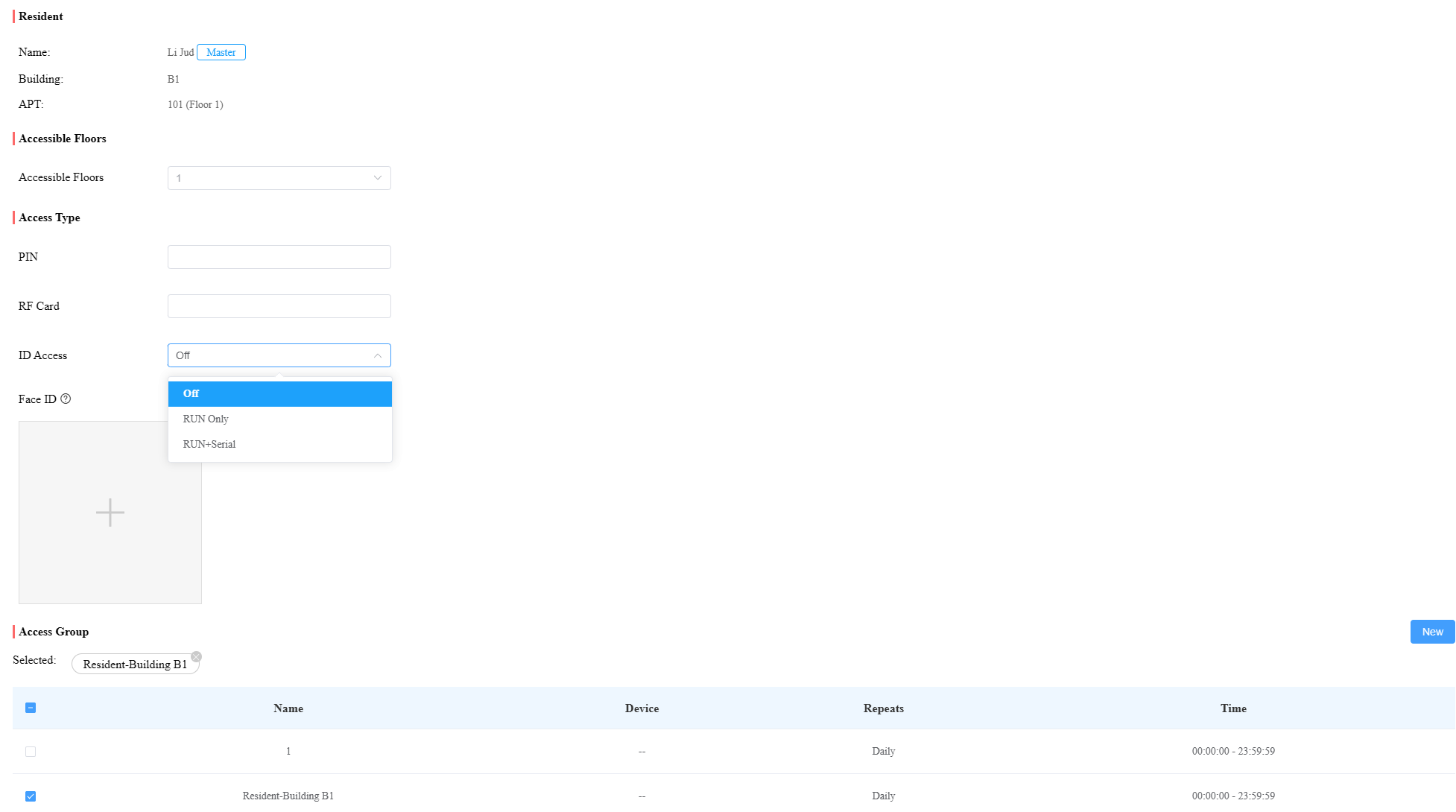
For an existing resident:
Click
 to enter the information interface.

b. Scroll to Access Type and select ID Access.
c. Click New and select the ID type.

d. Enter the number and click Submit.
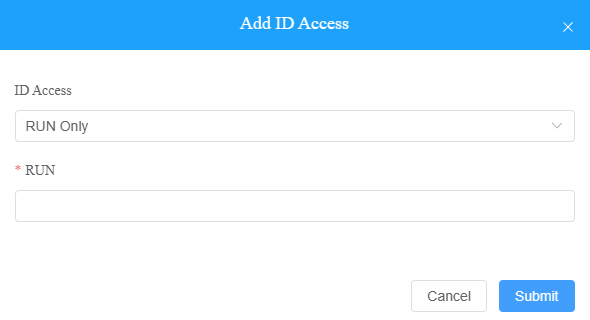
Note
One user can only have one ID access.
Add ID Access for Visitors
Log into the SmartPlus Cloud platform with a property manager account.
Go to the Visitor & Staff module and select ID Access.
Click New on the right.

Select the ID type and enter the number.
Select the building the visitor can access.
Set the visitor’s name and ID.
Set the access schedule for the visitor.
Enter the visitor’s email in the Delivery Method box to receive the notification.
Select the specific relay to be opened and click Submit.
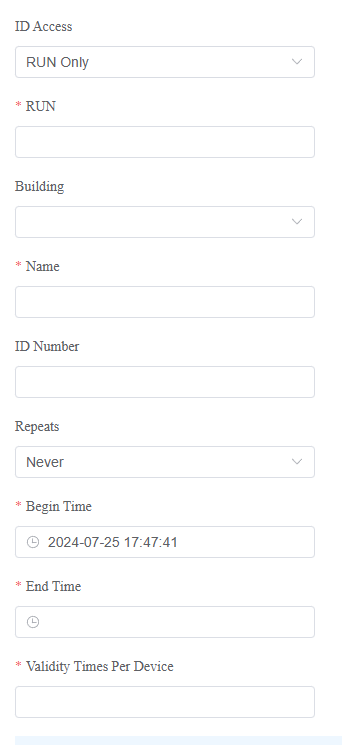
.png "image-1701420625463(1).png")
After setting up the ID Access feature, users can open doors by placing the QR code in front of the door phone’s camera.
Note
The QR code on users’ ID cards is too small for the door phone to scan.
It is strongly suggested to take a photo of and enlarge the QR code for door opening.