With the SmartPlus App accounts, users can conveniently make calls, open doors, and monitor with the Akuvox mobile app. You can create accounts for them on the SmartPlus Cloud portal.
Before You Start
To create the account, you need to obtain the following information from users:
Username.
Email address: Used to receive the Akuvox Welcome email containing the SmartPlus account password and QR code.
Mobile phone number: Not mandatory. It is an alternate option used to log in to the SmartPlus App and reset the account password.
Apartment number if the user is a community resident.
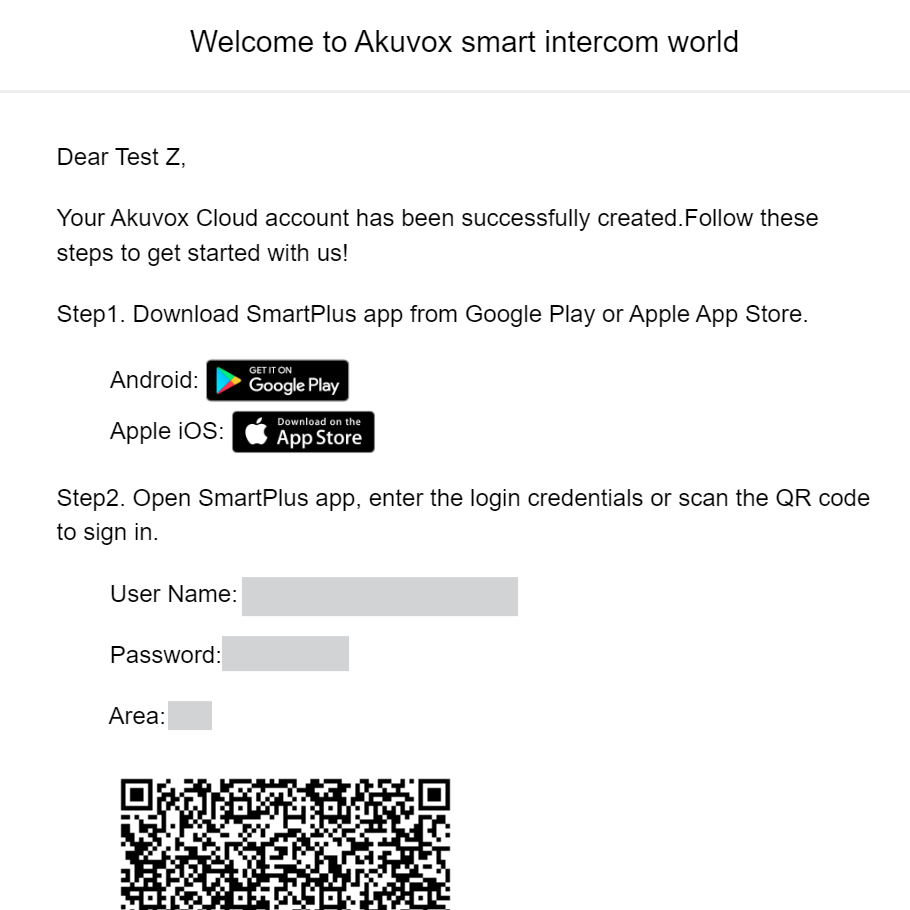
After you create accounts, users will receive such an email.
For Installers
You can create accounts for single-house project users, community residents, and office personnel.
Please note that the configuration routes are different for old projects(created before Oct.15, 2024) and new ones(created after Oct.15, 2024).
For Property Managers
You can create accounts for community residents and office personnel.
Please note that the configuration routes are different for old projects(created before Oct.15, 2024) and new ones(created after Oct.15, 2024).