You can easily upgrade akubela Wi‑Fi smart locks, including models SL20, SL21, SL30, SL50, and SL60.
NOTE:
Firmware upgrades for Wi‑Fi smart locks are performed remotely via the cloud; local upgrades are not supported.
Before Getting Started
Added the lock via the BelaHome app.
For detailed instructions on adding a smart lock, see this guide.
Verify upgrade permissions:
If you’re an installer, ensure your account has the upgrade permission. If not, contact your distributor to enable it.
Distributors can grant permissions by going to Device > Update > Update Permission on the akubela Cloud platform.
Configuration
Create an upgrade plan on akubela Cloud
Log in to the akubela Cloud using an installer or distributor account.
Go to Device > Upgrade, then choose one of the following:
Select Add if you’d like to:
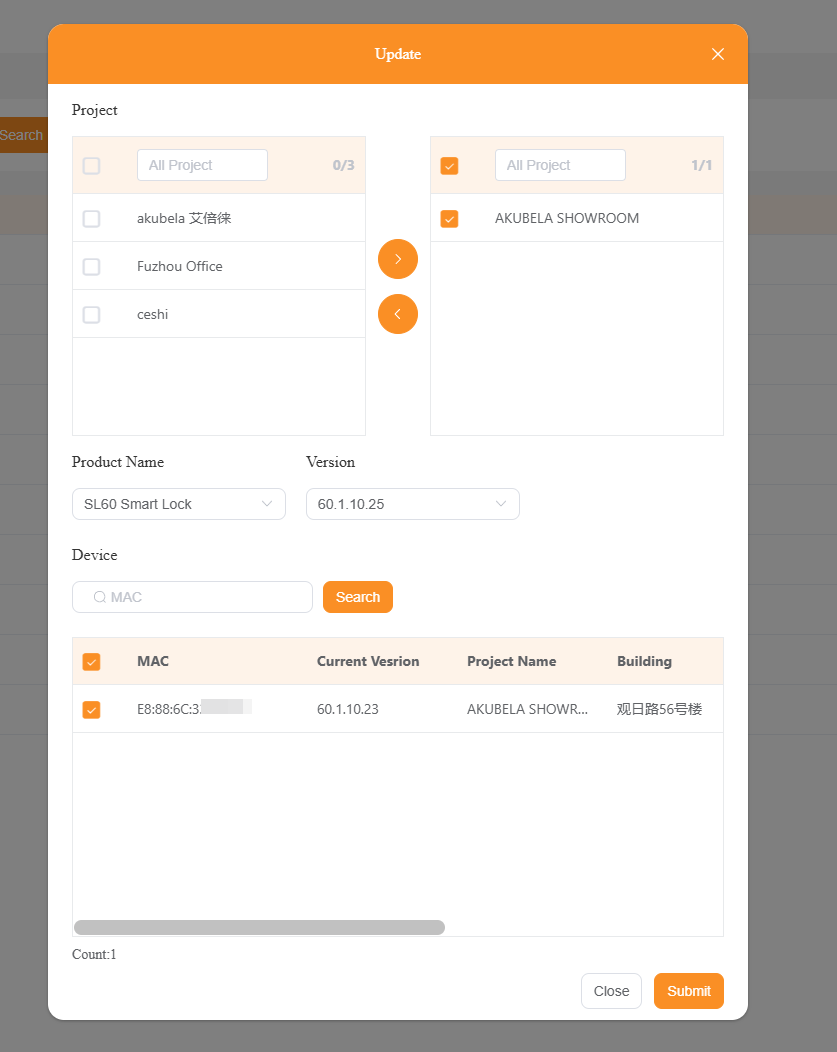
Upgrade a single lock model across up to 5 projects at a time.
Select Batch Add if you’d like to:
Upgrade multiple panel lock models across up to 5 projects simultaneously.
NOTE:
The Batch Upgrade option is available to installers only.
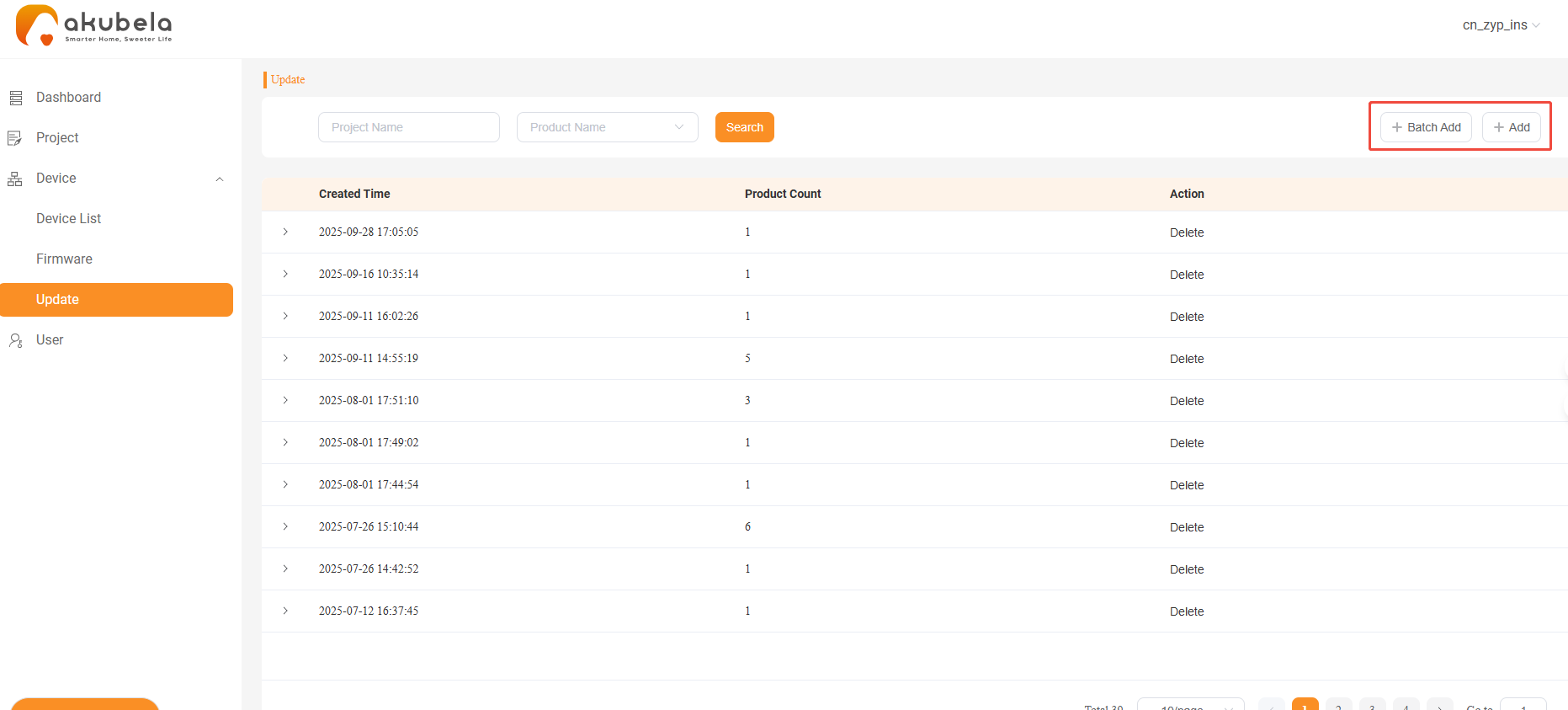
Select the target lock(s), then click Submit.
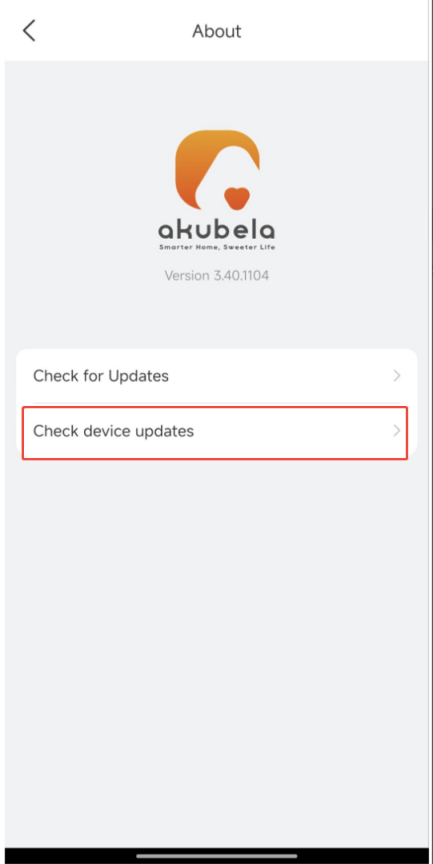
Confirm Upgrade in BelaHome App
Log in to the BelaHome app.
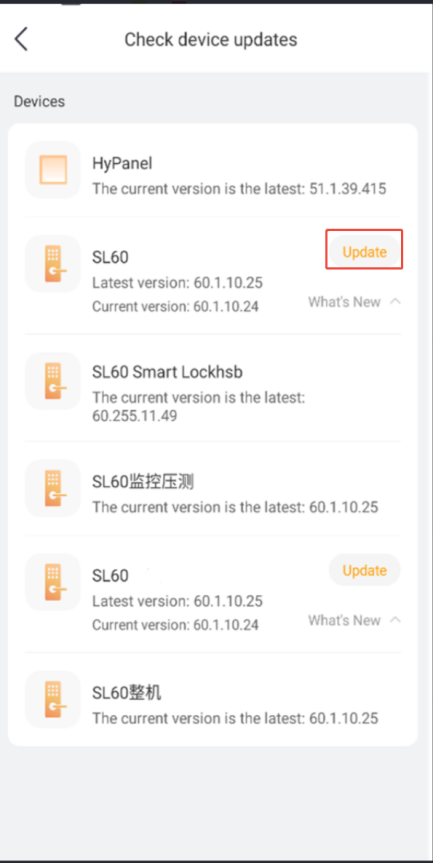
Tap About > Check device updates > Update to start the upgrade.
NOTE:
If the lock’s battery is below 50%, the app will prompt you to charge it before upgrading.
Lock functions such as remote unlocking, calling, and monitoring continue to work during the upgrade.