Volume and ringtone configurations include microphone volume, speaker volume, alarm volume, and more. In addition, you can upload door-opening tones to enrich the user's personalized experience.
Volumes
You can configure the volume of the microphone, speaker, etc. Moreover, you can also set up the tamper alarm volume when unwanted removal of the device occurs.
To set up volumes, go to the web Device > Voice interface.
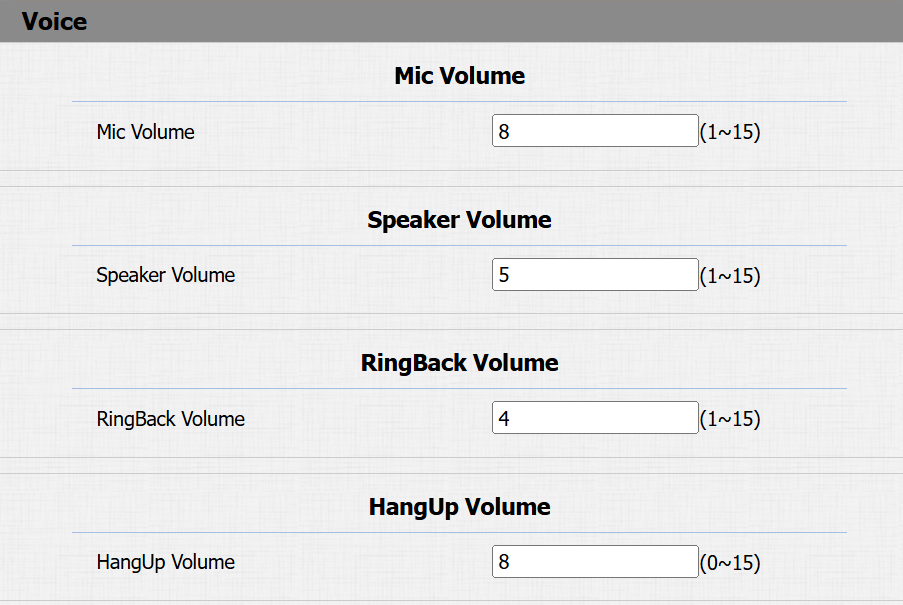
Mic Volume: The default is 8.
Speaker Volume: The default is 8.
Ringback Volume: The default is 5.
Hangup Volume: The default is 8. The sound plays when users hang up a call.
Open Door Tones
You can enable or disable the door-opening succeeded tone on the web Device > Voice interface.

Upload Tone Files
You can customize ringback and door-opening tones.
Upload files on the Device > Voice interface.
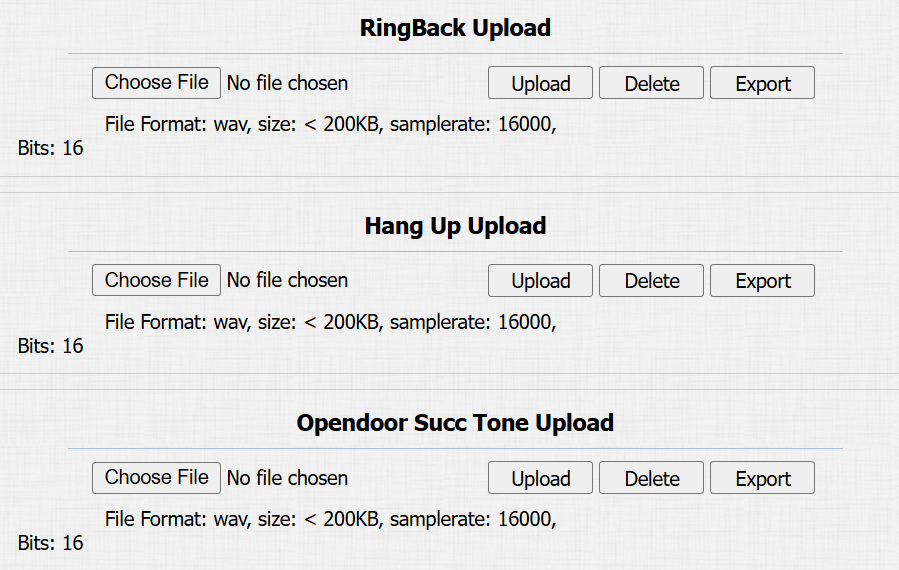
RingBack Upload: The tone is heard by users who call the device.
Hang Up Upload: The tone plays when users hang up a call.
Open Door Success Tone Upload: The tone plays when the door opens successfully.