Volume and tone configuration include tamper alarm and prompt volume. Besides, you can upload door-opening ringtones.
To set it up, go to Device > Audio interface.
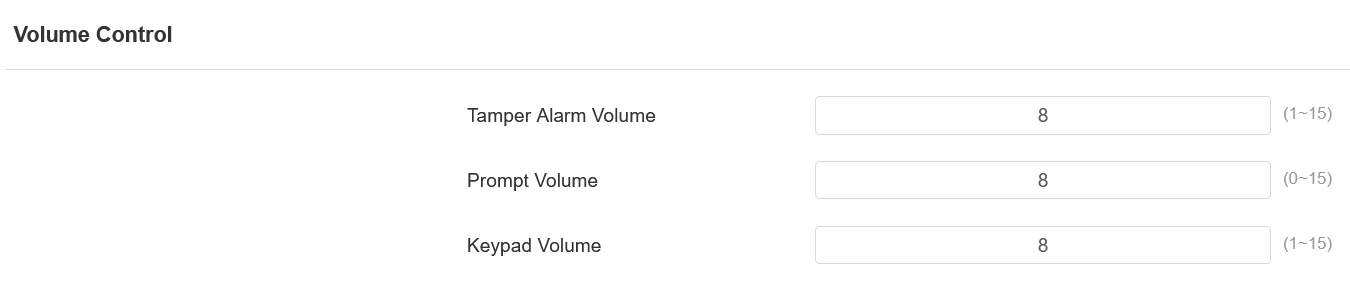
Tamper Alarm: Set the volume when the tamper alarm is triggered. The default volume is 8.
Prompt Volume: Set the voice prompt volume. The default volume is 8.
Keypad Volume: Set the volume when pressing the keypad. The default volume is 8.
Upload Open Door Tone
You can upload the tone for open door failure and success on the device web interface.
To upload the tones, go to Device > Audio > Open Door Tone Setting interface. Enable the open door tone before uploading the file.
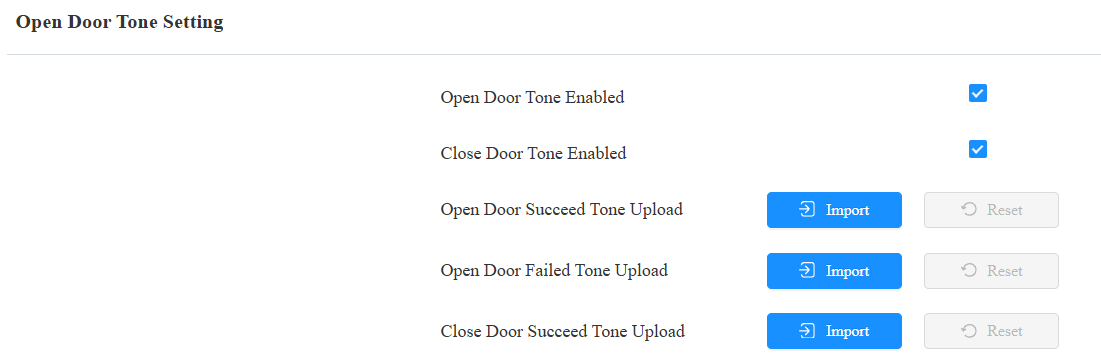
Close Door Tone Enabled: The door-closing tone works for the relay(s) set to the Bistable mode. When users close the door with their credentials, the prompt will be played.
Note
File Format: wav, size: < 200KB, pcm(sample rate: 16000, bits: 16, mono)/pcma/pcmu
Open Door Tone Mode
You can decide the door-opening tone mode on the Device > Audio interface.

Voice Prompt: Play the default prompt “Welcome, please come in” when the door is opened.
Sound Effect: Play the Beep sound when the door is opened.
Keypad Tone Setting
You can configure the audio prompts played during keypad interactions on the door station, including deleting entered digits and confirming an apartment (APT) number.
Set it up on the Audio > Keypad Tone Setting interface.
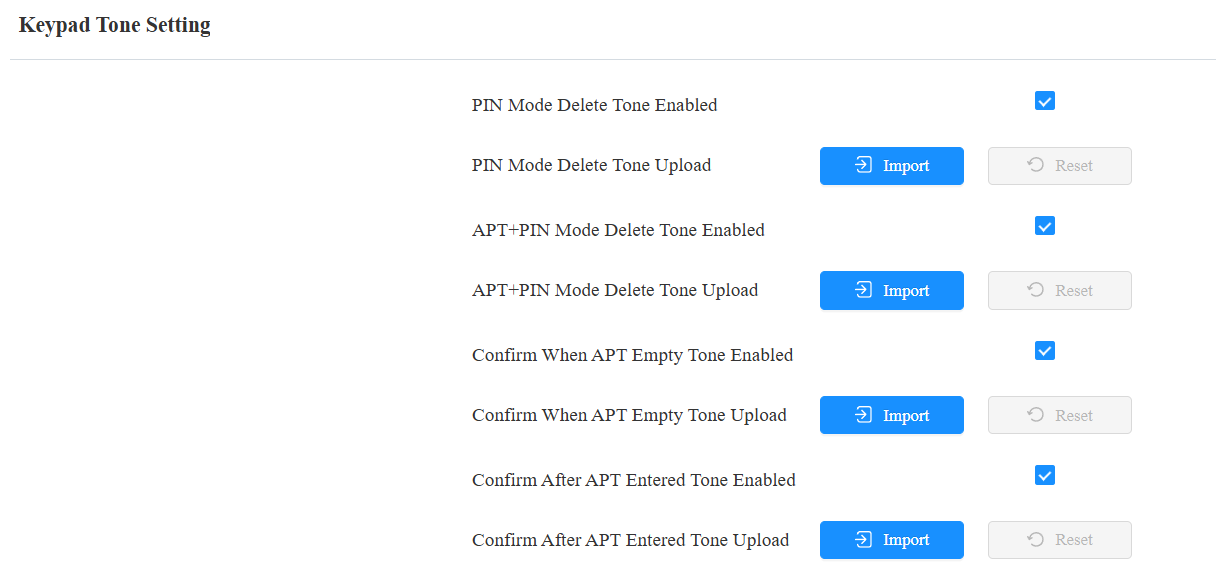
PIN Mode Delete Tone Enabled: Set whether a tone plays when the Delete key is pressed in PIN Authorization Mode.
APT+PIN Mode Delete Tone Enabled: Set whether a tone plays when the Delete key is pressed in APT+PIN Authorization Mode.
Confirm When APT Empty Tone Enabled: Set whether a tone plays when the Confirm key is pressed with no APT number entered, in APT+PIN Authorization Mode.
Confirm After APT Entered Tone Enabled: Set whether a tone plays when the Confirm key is pressed after an APT number has been entered, in APT+PIN Authorization Mode.
Tone Upload: File format: WAV; size: < 200 KB; encoding: PCM (16000 Hz sample rate, 16-bit depth, mono) / PCMA / PCMU.
Tip
Select the access authorization mode on the Access Control > Keypad interface.
APT+PIN mode requires users to first enter the Apartment Number, followed by their PIN code.
