You can configure the relay switch(es) for door access on the web interface.
Local Relay
A local relay is the relay output built into the intercom device. It can directly control connected devices, such as door locks, by triggering actions based on user input or authorization.
To set up the relay, go to Access Control > Relay > Relay interface.
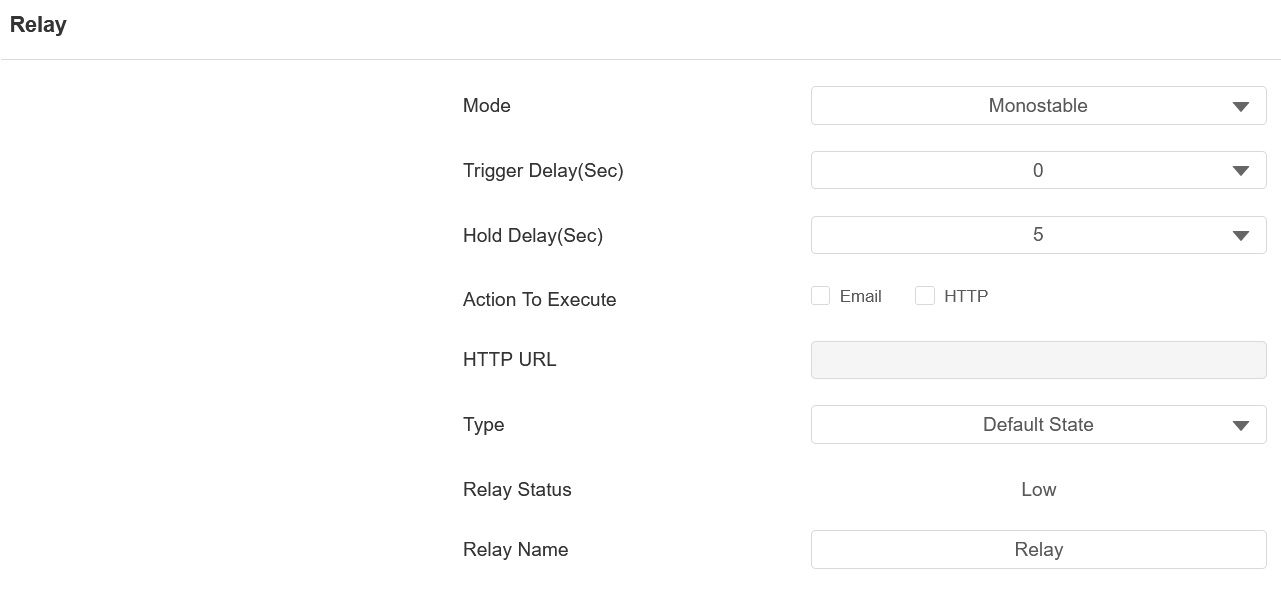
Mode: Specify the conditions for automatically resetting the relay status.
Monostable: The relay status resets automatically within the relay delay time after activation.
Bistable: The relay status resets upon triggering the relay again.
Trigger Delay(Sec): Set the delay time before the relay triggers. For example, if set to 5 seconds, the relay activates 5 seconds after pressing the Unlock button.
Hold Delay(Sec): Determine how long the relay stays activated. For example, if set to 5 seconds, the relay remains to be opened for 5 seconds before closing.
Action to Execute: Check the action to be executed when the relay is triggered.
HTTP: When triggered, the HTTP message can be captured and displayed in the corresponding packets. To utilize this feature, enable the HTTP server and enter the message content in the designated box below.
Email: Send a screenshot to the preconfigured Email address.
HTTP URL: Enter the HTTP message if selecting HTTP as the action to execute. The format is http://HTTP server’s IP/Message content.
Type: Determine the interpretation of the Relay Status regarding the state of the door:
Default State: A “Low” status in the Relay Status field indicates that the door is closed, while “High” indicates that it is opened.
Invert State: A “Low” status in the Relay Status field indicates an opened door, while “High” indicates a closed one.
Relay Status: Indicate the states of the relay, which are normally opened and closed. By default, it shows low for normally closed(NC) and high for Normally Open(NO).
Relay Name: Assign a distinct name for identification purposes.
Note
External devices connected to the relay require separate power adapters.
Security Relay
The Security Relay, known as Akuvox SR01, is a product designed to bolster access security by preventing unauthorized forced entry attempts. Installed inside the door, it directly governs the door opening mechanism, ensuring that the door remains secure even in the event of damage to the device.
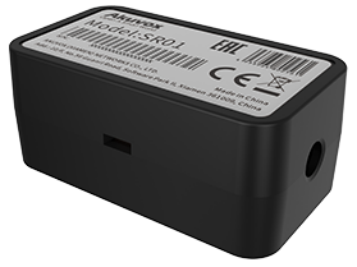
Click here to view how to set up the security relay.
To set it up, go to Access Control > Relay > Security Relay interface.
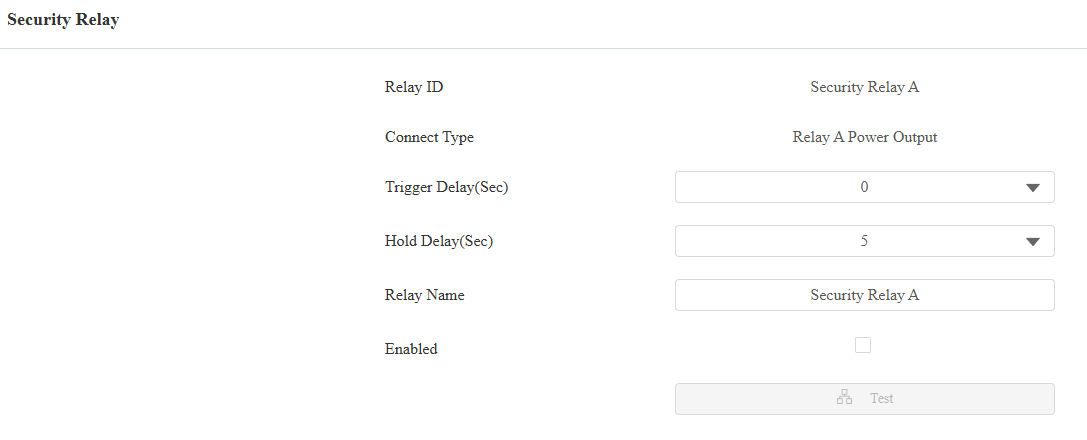
Relay ID: The specific relay for door access.
Connect Type: The security relay connects to the device using Power Output by default.
Trigger Delay(Sec): Set the delay time before the relay triggers. For example, if set to 5 seconds, the relay activates 5 seconds after pressing the Unlock button.
Hold Delay(Sec): Determine how long the relay stays activated. For example, if set to 5 seconds, the relay remains to be opened for 5 seconds before closing.
Relay Name: Name the security relay. The name can be displayed in door opening logs. When connecting to the SmartPlus Cloud, the Cloud server will automatically assign the relay name.
Web Relay
A web relay has a built-in web server and can be controlled via the Internet or a local network. The device can use a web relay to either control a local relay, or a remote relay somewhere else on the network.
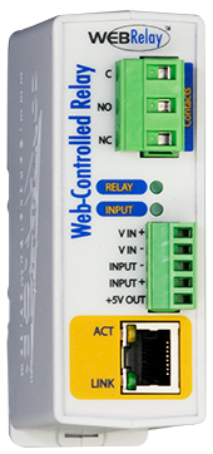
Click here to view how to set up web relay.
To set it up, go to Access Control > Web Relay interface.
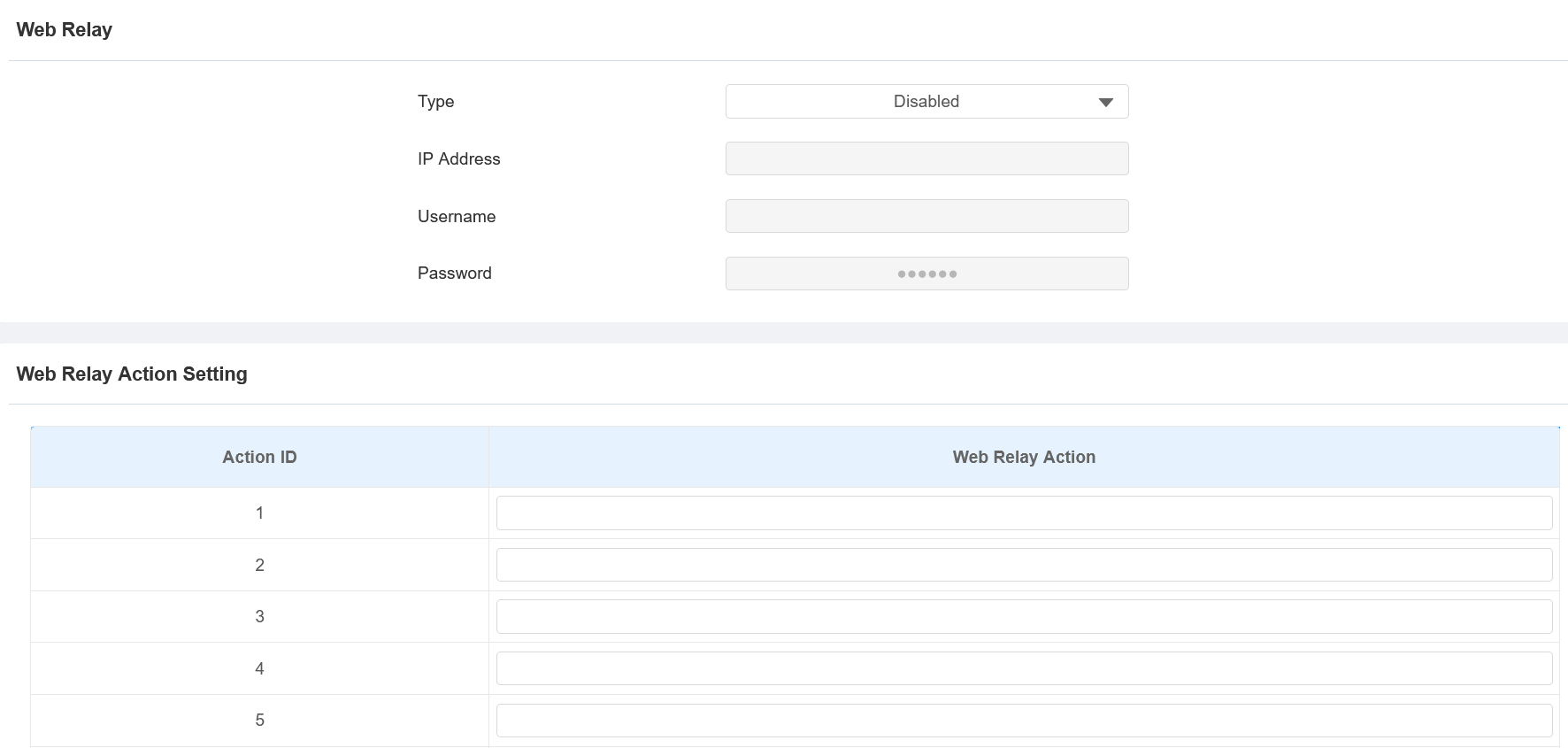
Type: Determine the type of relay activated when employing door access methods for entry.
Disabled: Only activate the local relay.
Web Relay: Only activate the web relay.
Local Relay+Web Relay: Activate both the local relay and web relay. Typically, the local relay is triggered first, followed by the web relay to execute their pre-configured actions.
IP Address: The web relay IP address provided by the web relay manufacturer.
Username: The user name provided by the web relay manufacturer.
Password: The manufacturer-provided authentication key for the web relay. Authentication occurs via HTTP. Leaving the Password field blank indicates non-use of HTTP authentication. You can define the password using HTTP GET in the Web Relay Action field.
Web Relay Action: Configure the actions to be performed by the web relay upon triggering. Enter the manufacturer-provided URLs for various actions, with up to 50 commands.
NOTE
If the URL includes full HTTP content (e.g., http://admin:admin@192.168.1.2/state.xml?relayState=2), it doesn't rely on the IP address that you entered above. However, if the URL is simpler (e.g., "state.xml?relayState=2"), the relay uses the entered IP address.
Relay Keep Active While Card Present
Enable this feature to keep the relay triggered continuously while a valid card stays within its reader's detection range. The relay will deactivate automatically when the card is moved away.
Note
Upon detecting a valid card, the device generates a Card Present Access Log and activates the relay.
While continuously reading the card, the relay remains active. No additional Access Logs are generated.
Upon detecting the card leaving the reading area, the device generates a Card Removed Access Log.
Set up this feature on the Access Control > Relay > Relay Keep Active While Card Present interface.
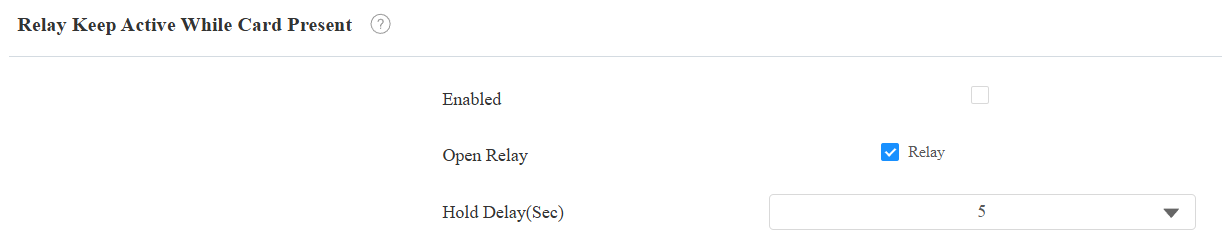
Enabled: Turn on/off the feature.
Open Relay: Check the relay to be triggered.
Hold Delay(Sec): The time the relay remains active after the card is removed.