Akuvox devices can scan AES-encrypted QR codes for door opening. This allows you to generate and control QR codes on your own servers, encrypting them before transmission to protect sensitive information from unauthorized access.
Compatible models and versions(or higher):
A08: 108.30.11.19
X915V2: 2915.30.10.408
X912: 912.30.11.215
X910: 2910.30.11.21
S532: 532.30.10.272
E16V2: 216.30.11.25
E18: 18.30.10.247
R20: 320.30.12.19
For example, the key value of the QR code below is 81234567 before encryption. Assign the key to a specific user for door opening.

Note
Akuvox does not provide the QR code encryption/decryption tool. Please prepare it by yourself.
The key should comply to the PIN rules of Akuvox devices.
2-8 digits.
Not start with 9.
Take X915V2 as an example.
Use the device IP to log in to its web interface. The initial username and password are admin.
Click Directory > User.
Click Add to add a new user.
Fill the key in the Private PIN field.
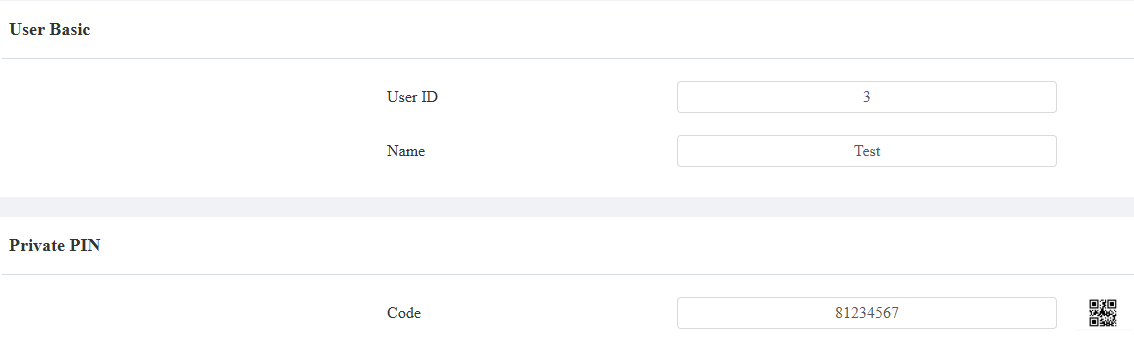
Meanwhile, a QR code will be generated. Click
 and click Download to download the QR code picture.
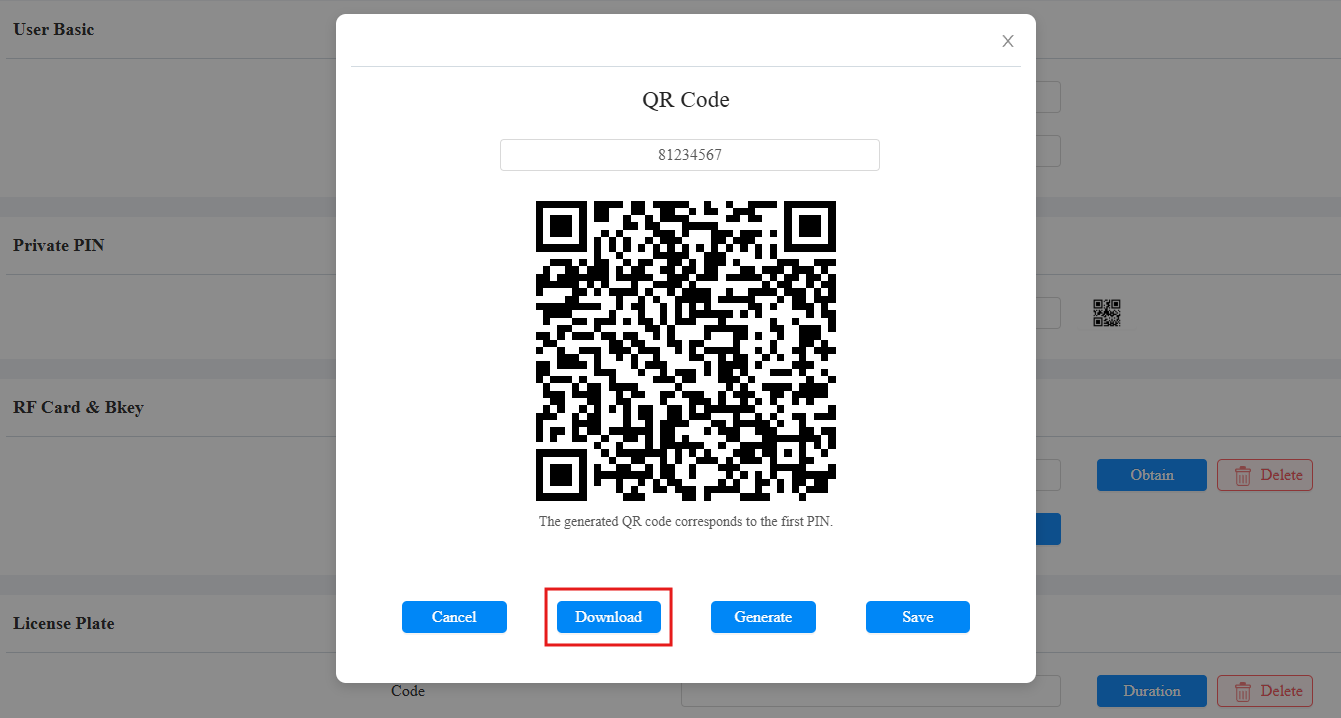
Click Submit to save the settings.
Note
X915V2 can add up to 5 private PINs separated by “;” for a user. The QR code corresponds to the first PIN.
Download the QR Code via HTTP API
You can use the GET or POST methods to access the device API and obtain the download link for the QR code
To use this feature, you need to enable HTTP API on the device’s web interface.
Click Settings > HTTP API.
Check the Enabled box.
Select the desired authentication mode. If Allowlist is selected, enter the IP address that allows downloading the QR code.
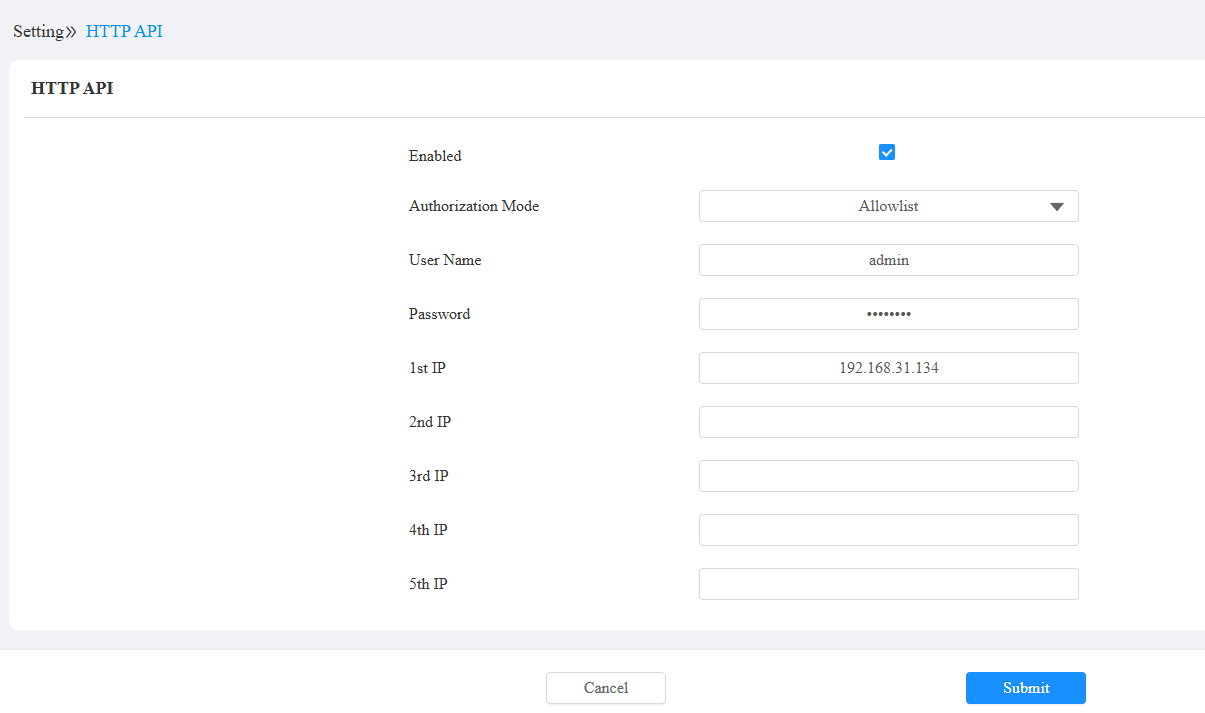
Click Submit.
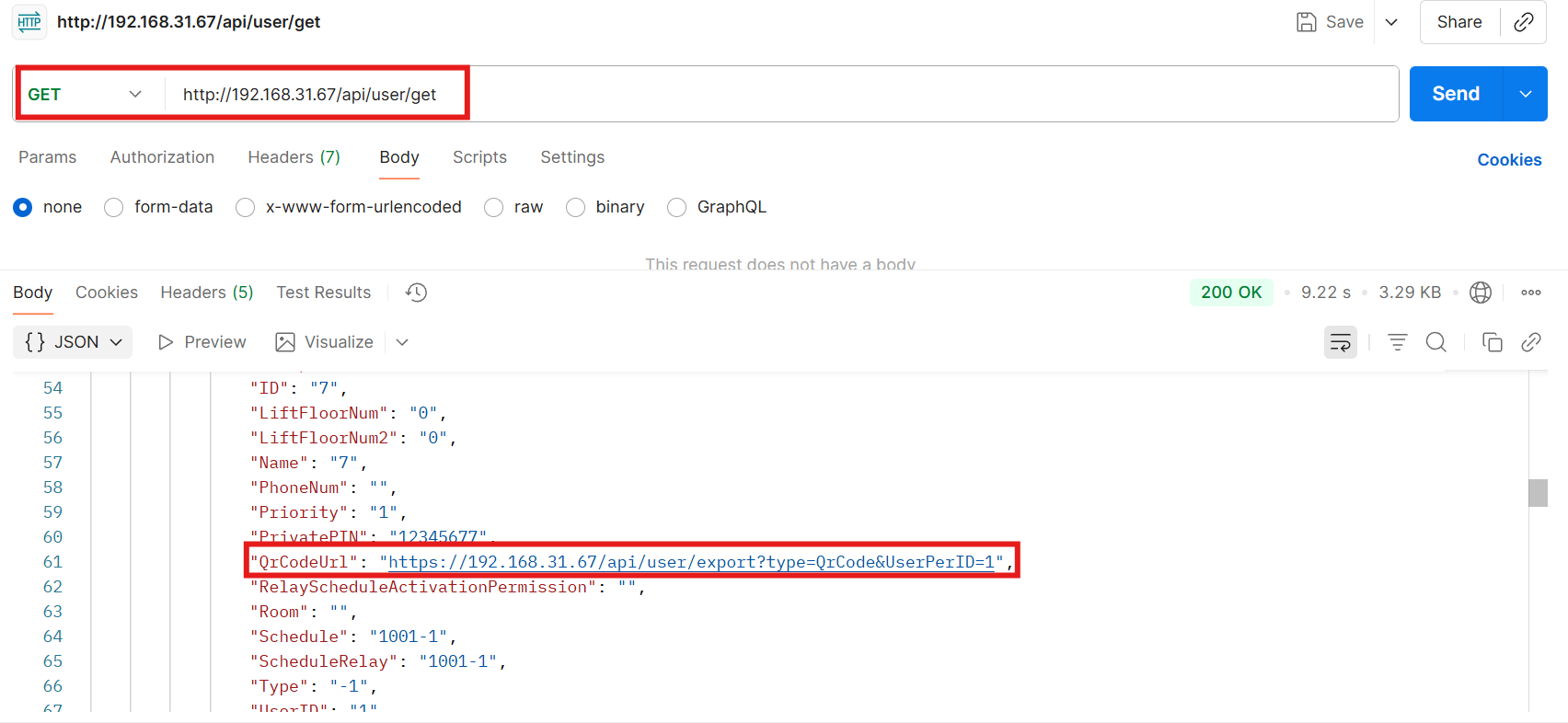
GET
Enter and send “http://{device ip}/api/user/get”.
Open the QrCodeUrl in the return value to download the QR code.
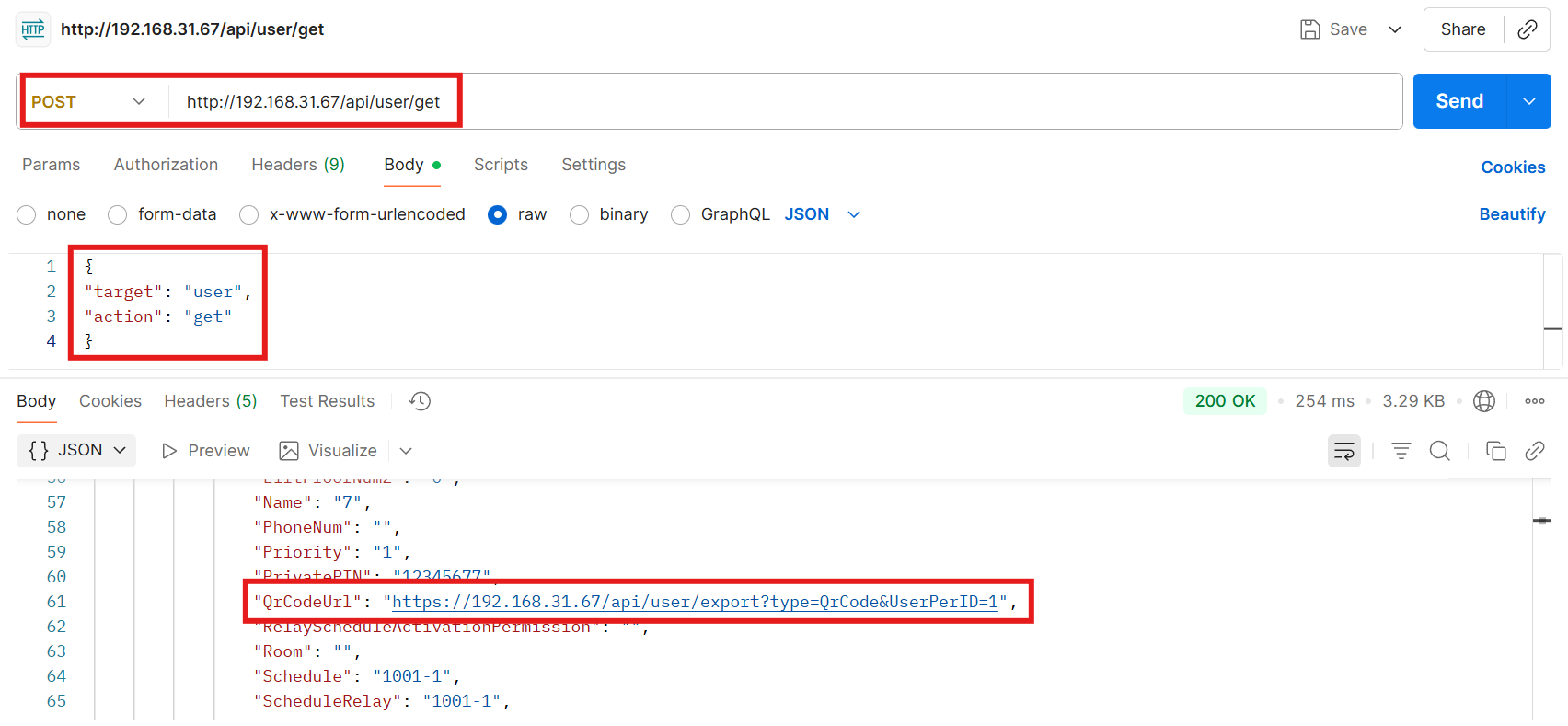
POST
Enter “http://{device ip}/api/user/get”.
Enter the following content in the body.
{
"target": "user",
"action": "get"
}
Open the QrCodeUrl in the return value to download the QR code.
Users can use both the QR codes and the PIN to open the door.
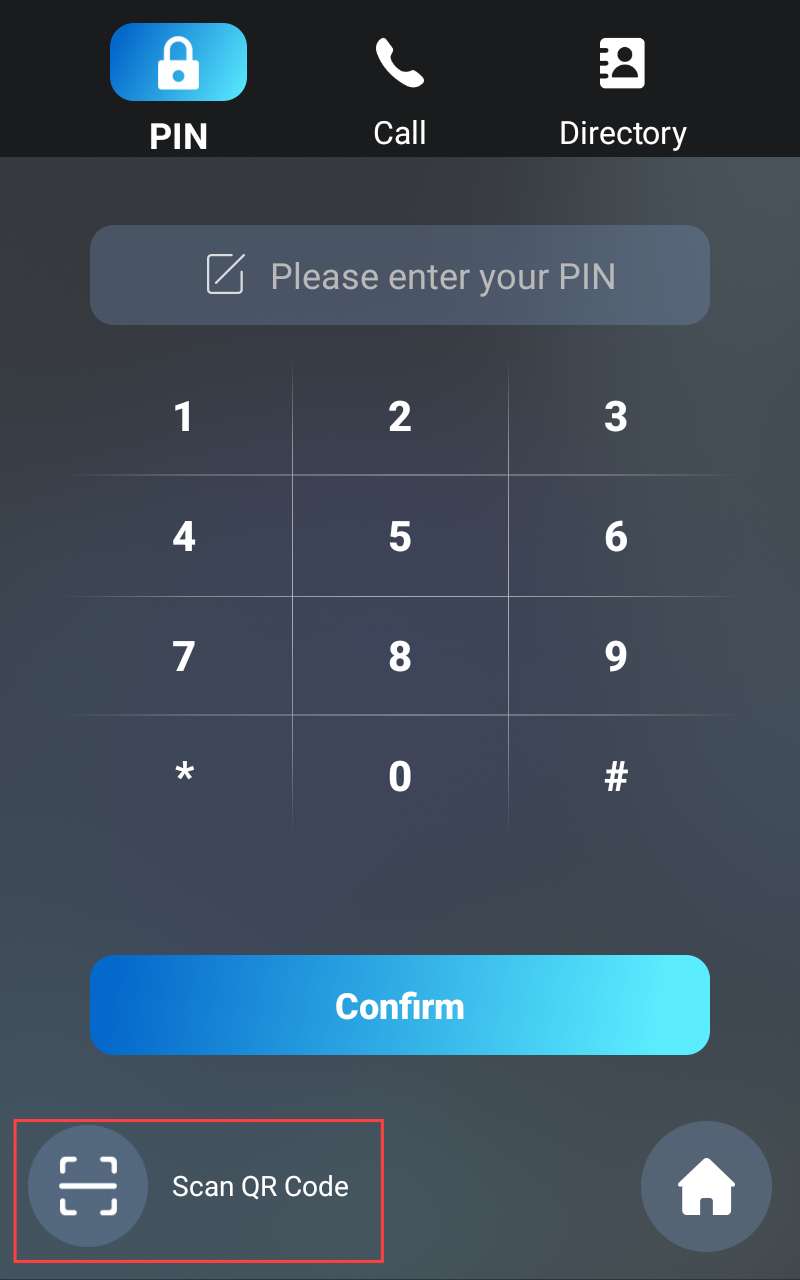
Tap PIN on the home screen.
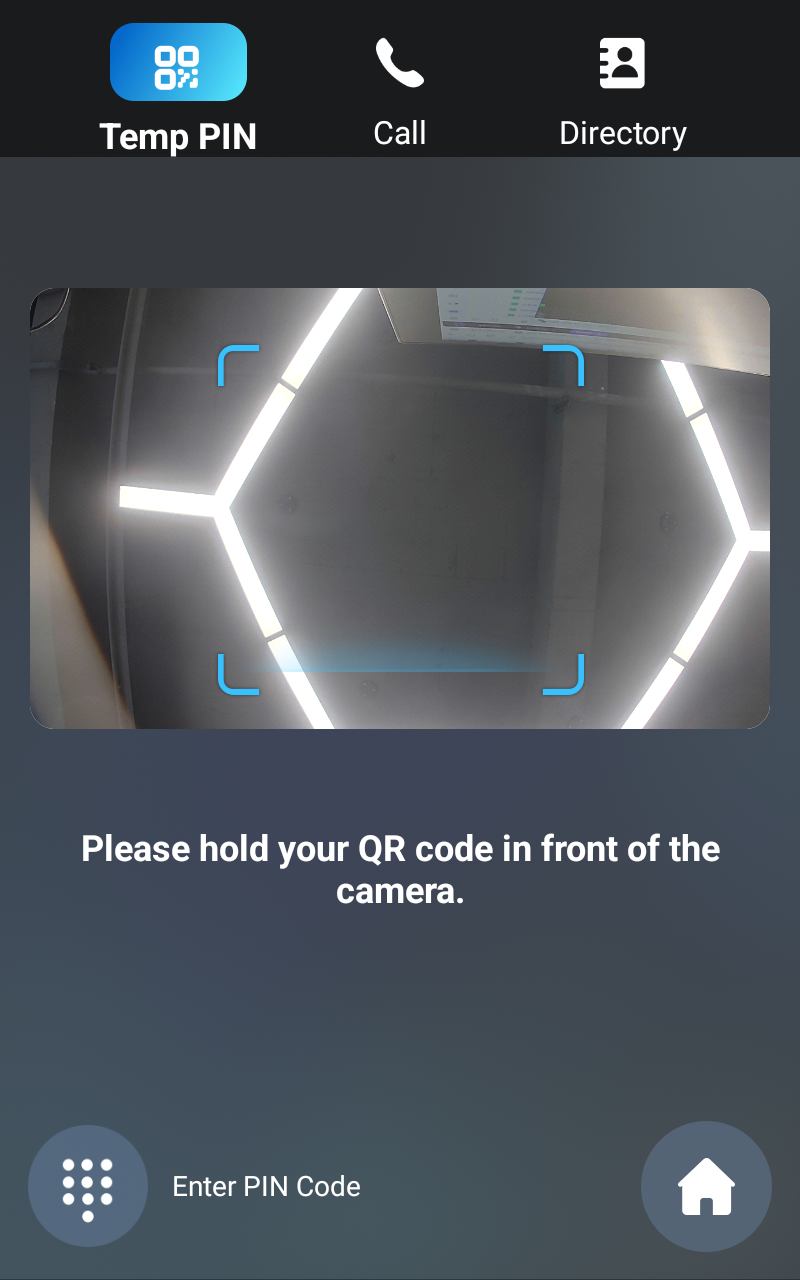
Tap Scan QR Code in the lower left corner.
Place the QR code in the center of the scanning box.