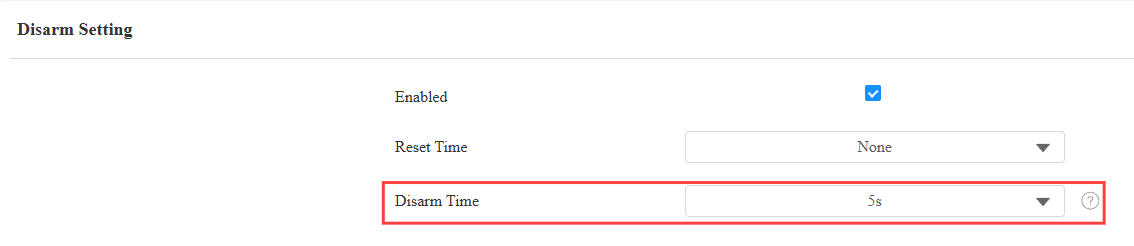
A095 can sound an alert when a tamper alarm is triggered. You need to configure the disarm settings before users can clear the alarm.
Use the device IP(scanned by IP Scanner) to log in to its web interface. The initial username and password are admin.
Automatic Disarm
Go to the Access Control > Auxiliary Input > Disarm Setting.
Enable the feature.
Set the Reset Time(10-240 minutes) to clear the alarm automatically after the alarm is triggered.
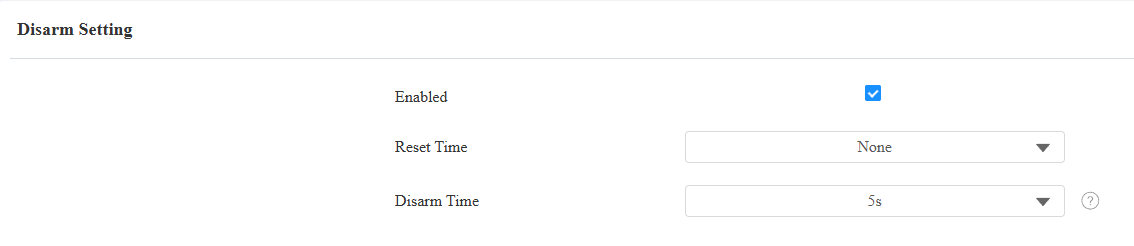
Click Submit.
Use Credentials to Disarm
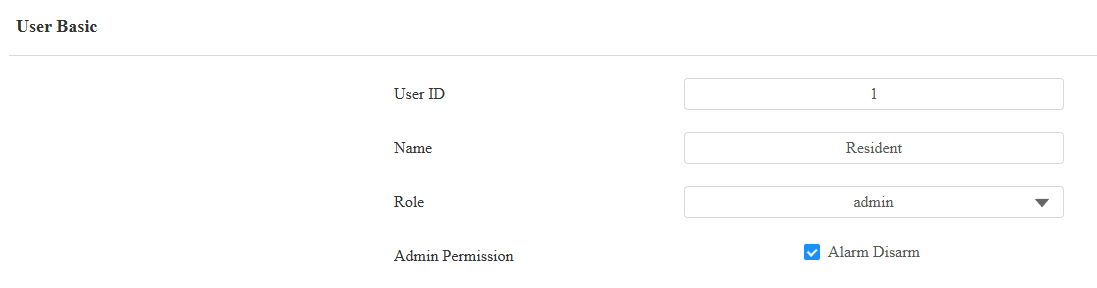
Users can be given permission to clear the alarm. When adding users, set their role to Admin and enable Admin Permission. In that case, admins can disarm by using their credentials twice within the disarm time, like swiping cards twice or entering PIN codes followed by swiping cards.
Go to the Directory > User interface. Click +Add to add a new user; click
 to modify an existing one.
Set the user role to admin and check Alarm Disarm.
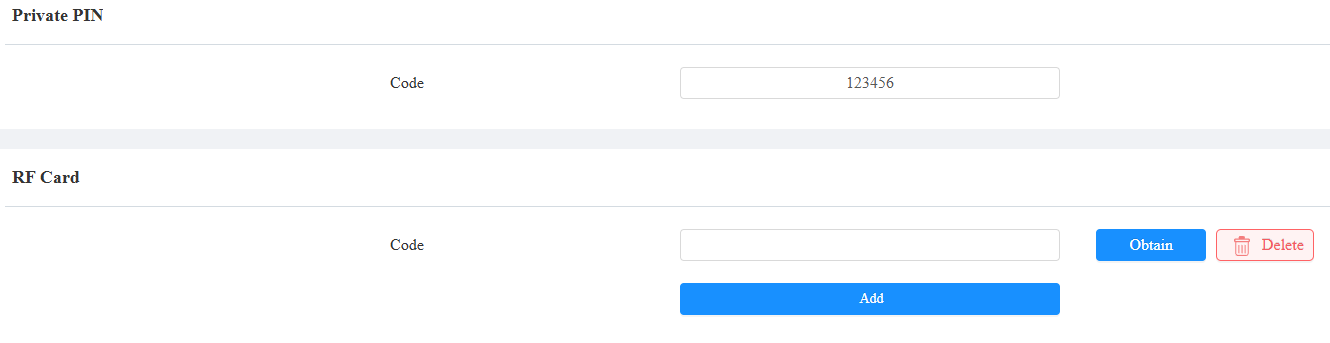
Set the user’s credentials: PIN, RF Card, or both.
Click Submit.
Additionally, you can set up the disarm time that requires users to use their credentials within this time.
Go to the Access Control > Auxiliary Input interface. Select between 5s and 10s.