Akuvox intercom devices support registering two SIP accounts. Users can make Dial Plan SIP Calls using either account 1 or account 2 without switching between them manually.
Compatible models and versions(or higher):
R27 V2.0: 227.30.10.4
E21: 321.30.10.6
S560: 560.30.10.41
R49: 49.30.10.10
X915 V2: 2915.30.10.319
E18: 18.30.10.255
E11: 111.30.10.20
S535: 535.30.11.13
Take E18 as an example.
Use the device’s IP to log in to its web interface. The initial username and password are admin.
Go to the Intercom > Dial Plan interface.
Click +Add to add a rule. Or, click
 to modify a current one.
 Enter a short number to replace the dialed numbers in the Prefix field.
Enter the replaced number(s) in the 1st~5th Replace fields.
To make the call with Account 1, enter the value in Replace Number/1 format.
To make the call with Account 2, enter the value in Replace Number/2 format.
If you don't specify which account to use, the device will use the selected account. For example, as the picture below, Account 1 will be used when calling 1003.
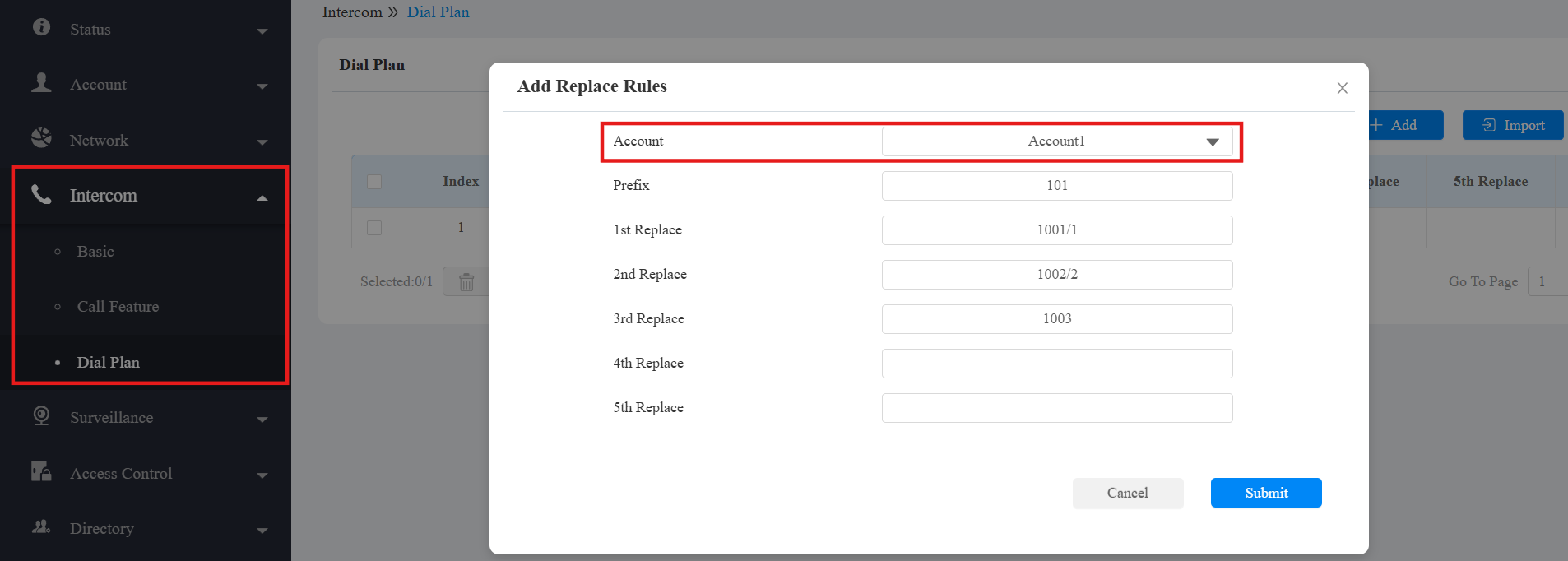
When users enter the prefix on the door phone, the target number(s) will be called with the designated account.
For S560
The configuration route of S560 is different.
Go to Phone > Function Key > Speed Dial List(Long Press To Dial) interface.
Set the callee’s name in the Name field.
Enter the target SIP number in the Value field.
If users want to make the call with Account 1, enter the value in SIP Number/1 format.
If users want to make the call with Account 2, enter the value in SIP Number/2 format.
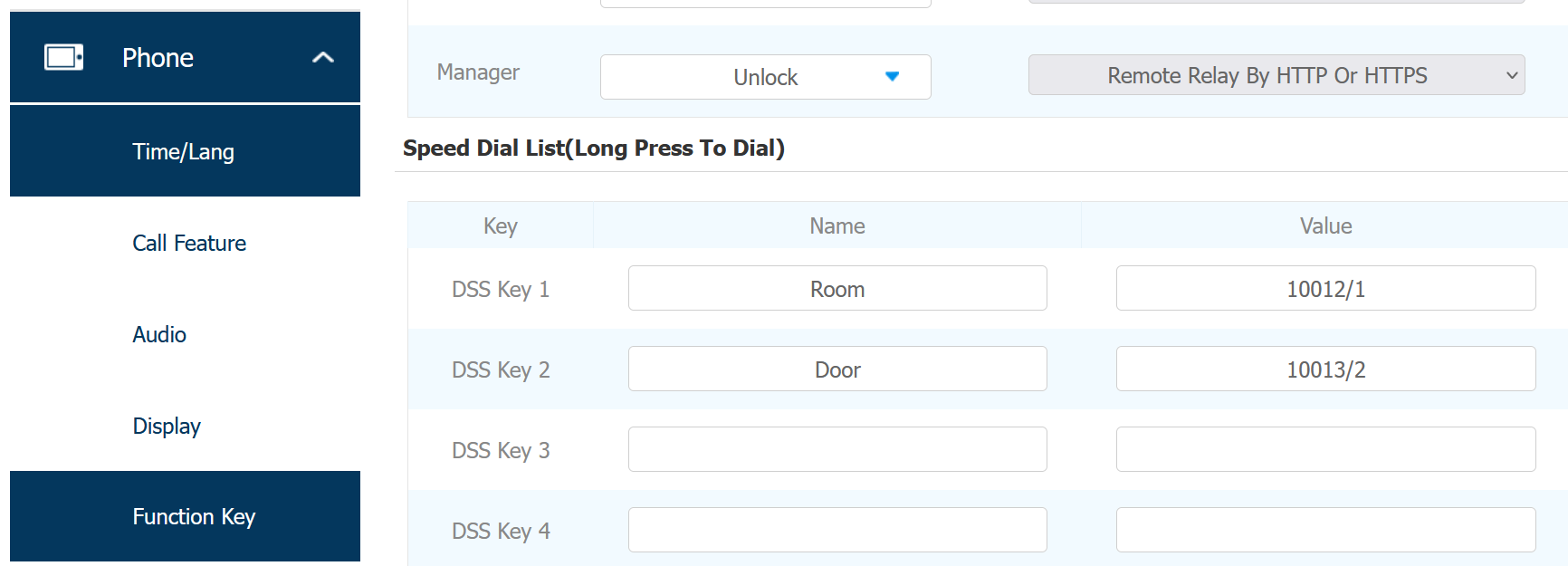
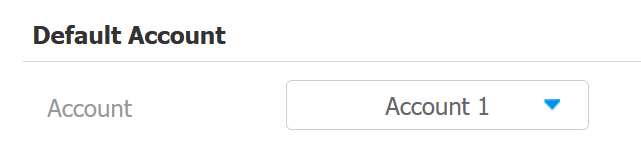
If you don't specify which account to use when entering a SIP number, the device will automatically use the default account.
The default account can be selected on the Phone > Call Feature > Default Account interface.
Click Submit to save the settings.
When users hold the key on the device, the call will be made to the target number.