Residents can summon and send the lift by simply tapping on the Akuvox indoor monitor.
To achieve this function, you need to set up the lift control feature on both the indoor monitor and the lift controller EC33.
Set the EC33
Use the device IP to log into its web interface. The default user name and password are admin.
Go to the Device > Relay interface and enable Open Relay Via HTTP.
Set the Username and Password for HTTP command authentication.
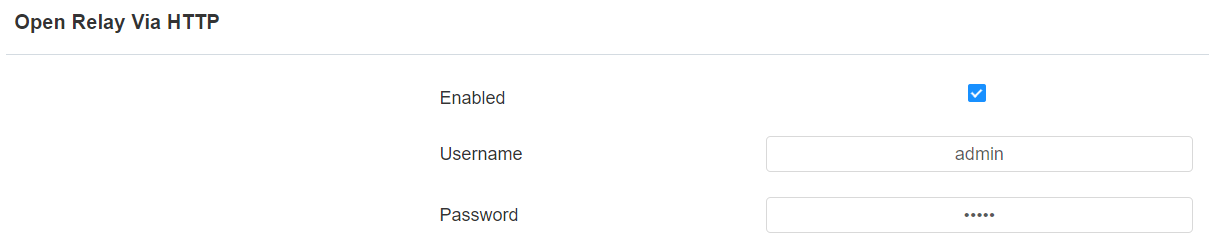
Click Submit to save the settings.
Set the Indoor Monitor
Take C313 as an example.
Use the device IP to log into its web interface. The default user name and password are admin.
Go to Phone > Key/Display interface. Set the Lift icon to be displayed on the desired area of the Home or More screen.
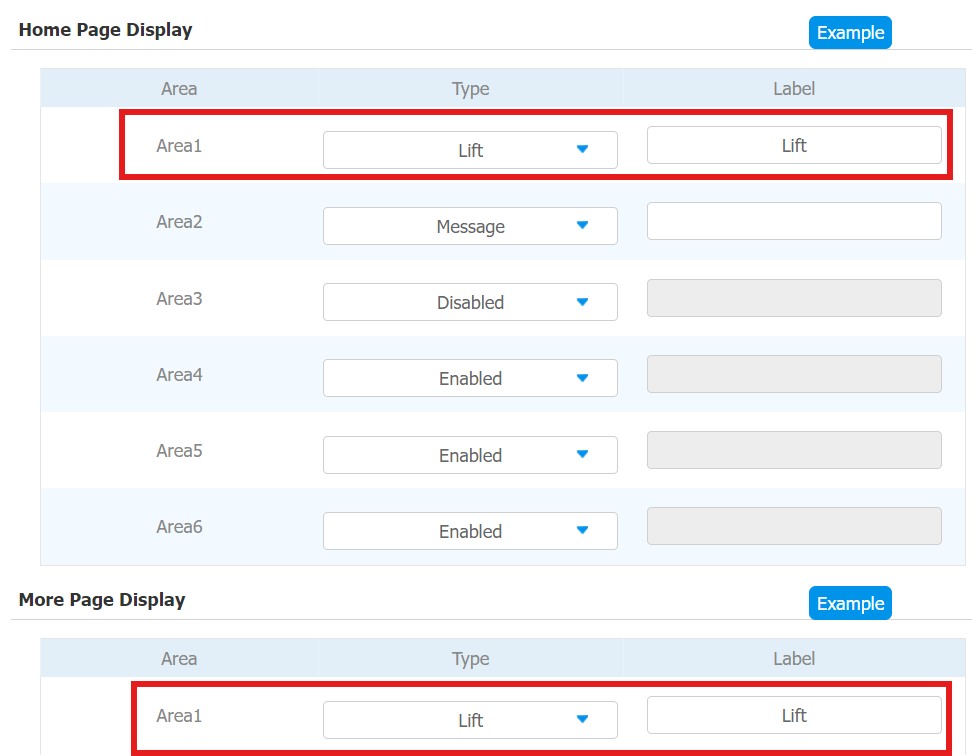
Go to the Phone > Lift interface.
Enable the Lift1 and Lift2 and choose the icon type for them.
One should be Up and another should be Down.
You can rename the icon in the Label field.
Enter the lift control HTTP command in the HTTP Command box.
The command format is http://{username}:{password}@{EC33's IP}/cdor.cgi?open=0&door={desired floor number-1}. The username and password are what you set on the EC33’s web interface.
For example, if the resident lives on the 5th floor, you can enter the command: http://admin:admin@192.168.35.123/cdor.cgi?open=0&door=4.
To send the lift to the ground, enter the command: http://admin:admin@192.168.35.123/cdor.cgi?open=0&door=0.
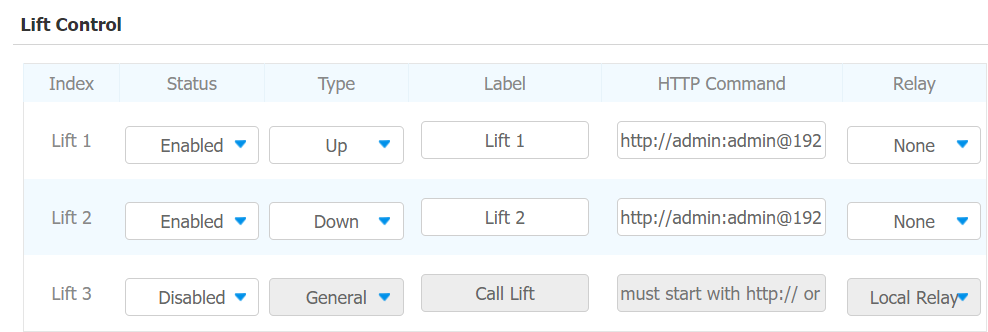
Click Submit to save the settings.
When the resident presses the Lift icon on the indoor monitor, the lift will go to the designated floor or go down to the ground.
.bmp "screen(4).bmp")