Configure Door Access Schedule
A door access schedule lets you decide who can open the door and when. It applies to both individuals and groups, ensuring that users within the schedule can only open the door using the authorized method during designated time periods.
Create Door Access Schedule
You can create door access schedules for daily, weekly, or custom time periods.
To set it up, navigate to the web Intercom > Schedule interface.
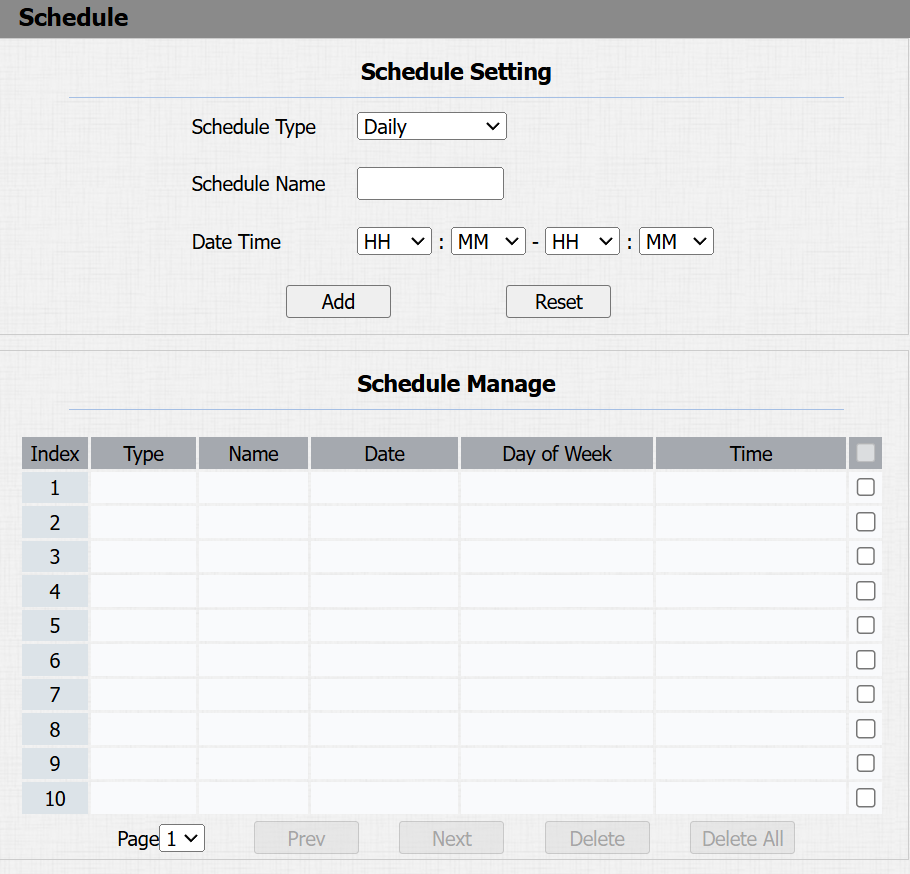
Schedule Type:
Normal: Set the schedule based on the month, week, and day. It is used for a long period schedule.
Weekly: Set the schedule based on the week.
Daily: Set the schedule based on 24 hours a day.
Schedule Name: Name the schedule.
Relay Schedule
The relay schedule allows you to set a specific relay to always open at a certain time. This is helpful for situations like keeping the gate open after school or keeping the door open during work hours.
To set up a relay schedule, navigate to the Intercom > Relay > Relay Schedule interface.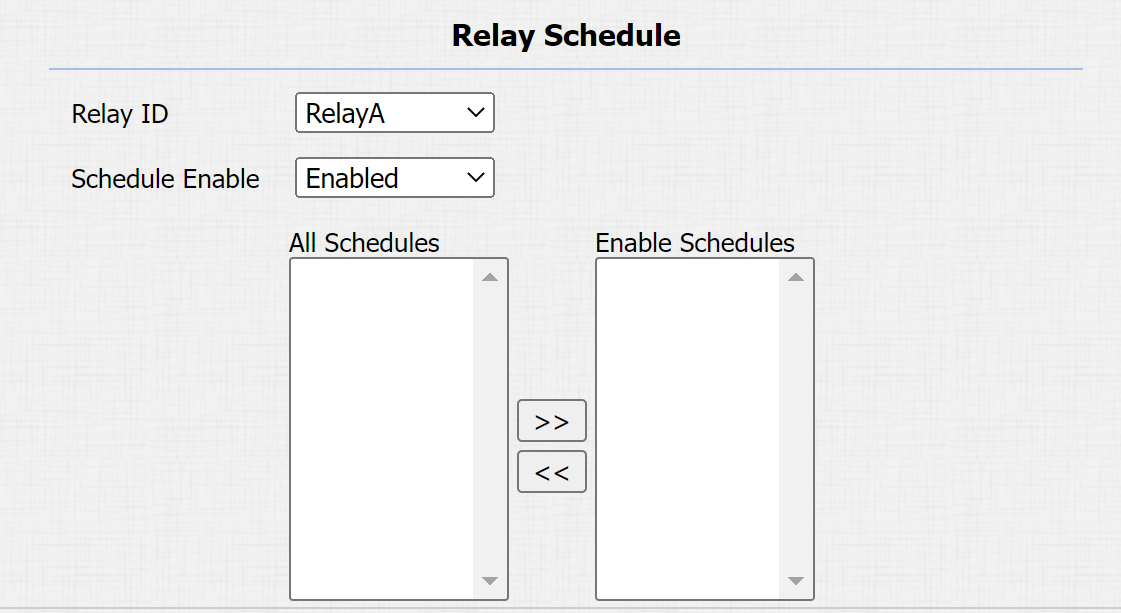
Relay ID: Specify the relay that adopts the schedule.
Schedule Enable: Assign particular door access schedules to the chosen relay. Simply move them to the Selected Schedules box.
For instructions on creating schedules, kindly consult the Create Door Access Schedule section.