The intercom preview feature allows users to see who is calling on the Akuvox indoor monitors through third-party cameras. This enhances security before they open doors for visitors.
Note
Before configuring the intercom preview feature, you need to add a third-party camera on the indoor monitor.
Please read the article Monitor Configuration for detailed steps.
This article takes the indoor monitor S562 as an example.
Use the device IP to log in to its web interface with the username and password. The default is admin.
Navigate to Device > Intercom interface to enable or disable intercom preview.
Select Enabled for the third-party camera without the RTSP feature.
Third-party cameras without RTSP features do not support obtaining real-time audio or video. They cannot provide a live stream for the intercom preview. When Enabled is selected, the device will answer calls automatically, and what appears on the call-receiving screen is the actual real-time video call stream, not a preview.
Select Disabled for the third-party camera with the RTSP feature.
Third-party cameras with RTSP features support obtaining real-time audio or video. They can provide a live stream for the intercom preview. When Disabled is selected, the device will not answer calls automatically and present a real intercom preview.
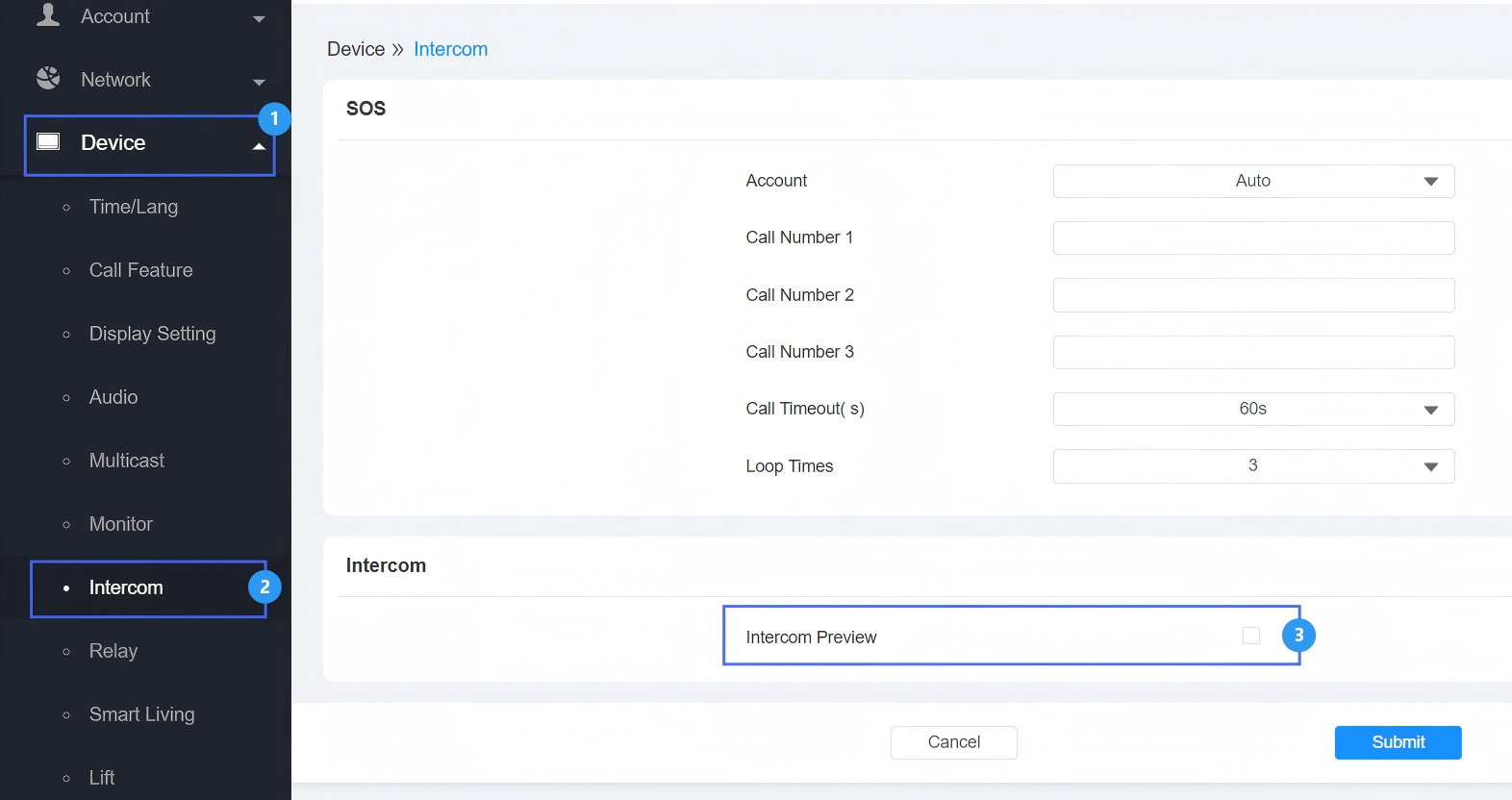
Click Submit to save the configuration.
Users can see the preview on the incoming call screen.