Group addresses are used in the communication between devices in the KNX network, and these addresses connect group objects to each other. The addresses assigned to a given group in which the group objects should work together so that the given functionalities can be activated and used.
After configuring the parameters of KNX devices(We’ll continue using the example including the devices and parameters in this how-to guide), you can link group addresses to group objects to define functions.
Create group addresses
The KNX network supports several group address structures: 3-level, 2-level, and freely defined. Typically, the 3-level structure is used for its flexibility.
To create group addresses, do as the following:
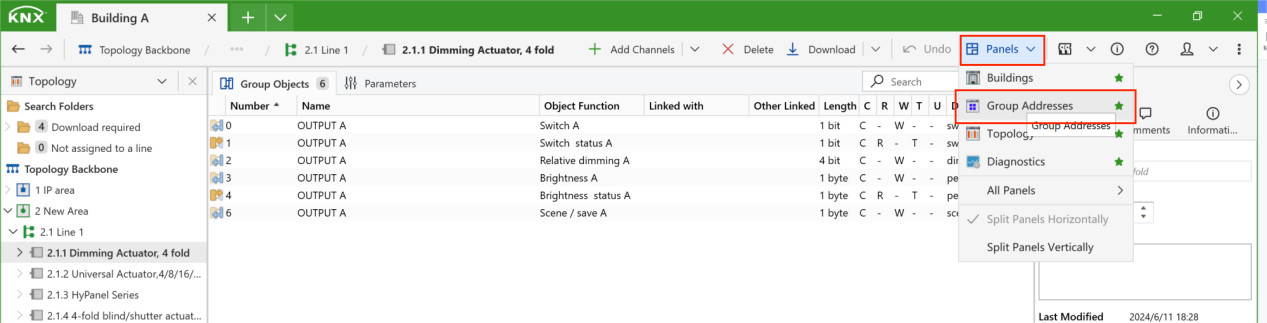
Open the Group Addresses panel by clicking Panels > Group Addresses.
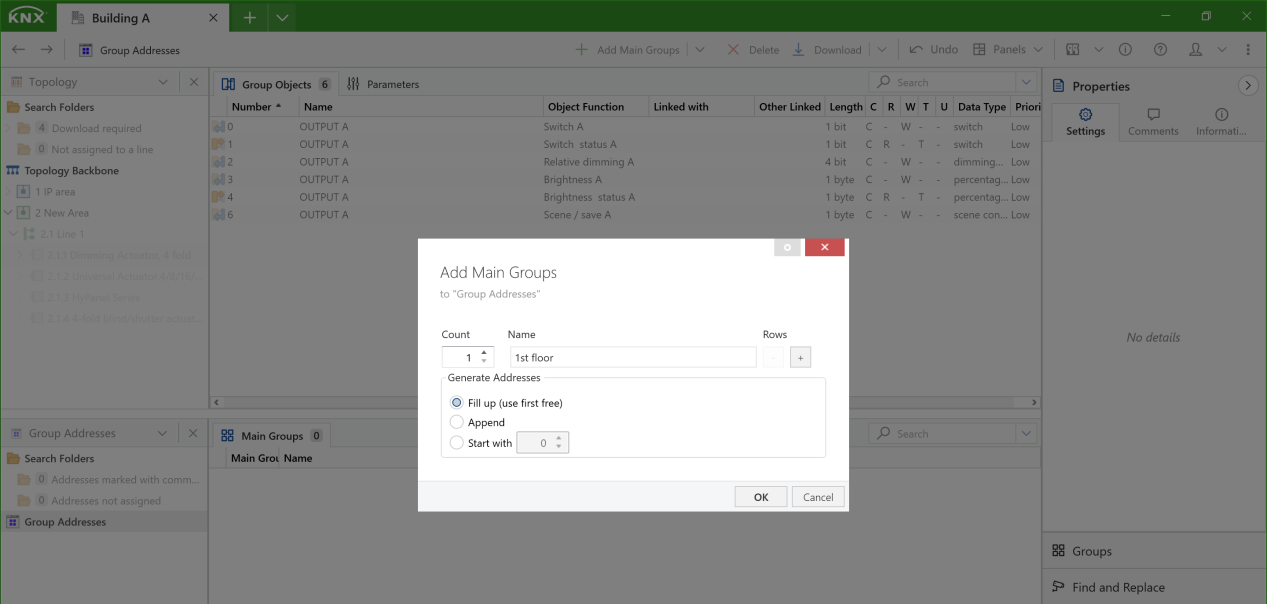
Right-click the Group Addresses, add corresponding level groups, and name them.
Tip
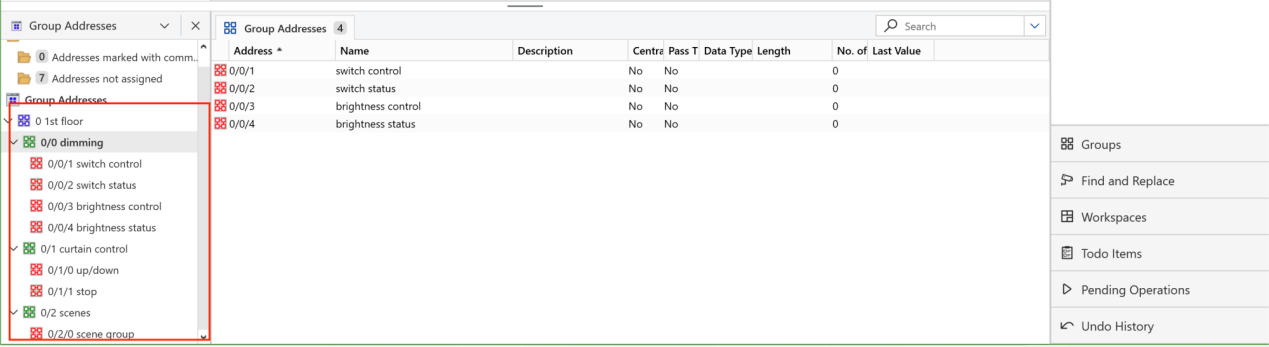
You can customize the structure to suit different types of KNX projects. In this guide, we’ll use the following structure:
Main group: Building part (1st floor, living room...)
Middle group: Function (Curtain control, dimming...)
Subgroup: Specific function of a device (Open/close, on/off...). Refer to a device’s Object Functions to define its group addresses.
Repeat the previous step until all the group addresses are added.
Link group address to group objects
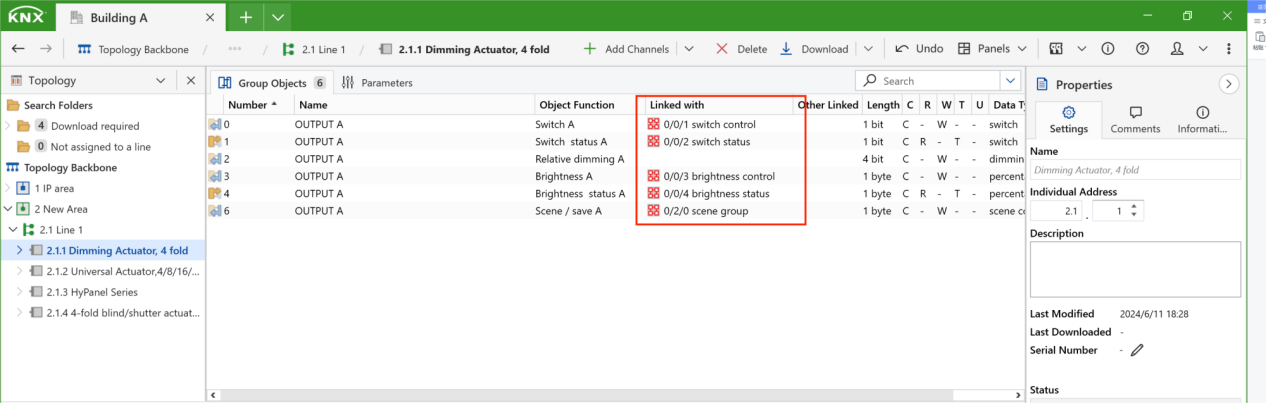
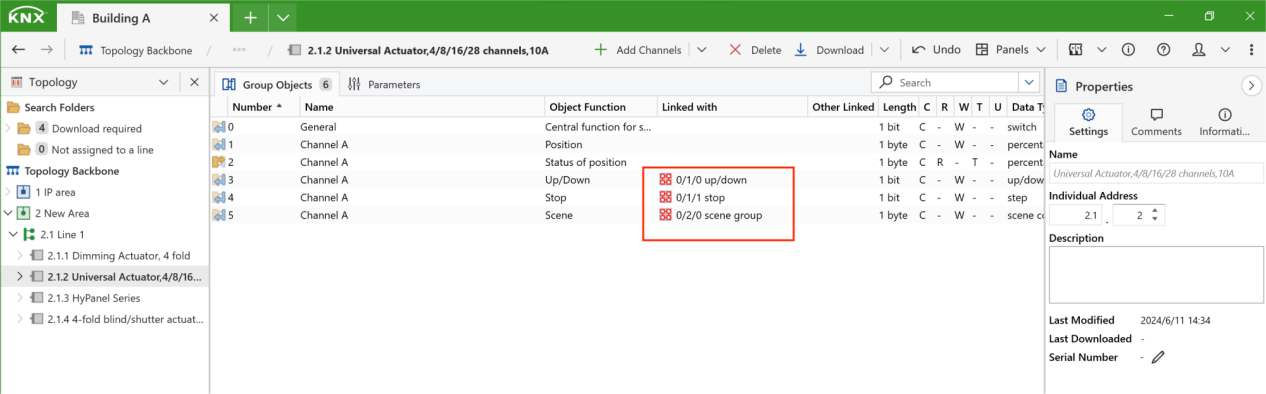
Simply drag and drop the group address to the corresponding group objects.
Here are the results:
Dimmer
Curtain
HyPanel
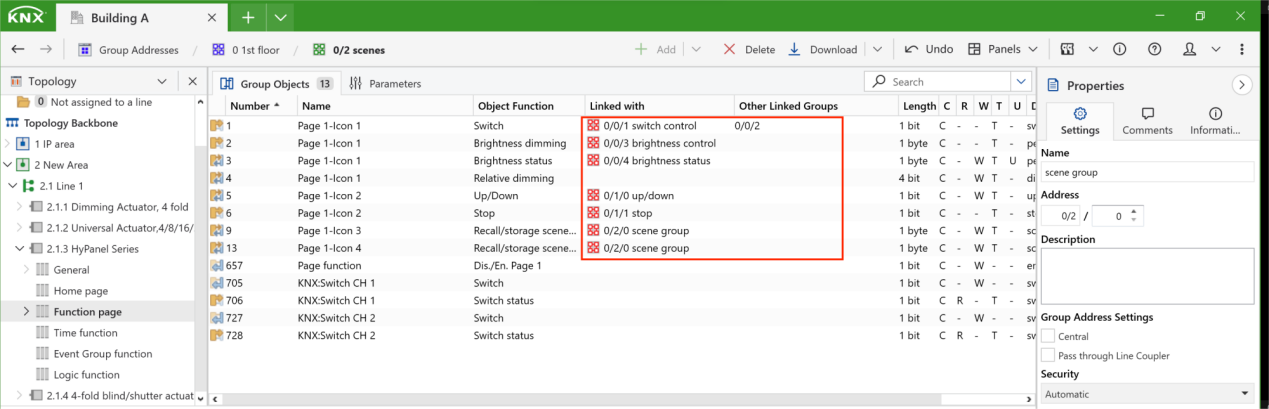
Once the group addresses are assigned, the communication pathway between HyPanel and the KNX devices is established.
Tip
You can then proceed to download these configurations to the KNX devices. For detailed instructions, please refer to this guide.