Specific Akuvox devices support opening the door via the Bluetooth-enabled My MobileKey App. Users can open the door conveniently with their mobile phones in their pockets when they pass by the device.
To enable the door-opening via Bluetooth feature, you need to configure the feature on the device’s web interface and the My MobileKey App.
Note
The following device models support this feature:
A03, A08, A15, X912, X910, S532, and S535.
Make sure users have installed the latest My MobileKey App.
To download: https://knowledge.akuvox.com/docs/my-mobilekey
On A08’s Web Interface
To make the Bluetooth unlock feature work, it should be bound to a user.
You can set up the feature when adding or editing a user.
Log in to the device’s web interface with the username and password. The default is admin.
Go to Directory > User interface. Click +Add to add a user or click
 to modify a user.

Scroll to BLE Setting and click Generate to generate a 6-digit code for pairing verification.

Click Submit to save the configuration.
You can set up the code valid time within which users need to finish the pairing.
Go to Access Control > BLE > BLE interface and set the time from 15 minutes to 24 hours.
Make sure the BLE function is enabled.
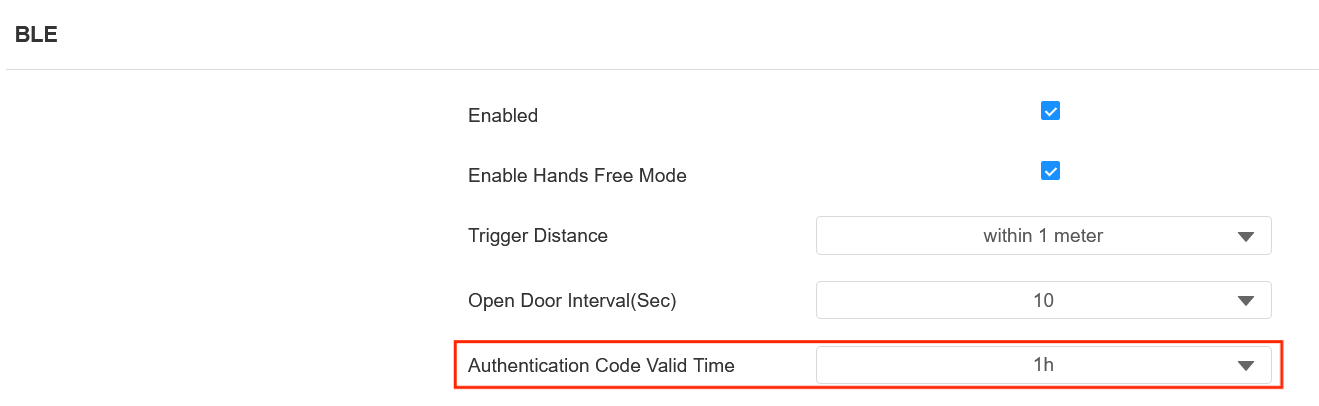
Click Submit to save the configuration.
On My MoblieKey
Tap Search to search for the device.
Enter the code that is generated on the device’s web interface and tap Confirm.
The added device will be displayed on the home screen.

Tap Settings and tap Bluetooth Unlock Mode to select between Hands Free and Tap as Card.

Tap Permissions to make sure permissions are given to the App.
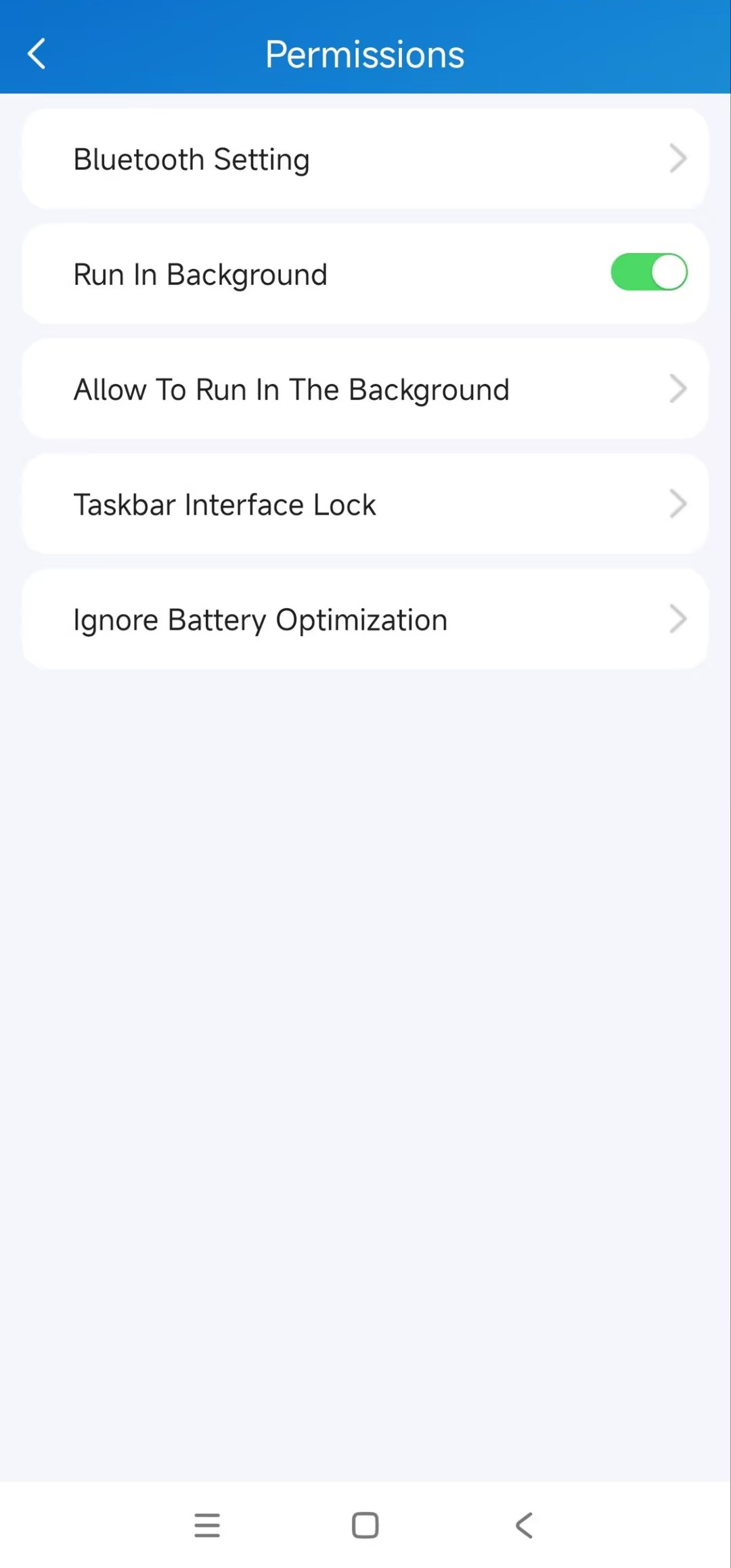
After configuration, users can open the door by getting close to the device or by placing their mobile phones near the card reader area of the device.
Note
The recommended working distance for Hands-Free mode is 0.05m to 0.15m.