For homes grouped through Auto Discovery but lacking cloud connectivity, you need the MAC address of users’ home center device for project creation. This facilitates auto-connection to the cloud, enabling remote control of home devices and access to cloud-based features like weather forecasts.
Register Home Center Device on the Cloud
When the home’s project is created
Log in to the Cloud website using the installer account.
Register the MAC address of the home center device.
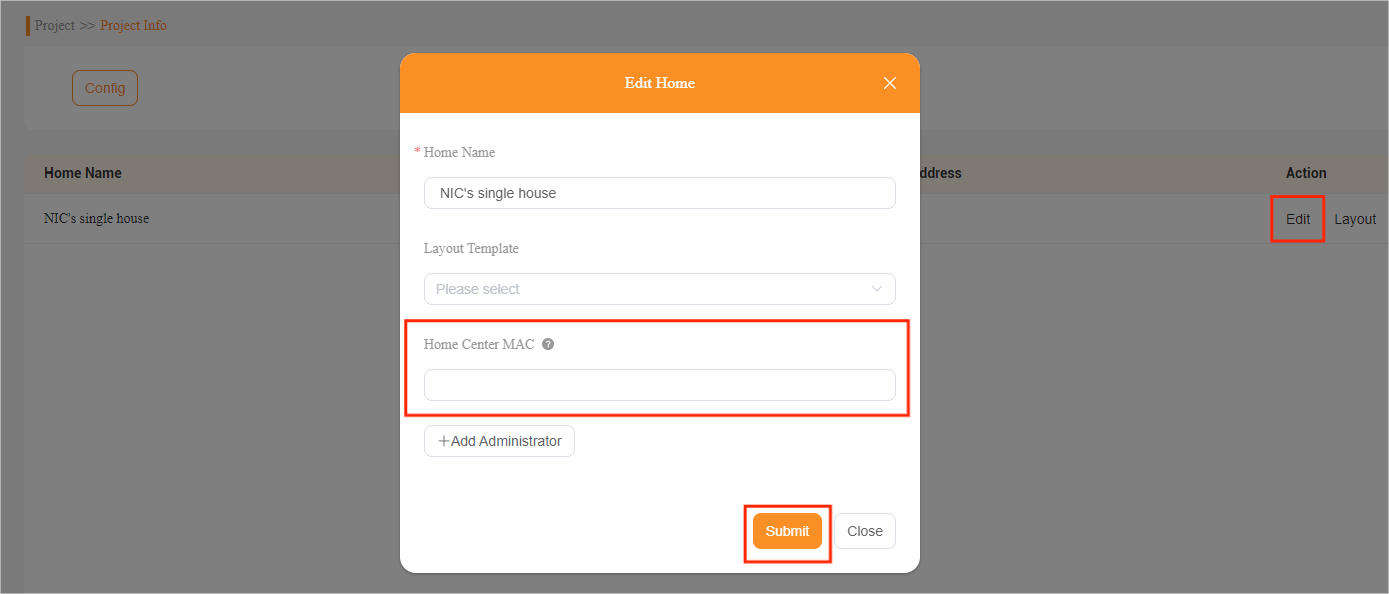
For a single-tenant project, go to Project > Single-tenant > Detail > Edit, and enter the MAC.
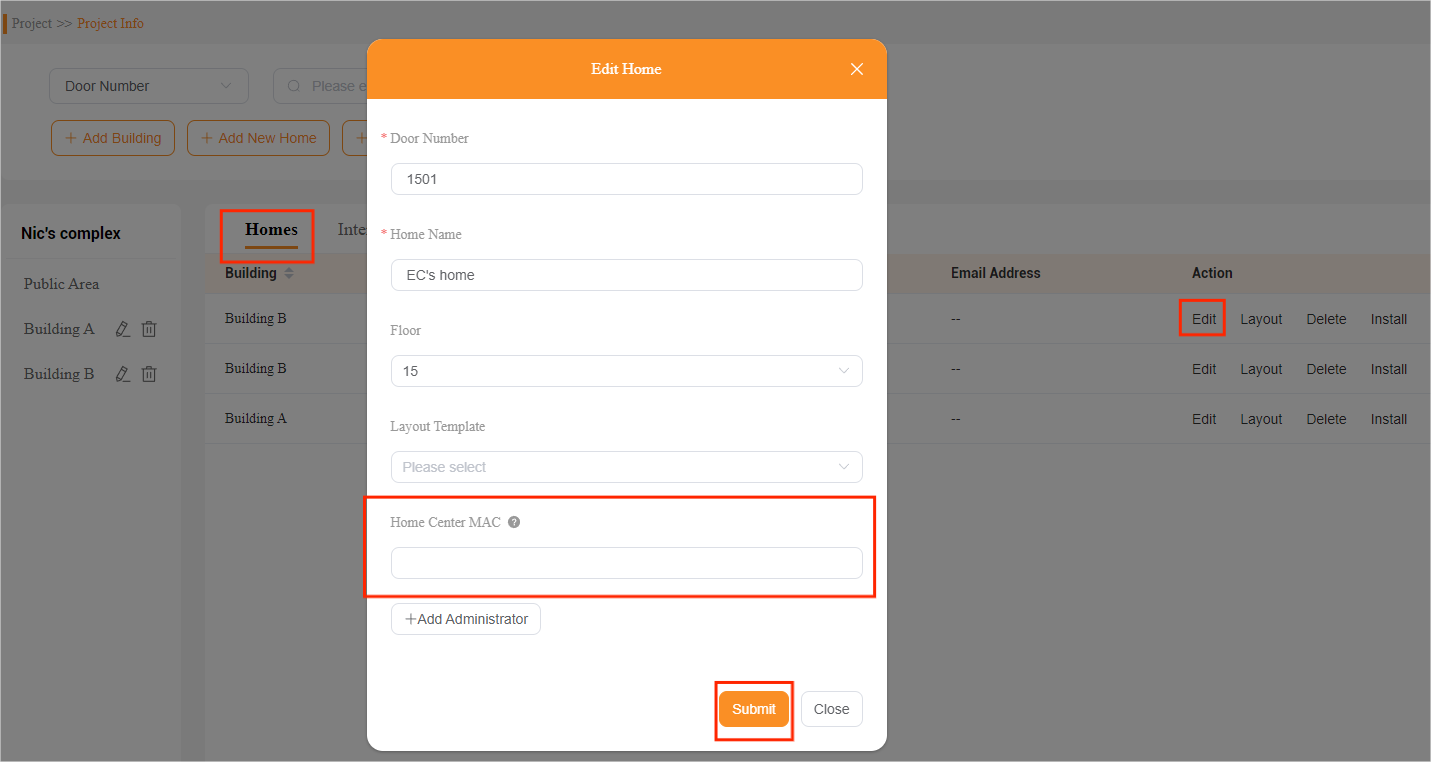
For a compound project, go to Project > Community > Detail > Homes > Edit, and enter the MAC.
When the project has not been created
In this case, you have to create a project for this home before registering the home center device. Remember to include the home center device’s MAC address when setting up projects.
Tip
The process of project creation may differ based on the project types.
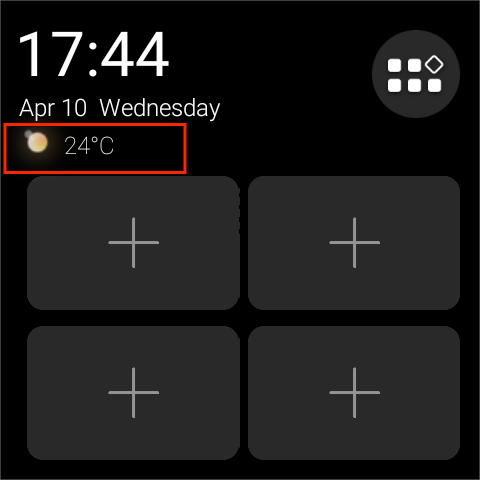
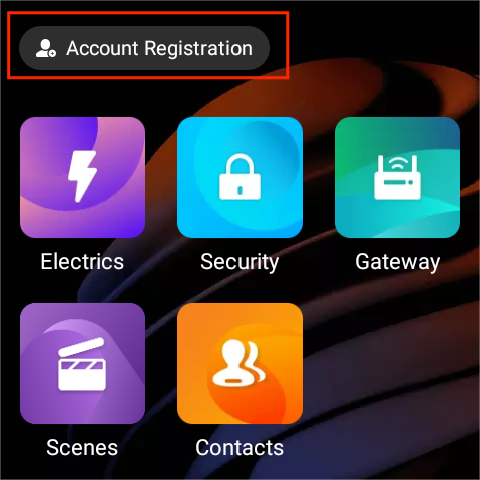
After registering the home center, the device will automatically connect to the cloud. On all panels’ screens, you can see the weather forecast displayed alongside an Account Registration button, confirming successful cloud connectivity.
Tip
If the device fails to connect, first check if it has Internet access. Then, restart the device by swiping down from the top edge of any screen and tapping
> Reboot.