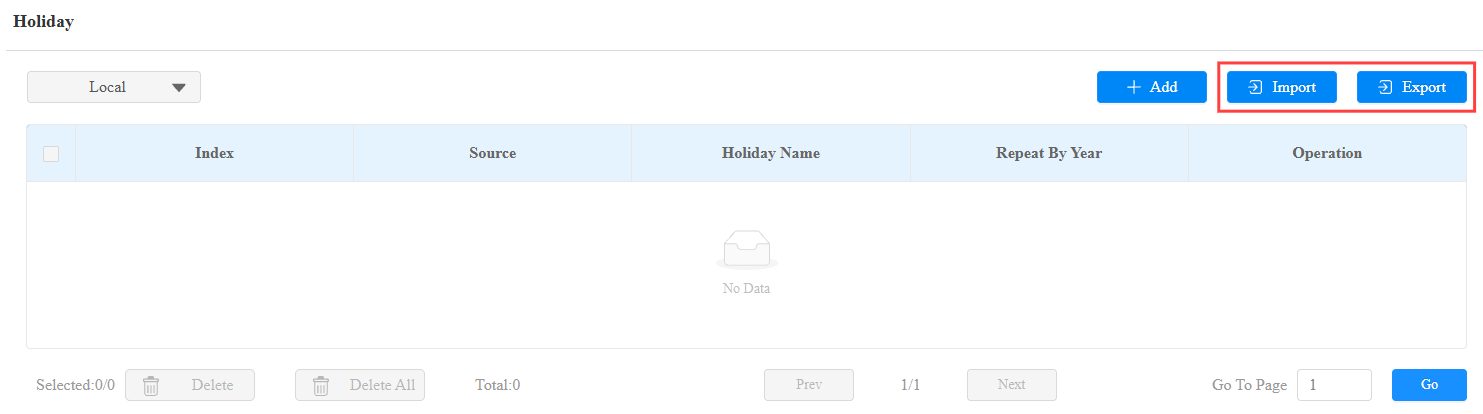
Un horario de acceso a la puerta te permite decidir quién puede abrir la puerta y cuándo. Se aplica tanto a individuos como a grupos, asegurando que los usuarios dentro del horario solo puedan abrir la puerta utilizando el método autorizado durante los periodos de tiempo designados.
Create Door Access Schedule
Puedes crear horarios de acceso a puertas para periodos diarios, semanales o personalizados.
Set it up on the web Setting > Schedule interface. You can add 100 local schedules.
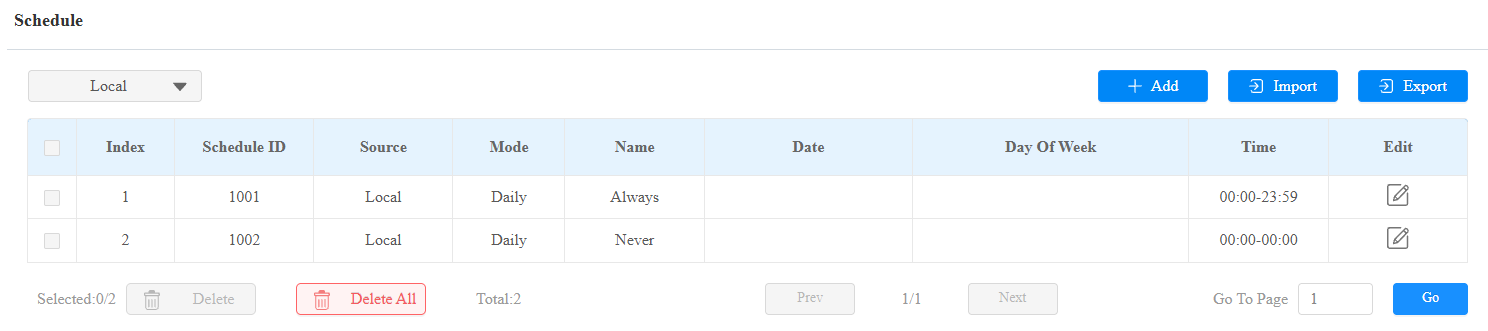
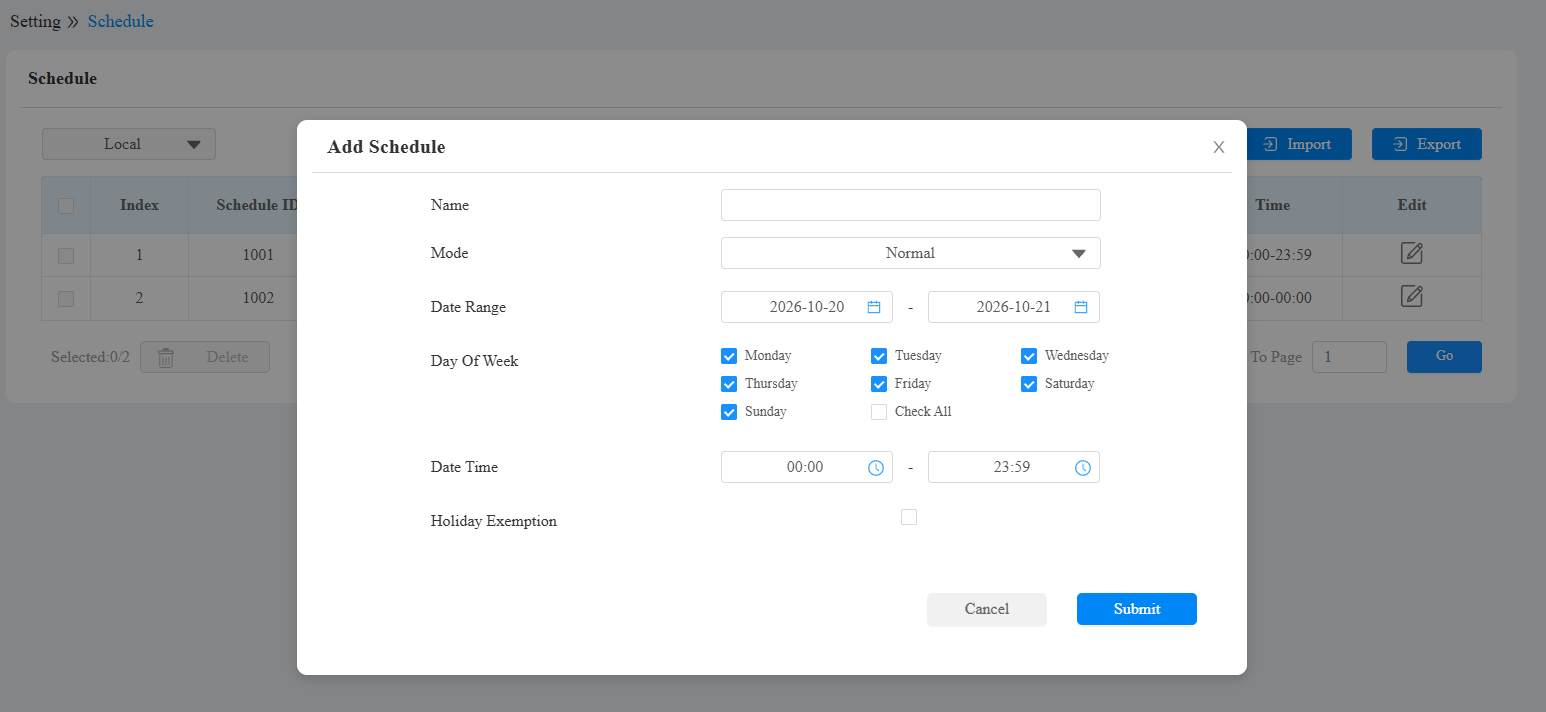
Mode:
Normal: Set the schedule based on the month, week, and day. It is used for a long-term schedule.
Weekly: Set the schedule based on the week.
Daily: Set the schedule based on 24 hours a day.
Schedule Name: Name the schedule.
Holiday Exemption: The holiday schedule has higher priority over the access schedule, which limits users from opening doors. If users want to open doors during holidays within the access schedule, you need to check this option.
Import and Export Door Access Schedule
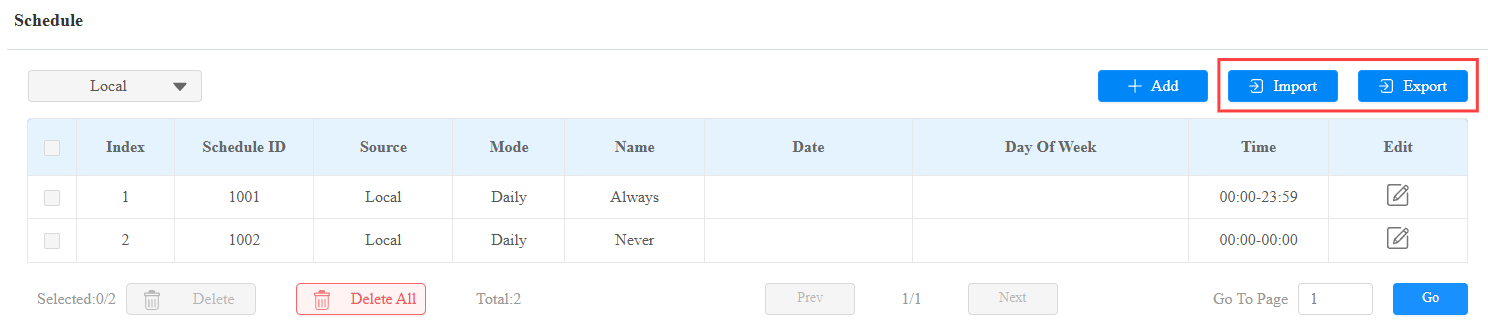
Además de crear un horario de acceso a puertas por separado, también puedes importar o exportar convenientemente los horarios para maximizar la eficiencia de gestión de tu horario de acceso.
To set it up, go to the Setting > Schedule interface. The import file should be in XML format.
Relay Schedule
El horario de relés te permite configurar un relé específico para que siempre abra a una hora determinada. Esto es útil en situaciones como mantener la puerta abierta después del colegio o dejar la puerta abierta durante el horario laboral.
To set up a relay schedule, go to the Access Control > Relay > Relay Schedule interface.
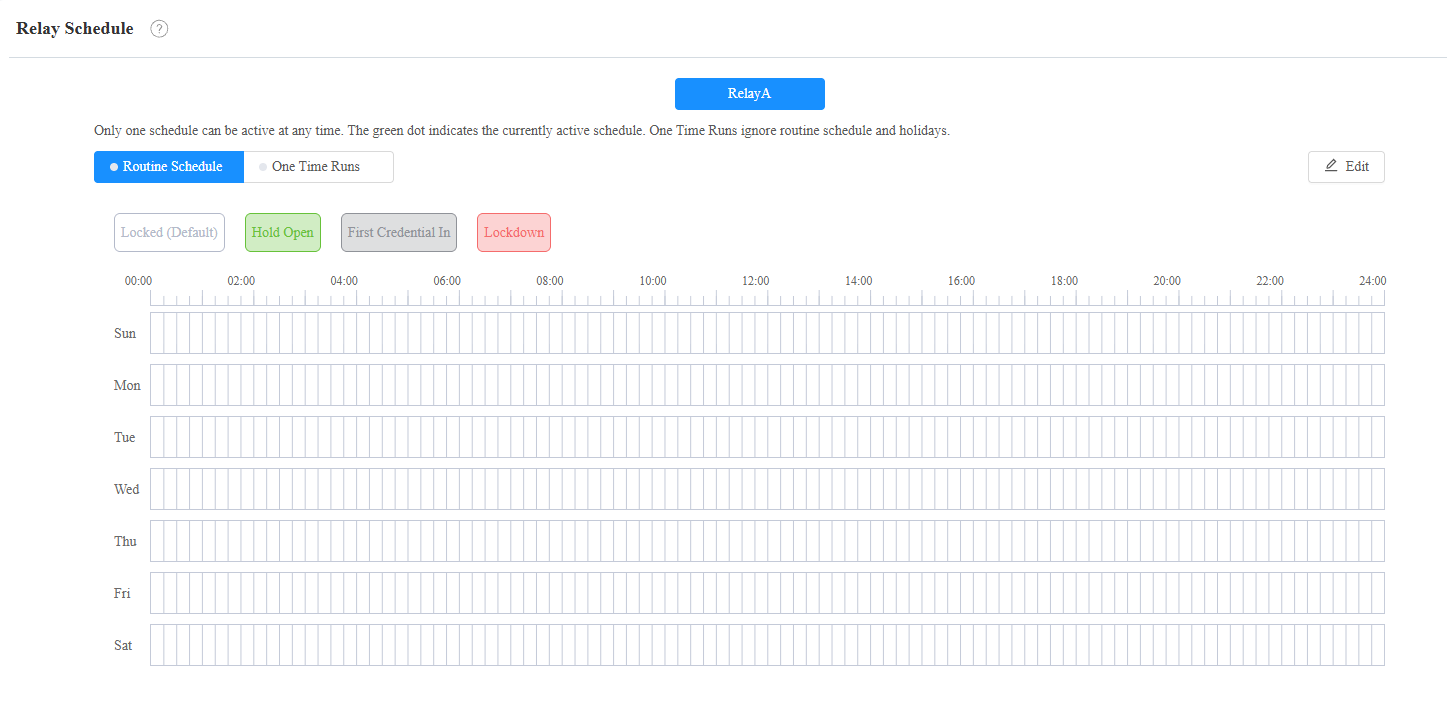
Repeat Type:
Routine Schedule: The schedule repeats every week. Click Edit on the right to configure.
One-Time Runs: Set the daily or weekly schedule that repeats during a defined period.
Schedule Mode:
Hold Open: The door remains open during the scheduled time.
First Credential In: The door remains open during the scheduled time after users use their credentials for the first time.
Lockdown: The door remains closed during the scheduled time.
Note
Click here to view the detailed configuration of each schedule mode.
Holiday Schedule
Puedes definir los días festivos en los que los usuarios no pueden abrir puertas para mejorar la seguridad del control de acceso. También puedes establecer el horario de trabajo para que los usuarios autorizados abran puertas.
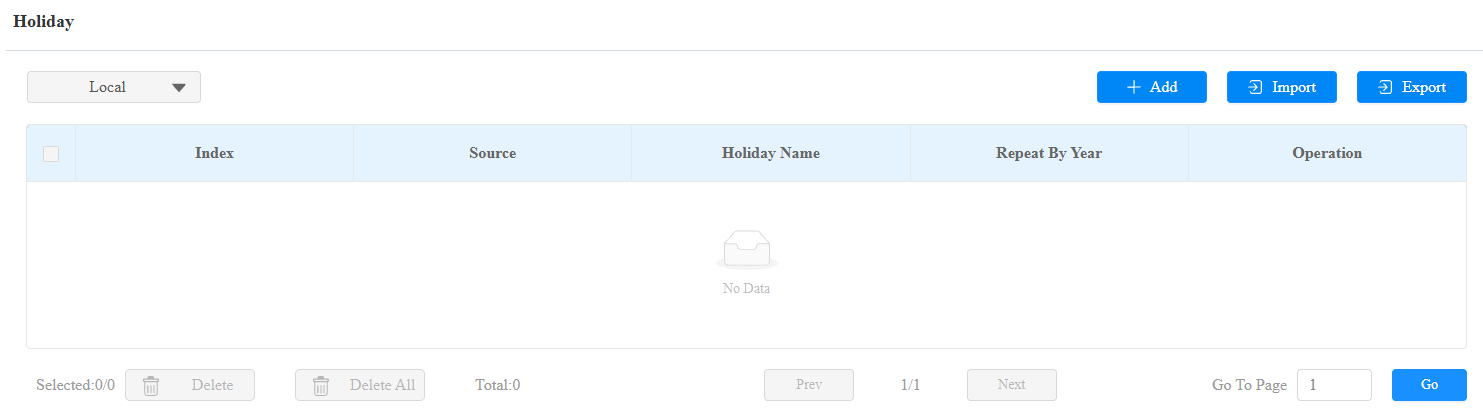
Set it up on the Setting > Holiday interface. You can choose to view the local holidays, SmartPlus Cloud holidays, or both.
Click +Add to set up a local holiday schedule.
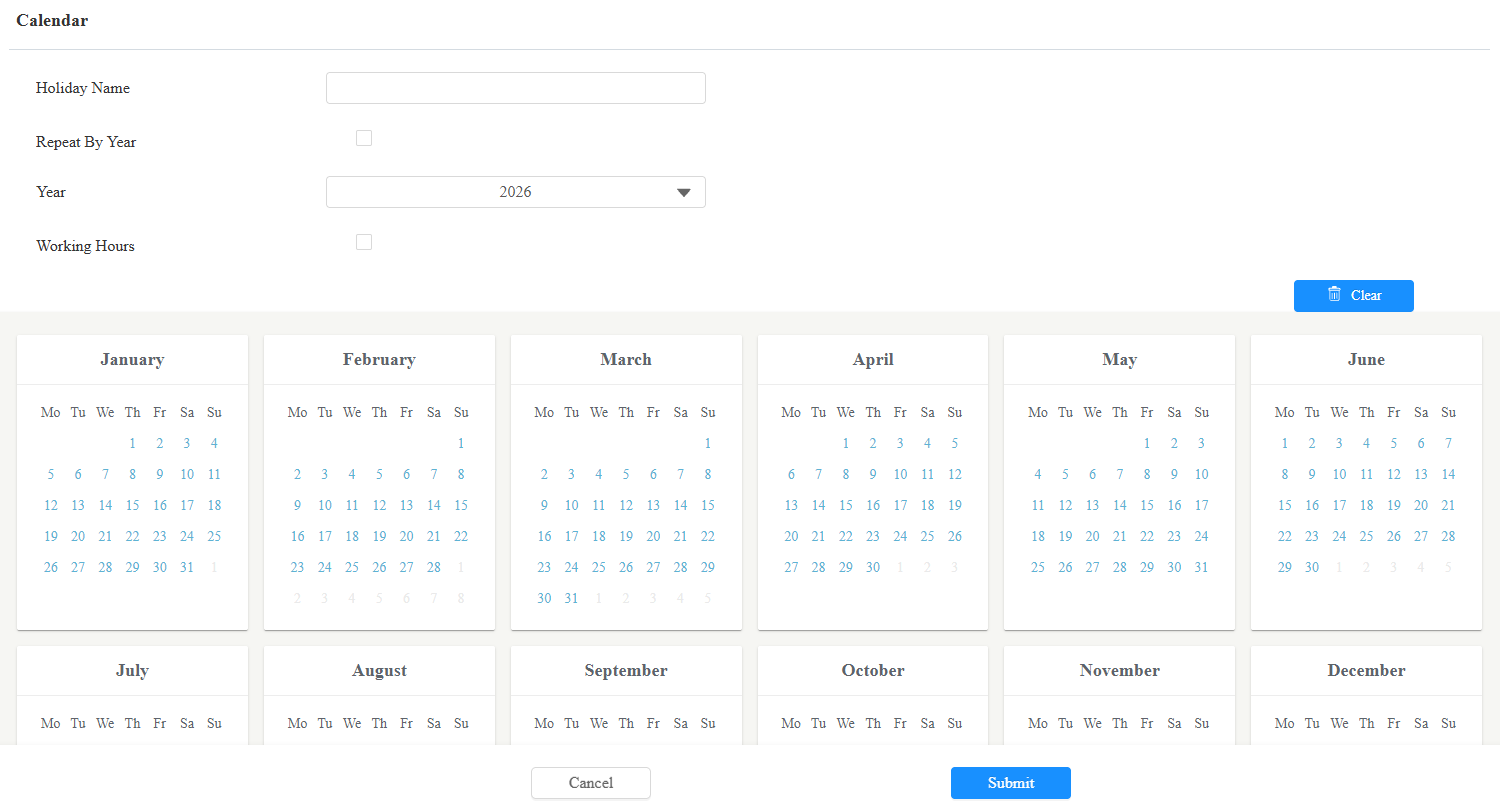
Holiday Name: Enter the holiday name.
Repeat By Year: Repeat the schedule every year.
Year: Set the year and date of the holiday.
Working Hours: When enabled, specify the time when authorized users can open doors.
Holiday Schedule Import/Export
You can import or export holiday schedules for quick setup on the Setting > Holiday interface.
The import/export file format is .xml.