akubela devices can be reset in two ways: factory reset and reset to installer settings. Each option has different effects depending on the device’s connection status with the Cloud.
What You Should Know
Factory Reset: Restore devices to their original state, erasing all data and clearing all configurations.
Reset to Installer Settings: Revert devices to the state set up by the service providers, and remove all user data and subsequently added devices.
The reset result differs depending on the device’s cloud connectivity:
If not connected to the Cloud: Resetting to installer settings performs the same functions as a factory reset.
When connected to the Cloud: Factory reset and reset to installer settings yield different results as specified above.
Tip
The weather forecast on the panels’ screen indicates the successful cloud connection.
Reset to Factory Settings
A factory reset can be performed on the device web portal.
Enter the device’s IP address into a browser.
Log in using the credentials. The default username and password are both admin.
The page varies based on the panel’s firmware version and its role.
Tip
Please refer to Check IP Address of akubela Panels for detailed instructions.
For more detailed instructions on logging into the device web portal, please see Log into Device Web Portal.
Scenario 1
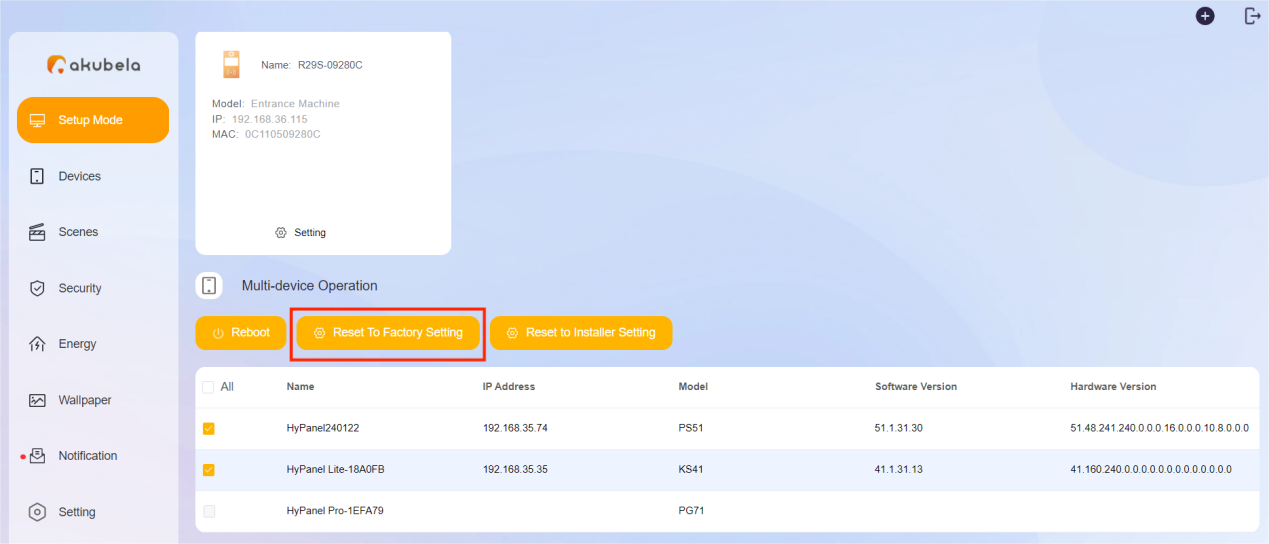
If redirected to the home center device’s web portal as shown in the figure, you can reset one or more devices.
On the Setup Mode page, scroll down to Multi-device Operation.
Select the desired device(s), then click Reset to Factory Setting.
Scenario 2
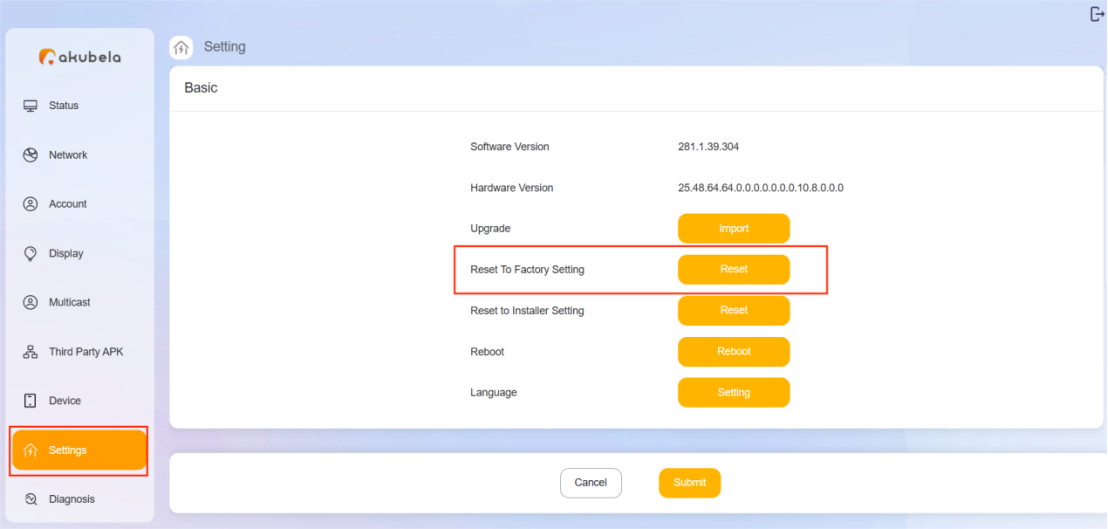
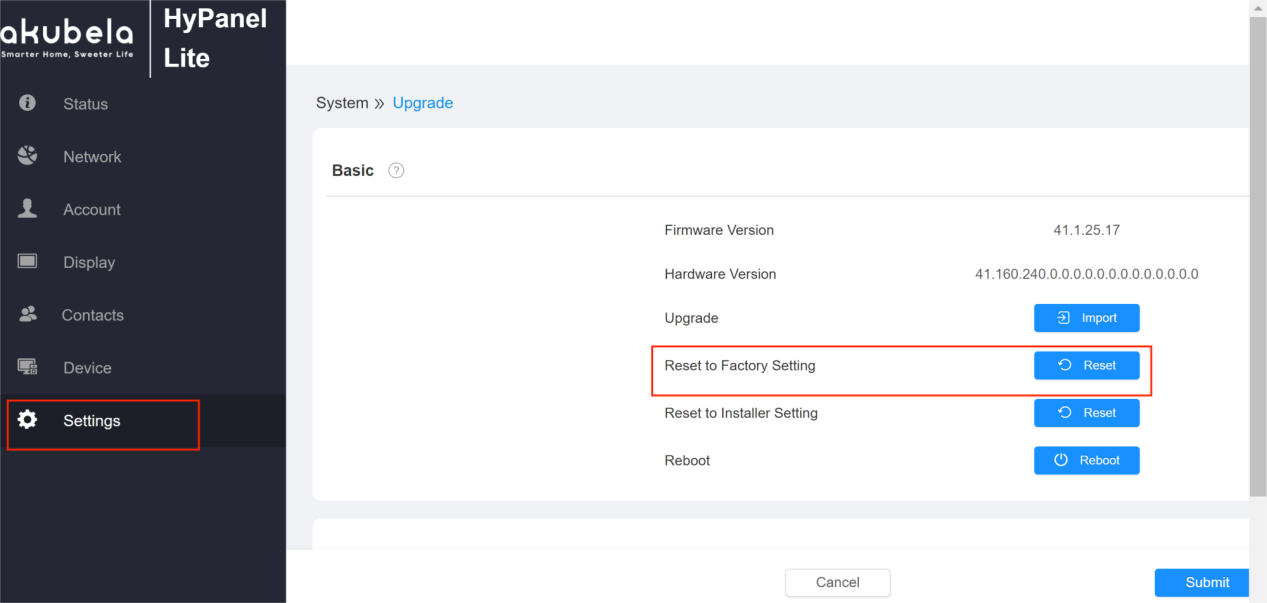
If you are accessing an individual device’s web portal (as shown below), go to the Settings page, and select Reset to Factory Setting.
Reset to Installer Settings
You can reset to installer settings in three ways: on the panel, via the user web portal, or via the device web portal.
On the Panel
Here, we take HyPanel with the firmware version 51.1.31.30 as an example.
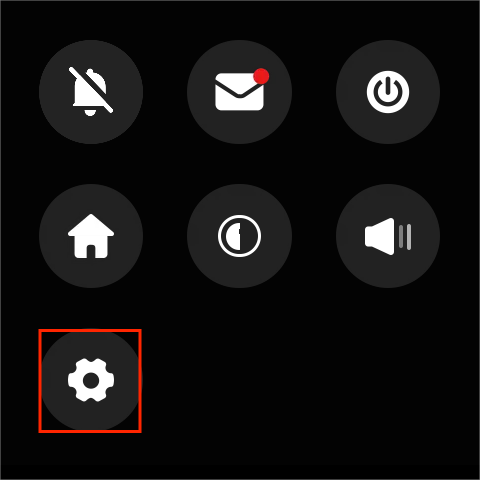
Swipe down from the top of any screen, and tap
 .
.
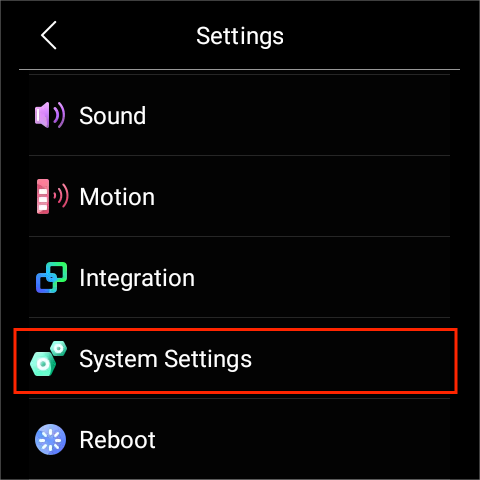
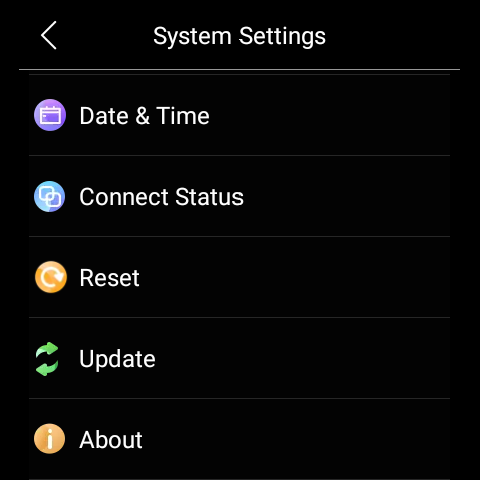
Select System Settings > Reset.
Tap Confirm.
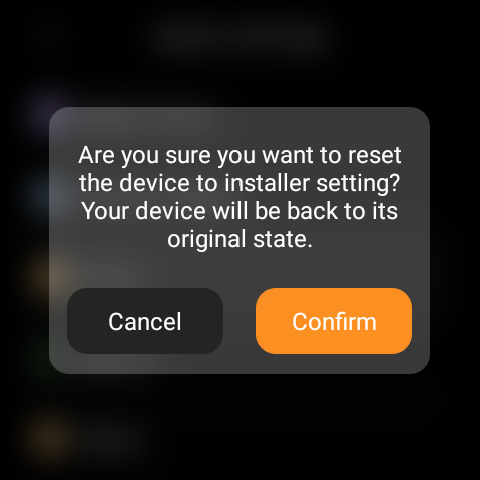
Via the User Web Portal
Make sure your computer and the devices are on the same local network.
Log in to the user web portal by entering the home center device’s IP address, or going to https://my.akubela.com.
Tip
For more details, please refer to Log into User Web Portal.
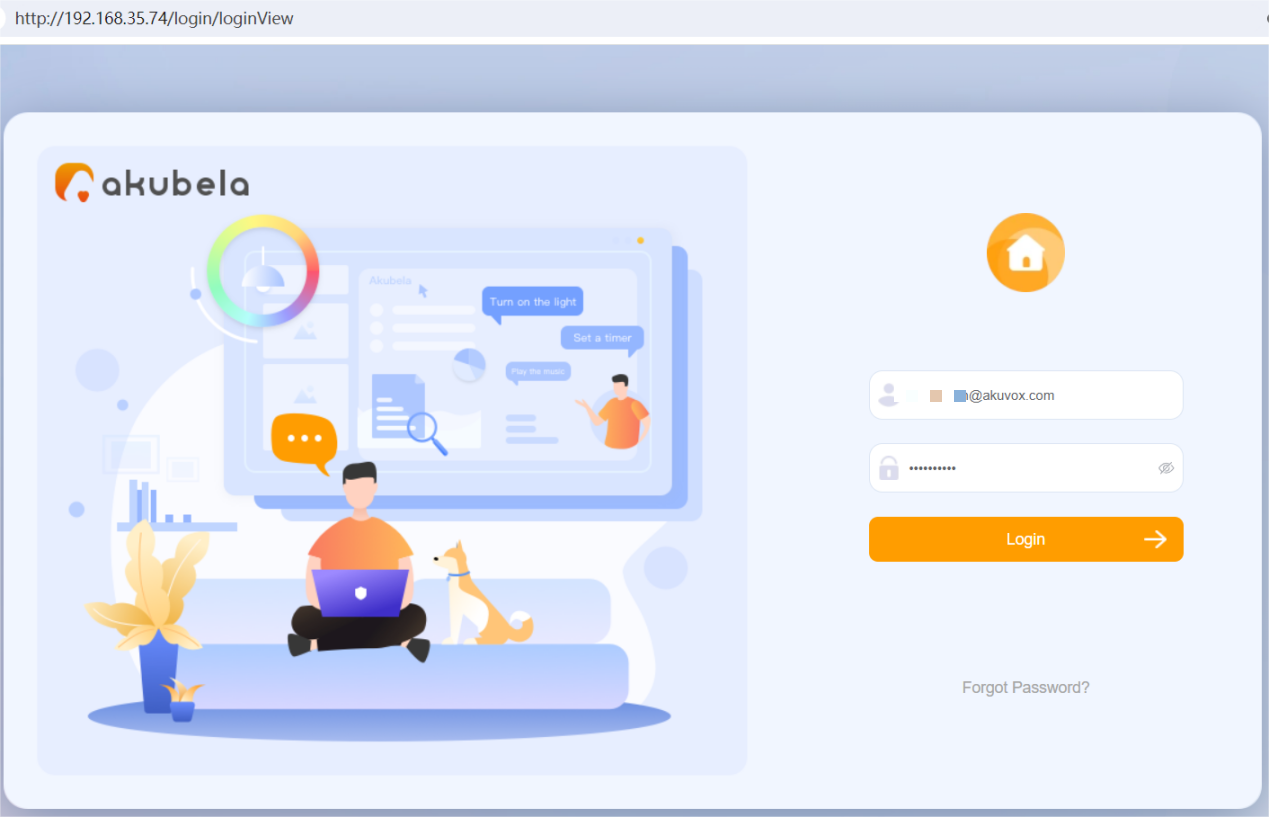
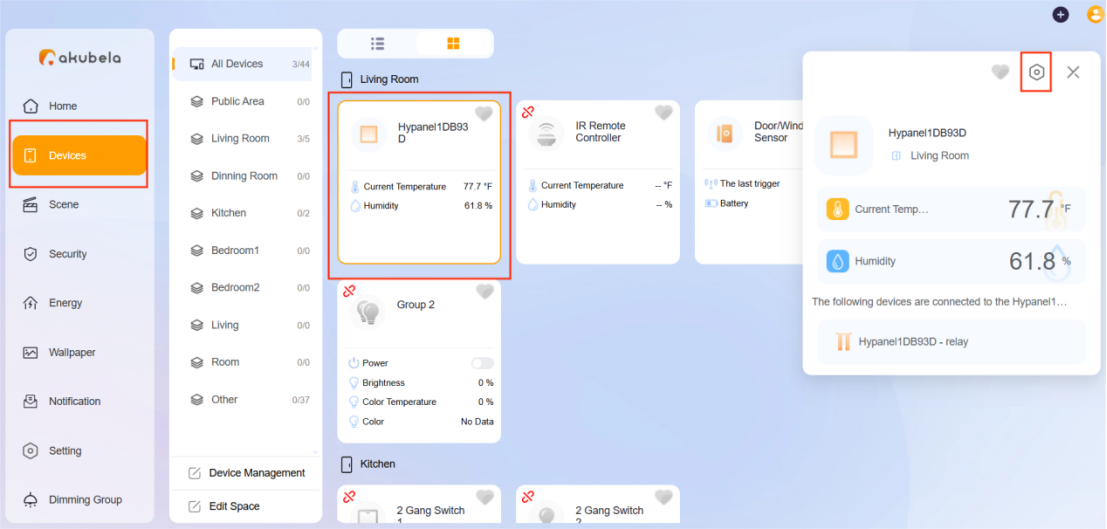
3. Select Device, find the desired panel, and click  in the window that appears.
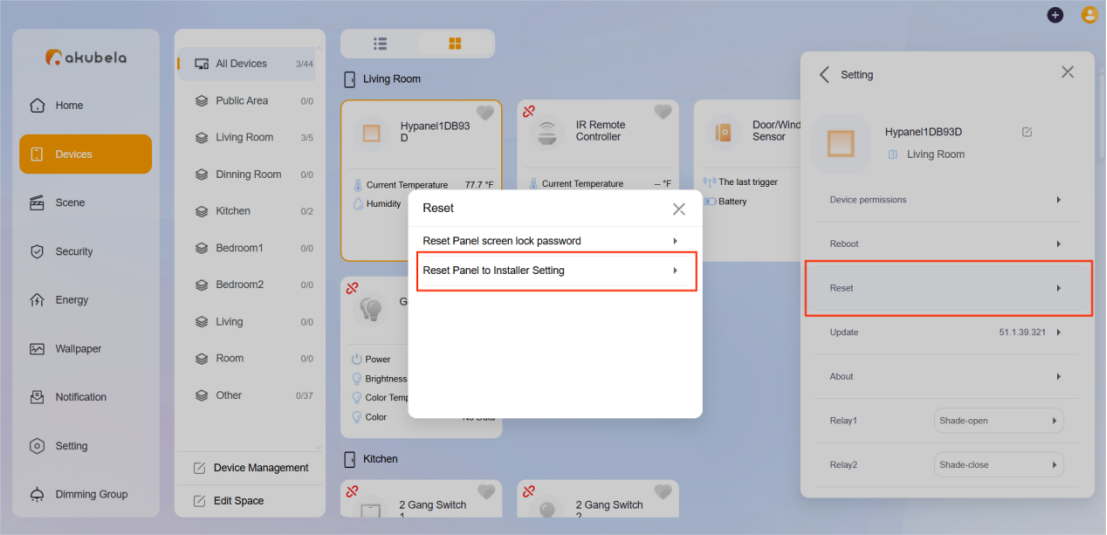
4. Select Reset > Reset Panel to Installer Setting.
Via the Device Web Portal
Enter the device’s IP address into a browser and log in. The default username and password are both admin.
The web portal varies by the device’s role and its firmware version.
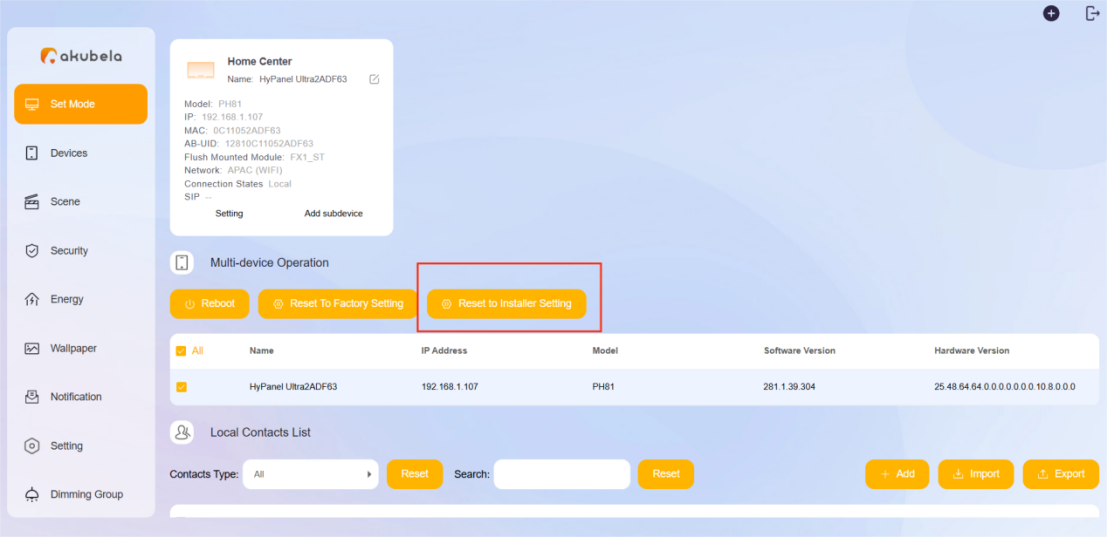
If redirected to the home center device’s web portal as shown in the figure:
On the Setup Mode page, scroll down to Multi-device Operation.
Check the desired device(s), and select Reset to Installer Setting.
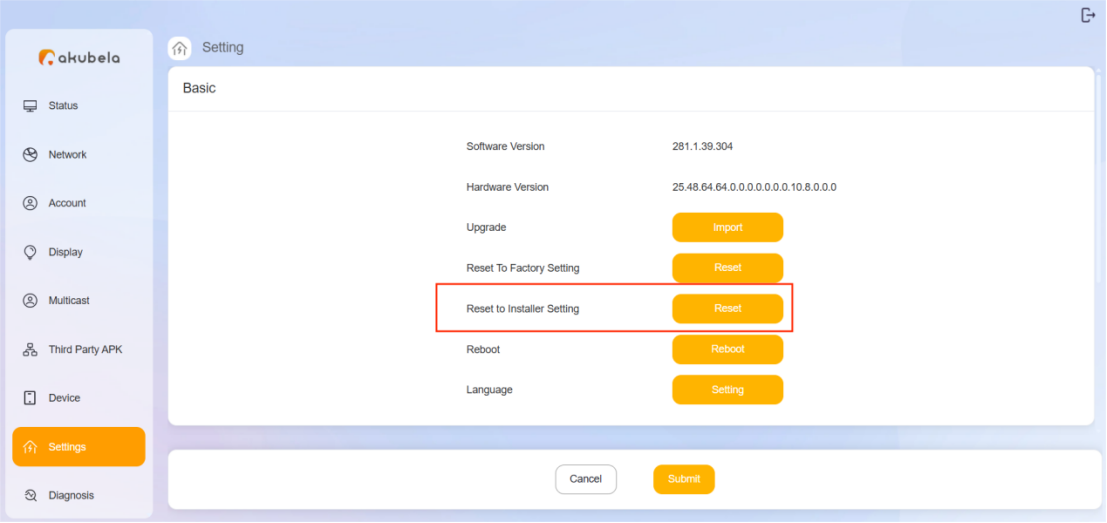
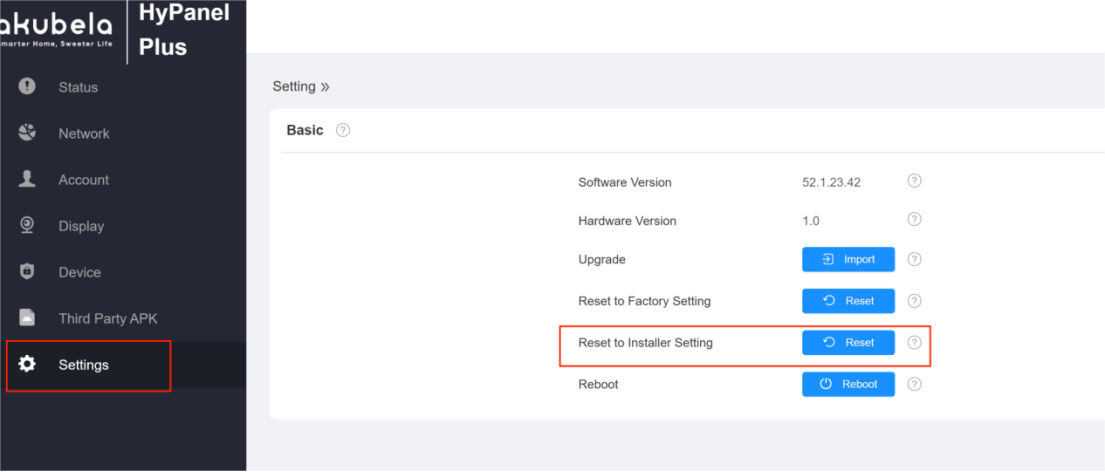
If access the specific device’s web portal as shown in one of the following figures.
Select Settings from the left menu.
Click Reset to Installer Setting.