When the Akuvox radar sensor MR01 or MR03 is installed in your house, you can receive alerts when a fall or bed-exit event is detected.
This is especially useful for households with elderly or mobility-impaired residents living alone, where a quick response to an incident can be critical.
Compatible Minimum SmartPlus App Version
7.41.0003(Android)/7.41.3(iOS) Supporting MR01
7.51.0002(Android)/7.51.2(iOS) Supporting MR03
Overview
With the app, you can:
Receive the alert notification and resolve it.
Configure Sensor Detection Call Alert to automatically call emergency contacts when an alarm is triggered.
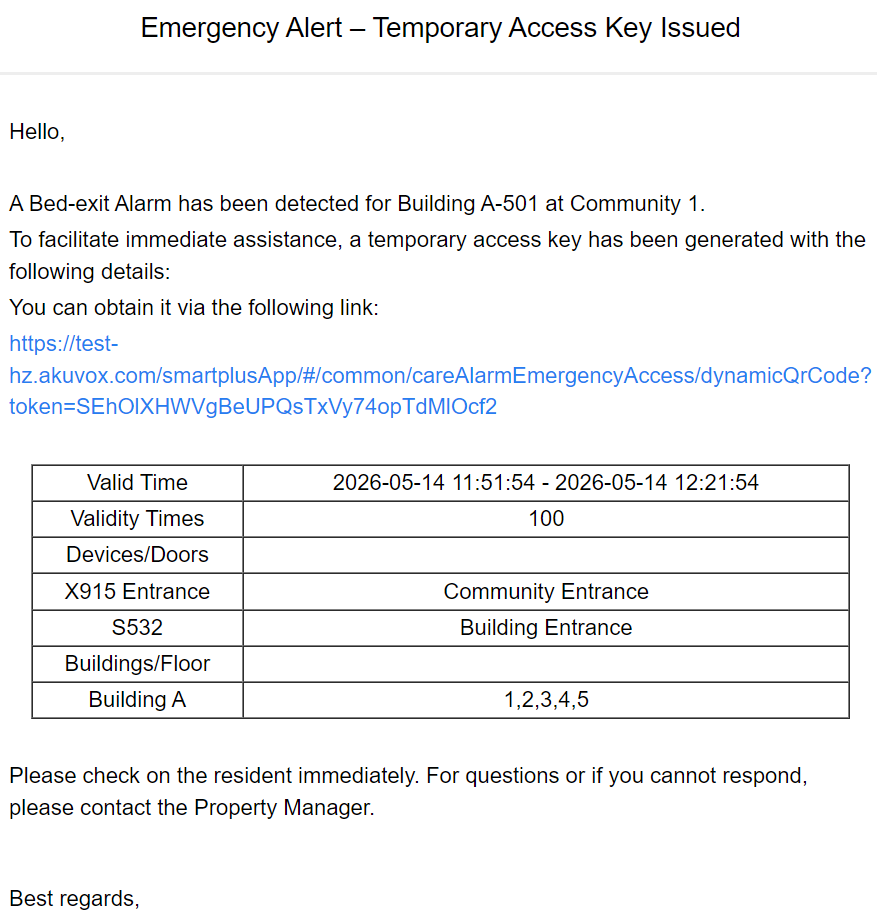
Configure Care Alarm Emergency Access to send a temporary access key to healthcare personnel when an alarm is triggered.
Note
The Sensor Detection Call Alert feature is a premium feature. Make sure it is activated by your administrator before using it.
Alert Notifications
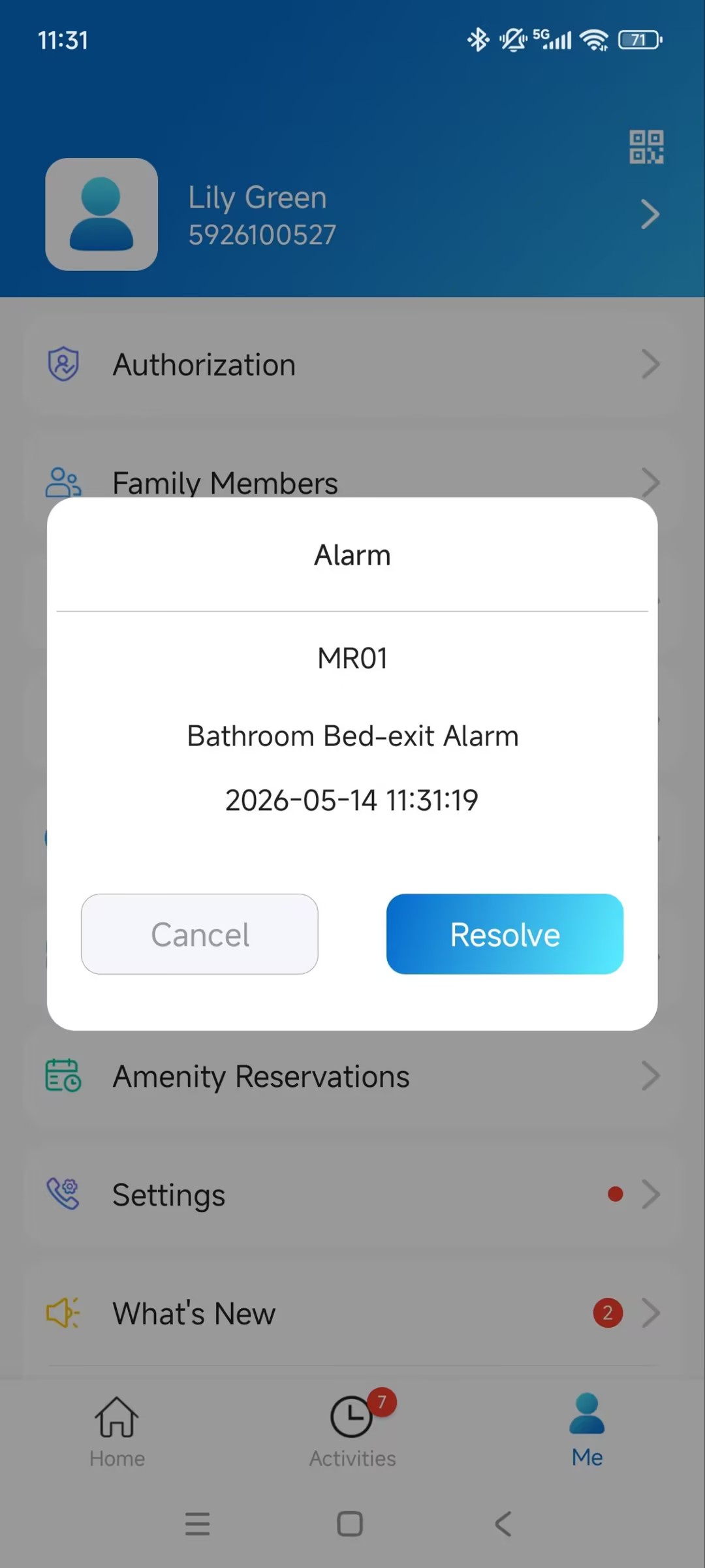
The SmartPlus App displays a warning pop-up when an alarm event such as a fall or bed-exit event is detected.
Tap Resolve to resolve the alarm.
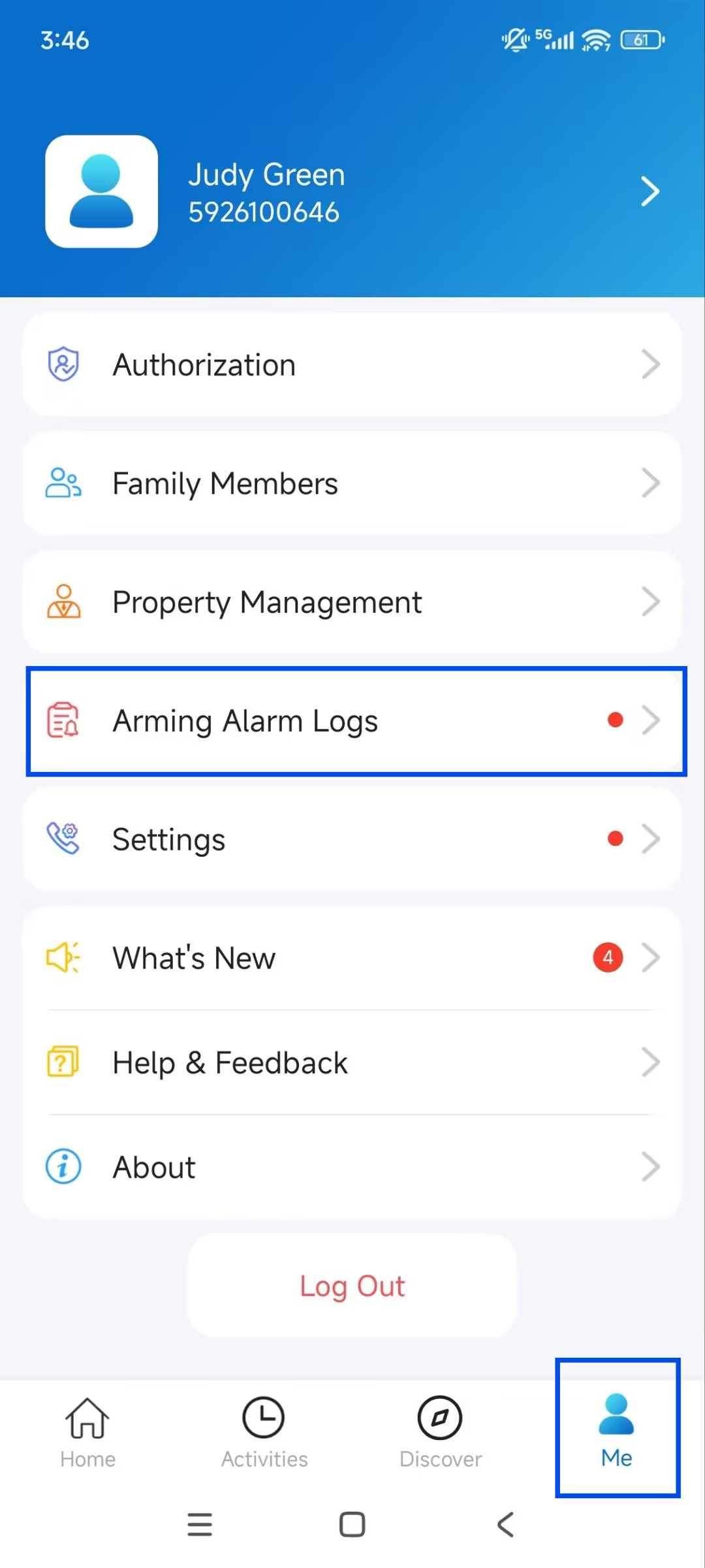
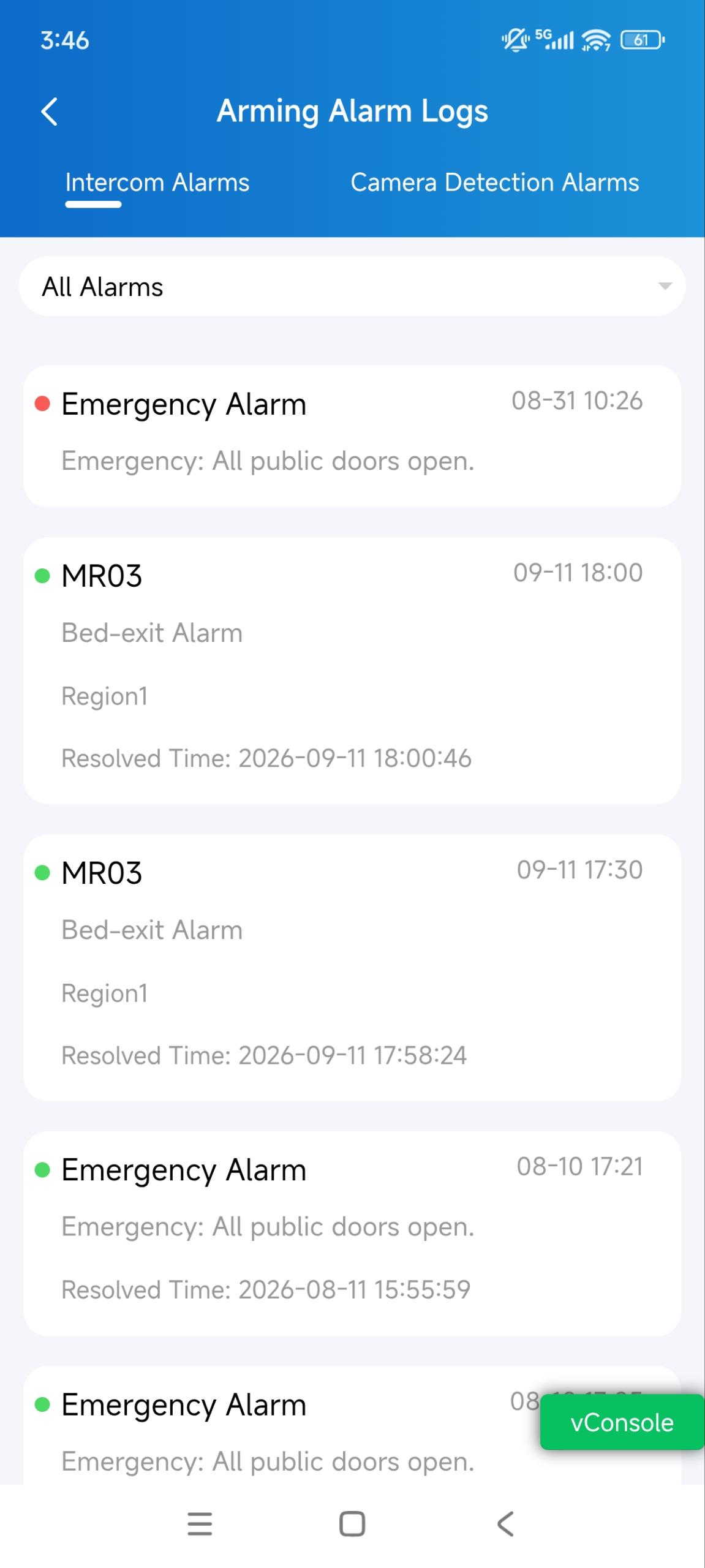
To review past alerts, tap Me > Arming Alarm Logs > Intercom Alarms.
Emergency Call on Alert
Use this when family members or caregivers need to be reached by phone immediately after an incident, particularly if they do not regularly check the app.
Note
This is an advanced feature that requires an activation fee. Ensure that your administrator has activated it before use.
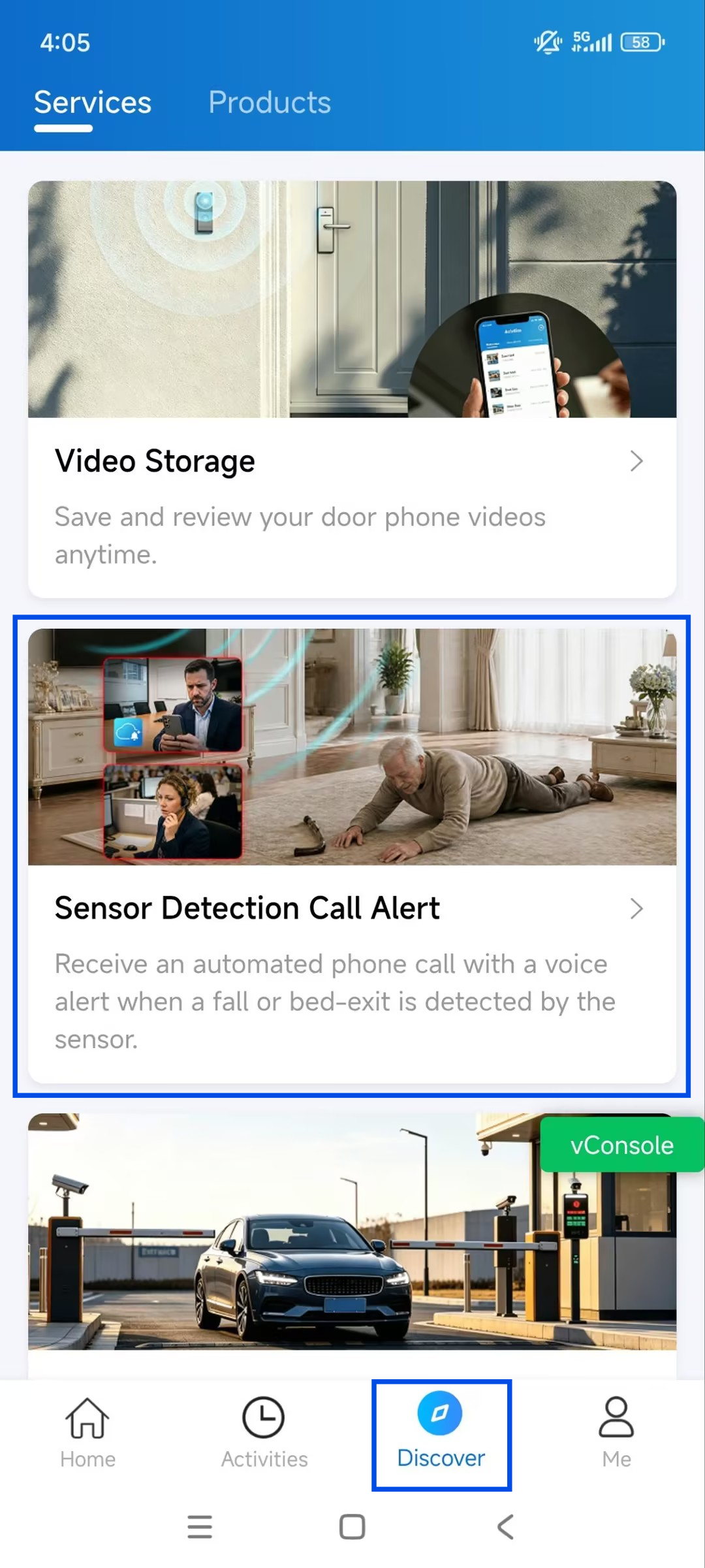
Tap Discover > Sensor Detection Call Alert.
Enable the feature.
Select the Alert Mode. MR01 ONLY supports Receive Voice Prompt alert mode. For details about configuring the alert mode and recipients, see Configure Alert Mode.
Enable the desired Alarm Type.
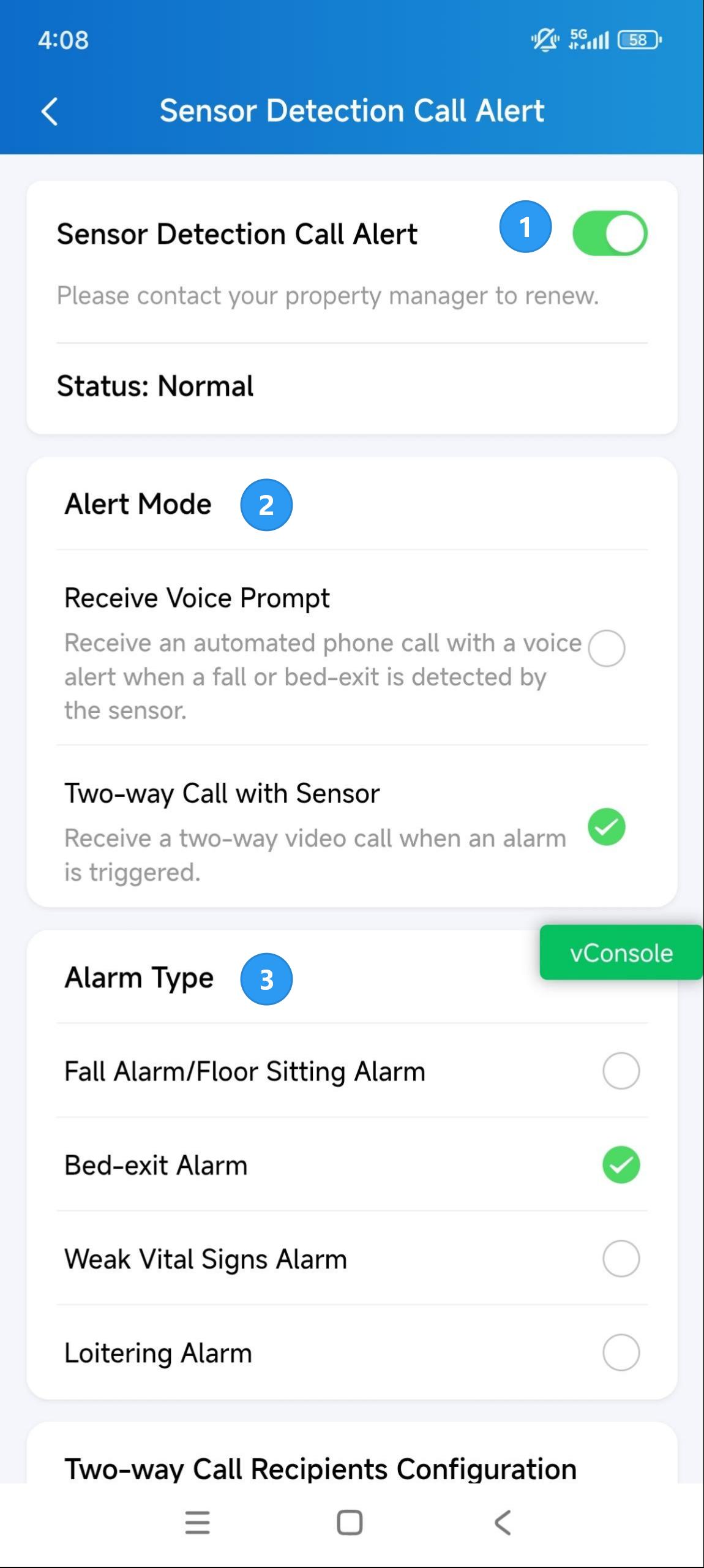
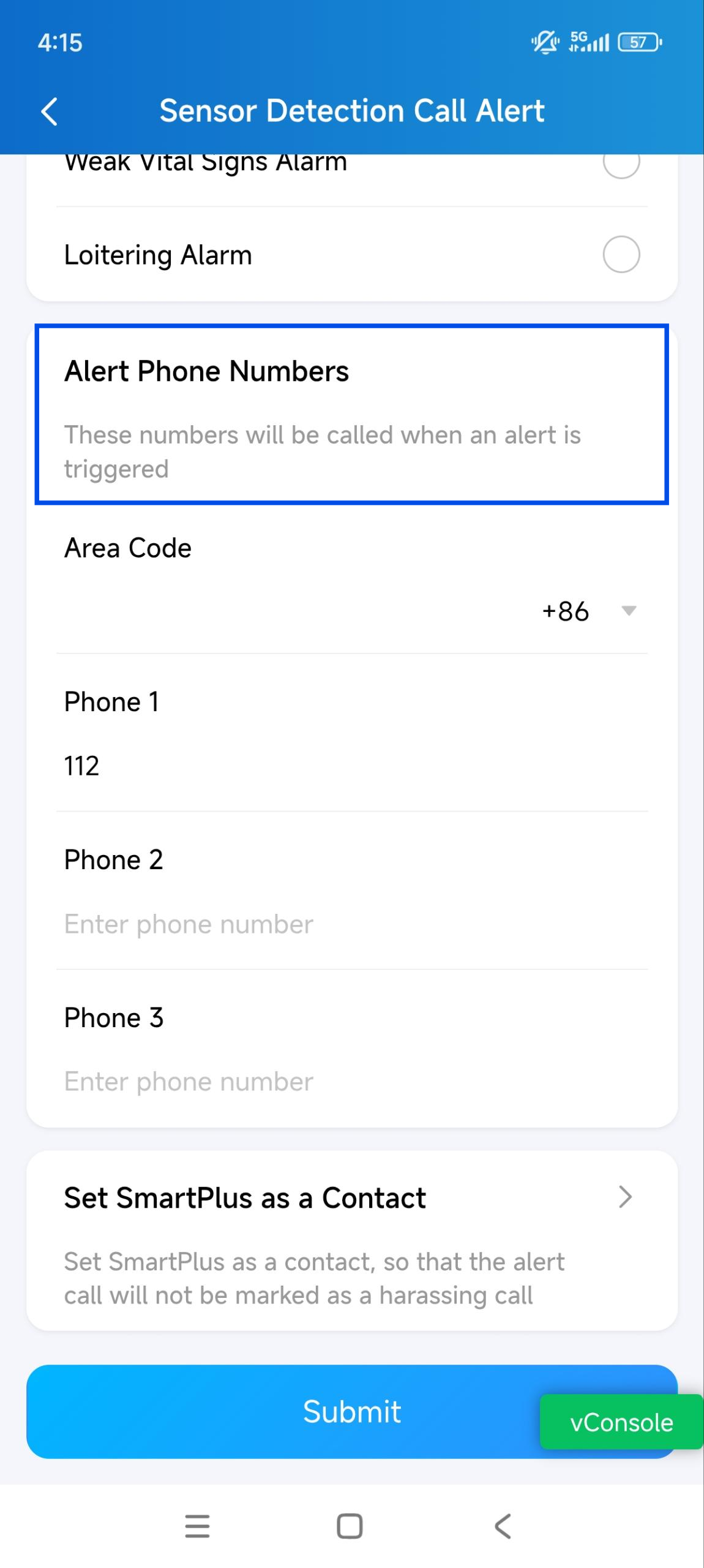
Configure the recipients according to the selected Alert Mode.
Save the settings.
Configure Alert Mode
MR03 supports both Receive Voice Prompt and Two-way Call with Sensor alert modes.
MR01 only supports Receive Voice Prompt alert mode.
Receive Voice Prompt
Select Receive Voice Prompt when recipients only need to receive alarm notifications.
When an alarm is triggered, the cloud sends an SMS notification and makes a voice call to the configured phone numbers simultaneously.
Up to 3 phone numbers can be configured.
The voice call provides alarm information such as the alarm type and master account name.
If the call is not answered, the system repeats the call for up to 3 rounds.
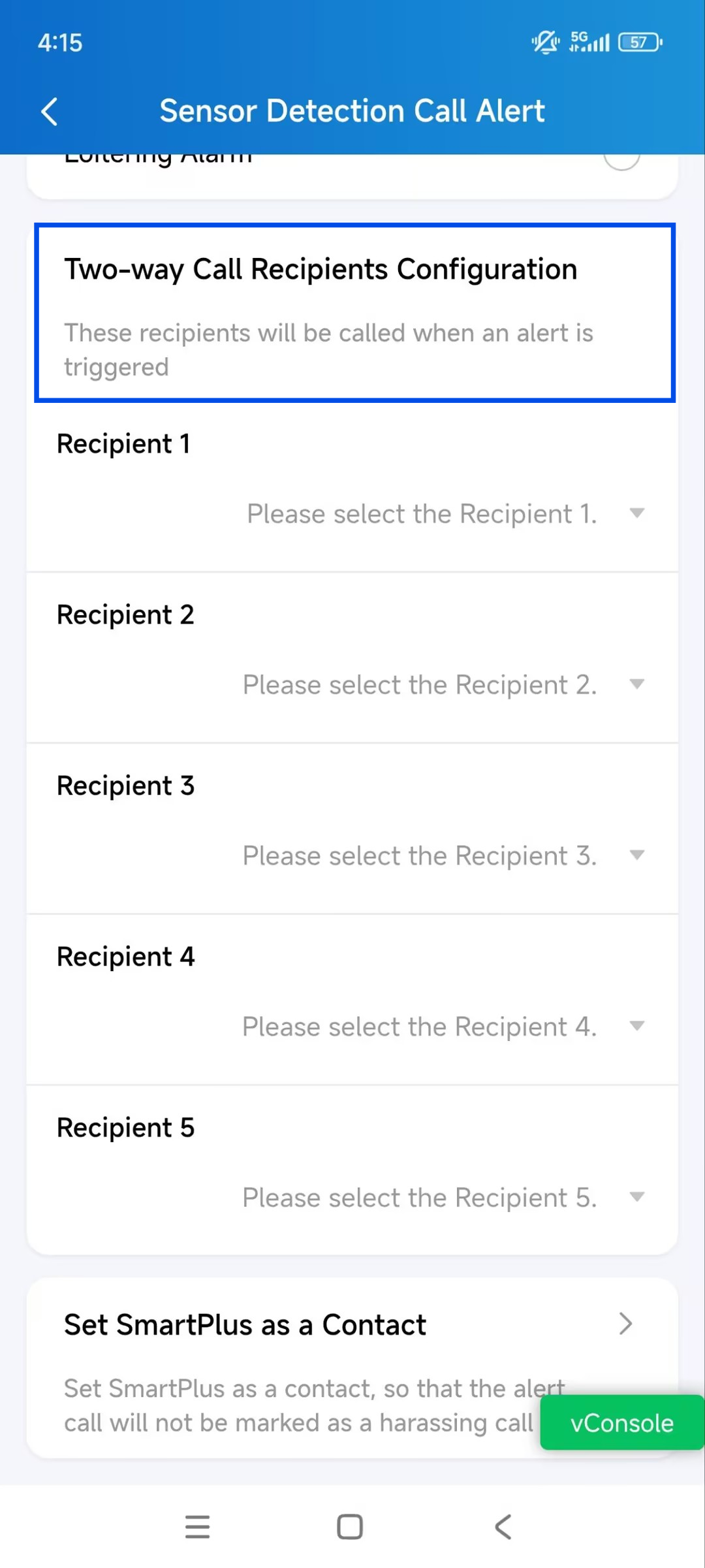
Two-way Call with Sensor
Select Two-way Call with Sensor when recipients need to communicate with the person near the MR03 after an alarm is triggered.
When an alarm is triggered, the cloud initiates a two-way call between the MR03 and the configured recipients. The recipient can talk with the person near the MR03 and respond to the situation remotely.
Up to 5 call recipients can be configured. The following recipient types are supported:
SmartPlus App Account: Select a SmartPlus App account in the family.
Indoor Monitor: Select an indoor monitor associated with the project.
Landline Number: Select a landline phone number.
Custom: Manually enter a mobile phone number and specify the Area Code.
If multiple recipients are configured, the system calls them simultaneously. Once one recipient answers the call, the calls to the other recipients stop.
Temporary Access on Alert
Use this when healthcare or care home staff need to enter the building quickly in an emergency, without requiring a resident or property manager to grant access manually.
When enabled, a temporary access key is automatically sent to designated service personnel when an alarm is triggered, allowing them to enter the building without a permanent access credential.
Note
Your property manager can set up this feature for you. The confirmation notice will be sent to your app right after they enable, disable, or modify the feature.
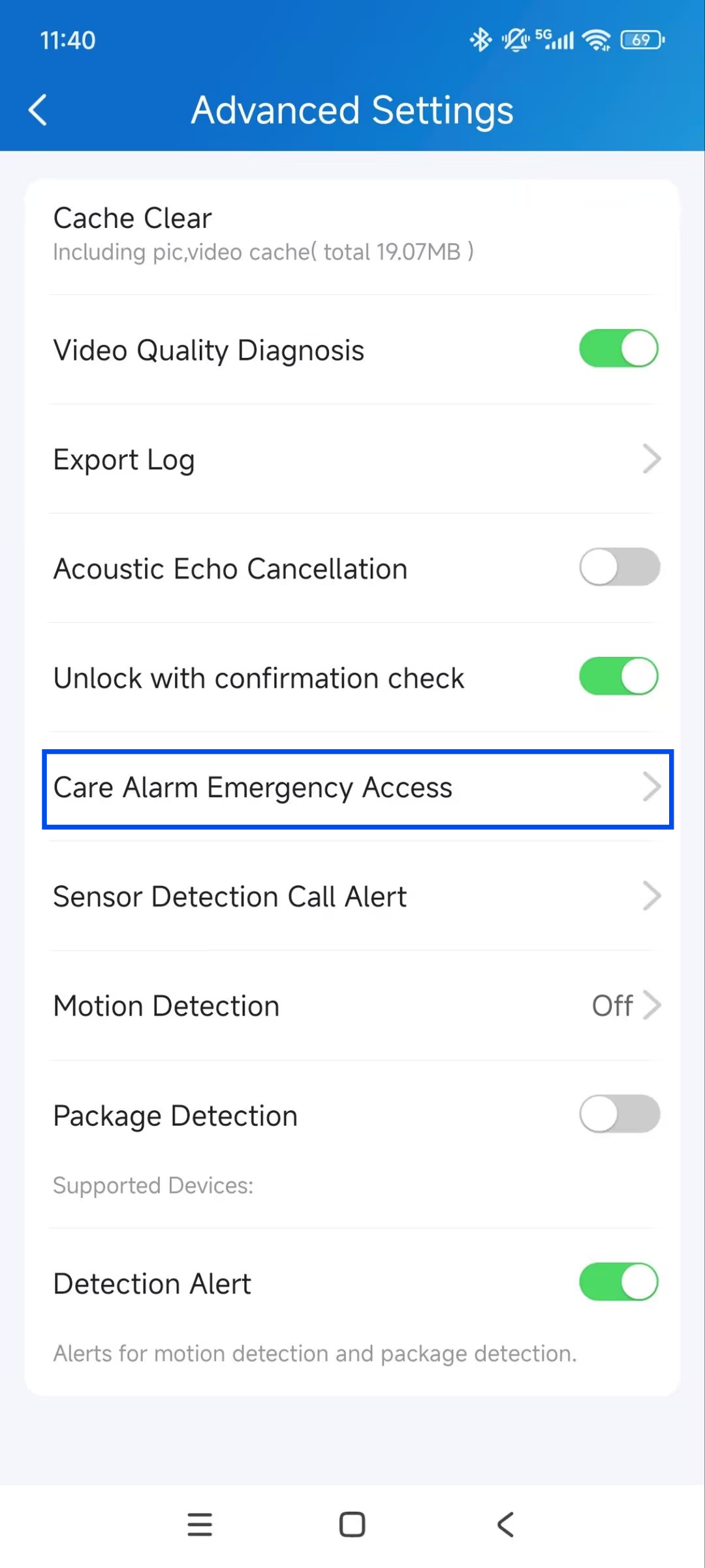
Tap Me > Settings > Advanced Settings.
Tap Care Alarm Emergency Access.
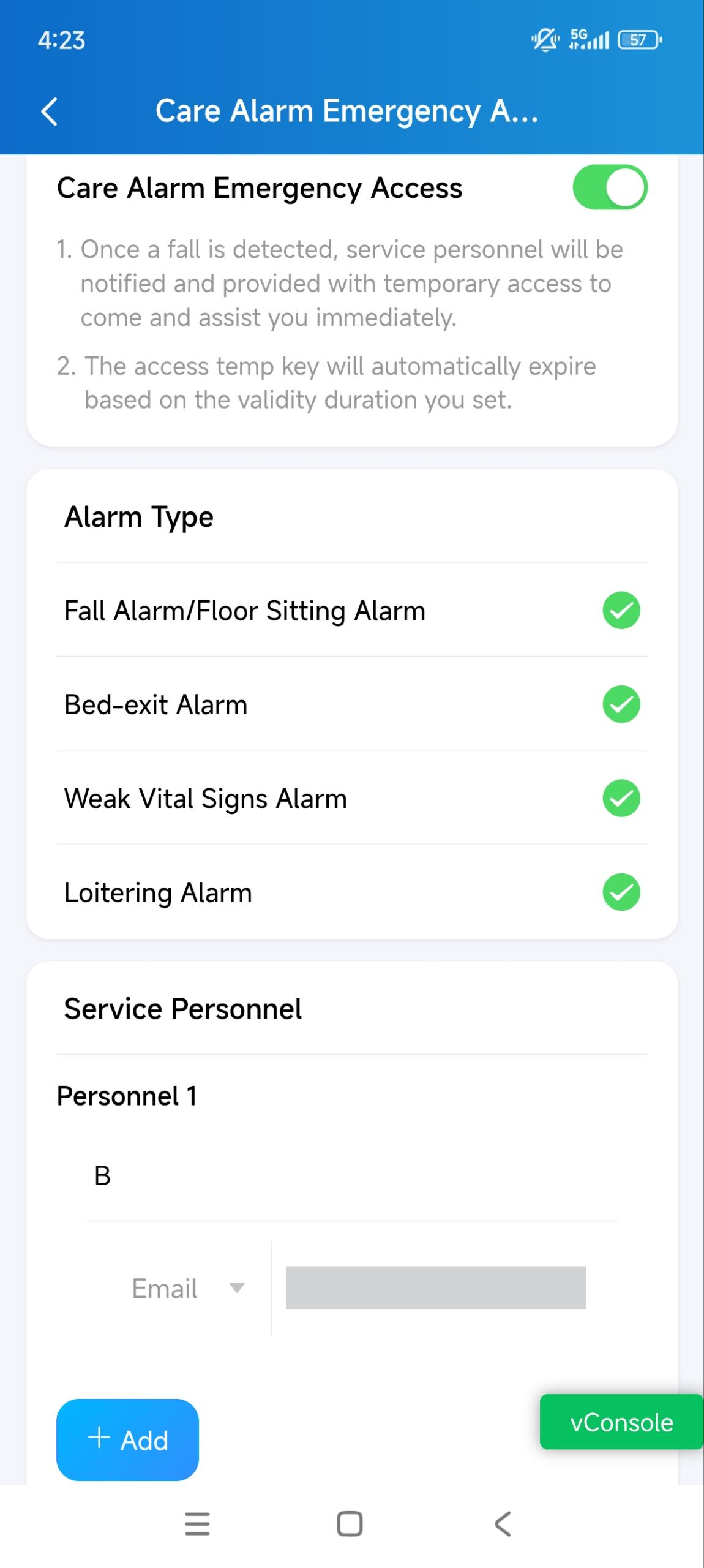
Enable the feature.
Select the Alarm Type. The available alarm types depend on the sensor model:
Model | Available Alarm Types |
|---|---|
MR01 | Fall Alarm, Bed-exit Alarm. |
MR03 | Fall Alarm/Floor Sitting Alarm, Bed-exit Alarm, Weak Vital Signs Alarm, Loitering Alarm. |
Under Service Personnel, enter the personnel's name.
Select Email or Phone as the delivery method for the temporary access key.
Enter the personnel’s email address or phone number.
You can add up to 5 personnel.
Set the Temporary Key Validity Duration.
Set the number of times the key can be used (Valid Times).
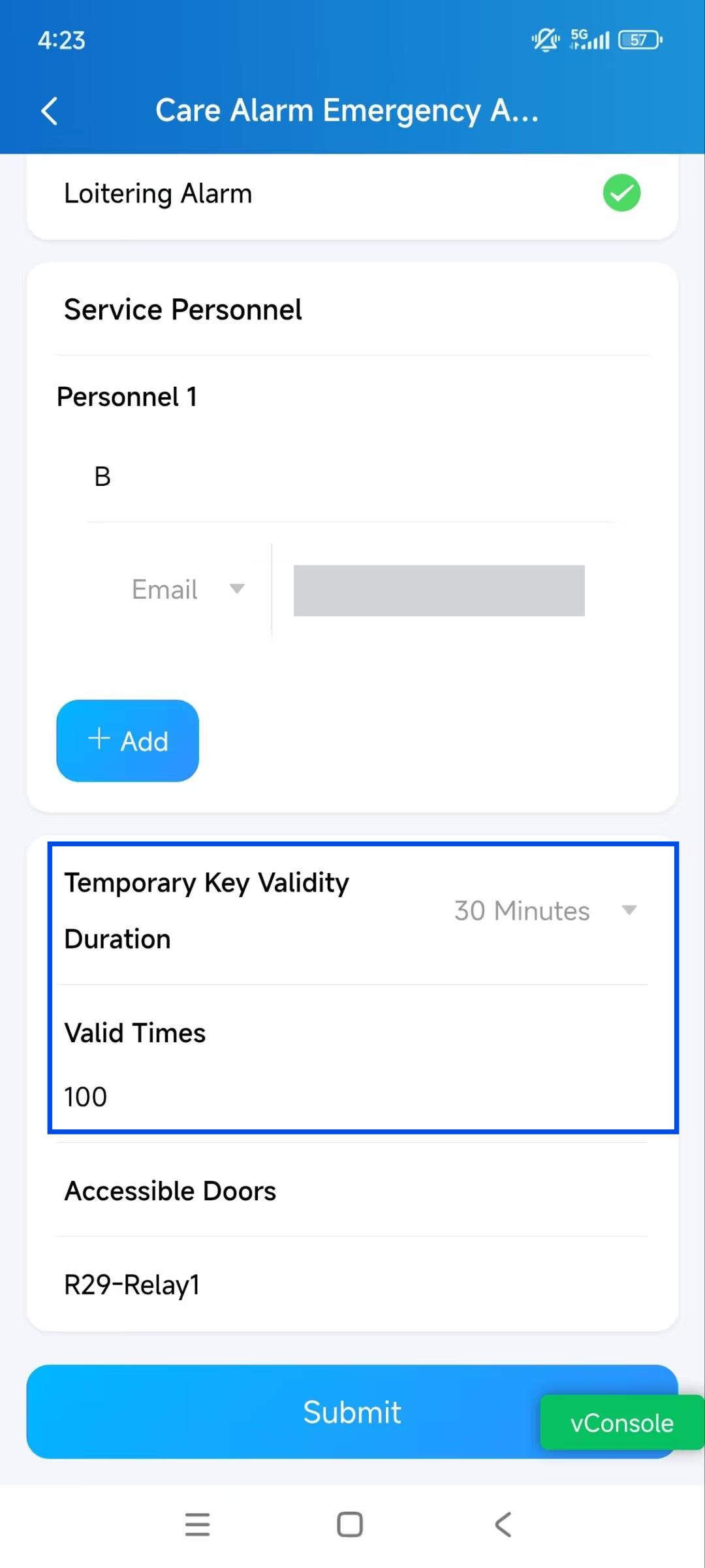
Save the settings.
When the alarm is triggered, the temporary access key link will be sent to the configured email addresses and/or phone numbers via SMS.