The break-in intrusion feature makes door phones or access control terminals sound an alert when the door is forced open.
Note
Make sure you have configured the input before enabling the break-in intrusion.
How to define the door is forced open?
Normal door opening: The relay is triggered before the input is triggered, and the door is opened.
Abnormal door opening: The input is triggered, and the door is opened before the relay is triggered.
Compatible models and versions(or higher):
S539, S538, S535, S532, X916, X915 V1/V2, X910, R29, A01/02/3, A08, A15, A095, and WR01.
A094: 92.30.10.130
E18: 18.30.10.236
E16V2: 216.30.10.208
E16V3: 416.30.11.206
E12V2: 312.30.10.237
R28V2: 228.30.10.218
X912: 912.30.11.107
R25: 25.30.10.117
R20V5: 320.30.11.30
A05V2: 205.30.11.114
This article takes R29 as an example.
On the Device’s Web Interface
Use the device IP to log in to its web interface. The initial username and password are both admin.
Navigate to the Access Control > Input interface.
Enable the Break-in Intrusion.
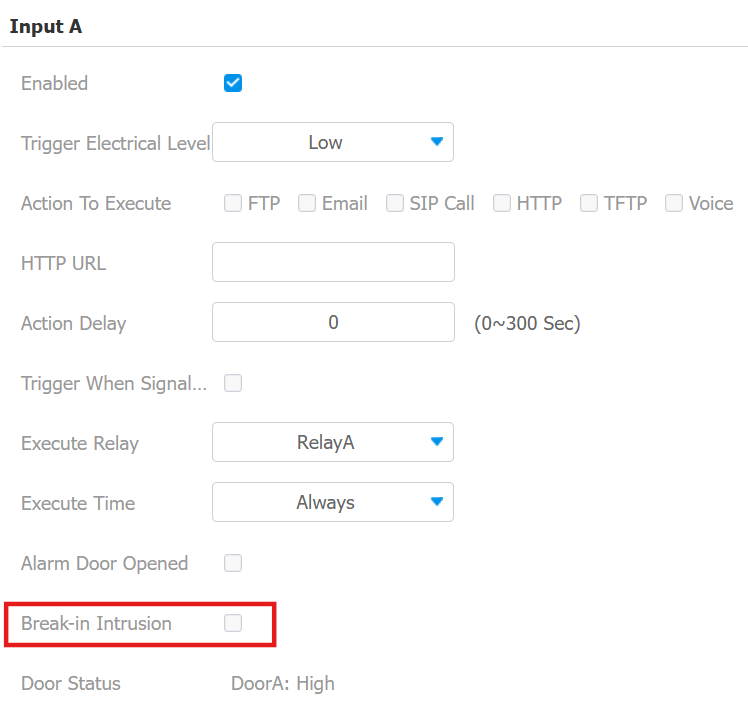
Click Submit to save the settings.
When the door is forced open, an alarm will be triggered.
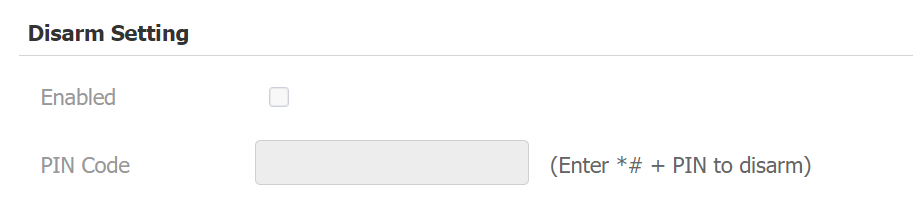
If you want to disarm the alarm, disable break-in intrusion on the web interface, or enter the disarm code.
The disarm code can be configured on the System > Security > Disarm Setting interface.
Note
ONLY S539, S538, R29, S535, S532, X916, and X915 support disarming via PIN.
A095 Break-in Intrusion Setup
A095 has 12 inputs, 8 of which can be connected to door sensors and trigger break-in intrusion alerts.
If DPS(Door Position Switch) is used, enable it on the Access Control > Door interface.
If AUX IN(Auxiliary Input) is used, enable it on the Access Control > Auxiliary Input interface.
Then, bind the input to the door.
Go to Access Control > Door.
Select the used input from the dropdown list.
Enable Break-in intrusion.
Choose the Break-in Intrusion Trigger Door. AUX OUT 1 - 4 corresponds to the 4 auxiliary outputs that can be connected to an external siren.
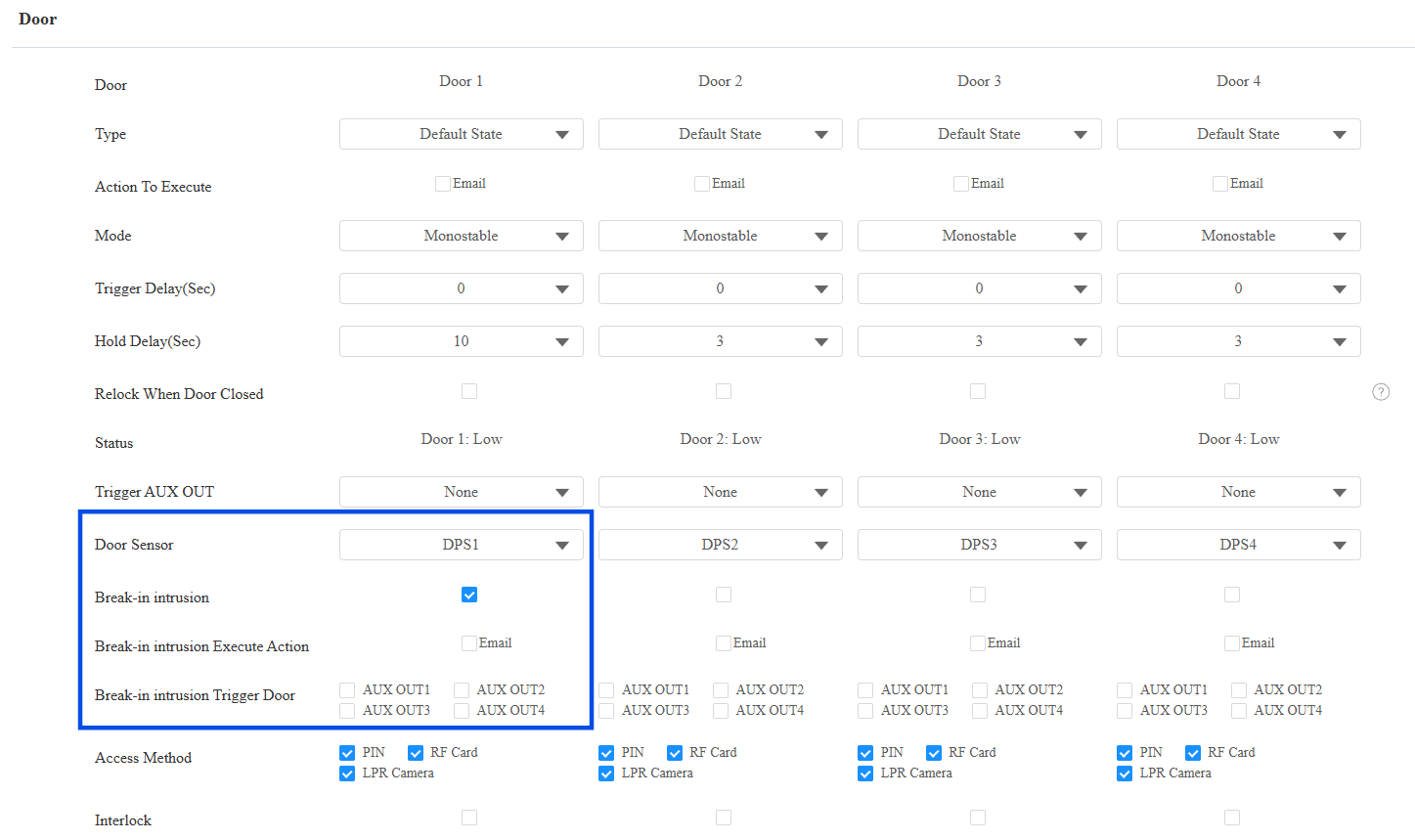
Click Submit.
Tip
Click here to view how to disarm A095.
On the Smart Access Cloud
If the device is deployed on the cloud, you can set up the break-in alarm feature on the cloud.
Both installers and project managers can set up this feature for devices in new commercial projects(created after Oct.15, 2024).
Compatible models and versions(or higher):
Model
Version
Model
Version
R29
29.30.10.404
R28 V2
228.30.10.231
R25
25.30.10.117
R20 V5
320.30.11.30
X915 V2
2915.30.10.420
X912
912.30.11.107
X910
2910.30.11.28
E16 V2
216.30.10.208
A08
108.30.11.8
A01/A02
101.30.10.206
A03
103.30.10.204
A094
92.30.10.205
A095
95.30.10.110
E12 V2
312.30.11.18
S539
539.30.10.507
X916
916.30.10.508
S535
535.30.11.8
S538
538.30.10.705
A05 V2
205.30.11.114
E16 V3
416.30.11.206
S532
532.30.10.336
E18
18.30.11.136
A15
1115.30.10.407
WR01
1401.30.11.221
Take an installer account as an example.
Log in to the cloud system with your account.
Click
 of the target commercial project.
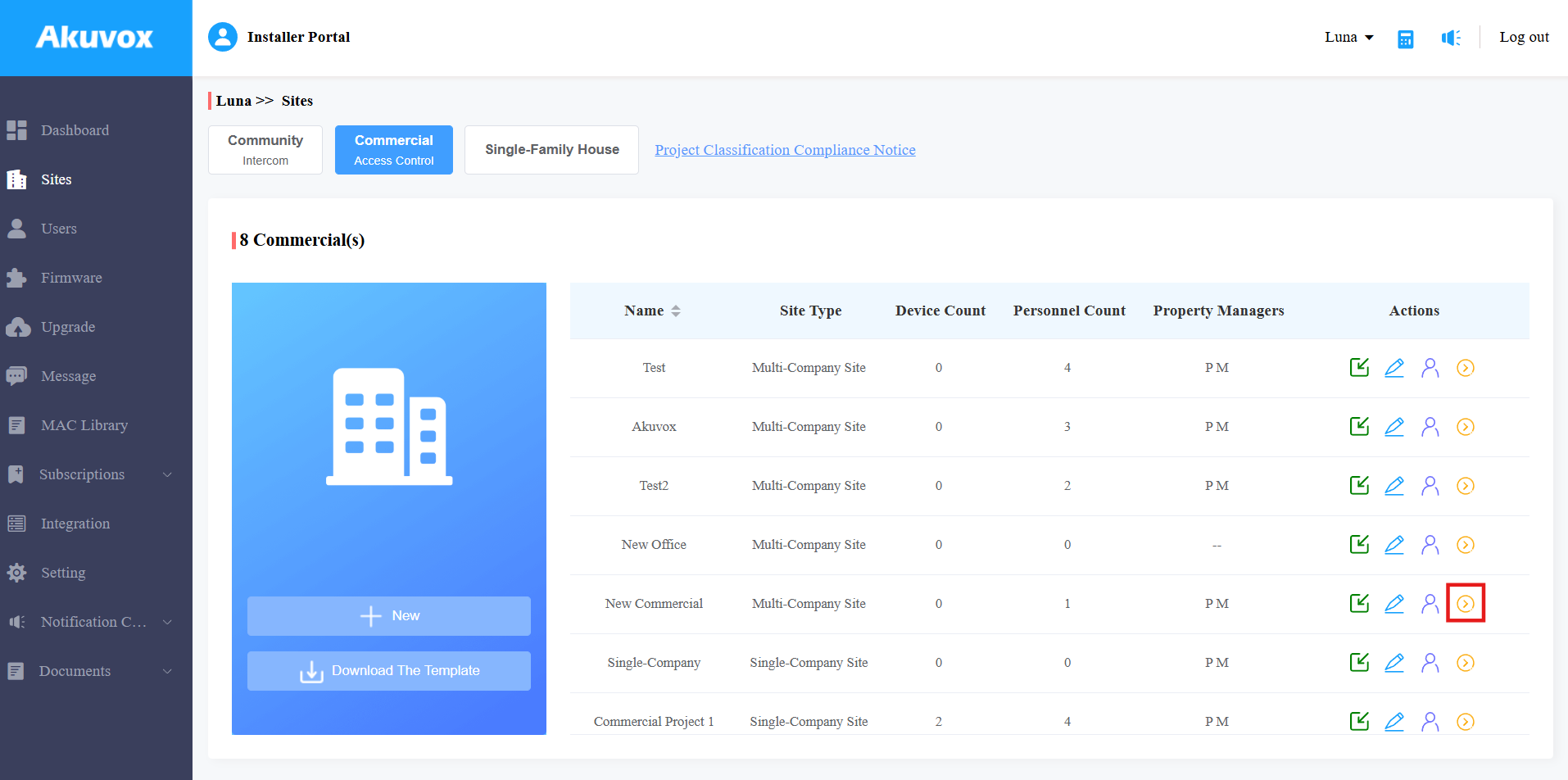
Click Devices on the left column.
Click
 of the target device.
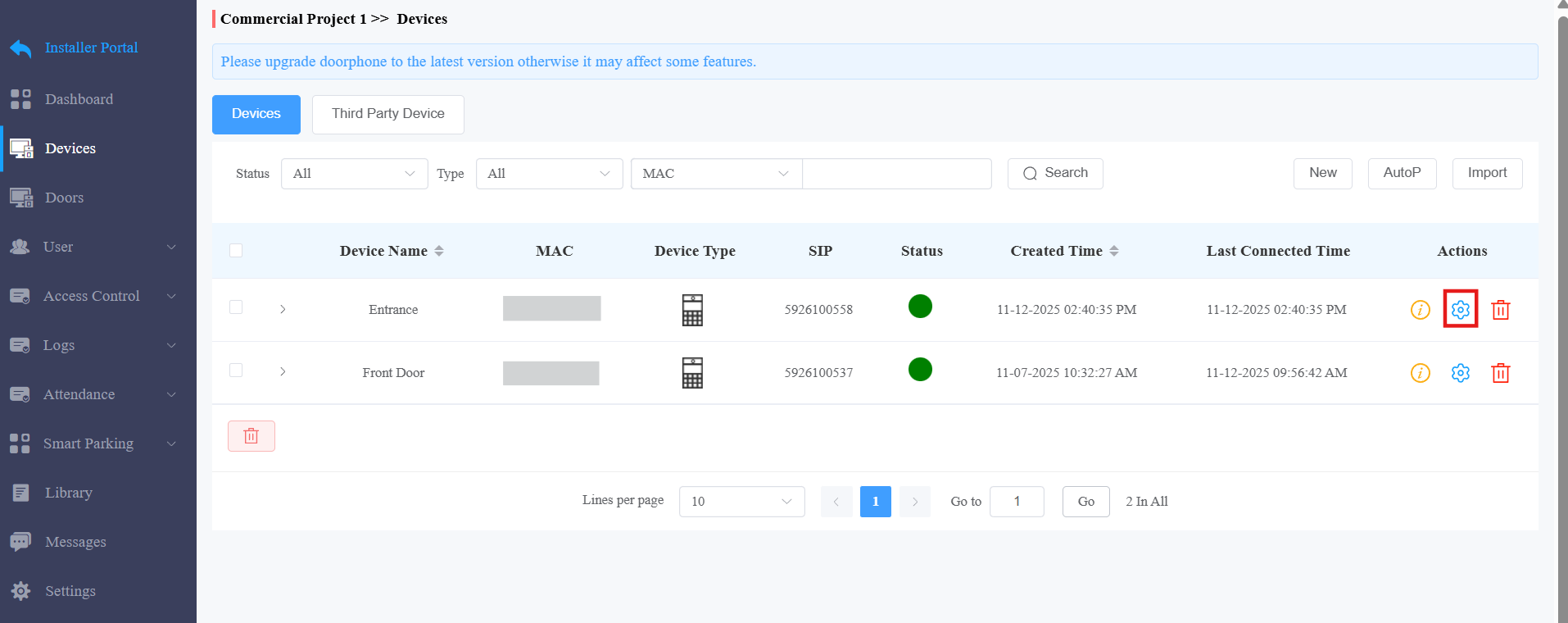
Select Door and find the Door Status part.
Select the input that is connected to the door sensor.
Enable the break-in alarm feature.
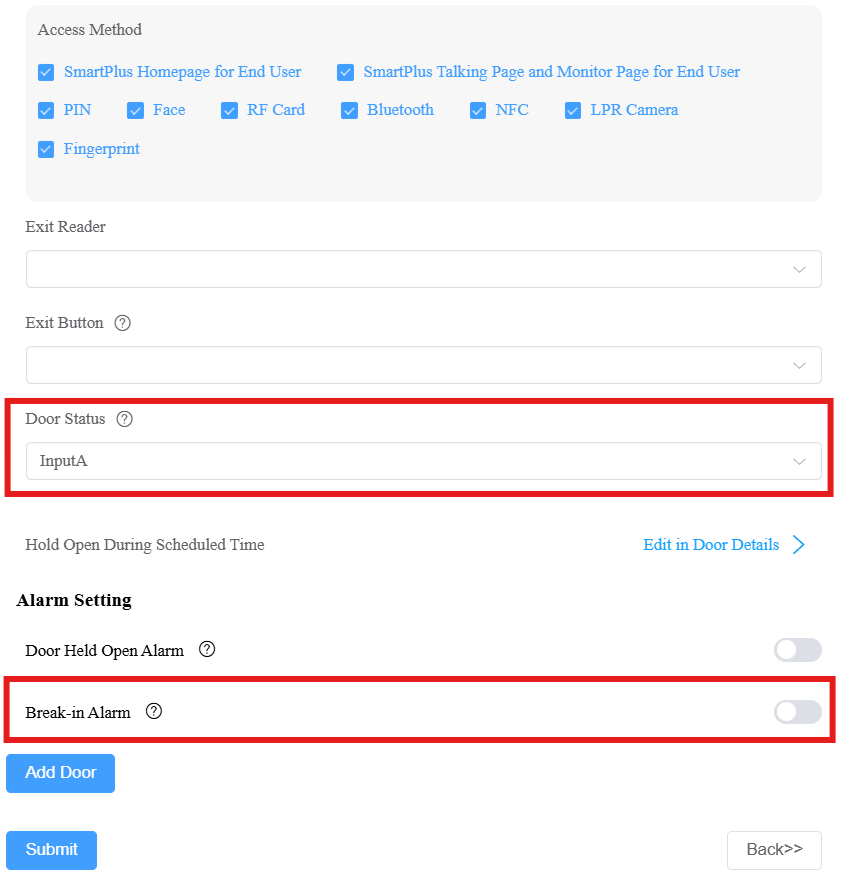
Click Submit.